







Specifications:
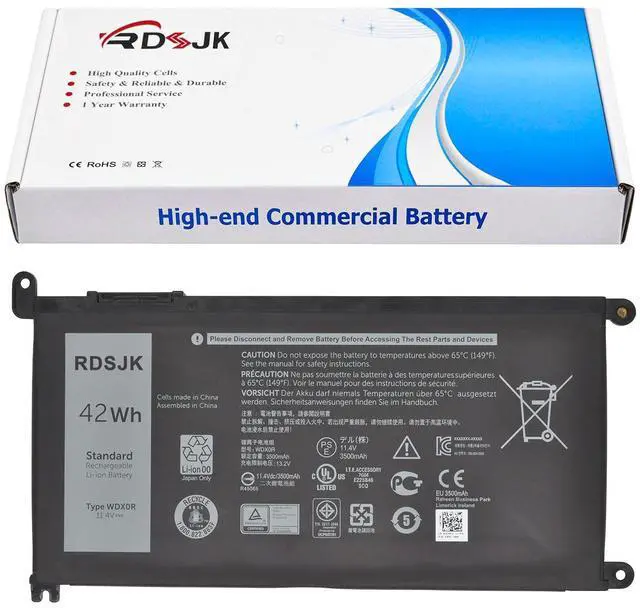
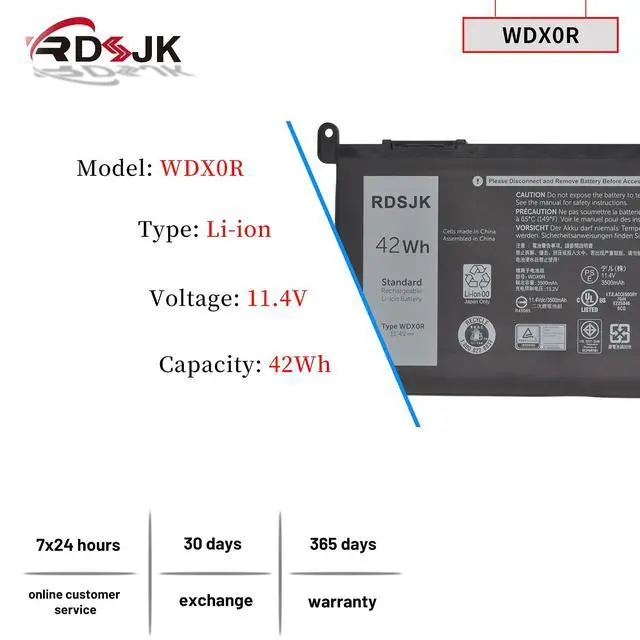
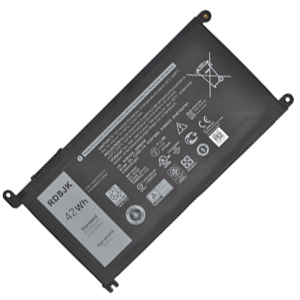
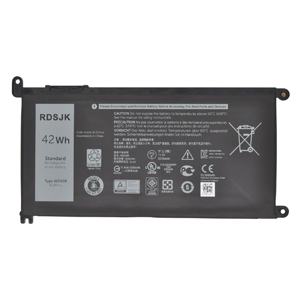
- Battery Type: Li-ion
- Voltage: 11.4V
- Capacity: 42Wh/3500mAh
- Condition: Brand New
Replace Part Numbers:
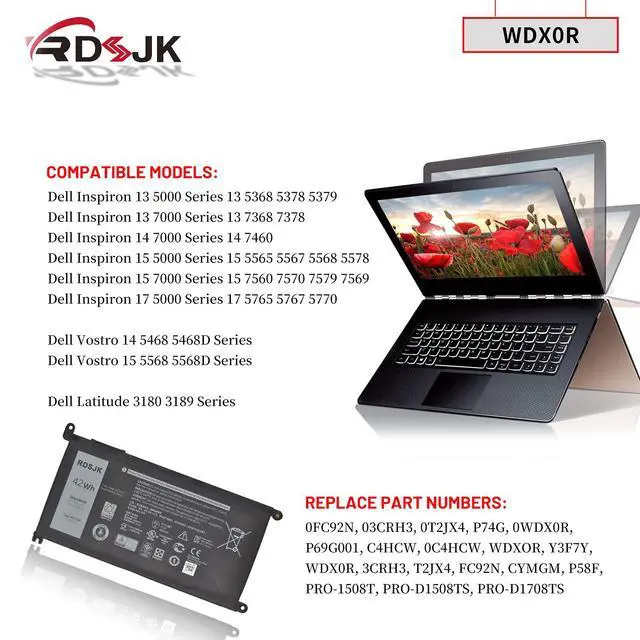
- WDX0R WDXOR 3CRH3 T2JX4 FC92N CYMGM Y3F7Y 0WDX0R 0FC92N 03CRH3 0T2JX4 C4HCW 0C4HCW 451-BBVN P69G P69G001 P74G P75F P32E P58F P58F001 P66F P35E001 P35E006 P35E002 P35E007 P58F001 P70F001 P75F00 PRO-1508T PRO-D1508TS PRO-D1708TS
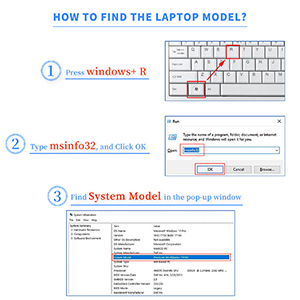
How to find your laptop model?
- 1. Press Windows + R.
- 2. Type "msinfo32", then click "OK".
- 3. Find "System Model" in the pop-up window.
Compatible Models: (use "Ctrl+F" to find your model quickly)
- Dell Inspiron 13 5000 5368 5378 5379 Series
- Dell Inspiron 13 7000 7368 7378 Series
- Dell Inspiron 14 7000 7560 7472 7460 Series
- Dell Inspiron 15 5000 5538 5565 5567 5568 5570 5575 5578 5579 5580 5583 5584 Series
- Dell Inspiron 15 7000 7560 7569 7570 7573 7579 7580 7586 P58F Series
- Dell Inspiron 17 5000 5769 5765 5767 5770 5775 Series
- Dell Inspiron 14 3000 3480 3482 Series
- Dell Inspiron 14 5000 5468 5480 5481 5482 5488 Series
- Dell Inspiron 15 3000 3583 Series
- Dell Vostro 14 5000 5468 5468D 5481 Series
- Dell Vostro 15 5000 5568 5568D 5581 5741 Series
- Dell Latitude 3000 3180 3189 3190 3300 3379 3380 3390 3480 3500 3580 3590 Series
- Dell Inspiron 3590 3593 5567 5578 5583 7569 7580 Series
Dell Inspiron 13 5000 5368 5378 5379 Series
Dell Inspiron 13 5368 P69G001 i5368 13 5378 13 5379 Ins 13MF-2505T Ins 13MF-D1208TA Ins 13MF-D1508TA Ins 13MF-D2205TA Ins 13MF-D2505TA Ins 13MF-D2605TA 13 5379 2-IN-1
Dell Inspiron 13 7000 7368 7378 Series
Dell Inspiron 13 7368 13 7378 Ins 13MF PRO-D1508TS Ins 13MF PRO-D1708TS
Dell Inspiron 14 7000 7560 7472 7460 Series
Dell Inspiron 14 7472 14 7460 Ins 14-7460-D1525G Ins 14-7460-D1525S Ins 14-7460-D1605G Ins 14-7460-D1605S Ins 14-7460-D1625S Ins 14-7460-D1725G Ins 14-7460-D1725S
Dell Inspiron 15 5000 5538 5565 5567 5568 5570 5575 5578 5579 5580 5583 5584 Series
Dell Inspiron 15 5538 15 5565 15 5567 15 5568 15 5570 15 5575 15 5578 15 5579 15MF PRO-1508T 15MF 1508TA Ins 15-5567-D1525A Ins 15-5567-D1525R Ins 15-5567-D1545A lns 15-5567-D1625A Ins 15-5567-D1625L Ins 15-5567-D1625R Ins 15-5567-D1725A Ins 15-5567-D1745A Ins 15-5567-D1745L
Dell Inspiron 15 7000 7560 7569 7570 7573 7579 7580 7586 P58F Series
Dell Inspiron 15 7560 15 7569 15 7570 15 7573 15 7579 15 7569 P58F 15 7579 2-IN-1
Dell Inspiron 17 5000 5769 5765 5767 5770 5775 Series
Dell Inspiron 17 5765 17 5767 17 5770
Dell Inspiron 14 3000 3480 3482 Series
Dell Inspiron 14 5000 5468 5480 5481 5482 5488 Series
Dell Inspiron 15 3000 3583 Series
Dell Vostro 14 5000 5468 5468D 5481 Series
Dell Vostro 14-5468D-1305S 14-5468D-1525G 14-5468D-1525S 14-5468D-1605S 14-5468D-1625G 14-5468D-1745S 14-5468D-2525S
Dell Vostro 15 5000 5568 5568D 5581 5741 Series
Dell Vostro 15 5568 Series
Dell Vostro 15-5568D-1325S 15-5568D-1525L 15-5568D-1525S 15-5568D-1625S 15-5568D-1645L 15-5568D-1745S 15-5568D-1845S
Dell Latitude 3000 3180 3189 3190 3300 3379 3380 3390 3480 3500 3580 3590 Series
Dell Latitude 11 3180 P26T002
Dell Latitude 11 3189 P26T001
Dell Latitude 11 3190 2-in-1 P26T003 P26T004
Dell Latitude 13 3379 P69G001
Dell Latitude 13 3390 P69G001
Dell Latitude 14 3480 P89G003
Dell Latitude 15 3580 P79G002
Dell Inspiron 3590 3593 5567 5578 5583 7569 7580 Series
Dell Inspiron 13-5368 13-5378 13-5379 13-7368 13-7378 14-7460 15-5538 15-5565 15-5567 15-5568 15-5578 15-7560 15-7569 15-7570 15-7579 17-5765 17-5767 17-5770 Series
Laptop Battery Instruction:
1. Discharge the new battery use to 5%(not to 0%) and then charge to 95%, and cycle 3-5 times.
2. Do not disassemble, crush or puncture. Do not dispose of in fire or water.
3. If you remove battery for a long time, charge more than 80% at least one time within one months.
4. When using the battery, care should be taken to prevent exposure and moisture.
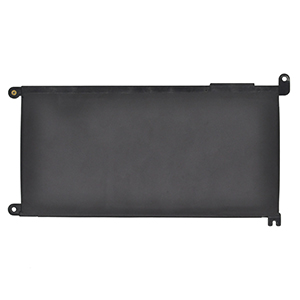
Installing A New Battery:
1. Before disassembling your laptop, put the old battery charge below 25%. If a fully charged lithium battery is accidentally punctured, it will have serious consequences.
2. Please keep every screw you removed.
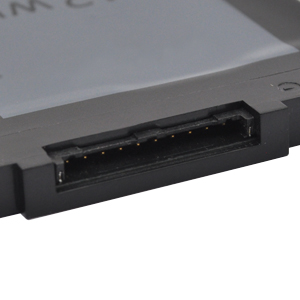
3. Make sure that interface is correctly connected to its socket.
4. Please protect your screen and touchpad.
If the battery cannot be recognized by the laptop, it seems like there logic in the BIOS (ACPI) that needs to be reset with the introduction of a new battery.
1. Remove all battery drivers.
2. Remove battery.
3. Connect laptop using AC charger, double check no battery drivers installed
Connect battery.
4. Drivers will install automatically.
5. Full charge the battery by ac adapter.
6. Leave charger and let the battery drain to shut off.




Specifications:
- Battery Type: Li-ion
- Voltage: 11.4V
- Capacity: 42Wh/3500mAh
- Condition: Brand New
Replace Part Numbers:
- WDX0R WDXOR 3CRH3 T2JX4 FC92N CYMGM Y3F7Y 0WDX0R 0FC92N 03CRH3 0T2JX4 C4HCW 0C4HCW 451-BBVN P69G P69G001 P74G P75F P32E P58F P58F001 P66F P35E001 P35E006 P35E002 P35E007 P58F001 P70F001 P75F00 PRO-1508T PRO-D1508TS PRO-D1708TS
How to find your laptop model?
- 1. Press Windows + R.
- 2. Type "msinfo32", then click "OK".
- 3. Find "System Model" in the pop-up window.
Compatible Models: (use "Ctrl+F" to find your model quickly)
- Dell Inspiron 13 5000 5368 5378 5379 Series
- Dell Inspiron 13 7000 7368 7378 Series
- Dell Inspiron 14 7000 7560 7472 7460 Series
- Dell Inspiron 15 5000 5538 5565 5567 5568 5570 5575 5578 5579 5580 5583 5584 Series
- Dell Inspiron 15 7000 7560 7569 7570 7573 7579 7580 7586 P58F Series
- Dell Inspiron 17 5000 5769 5765 5767 5770 5775 Series
- Dell Inspiron 14 3000 3480 3482 Series
- Dell Inspiron 14 5000 5468 5480 5481 5482 5488 Series
- Dell Inspiron 15 3000 3583 Series
- Dell Vostro 14 5000 5468 5468D 5481 Series
- Dell Vostro 15 5000 5568 5568D 5581 5741 Series
- Dell Latitude 3000 3180 3189 3190 3300 3379 3380 3390 3480 3500 3580 3590 Series
- Dell Inspiron 3590 3593 5567 5578 5583 7569 7580 Series
Dell Inspiron 13 5000 5368 5378 5379 Series
Dell Inspiron 13 5368 P69G001 i5368 13 5378 13 5379 Ins 13MF-2505T Ins 13MF-D1208TA Ins 13MF-D1508TA Ins 13MF-D2205TA Ins 13MF-D2505TA Ins 13MF-D2605TA 13 5379 2-IN-1
Dell Inspiron 13 7000 7368 7378 Series
Dell Inspiron 13 7368 13 7378 Ins 13MF PRO-D1508TS Ins 13MF PRO-D1708TS
Dell Inspiron 14 7000 7560 7472 7460 Series
Dell Inspiron 14 7472 14 7460 Ins 14-7460-D1525G Ins 14-7460-D1525S Ins 14-7460-D1605G Ins 14-7460-D1605S Ins 14-7460-D1625S Ins 14-7460-D1725G Ins 14-7460-D1725S
Dell Inspiron 15 5000 5538 5565 5567 5568 5570 5575 5578 5579 5580 5583 5584 Series
Dell Inspiron 15 5538 15 5565 15 5567 15 5568 15 5570 15 5575 15 5578 15 5579 15MF PRO-1508T 15MF 1508TA Ins 15-5567-D1525A Ins 15-5567-D1525R Ins 15-5567-D1545A lns 15-5567-D1625A Ins 15-5567-D1625L Ins 15-5567-D1625R Ins 15-5567-D1725A Ins 15-5567-D1745A Ins 15-5567-D1745L
Dell Inspiron 15 7000 7560 7569 7570 7573 7579 7580 7586 P58F Series
Dell Inspiron 15 7560 15 7569 15 7570 15 7573 15 7579 15 7569 P58F 15 7579 2-IN-1
Dell Inspiron 17 5000 5769 5765 5767 5770 5775 Series
Dell Inspiron 17 5765 17 5767 17 5770
Dell Inspiron 14 3000 3480 3482 Series
Dell Inspiron 14 5000 5468 5480 5481 5482 5488 Series
Dell Inspiron 15 3000 3583 Series
Dell Vostro 14 5000 5468 5468D 5481 Series
Dell Vostro 14-5468D-1305S 14-5468D-1525G 14-5468D-1525S 14-5468D-1605S 14-5468D-1625G 14-5468D-1745S 14-5468D-2525S
Dell Vostro 15 5000 5568 5568D 5581 5741 Series
Dell Vostro 15 5568 Series
Dell Vostro 15-5568D-1325S 15-5568D-1525L 15-5568D-1525S 15-5568D-1625S 15-5568D-1645L 15-5568D-1745S 15-5568D-1845S
Dell Latitude 3000 3180 3189 3190 3300 3379 3380 3390 3480 3500 3580 3590 Series
Dell Latitude 11 3180 P26T002
Dell Latitude 11 3189 P26T001
Dell Latitude 11 3190 2-in-1 P26T003 P26T004
Dell Latitude 13 3379 P69G001
Dell Latitude 13 3390 P69G001
Dell Latitude 14 3480 P89G003
Dell Latitude 15 3580 P79G002
Dell Inspiron 3590 3593 5567 5578 5583 7569 7580 Series
Dell Inspiron 13-5368 13-5378 13-5379 13-7368 13-7378 14-7460 15-5538 15-5565 15-5567 15-5568 15-5578 15-7560 15-7569 15-7570 15-7579 17-5765 17-5767 17-5770 Series
Laptop Battery Instruction:
1. Discharge the new battery use to 5%(not to 0%) and then charge to 95%, and cycle 3-5 times.
2. Do not disassemble, crush or puncture. Do not dispose of in fire or water.
3. If you remove battery for a long time, charge more than 80% at least one time within one months.
4. When using the battery, care should be taken to prevent exposure and moisture.
Installing A New Battery:
1. Before disassembling your laptop, put the old battery charge below 25%. If a fully charged lithium battery is accidentally punctured, it will have serious consequences.
2. Please keep every screw you removed.
3. Make sure that interface is correctly connected to its socket.
4. Please protect your screen and touchpad.
If the battery cannot be recognized by the laptop, it seems like there logic in the BIOS (ACPI) that needs to be reset with the introduction of a new battery.
1. Remove all battery drivers.
2. Remove battery.
3. Connect laptop using AC charger, double check no battery drivers installed
Connect battery.
4. Drivers will install automatically.
5. Full charge the battery by ac adapter.
6. Leave charger and let the battery drain to shut off.