




 here!
here!
I’m your shopping assistant for PC builds, upgrades, and everything tech.
Got questions? Ask away!
Start a conversation
here!
I’m your shopping assistant for PC builds, upgrades, and everything tech.
Got questions? Ask away!
Start a conversation



Any questions? Ask CelesteSM will help you find out quickly.

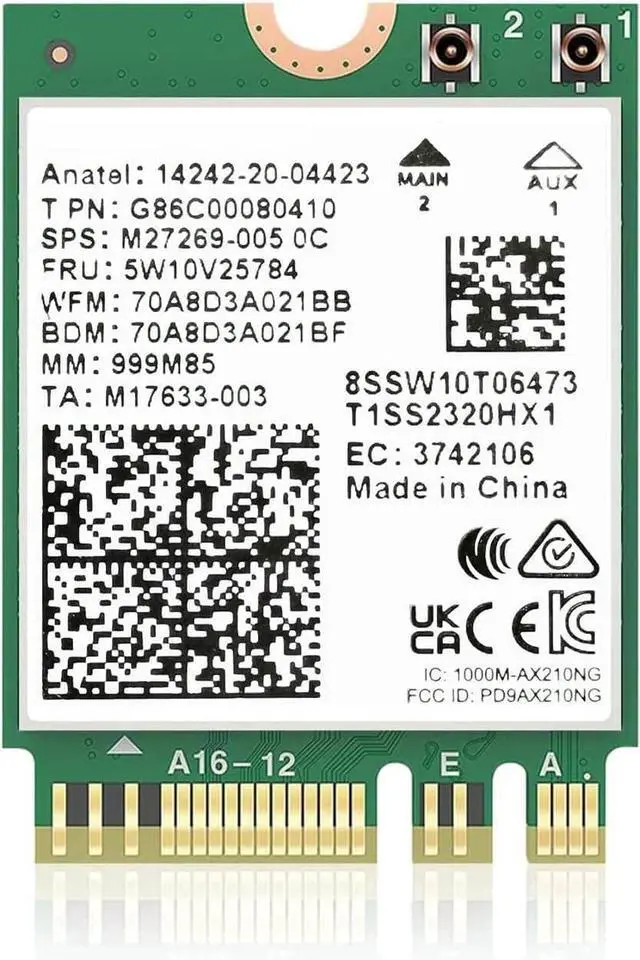
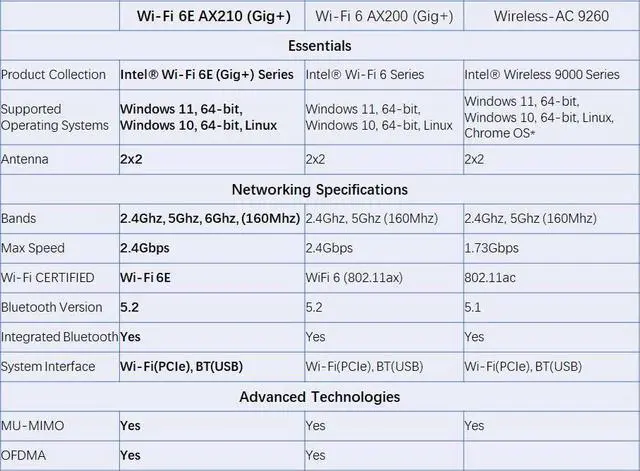
The WiFi 6E AX210 adapter is designed to support the 11ax standard, supports 2x2 Wifi 6E technology, including UL/DL OFDMA, 6GHz and 1024QAM, delivering data rates up to 2.4Gbps.
The AX210 module can provide Gigabit wireless speed and dramatically improve your connected experience at home, work, or on the go.

Bluetooth 5 provides 4x range over Bluetooth 4.2 using the same Tx power, enabling coverage throughout the home. Bluetooth 5 also double data rates speed for faster transmissions thereby reducing the overall power consumption.
Additionally, Bluetooth 5 adds new enhanced data broadcasting enabling seamless services such as location-based services and simpler pairing for Bluetooth devices.

This WiFi6E AX210 module full supports the latest Microsoft Windows 10/11 64bit OS.
Support the new 802.11ax standard with its unique features such as OFDMA, 1024QAM, Target Wake Time, 160MHz channels and spatial reuse. Compatible with all the wireless routers and any 11ac or 11n devices.
Compatible with Intel base CPU, some AMD CPU may have comaptibility issue.


It is very easy to replace the wifi module:
1. Download the latest driver by scanning the QR code on the box.
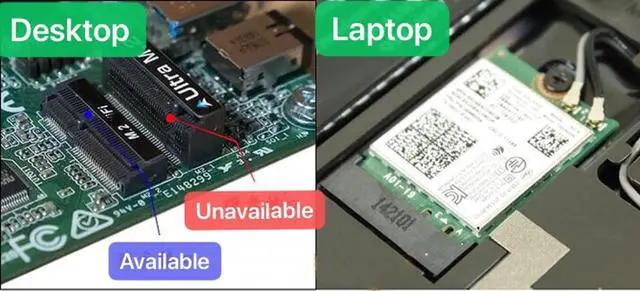
2. Power off the Laptop, unscrew the screws holding in the bottom of the case, find the old M.2 wifi card, replace the new card.
3. Install the driver, enjoy the new light fast Internet.

You can get the driver download link from the manual or the Intel official website by searching "AX210". It is recommended to download the driver first and then install the network card.
You can use the DriverMax that comes with Microsoft to scan and update the driver.
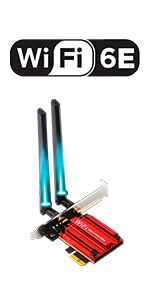 WiFi 6E AX210 PCIE Card | 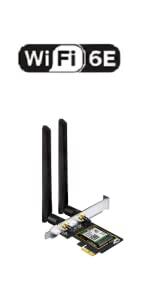 WiFi 6E AX210 PCIE Card | 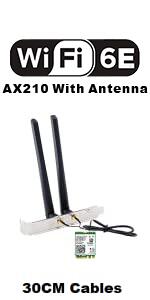 AX210 With 5dBi Antenna | 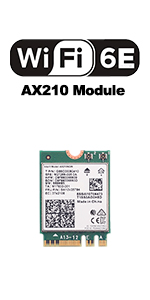 AX210 Module | |
|---|---|---|---|---|
| Customer Reviews | — | — | — | — |
| Price | — | — | — | — |
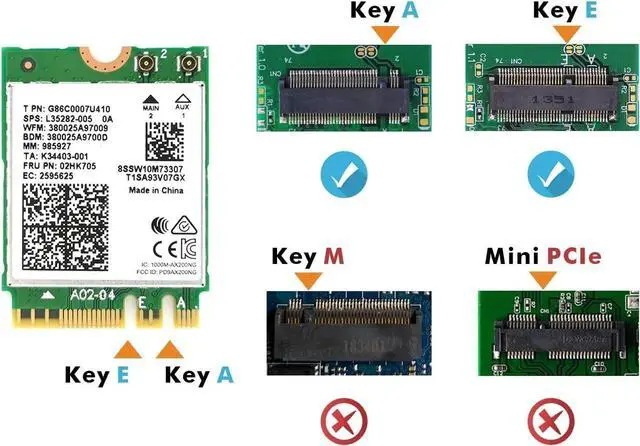
| Interface | PCIE | PCIE | M.2 Key A or E (Not support CNVIO) | M.2 Key A or E (Not support CNVIO) |
| Wireless | 11AX WiFi 6E | 11AX WiFi 6E | 11AX WiFi 6E | 11AX WiFi 6E |
| Bluetooth | 5.3 | 5.3 | 5.2 | 5.3 |
| Max Speed | 2400Mbps @ 6G + 2400Mbps @ 5G + 574Mbps @ 2.4G | 2400Mbps @ 6G + 2400Mbps @ 5G + 574Mbps @ 2.4G | 2400Mbps @ 6G + 2400Mbps @ 5G + 574Mbps @ 2.4G | 2400Mbps @ 6G + 2400Mbps @ 5G + 574Mbps @ 2.4G |
| High Gain Antenna | 5dBi | 5dBi | 5dBi | not including |
| Dual Band | 6G / 5G / 2.4G | 6G / 5G / 2.4G | 6G / 5G / 2.4G | 6G / 5G / 2.4G |
| Online Gaming | ? | ? | ? | ? |
| 8K HD Video Streaming | ? | ? | ? | ? |
| MU-MIMO | Up & Down | Up & Down | Up & Down | Up & Down |
| Supported operating systems | Windows 10/11 64-bit | Windows 10/11 64-bit | Windows 10/11 64-bit | Windows 10/11 64-bit |
WiFi 6E AX210
Knowing the following will give you a better product experience:
Please Note:
The WiFi 6E AX210 adapter is designed to support the 11ax standard, supports 2x2 Wifi 6E technology, including UL/DL OFDMA, 6GHz and 1024QAM, delivering data rates up to 2.4Gbps.
The AX210 module can provide Gigabit wireless speed and dramatically improve your connected experience at home, work, or on the go.

Bluetooth 5 provides 4x range over Bluetooth 4.2 using the same Tx power, enabling coverage throughout the home. Bluetooth 5 also double data rates speed for faster transmissions thereby reducing the overall power consumption.
Additionally, Bluetooth 5 adds new enhanced data broadcasting enabling seamless services such as location-based services and simpler pairing for Bluetooth devices.
This WiFi6E AX210 module full supports the latest Microsoft Windows 10/11 64bit OS.
Support the new 802.11ax standard with its unique features such as OFDMA, 1024QAM, Target Wake Time, 160MHz channels and spatial reuse. Compatible with all the wireless routers and any 11ac or 11n devices.
Compatible with Intel base CPU, some AMD CPU may have comaptibility issue.


It is very easy to replace the wifi module:
1. Download the latest driver by scanning the QR code on the box.
2. Power off the Laptop, unscrew the screws holding in the bottom of the case, find the old M.2 wifi card, replace the new card.
3. Install the driver, enjoy the new light fast Internet.

You can get the driver download link from the manual or the Intel official website by searching "AX210". It is recommended to download the driver first and then install the network card.
You can use the DriverMax that comes with Microsoft to scan and update the driver.
WiFi 6E AX210 PCIE Card | WiFi 6E AX210 PCIE Card | AX210 With 5dBi Antenna | AX210 Module | |
|---|---|---|---|---|
| Customer Reviews | — | — | — | — |
| Price | — | — | — | — |
| Interface | PCIE | PCIE | M.2 Key A or E (Not support CNVIO) | M.2 Key A or E (Not support CNVIO) |
| Wireless | 11AX WiFi 6E | 11AX WiFi 6E | 11AX WiFi 6E | 11AX WiFi 6E |
| Bluetooth | 5.3 | 5.3 | 5.2 | 5.3 |
| Max Speed | 2400Mbps @ 6G + 2400Mbps @ 5G + 574Mbps @ 2.4G | 2400Mbps @ 6G + 2400Mbps @ 5G + 574Mbps @ 2.4G | 2400Mbps @ 6G + 2400Mbps @ 5G + 574Mbps @ 2.4G | 2400Mbps @ 6G + 2400Mbps @ 5G + 574Mbps @ 2.4G |
| High Gain Antenna | 5dBi | 5dBi | 5dBi | not including |
| Dual Band | 6G / 5G / 2.4G | 6G / 5G / 2.4G | 6G / 5G / 2.4G | 6G / 5G / 2.4G |
| Online Gaming | ? | ? | ? | ? |
| 8K HD Video Streaming | ? | ? | ? | ? |
| MU-MIMO | Up & Down | Up & Down | Up & Down | Up & Down |
| Supported operating systems | Windows 10/11 64-bit | Windows 10/11 64-bit | Windows 10/11 64-bit | Windows 10/11 64-bit |
WiFi 6E AX210
Knowing the following will give you a better product experience:
Please Note:


