




I HIGHLY recommend you download the driver first before you install the new card.

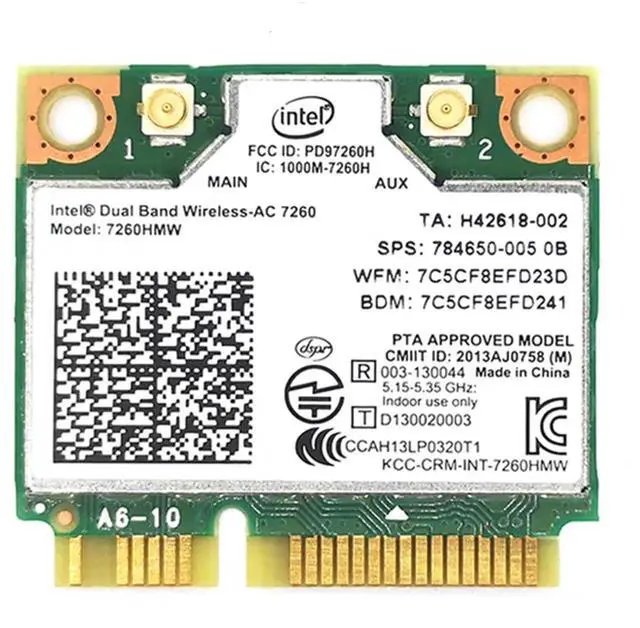
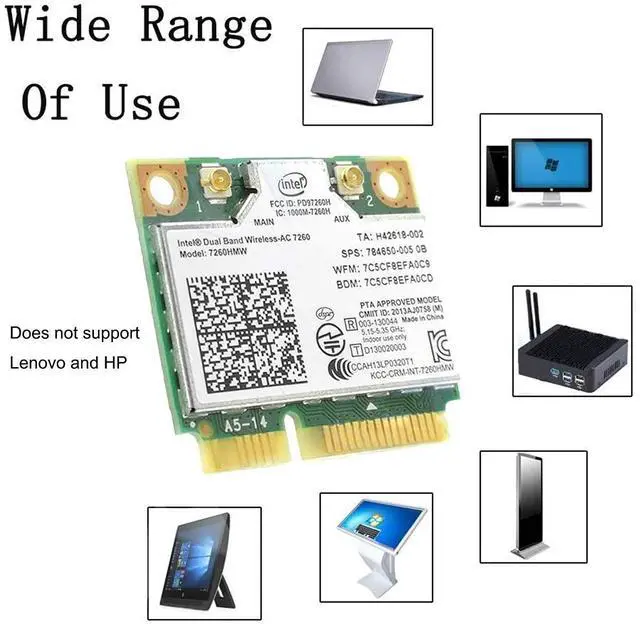
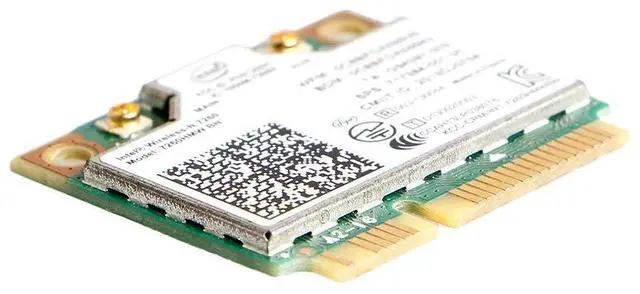
Only use for HALF MINI PCI-E Interface,do not use for NGFF interface
For Win7, Win8, Win10, Linux, but XP system does not support.Delivers dramatically faster Wi-Fi speeds (up to 867 Mbps1) than 802.11n, with more bandwidth per stream 433 Mbps), more capacity for more users (extended channel bonding 80MHz), broader coverage and better battery life (more data transmit efficiencies reduce power consumption)

Specification of MQUPIN Wireless card:
Model: 7260AC 7260HMW
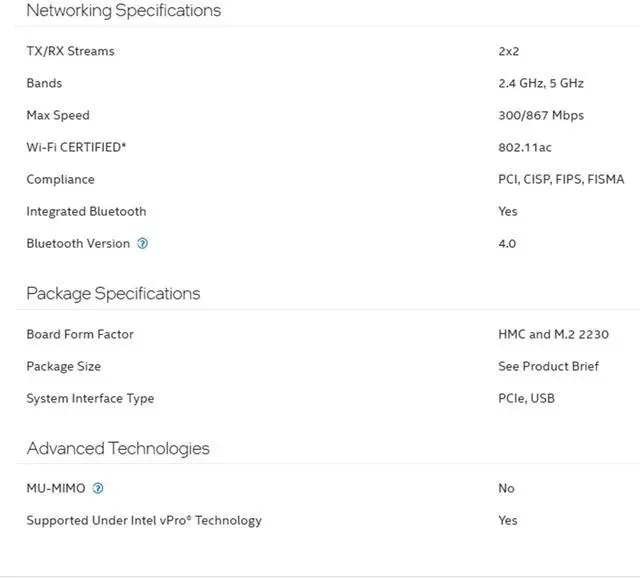
Wireless:2.4G:300Mbps
5G:867Mbps
Bluetooth: 4.0 Bluetooth etc.
Interface: MINI PCIE
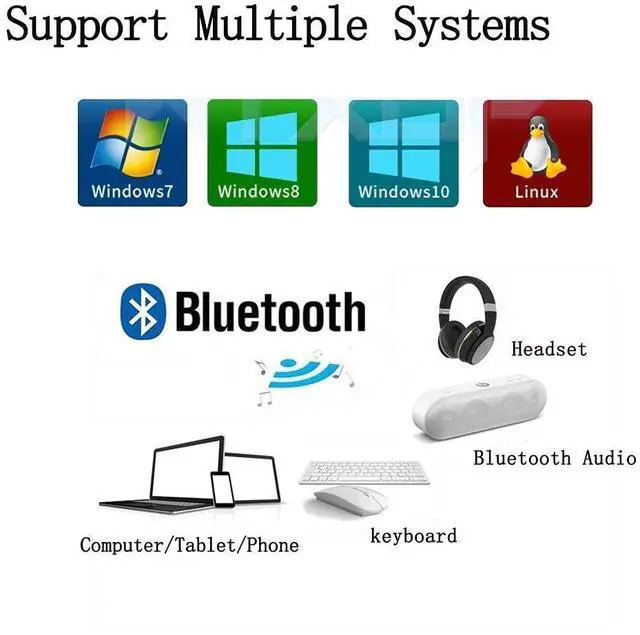
Support OS: Linux/Windows 10
Operated Temperature: 0°C ~ 80°C
Bluetooth support and mobile phone. Headset, keyboard, mouse, audio, etc.
Installation Method:
First open the machine and find the wireless network card location.
Insert the new wireless network card into the corresponding slot, then screw the fixing screw and finally install the antenna.
Turn on your computer and install the driver on your wireless connection.
Note:Do not support Lenovo HP use


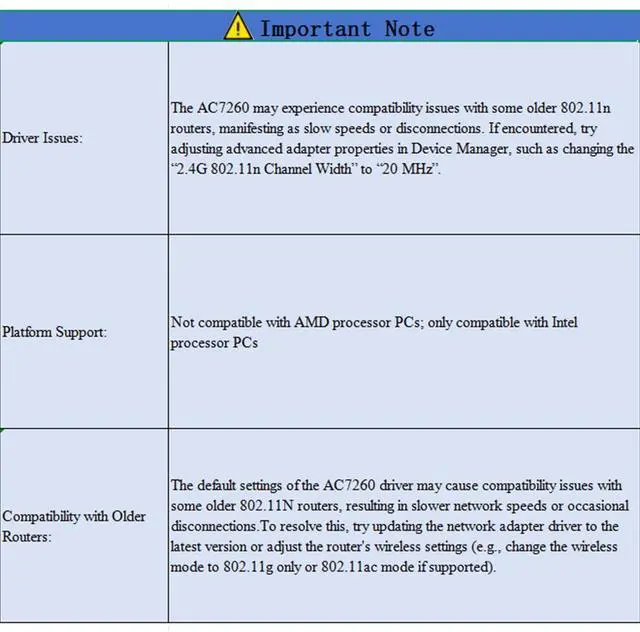
Operating System and DriverIncompatibility: Symptoms include a yellow exclamation mark in Device Manager, missing drivers, abnormal WiFi or Bluetooth functionality, slow speeds, or frequent disconnections. This is typically caused by incompatibility between the operating system and drivers.
Reasons:
1. The system is too new.
2. The system is too old: Does not support older systems like Windows XP.
3. Linux drivers: While the Linux kernel typically includes the iwlwifi driver, additional firmware files may need to be manually downloaded and installed.
4. Router compatibility: The AC-7260 may experience compatibility issues with some older 802.11n routers, potentially resulting in low negotiated speeds.
Solutions:
1. Download and install the latest driver from the official Intel website.
2. For Linux, install the required firmware package (e.g., firmware-iwlwifi) according to your distribution's wiki.
3. If suspecting router compatibility issues, try updating the router's firmware or adjust “802.11n” related settings in the network adapter's advanced properties.

More Notices:
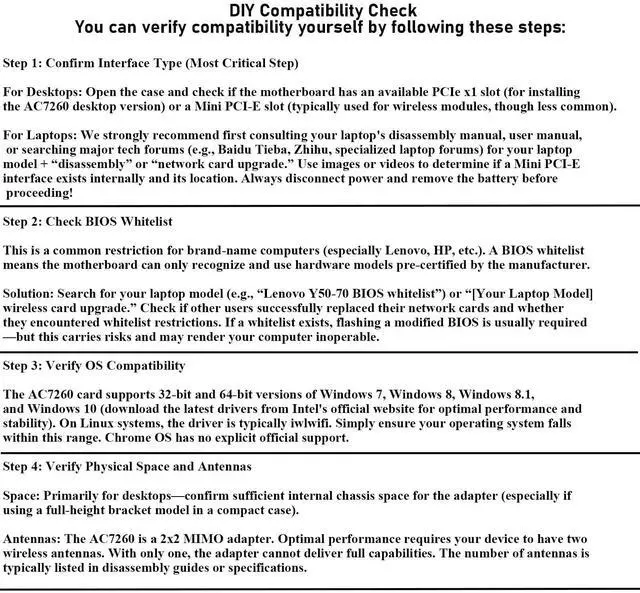
·Interface Type: MINI PCI-E
Ensure the motherboard has this interface, typically dedicated for network cards(Key A or E).
·OperatingSystem: Windows7,8,8.1,10 (32-bit and 64- bit); Linux (requires iwlwifi driver)
Chrome OS has no official support.
I HIGHLY recommend you download the driver first before you install the new card.
Only use for HALF MINI PCI-E Interface,do not use for NGFF interface
For Win7, Win8, Win10, Linux, but XP system does not support.Delivers dramatically faster Wi-Fi speeds (up to 867 Mbps1) than 802.11n, with more bandwidth per stream 433 Mbps), more capacity for more users (extended channel bonding 80MHz), broader coverage and better battery life (more data transmit efficiencies reduce power consumption)
Specification of MQUPIN Wireless card:
Model: 7260AC 7260HMW
Wireless:2.4G:300Mbps
5G:867Mbps
Bluetooth: 4.0 Bluetooth etc.
Interface: MINI PCIE
Support OS: Linux/Windows 10
Operated Temperature: 0°C ~ 80°C
Bluetooth support and mobile phone. Headset, keyboard, mouse, audio, etc.
Installation Method:
First open the machine and find the wireless network card location.
Insert the new wireless network card into the corresponding slot, then screw the fixing screw and finally install the antenna.
Turn on your computer and install the driver on your wireless connection.
Note:Do not support Lenovo HP use
Operating System and DriverIncompatibility: Symptoms include a yellow exclamation mark in Device Manager, missing drivers, abnormal WiFi or Bluetooth functionality, slow speeds, or frequent disconnections. This is typically caused by incompatibility between the operating system and drivers.
Reasons:
1. The system is too new.
2. The system is too old: Does not support older systems like Windows XP.
3. Linux drivers: While the Linux kernel typically includes the iwlwifi driver, additional firmware files may need to be manually downloaded and installed.
4. Router compatibility: The AC-7260 may experience compatibility issues with some older 802.11n routers, potentially resulting in low negotiated speeds.
Solutions:
1. Download and install the latest driver from the official Intel website.
2. For Linux, install the required firmware package (e.g., firmware-iwlwifi) according to your distribution's wiki.
3. If suspecting router compatibility issues, try updating the router's firmware or adjust “802.11n” related settings in the network adapter's advanced properties.
More Notices:
·Interface Type: MINI PCI-E
Ensure the motherboard has this interface, typically dedicated for network cards(Key A or E).
·OperatingSystem: Windows7,8,8.1,10 (32-bit and 64- bit); Linux (requires iwlwifi driver)
Chrome OS has no official support.