
Your Browsing History




Any questions? Our AI beta will help you find out quickly.
PCI-Express host interface specification v3.0 x8 and higher
Supports the PCI Bus Power Management specification and section 5 of the PCI Express Base Specification
PCI-Express lanes: x8
Quad-port 10GbE adapters
Network Virtualization offloads including VXLAN, NVGRE, Geneve and Network Service Headers.
Intel Ethernet Flow director for hardware based application traffic steering.
Intelligent offloads to enable high performance with Intel Xeon processor-based servers
Packet checksum offloads: Calculates IP,UDP, TCP, and Stream transmission Protocol checksums for insertion into transmitted packets and for integrity checking on received packets, Includes support for UDP and TCP checksums in both IPv4 and IPv6 data grams.
I/O virtualization innovations for maximum performance in a virtualized server
Support for optional End-to-End CRC generation and checking
Supports up to 1024 LAN queue sets(768 typically available)
Supports up to 384 VSIs with average of two TCs allocated per VSI
Supports up to 16VEB/VEPA switching components
Supports Network standard:IEE802.3 10GBASE-SR ,10GBASE-LR,10GBASE-CR
IEEE802.3x flow control support
IEEE802.3Q VLAN support with VLAN tag insertion, with stripping and packet filtering for up to 4096 VLAN tags.
Jumbo Frame support 9728 bytes
Chipset: Intel XL710-BM1
Package content
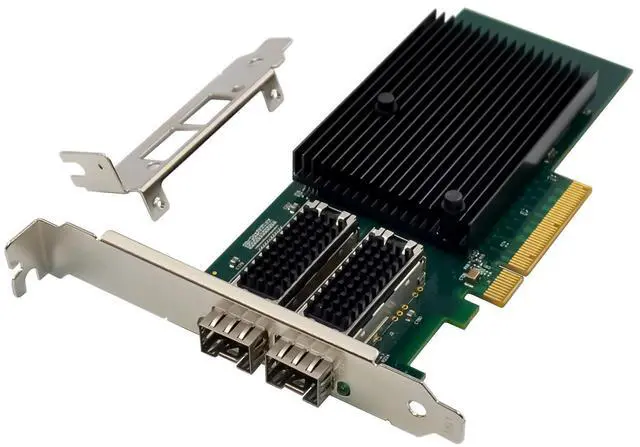
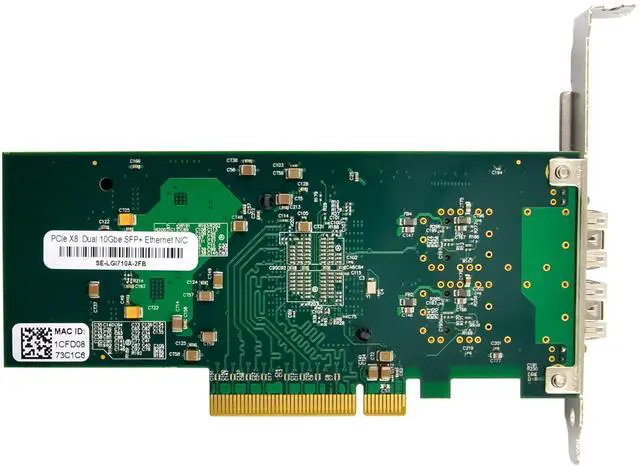
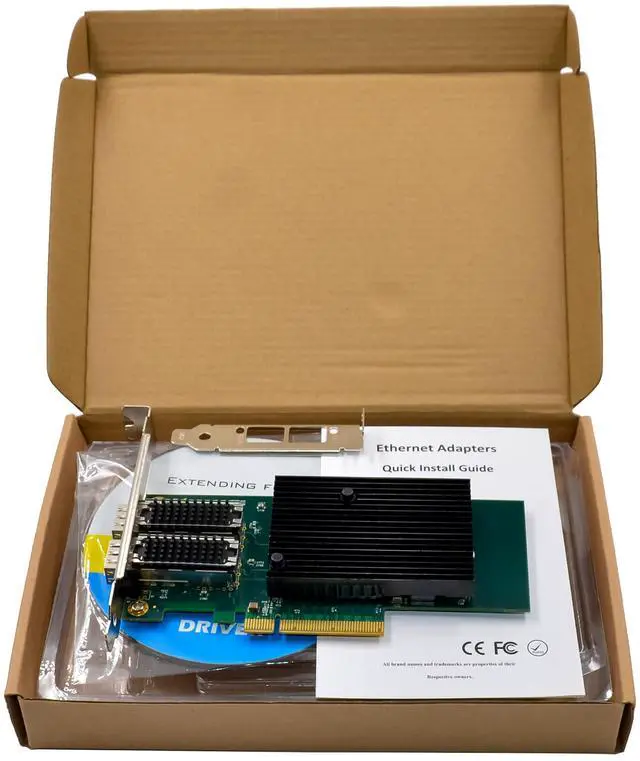
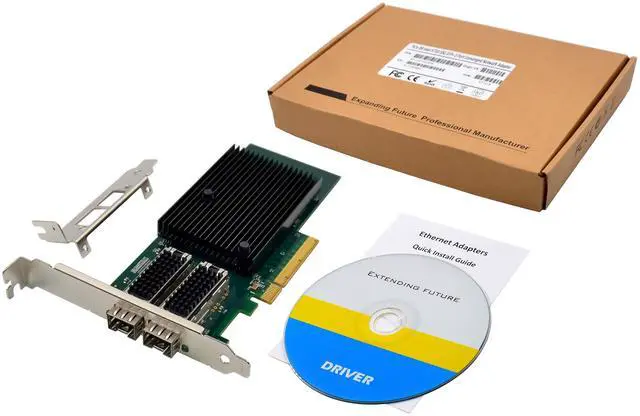
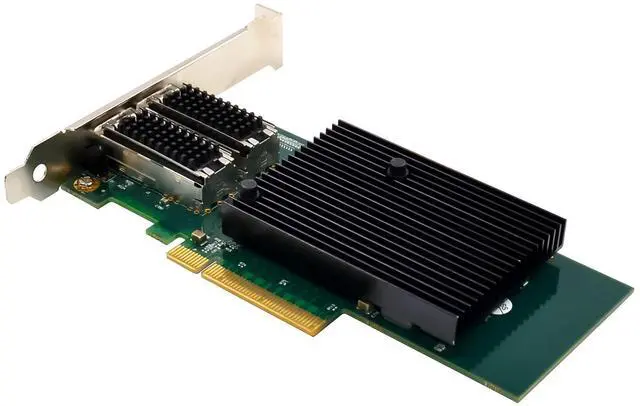
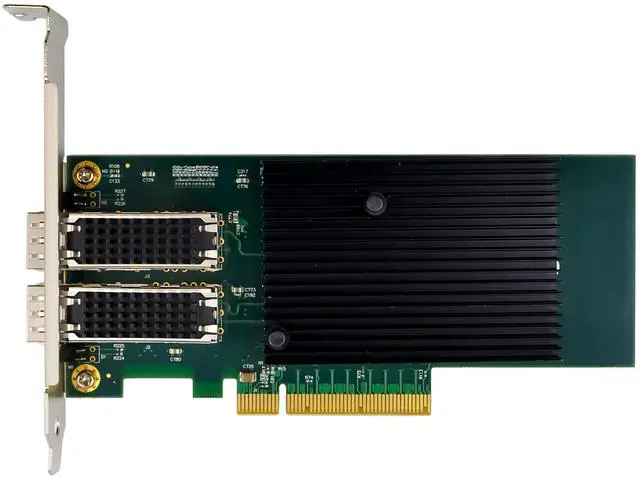
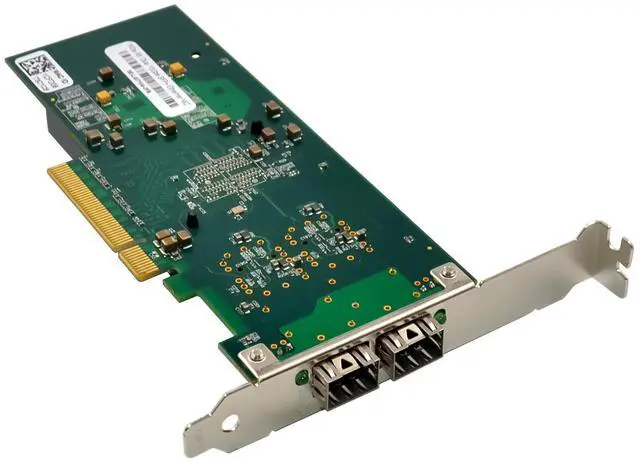
1 x SFP PCIe Network card
1 x Users Manual
1 x CD
1 x Low profile bracket
Accessories
System Requirements
FreeBSD, Linux , VMWare ESXi, Win-server2012/ Win-server2008/ Win-server2016/win10/11
One available PCI Express x8 slot
Specification
Brand SUNWEIT
Model SE-LGIX710-BM2
Controller Intel X710
Transmission Rate 10000Mbps
Network Standard Physical Layer Interfaces 10GBASE-SR, 10GBASE-LR
Jumbo Frame Support Up to 9.5 KB
Operating Temperature 0 to 85
Network Virtualization VLAN, VLAN TAG, VXLAN, NVGRE, GENEVE,VLMB
LED Indicators Link Yellow, 10Gb/s: Green blinking
Power Supply PCI Express +12V±8%/+3.3V±9%
SYSTEM SUPPORT Windows Server 2008 R2 / 2012 / 2012 R2 / 2016 R2
Windows 10/11
FreeBSD 11.0 or later
Linux SLES 11 / 12 or later
Linux Stable Kernel version 2.6.x/3.x/4.x or later
VMware ESX/ESXi 5.x/6.x or later
Cabling Requirements:
Intel 10Gigabit adapters
SFP+ Module Laser wavelength:850 nanometer (not visible)
LC Cable type:
Multi-mode fiber with 50 micron core diameter, maximum length is 550 meters
Multi-mode fiber with 62.5 micron core diameter, maximum length is 275 meters
Connector type: LC
SFP+ Module laser wavelength:1310 nanometer(not visible)
LC Cable type:
Multi-mode fiber with 9 micron core diameter, maximum length is 3K meters
10 Gigabit Ethernet over SFP+ Direct Attached cable(Twinaxial)
Length 10 meters max.
m
Hardware installation
1.Turn off the computer and unplug the power cord
2.Remove the computer cover and the adapter slot cover from the slot that matches your adapter
3.Insert the adapter edge connector into the slot and secure the bracket to the chassis
4.Replace the computer cover ,then plug in the power cord
5.Power on the computer
Install Drivers and software
Windows Operating Systems
You must have administrative rights to the operating system to install the drivers.
1.insert the CD driver bound with Intel network driver into your CD-ROM drive(also you can download the latest drivers from support website):
2.if the Found New Hardware Wizard screen is displayed, click Cancel
3.start the autorun located in the software package, the autorun may automatically start after you have extracted files.
4.Click install Drivers and Software
5.Follow the instructions in the install wizard to finish it.
Installing Linux Drivers from Source Code
1.Download and expand the base driver tar file.
2.Compile the driver module.
3.Install the module using the modprobe command.
4.Assign an IP address using the ifconfig command.
Support
More information and settings, please refer to the Intel Adapter User Guides or you can contact us.