
Your Browsing History






Any questions? Our AI beta will help you find out quickly.
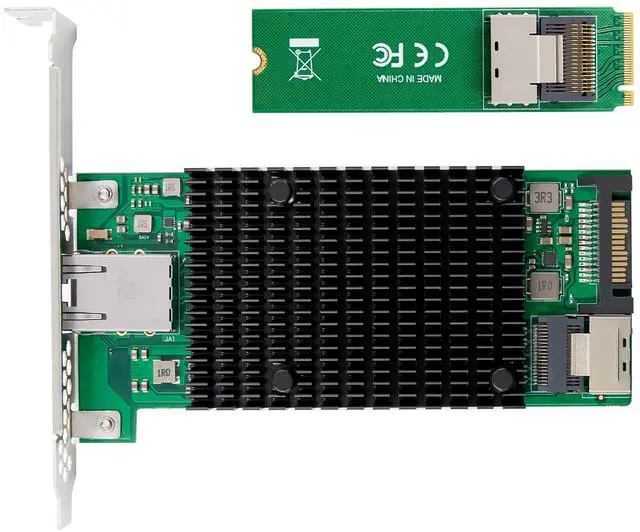
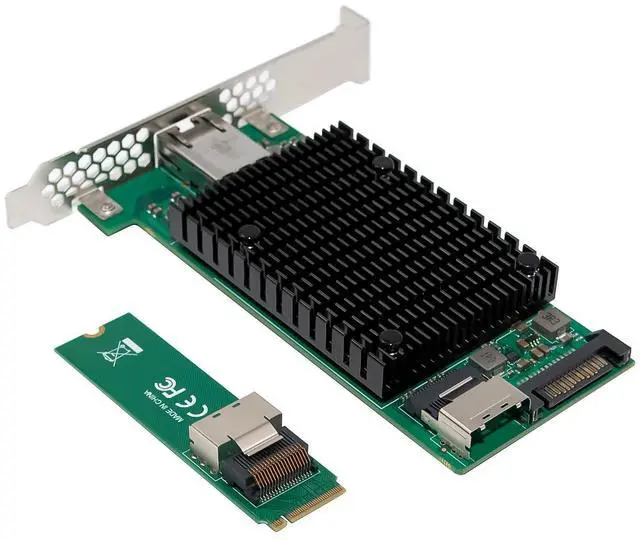
Support M.2 M KEY with PCIe protocol
PCI-Express host interface specification v2.0 with 5GT/s BUS width
PCI-Express lanes: x4
Complies with single port 10GbE RJ45 port
Complies with the IEEE802.3ae specification
Layer 2 functions: IEEE 802.3x Flow Control - IEEE 802.1q VLAN
Supports Receive-side scaling (RSS)
Supports IPv 4, IPv 6 protocols
Supports Jumbo Frames up to 15.5K
Supports Checksum offloading
Statistics for management and RMON
Support for virtual machines device queues
Interrupt throttling control to limit maximum interrupt rate and improve CPU usage
Chipset: JL82599EN
Drivers support for FreeBSD, Linux , VMWare ESXi, Win7/ Win-server2012/ Win-server2008/ Win8/Win8.1/Win-server2016/win10
Package content
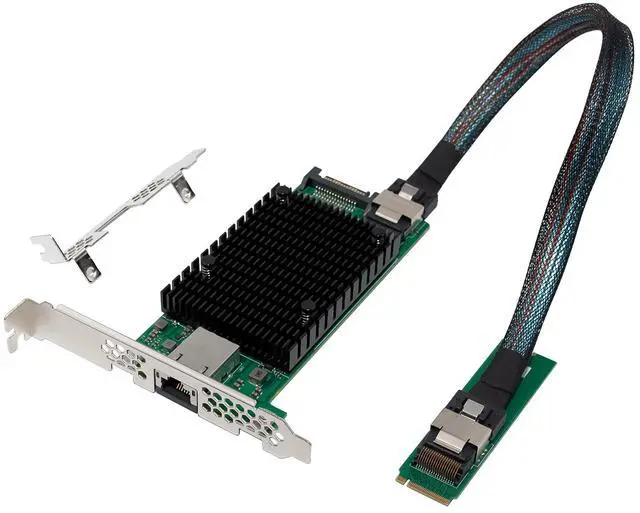
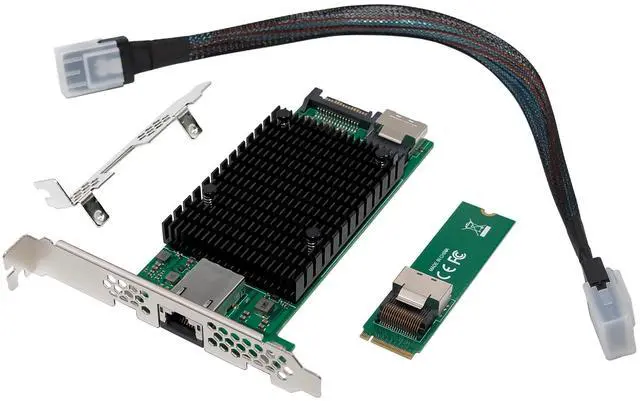
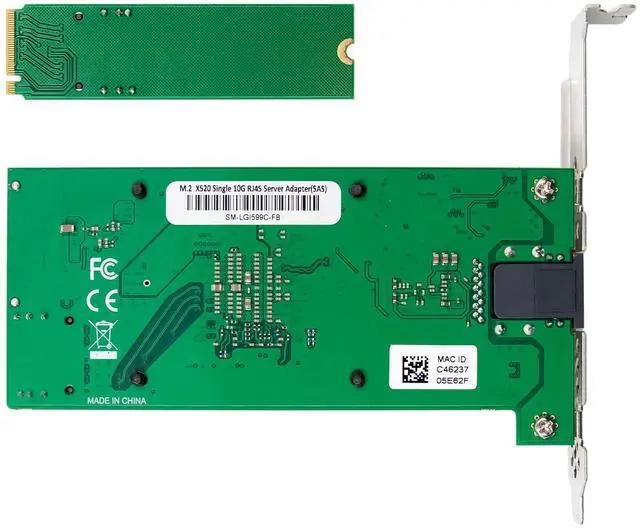
1 x Intel X520 mainboard Network Card
1 x M.2 2280 Converter Card
1 x Users Manual
1 x CD Driver
1 x Low profile bracket
1 x SAS Cable
Accessories
System Requirements
FreeBSD, Linux , VMWare ESXi, Win7/ Win-server2012/ Win-server2008/ Win8/Win8.1/Win-server2016/win10
Available PCI Express x8/x16 slot
Cabling Requirements:
Intel 10 Gigabit adapters
For 10GBASE-T on Category 6,Category6a,or Category 7 wiring, twisted 4-pair copper:
Category 6 wiring supports 55 meters max.
Category 6a wiring supports 100 meters max.
Category 7 wiring supports up to 100 meters
Intel 1 Gigabit adapters
For 1000BASE-T or 100BASE-TX.use Category 5 or Category5e wiring, twisted 4-pair copper:
Make sure you use Category 5 cabling that complies with the TIA-568 wiring specification For more information on this specification.
Length is 100 meters max.
Category 3 wiring supports only 10Mbps
CAUTION: If using less than 4-pair cabling, you must manually configure the speed and duplex setting of the adapter and the link partner. In addition,with2-and3-pair cabling the adapter can only achieve speeds of up to 100Mbps
For 100BASE-TX.use Category 5 wiring.
For10BASE-T.use Category 3 or 5wiring
Feature table
Product name M2 B+M KEY INTEL X520-T1 10GBASE-T Ethernet Card
Media type RJ45 Copper
Interface type M.2 M KEY with PCIe protocol
Bus width PCI Express 2.0 x4
Transmission speed 10G/1Gbps
LED Indicators LINK, ACTIVITY
chipset INTEL JL82599EN
Network interface 10GBASE-KX4,1000BASE-BX,10GBASE-CX4,10GBASE-KR,
10GBASE-BX4,IEEE802.3ae,IEEE802.3ak,IEEE802.3ap,IEEE1588v2
Jumbo frame 15.5KB
Intel Virtualization Technology On-chip QoS and Traffic Management, flexible port partitioning, virtual machine device Queues, SR-IOV
Advanced software AFT,SFT,ALB,Teaming,IEEE802.3ad,IEEE802.3 flow control,IEEE802.1P,TCP/IP offload
Storage Over Ethernet iSCSI, FCoE, NFS,UEFI,PXE
Power Consumption 4.8w maximum
Operating Temperature 0-70
Operating systems UEFI/FreeBSD8.0/LINUX/Windows 7/Vista/8/8.1/10, Windows server2003 SP2/server2008 SP2/R2/R2 Core/server2012/SERVER2016/SERVER2019/SERVER20222
Hardware installation
1.Turn off the computer and unplug the power cord
2.Remove the computer cover and the adapter slot cover from the slot that matches your adapter
3.Insert the adapter edge connector into the slot and secure the bracket to the chassis
4.Replace the computer cover ,then plug in the power cord
5.Power on the computer
Note: select the correct slot, some systems have physical X8 PCI Express slots those actually only support lower speeds. Please check your system manual to identify the slot
Install Drivers and software
Windows Operating Systems
You must have administrative rights to the operating system to install the drivers.
1.insert the CD driver bound with Intel network driver into your CD-ROM drive(also you can download the latest drivers from support website):
2.if the Found New Hardware Wizard screen is displayed, click Cancel
3.start the autorun located in the software package, the autorun may automatically start after you have extracted files.
4.Click install Drivers and Software
5.Follow the instructions in the install wizard to finish it
Installing Linux Drivers from Source Code
1.Download and expand the base driver tar file.
2.Compile the driver module
3.Install the module using the modprobe command
4.Assign an IP address using the ifconfig command
Support
More information and settings, please refer to the Intel Adapter User Guides or you can contact us.