
Your Browsing History





Any questions? Our AI beta will help you find out quickly.
Works with a various type of USB devices including hubs, removable drives, digital cameras, scanner, CD-RWs, DVD-ROMs, PC video cameras, printers, and more
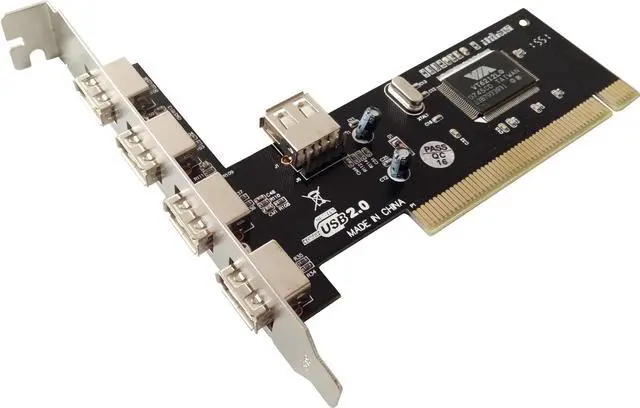
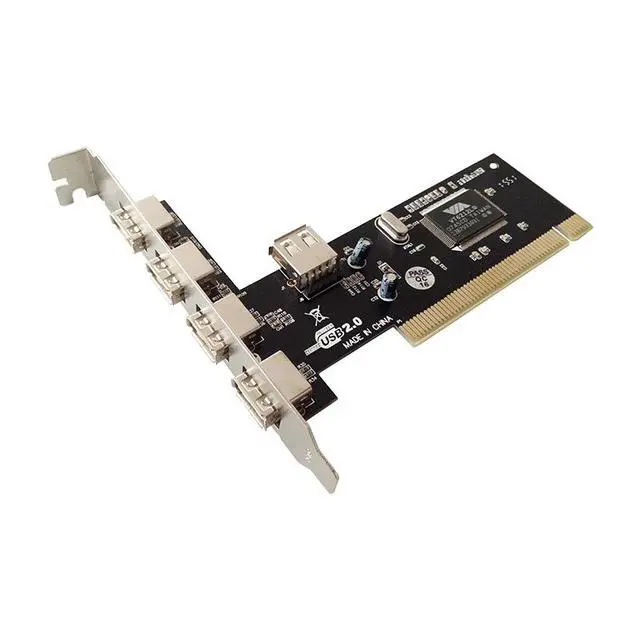
Four (4) external USB 2.0 ports
One (1) internal USB 2.0 port (Sharing with first external USB
port UJ1)
Package Contents
1 x PCI VIA USB 2.0 Card
1 x User Manual
System Requirements
Windows® 2000 / XP / 2003 / Vista / Windows 7/Windows8.x/Windows 10
Available PCI slot
Hardware Description
Before installing the PCI VIA USB 2.0 Card, please see the photo
below highlighting the available USB ports of the card.
Note: The Internal Port (UJ5) shares with first External Port (UJ1).
Hardware Installation
1. Turn Off the power to your computer.
2. Unplug the power cord and remove your computers cover.
3. Remove the slot bracket from an available PCI slot.
4. To install the card, carefully align the cards bus connector with
the selected PCI slot on the motherboard. Push the board down firmly.
5. Replace the slot brackets holding screw to secure the card.
6. Replace the computer cover and reconnect the power cord.
Driver Installation
For Windows® XP/2000
Windows® XP/2000 will automatically detect and install the correct
driver for the PCI VIA USB 2.0 Card. However, please ensure you have the latest Service Pack Installed.
For Windows® XP
Windows® XP Service Pack 1 or later
For Windows® 2000
Windows® 2000 Service Pack 4 or later
5
For Windows® Server 2003/Vista/Windows7/Windows8.x/ Windows10
Windows® Server 2003/Vista/Windows 7/Windows8.x/windows10 has built-in driver support for this controller. Just install the board and Windows will automatically detect
and install the correct drivers for it. No additional driver is necessary.
To Verify Driver Installation
1. Right click My Computer, then click Manage. Click Device Manager.
2. Double click Universal Serial Bus controllers option.
- USB Root Hub
(USB 2.0 Root Hub in Windows® 2000)
- USB Root Hub
- USB Root Hub
- VIA Rev 5 or later USB Universal Host Controller
(VIA USB Universal Host Controller in Windows® 2000)
- VIA Rev 5 or later USB Universal Host Controller
(VIA USB Universal Host Controller in Windows® 2000)
- VIA USB Enhanced Host Controller