Your Browsing History
Meet Your Seller
Visit EmpressTech Store
FOLLOW
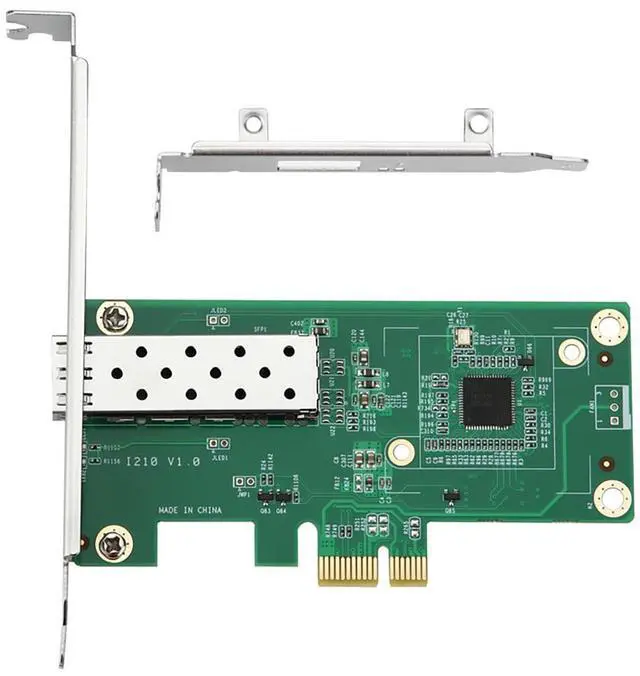
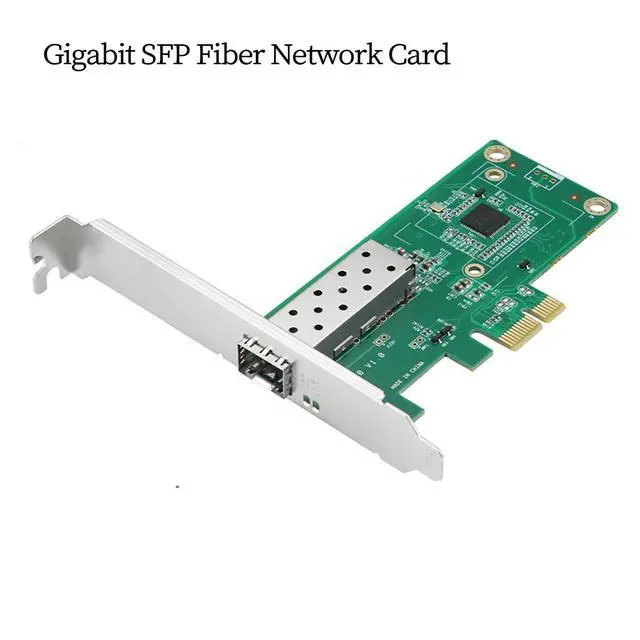
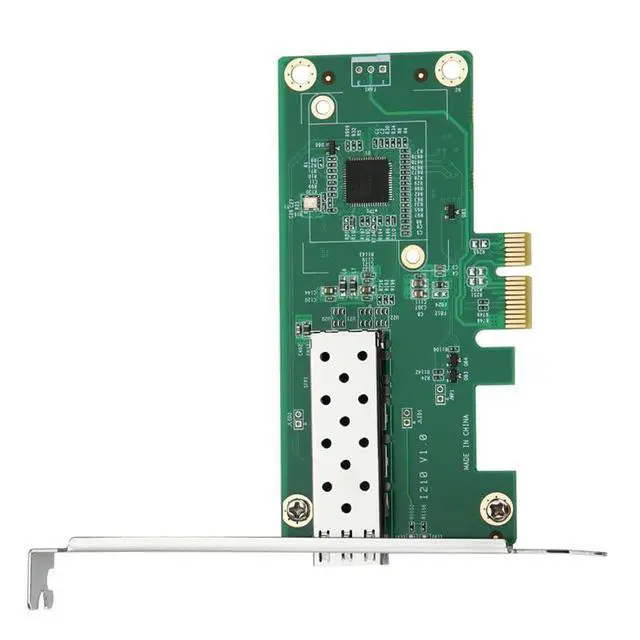
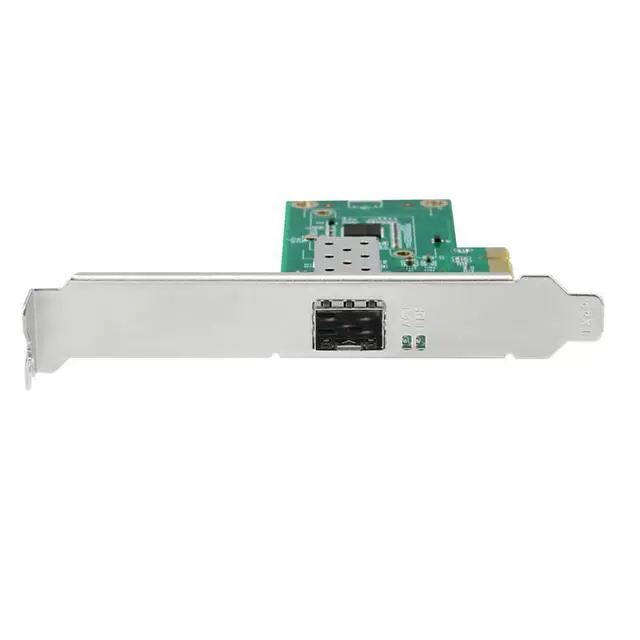
PCIe Gigabit SFP Network Adapter with RJ45 Port Compatible with I210 Chipset Single Port Fiber LAN Card with LC Interface for Desktop and Server High Speed Ethernet
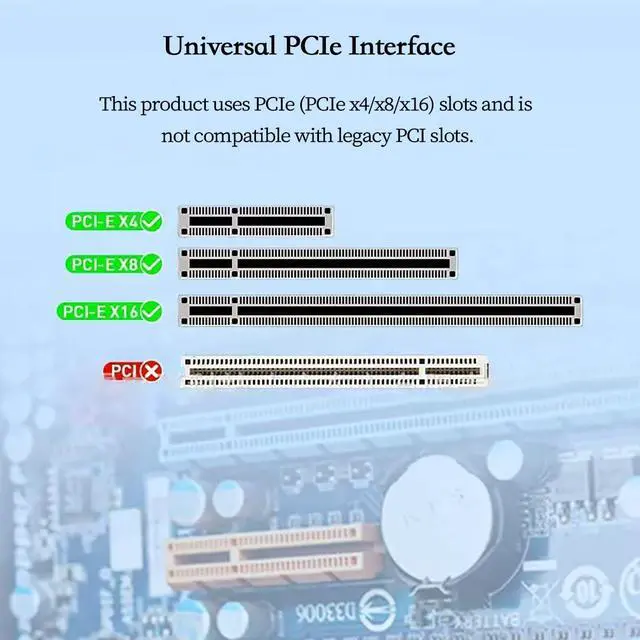
- Gigabit SFP Fiber Network Adapter -- This PCIe gigabit network card is built with a high efficiency I210 compatible chipset providing stable 10 100 1000 Mbps fiber Ethernet connectivity for desktop PCs servers and industrial control systems.; Single Port SFP with LC Fiber Interface -- Equipped with an SFP cage supporting LC fiber modules the adapter ensures reliable long distance data transmission making it suitable for enterprise networks surveillance systems and high bandwidth applications.; PCIe x4 x8 x16 Slot Compatibility -- This gigabit fiber NIC supports PCI Express x4 x8 and x16 slots offering fast and efficient data transfer for workstations home labs and small business servers. Does not support PCI slot.; Compliant with IEEE Ethernet Standards -- Supports IEEE 802 Ethernet standards ensuring compatibility with most network environments including gigabit switches fiber modules and media converters for seamless integration into existing networks.; Ideal for High Stability and Low Latency Systems -- Suitable for environments requiring continuous high speed data transmission such as NAS servers firewalls routers virtualization machines and long distance fiber network setups.
+
+
Overview
Specs
Reviews
Any questions? Our AI beta will help you find out quickly.
Try me now
AoQhir PCIe Gigabit SFP Network Adapter with RJ45 Port Compatible with I210 Chipset Single Port Fiber LAN Card with LC Interface for Desktop and Server High Speed Ethernet Product Description The PCIe Gigabit SFP Network Adapter is designed for users who need a stable high performance fiber Ethernet connection in desktop computers servers and industrial equipment. Built with an I210 compatible chipset the adapter supports 10 100 1000 Mbps transmission through an SFP slot with an LC fiber interface providing long distance and interference free data communication. With support for PCIe x4 x8 and x16 slots the card delivers smooth network performance for home labs small office networks data centers and enterprise level applications.
It complies with IEEE 802 Ethernet standards ensuring broad compatibility with gigabit SFP fiber modules and fiber switches. This gigabit fiber LAN card is ideal for users building a secure long distance fiber network upgrading a server or adding a high reliability optical Ethernet connection to a workstation or firewall appliance.
Product Attributes Bus Type: 20213
Model: GE-1350T4-LG-X4
Transmission Rate: 10/100/1000Mbps
Network Standard: IEEE802
Port Type: RJ-45 Applicable
Network Type: Ethernet PCIe
Interface Compatibility: This product uses PCIe (PCIe x4/x8/x16) slots. PCI slots are not compatible. Installation Steps
1. Shut down the computer and all connected devices, such as monitors, printers, and external components;
2. Disconnect the power cable;
3. Remove the chassis cover and locate an available PCI-E ( x4, x8, x16) bus expansion slot;
4. Remove the slot cover (if present) by unscrewing fasteners or releasing latches;
5. Grasp the top edge of the network card and firmly insert it into the slot;
6. Secure the card bracket using existing screws or latches;
7. Replace the chassis cover, reconnect cables, and power on the computer;
8. Connect fiber optic patch cords, optical modules, or Ethernet cables.

It complies with IEEE 802 Ethernet standards ensuring broad compatibility with gigabit SFP fiber modules and fiber switches. This gigabit fiber LAN card is ideal for users building a secure long distance fiber network upgrading a server or adding a high reliability optical Ethernet connection to a workstation or firewall appliance.
Product Attributes Bus Type: 20213
Model: GE-1350T4-LG-X4
Transmission Rate: 10/100/1000Mbps
Network Standard: IEEE802
Port Type: RJ-45 Applicable
Network Type: Ethernet PCIe
Interface Compatibility: This product uses PCIe (PCIe x4/x8/x16) slots. PCI slots are not compatible. Installation Steps
1. Shut down the computer and all connected devices, such as monitors, printers, and external components;
2. Disconnect the power cable;
3. Remove the chassis cover and locate an available PCI-E ( x4, x8, x16) bus expansion slot;
4. Remove the slot cover (if present) by unscrewing fasteners or releasing latches;
5. Grasp the top edge of the network card and firmly insert it into the slot;
6. Secure the card bracket using existing screws or latches;
7. Replace the chassis cover, reconnect cables, and power on the computer;
8. Connect fiber optic patch cords, optical modules, or Ethernet cables.
Warranty & Returns
Warranty, Returns, And Additional Information
Warranty
- Please contact the Seller directly for warranty information. Warranty information may also be found on the Manufacturer's website.
- CONTACT
Return Policies
- Return for refund within: 30 days
- Return for replacement within: 30 days
- This item is covered by EmpressTech Return Policy
Manufacturer Contact Info
- For a directory of all our manufacturers, please click below.
- Manufacturers Directory
LOADING...