Your Browsing History
- Free 30-day Returns
$899.90
Ships from Israel.
Meet Your Seller
Sponsored Products
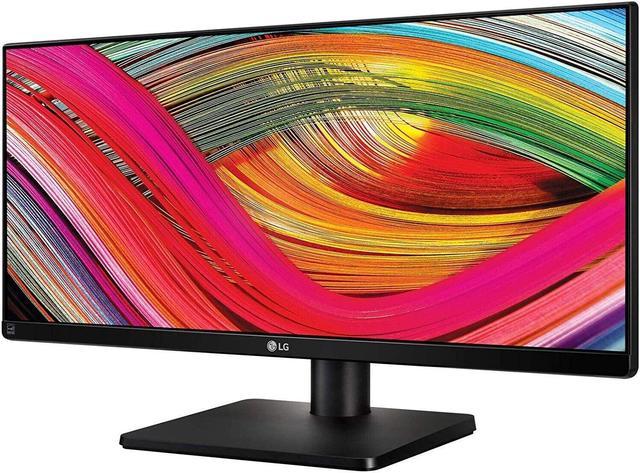
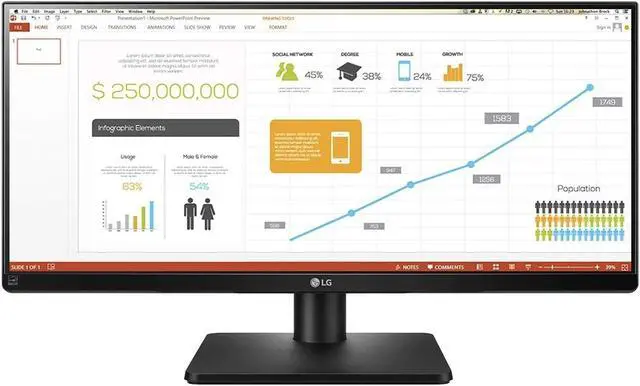
LG 34" FHD Led Multi Tasking Monitor IPS 34UB67-B 75Hz Ultra Wide 21:9 300cd/m2
- Monitor Size
- 34" - 37"
- Display Resolution
- Full HD
- Display Type
- Flat
- Monitor application
- Home/Bussines
- Screen Size
- 34.1"
- Monitor Refresh Rate
- 75Hz
- Monitor Features
- Ultra Wide
- Panel Type
- IPS
- Monitor Ratio
- 21:9
- Monitor Brightness
- 300 cd/m2
- Static Contrast
- 1:1000
- Response Time, ms
- 5ms (G to G)
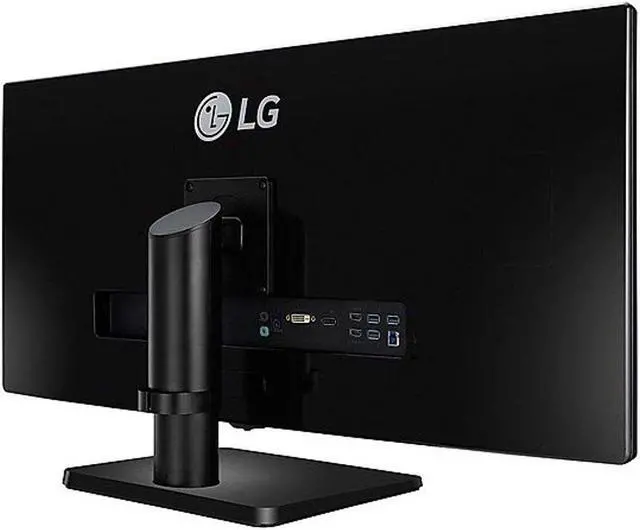
- Monitor Connections
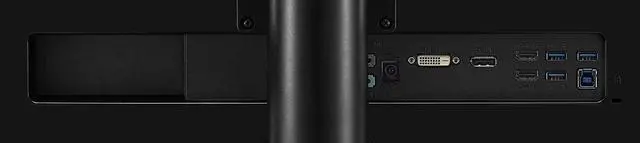
- DVI
- \ Display Port
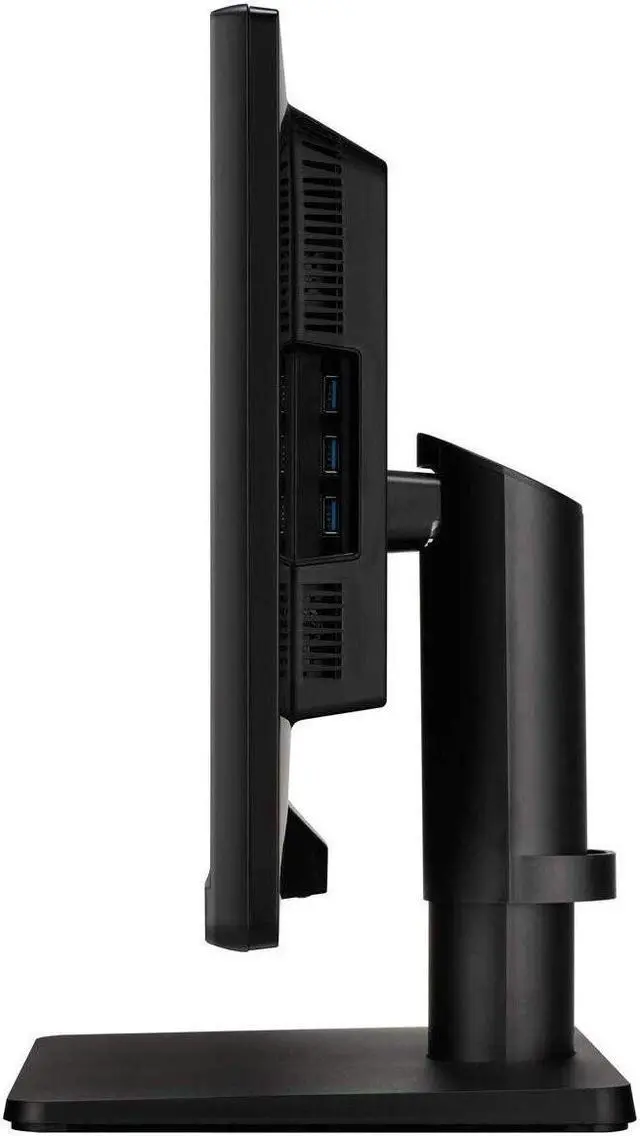
- \ USB
- \ HDMI x 2
- Built-in Speakers
- Integrated Speakers
- Mechanical Movements
- Tilt
- \ Swivel
- \ Height Adjustment
- Color
- Black
- Vesa
- 100x100 mm
- Dimensions
- Monitor (with Stand) 32.7" x 9.9" x 17.2"
- Information
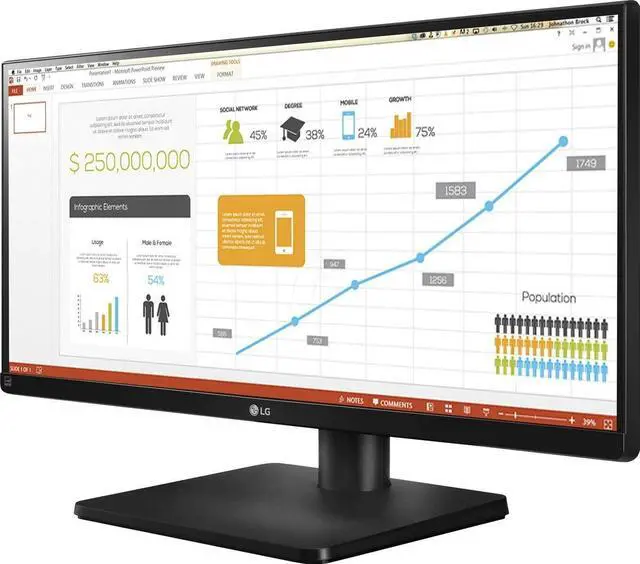
- 4-SCREEN SPLIT
- Efficiently run several programs and have multiple active windows on the screen at the same time. How to Install & Use the 4-Screen Split Feature 1. Install the 4-screen split software from the CD included in the package. 2. Locate the 4-Screen Split icon [ ] located on the task bar. 3. Select the Screen Split layout desired.
- DUAL LINK UP
- For business meetings, the Dual link-up feature allows two portable devices, such as
+
+
Overview
Specs
Reviews
Any questions? Our AI beta will help you find out quickly.
Try me now
Monitor Size
34" - 37"
Display Resolution
Full HD
Display Type
Flat
Monitor application
Home/Bussines
Screen Size
34.1"
Monitor Refresh Rate
75Hz
Monitor Features
Ultra Wide
Panel Type
IPS
Monitor Ratio
21:9
Monitor Brightness
300 cd/m2
Static Contrast
1:1000
Response Time, ms
5ms (G to G)
Monitor Connections
DVI
\ Display Port
\ USB
\ HDMI x 2
Built-in Speakers
Integrated Speakers
Mechanical Movements
Tilt
\ Swivel
\ Height Adjustment
Color
Black
Vesa
100x100 mm
Dimensions
Monitor (with Stand) 32.7" x 9.9" x 17.2"
Information
4-SCREEN SPLIT
Efficiently run several programs and have multiple active windows on the screen at the same time. How to Install & Use the 4-Screen Split Feature 1. Install the 4-screen split software from the CD included in the package. 2. Locate the 4-Screen Split icon [ ] located on the task bar. 3. Select the Screen Split layout desired.
DUAL LINK UP
For business meetings, the Dual link-up feature allows two portable devices, such as a computer, camera, phone or Blu-ray player to be connected to the monitor and used on a single screen simultaneously.
FLICKER-SAFE
LGs Flicker-Safe technology protects users eyes from fatigue by reducing flickering to almost zero.
READER MODE
With a touch of a button, Reader Mode allows the reduction of blue light emissions that can be harmful to the eyes.

34" - 37"
Display Resolution
Full HD
Display Type
Flat
Monitor application
Home/Bussines
Screen Size
34.1"
Monitor Refresh Rate
75Hz
Monitor Features
Ultra Wide
Panel Type
IPS
Monitor Ratio
21:9
Monitor Brightness
300 cd/m2
Static Contrast
1:1000
Response Time, ms
5ms (G to G)
Monitor Connections
DVI
\ Display Port
\ USB
\ HDMI x 2
Built-in Speakers
Integrated Speakers
Mechanical Movements
Tilt
\ Swivel
\ Height Adjustment
Color
Black
Vesa
100x100 mm
Dimensions
Monitor (with Stand) 32.7" x 9.9" x 17.2"
Information
4-SCREEN SPLIT
Efficiently run several programs and have multiple active windows on the screen at the same time. How to Install & Use the 4-Screen Split Feature 1. Install the 4-screen split software from the CD included in the package. 2. Locate the 4-Screen Split icon [ ] located on the task bar. 3. Select the Screen Split layout desired.
DUAL LINK UP
For business meetings, the Dual link-up feature allows two portable devices, such as a computer, camera, phone or Blu-ray player to be connected to the monitor and used on a single screen simultaneously.
FLICKER-SAFE
LGs Flicker-Safe technology protects users eyes from fatigue by reducing flickering to almost zero.
READER MODE
With a touch of a button, Reader Mode allows the reduction of blue light emissions that can be harmful to the eyes.
Warranty & Returns
Warranty, Returns, And Additional Information
Warranty
- Please contact the Seller directly for warranty information. Warranty information may also be found on the Manufacturer's website.
- Read full details
- CONTACT
Return Policies
- Return for refund within: 30 days
- Return for replacement within: 30 days
- This item is covered by Slava computers Return Policy
Manufacturer Contact Info
- For a directory of all our manufacturers, please click below.
- Manufacturers Directory
LOADING...