Add to PC build list 
Login to Make an Offer
Sold by Newegg

Shipped by Newegg

Price alert

Best Sellers

Top Rated
4.5 (5,784 total ratings)
  • $749.99
  • + $60.35 Shipping
Shop it at NeweggBusiness.

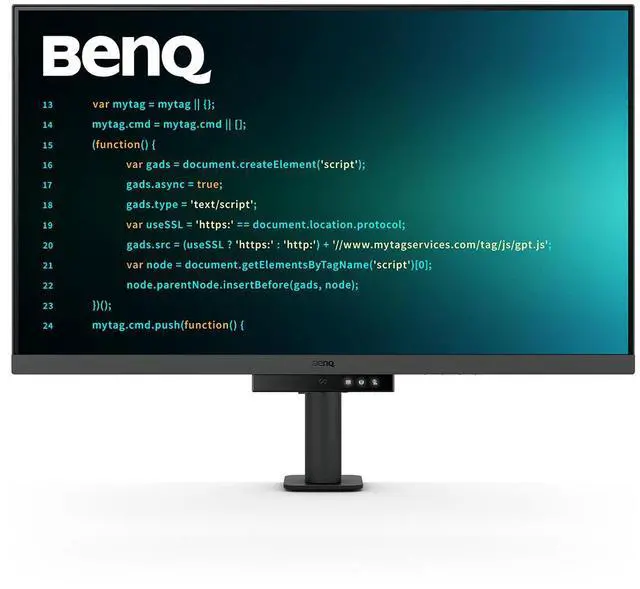
BenQ RD320UA 32” 4K 3840x2160 Programming Monitor with 2000:1 Contrast Ratio, Nano Matte Panel, MoonHalo, 90W USB-C, Coding Modes, Night Hours Protection, Ergonomic Stand, and Eye-Care Technology

  • [Nano Matte Panel] Featuring a low reflection property to minimize distractions, delivering unparalleled clarity for peak performance.
  • [Coding Modes with Dark Theme and Light Theme] BenQ's advanced coding modes deliver clear fonts and better code differentiation, reducing eye strain.
  • [Night Hours Protection] Benefit from minimum brightness technology, discover enhanced eye protection during night hours and dark room usage.
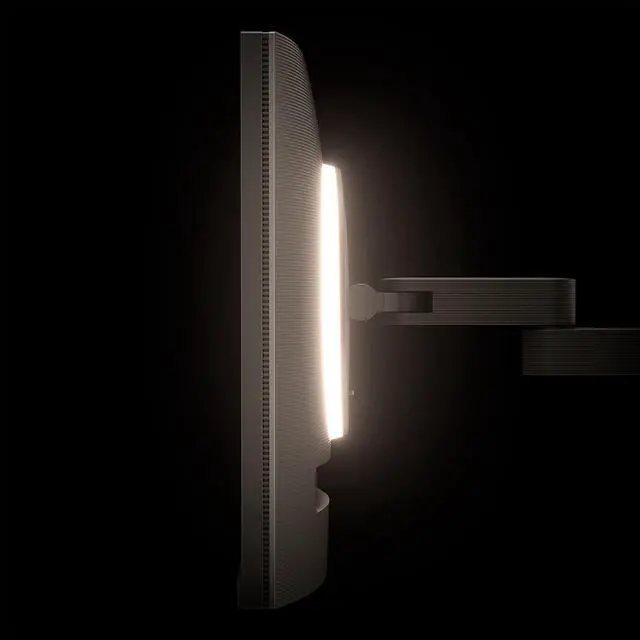
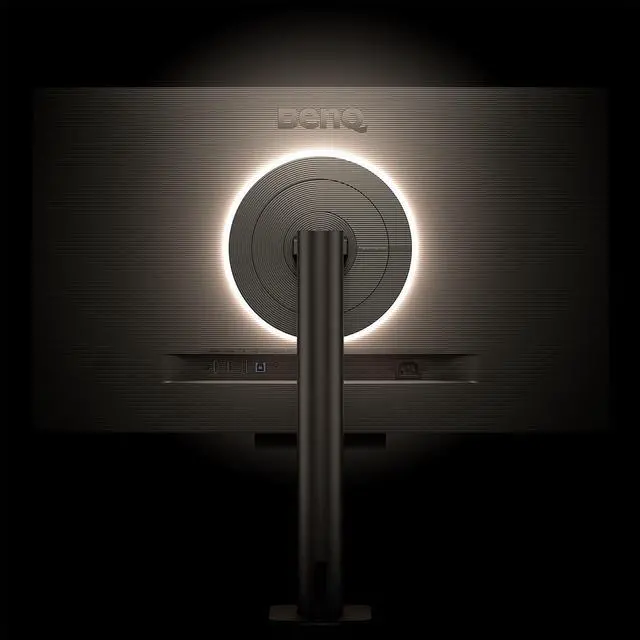
  • [MoonHalo Backlight] With customizable color temperature, brightness, and light modes, MoonHalo ensures optimal eye protection and focus.
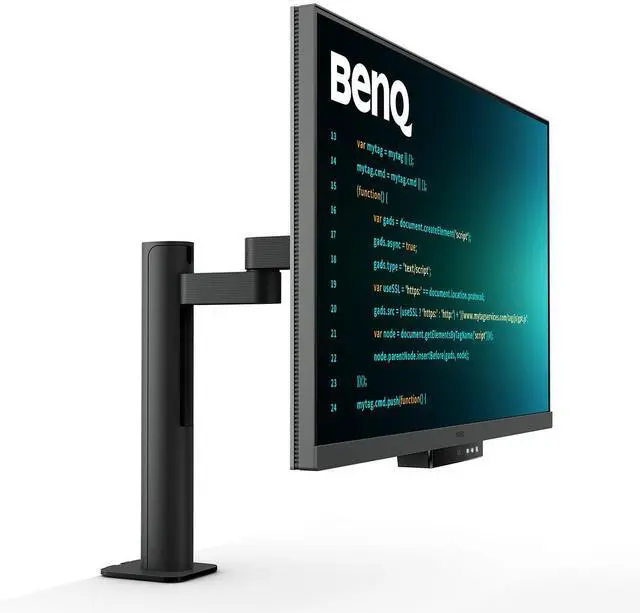
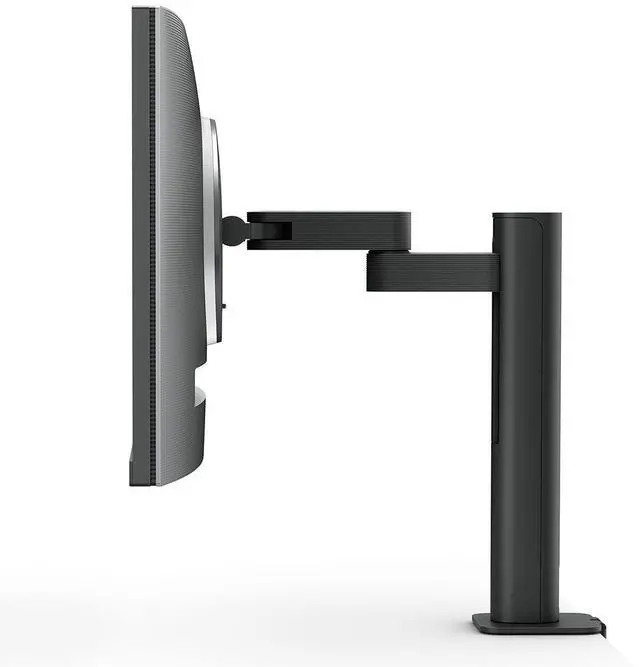
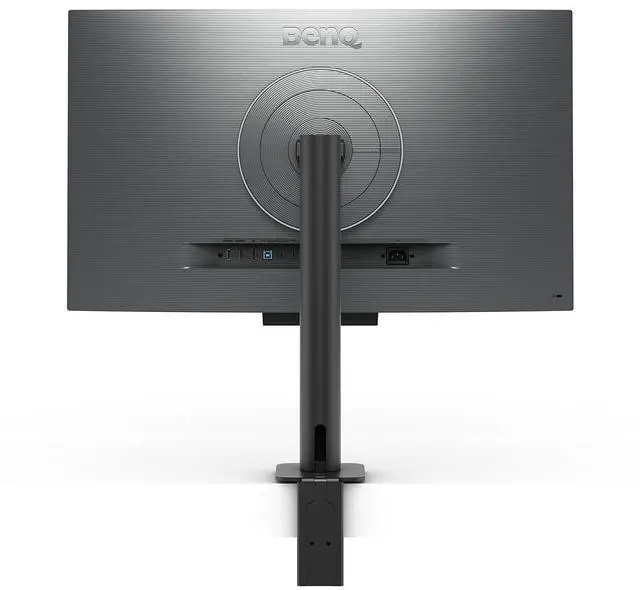
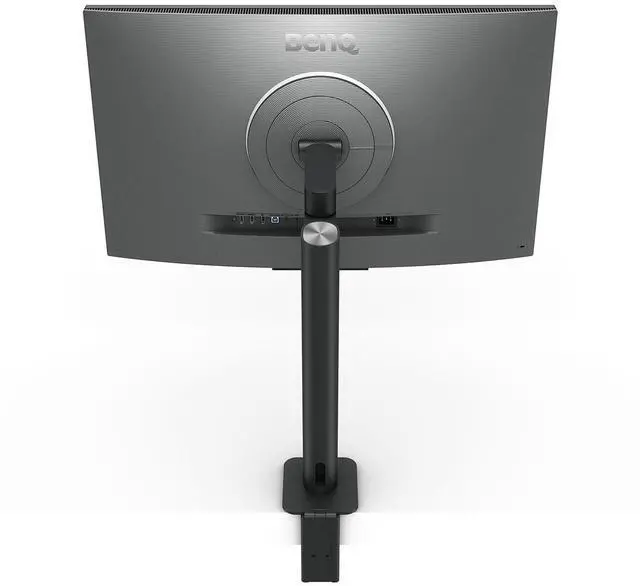
  • [Ergonomic Stand] BenQ Ergo Arm enhances flexibility and provides the optimal screen position for a more comfortable and productive user experience.
+
+
Overview
Specs
Reviews
See all Q & A

Any questions? Ask CelesteSM will help you find out quickly.

Why Choose the BenQ RD320UA 31.5" 4K UHD IPS LED HDR Programming Monitor with Flexible Arm?

Experience Astonishing Clarity for the Ultimate Coding Experience
The BenQ RD320UA is meticulously crafted for programmers, offering a 31.5-inch 4K UHD (3840x2160) IPS LED display that ensures astonishing clarity and precision. This monitor is designed to let you fully absorb your code, whether you're working from home or in the office. The Nano Matte Panel technology minimizes reflections, enhancing focus and boosting productivity by delivering unparalleled visual clarity.

Enhanced Visuals with 2000:1 Contrast Ratio
Enjoy deeper blacks and stunning visuals with a 2000:1 contrast ratio, perfect for coding, movies, and gaming. This high contrast ratio not only improves image quality but also increases overall immersion, providing a more engaging and captivating experience.

Optimal Eye Comfort for Night Coding
The BenQ RD320UA is equipped with Night Hours Protection, featuring minimum brightness technology to reduce eye strain during late-night work. Its intelligent ambient light detection and auto-switch capabilities ensure effortless and consistent eye care, allowing you to work comfortably in any lighting condition.

MoonHalo for Immersive Illumination
Experience the seamless blend of immersive illumination and comforting ambiance with MoonHalo. Customize color temperature, brightness, and light modes, while Auto Dimming powered by B.I. Gen2 ensures optimal eye protection and focus, anytime.

Designed for Coding Excellence
Boost your productivity with BenQ's exclusive coding modes, which deliver clear fonts and better code differentiation. Easily adjust brightness, sharpness, and contrast for optimal coding, and switch between dark and light themes to suit your preferences.

Effortless Connectivity and Multi-Device Integration
The BenQ RD320UA offers ample port options, including USB Type-C for all-in-one connectivity, meeting your multitasking needs. With built-in KVM (keyboard, video, mouse) switching, you can seamlessly switch between multiple devices. The 90W USB Type-C supports daisy chaining, allowing you to extend screens across multiple displays while simultaneously charging your mobile devices.

Optimize Productivity with PIP/PBP and DualView Plus
Maximize screen space with PIP (Picture-in-Picture) and PBP (Picture-by-Picture) features, which allow you to manage dual-source or single-source viewing efficiently. DualView Plus lets you customize color modes across applications or windows, enhancing your multitasking capabilities.

Ergonomic Design for Comfort and Flexibility
The BenQ Ergo Arm enhances flexibility, providing the optimal screen position for a more comfortable and productive user experience. Relieve prolonged neck and body aches with support for pivot and VESA mounting, ensuring optimal posture and superior output.

Eco-Friendly and Sustainable Design
BenQ is committed to sustainability, with the RD320UA featuring 85% PCR (Post-Consumer Recycled) materials in its housing and recyclable cardboard packaging. The Auto Power Off feature conserves energy by powering down the screen after periods of inactivity, promoting eco-friendliness.

Experience unmatched eye comfort with BenQ's Brightness Intelligence Gen2 and Eye-Care Technology, which automatically adjusts screen brightness based on environmental conditions. The TUV Reflection Free Certification ensures minimized distractions, while Eyesafe 2.0 certification reduces blue light while maintaining vivid color.

Choose the BenQ RD320UA for a superior coding experience, enhanced productivity, and a commitment to sustainability.

Warranty & Returns

Warranty, Returns, And Additional Information

Warranty

  • Limited Warranty period (parts): 3 years
  • Limited Warranty period (labor): 3 years
  • Read full details

Return Policies

    We want to ensure your holiday shopping this year is hassle-free. That’s why we’re automatically extending our return policies on almost every product! For purchases placed between November 1st, 2026 and December 31, 2026 you will have until January 31, 2027 to return your product.

  • Return for refund until: January 31, 2027
  • Return for replacement until: January 31, 2027
  • This item is covered by Newegg.com's Extended Holiday Return Policy.
  • Read full return policy for details.

Manufacturer Contact Info

LOADING...
LOADING...

The BenQ RD320UA is a 31.5-inch 4K IPS programming monitor designed for developers who want clear code and a more comfortable long-session setup, with a low-reflection Nano Matte panel, dark and light coding modes, night-hours brightness protection, MoonHalo backlighting, and an adjustable ergonomic stand.

Recommended For

  • Software developers who spend long desk sessions reading, writing, or debugging code and want a large 4K workspace with coding modes, low-reflection treatment, and adjustable positioning.
  • People who regularly work late or in dim rooms and want screen-side comfort features such as MoonHalo backlighting and minimum-brightness settings for night use.
  • Laptop users who want a one-cable desk setup for display, USB peripherals, and up to 90W charging, or who switch between two computers using the built-in KVM.
  • Writers and office workers who want room to keep multiple documents or browser windows visible at once and value a height-adjustable, swiveling, pivoting screen.

Real-World Use Scenarios

  • During long coding sessions, a developer can use a coding display mode and position the screen for their desk; the matte finish helps limit reflections, while the large 4K workspace keeps code clear and readable.
  • When switching between a work laptop and a desktop, the built-in KVM lets users share a keyboard and mouse across connected computers; USB-C can also carry the laptop’s display signal and provide power, reducing desk cable changes.
  • For late-night coding or writing in a dim room, users can lower the screen brightness and turn on MoonHalo; the adjustable backlight adds ambient light behind the monitor instead of leaving the screen as the only bright area.
  • When comparing documentation, code, and browser pages, the 32-inch 4K screen can fit multiple windows side by side, making it easier to refer to one while working in another without repeatedly switching apps.
  • For reading long code files or documents, users can pivot the display to portrait orientation and adjust its height and angle; this gives vertically oriented material more screen space at a glance.

Spec Summary

AttributeValue
Best ForProgramming and desk-based work, with a 31.5-inch 4K display and an adjustable stand
Panel And Resolution31.5-inch flat IPS display with 3840 × 2160 4K resolution, 16:9 aspect ratio, 178° horizontal and vertical viewing angles, 400 cd/m² brightness, 2000:1 contrast ratio, 1.07 billion colors, and 98% P3 color gamut
HDR And Display FeaturesHDR10 support, VESA DisplayHDR 400 certification, FreeSync adaptive sync, matte screen finish, and flicker-free display
Refresh Rate And Response60Hz refresh rate with a 5 ms response time
Ports And ConnectivityDisplayPort 1.4, 2 HDMI 2.0, USB-B upstream, 2 USB-A and 2 USB-C downstream ports, plus a headphone connection; USB-C supports up to 90W power delivery
Stand And MountingStand adjusts 110 mm in height, tilts from -5° to 20°, swivels 275° left and right, and pivots 90°; compatible with 100 × 100 mm VESA mounts
Power And Audio100–240 VAC, 50/60Hz power supply; 30W typical, 220W maximum, and under 0.5W in sleep mode; built-in speakers
Dimensions And WeightWith base: 28.1 × 18.8 inches with adjustable height from 18.5 to 23.7 inches, 24.2 lb; without base: 28.1 × 16.7 × 3.5 inches, 16 lb
Model IdentifiersBenQ RD320UA; black cabinet

Reference Q&A

Q: BenQ RD320UA vs RD320U: which should I choose?

A: Choose the BenQ RD320UA if you want its 31.5-inch 4K, 16:9 programming display supplied with BenQ’s Ergo Arm for flexible positioning. Choose the RD320U if you prefer the same core display format with a standard monitor stand. Both models include coding modes, a Nano Matte panel, MoonHalo lighting, and 90W USB-C power delivery.

Q: BenQ RD320UA vs RD280U: which is better for coding?

A: Choose the RD320UA for a larger 31.5-inch, 16:9 4K workspace and its included Ergo Arm. Choose the RD280U if you prefer a 28.2-inch, 3:2 4K+ screen, whose taller format provides more vertical screen area for viewing code and documents. Both are BenQ programming monitors with coding-focused features.

Q: BenQ RD320UA vs RD280UG: which should I get for a 32-inch coding setup?

A: Choose the RD320UA if you want a 31.5-inch, 16:9 display and an included Ergo Arm. The RD280UG is a 28.2-inch, 3:2 4K+ model with a 120Hz refresh rate, making it a fit for buyers who prioritize that taller format and smoother on-screen motion. Both models offer BenQ coding modes, Nano Matte panels, MoonHalo lighting, and 90W USB-C power delivery.

Q: Is the RD320UA suitable for programming and everyday office work?

A: Yes. Its 31.5-inch 4K IPS screen, coding modes, low-reflection panel, and adjustable stand suit programming and general desk work. Its 60Hz refresh rate is aimed at standard productivity use rather than high-refresh gaming.

Q: Can I connect and charge my laptop with one USB-C cable?

A: Yes, the RD320UA supports USB-C video and up to 90W power delivery, so one cable can connect and charge a compatible laptop. Check that the laptop’s USB-C port supports video output and that 90W meets its charging needs.

Q: Can the screen rotate vertically for portrait use?

A: Yes. The stand supports a 90-degree pivot, so the screen can be turned to portrait orientation. It also supports height adjustment, tilt, and swivel.

Q: Does it have built-in speakers?

A: Yes. The RD320UA has built-in speakers, so it can provide audio without separate desktop speakers. The listed specifications do not establish how well they suit music or other demanding audio use.

Q: Is the BenQ RD320UA worth considering for long coding sessions?

A: It may suit programmers who want a large 31.5-inch 4K screen, coding modes, a low-reflection panel, and adjustable lighting for their workspace. Community feedback mentions the coding and eye-care features as useful, but whether they justify the cost depends on how much you value those features over a less specialized monitor.

Q: Is the RD320UA a good fit if I mainly program?

A: It is aimed at programming and offers a 4K IPS display, coding modes, and an ergonomic stand with height, tilt, swivel, and pivot adjustments. Its 60Hz refresh rate is a trade-off for people who also prioritize high-refresh gaming.

Q: Can I use one USB-C cable to connect and charge a laptop?

A: The monitor supports USB-C video and up to 90W power delivery, so a compatible laptop may use one cable for display and charging. A Reddit user reported intermittent USB-C signal trouble with a MacBook Pro; the user later said changing the cable appeared to resolve it, so check cable compatibility if you encounter connection problems.