ABS Cyclone Aqua Prebuilt Gaming PC - Windows 11 - Intel Core i7-14700F - GeForce RTX 5060 8GB - DLSS 4 - 32GB DDR5 - 1TB NVMe SSD
  •  
  • $1,599.99 –
  • Save: 11%
  • $69.99
  • Free 30-day Returns
  • Sold by Direct from manufacturerVIVO
    Top Rated
    4.7 (2,010 seller ratings)

    Shipped by Direct from manufacturerVIVO

    Price alert
    Add to Wish List(Found on 4 wish lists)
    Shop it at NeweggBusiness.

    Meet Your Seller

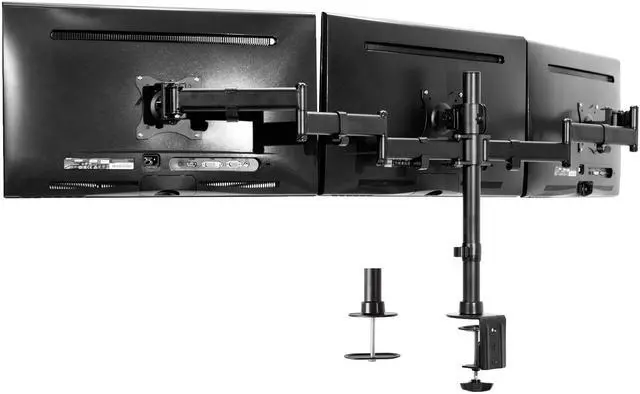
    VIVO Triple Monitor Adjustable Mount Articulating Stand for 3 Screens up to 24"

    • Fits 13" to 24" Screens: Triple monitor mount holds three computer monitors 13" to 24", up to 17.6 lbs each, and with VESA 75x75mm or 100x100mm mounting holes (will fit 27" screens but will allow very limited angled screen positioning)
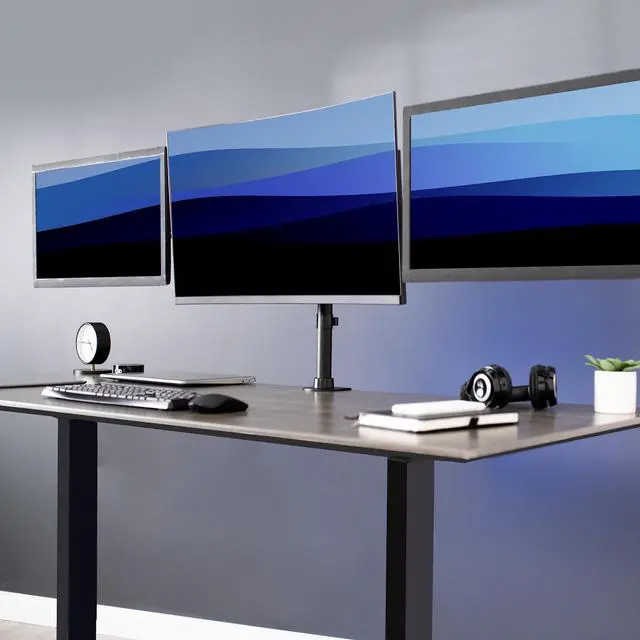
    • Innovative Design: Triple monitor force clears up valuable work space and increase work efficiency with a three monitors mount alignment
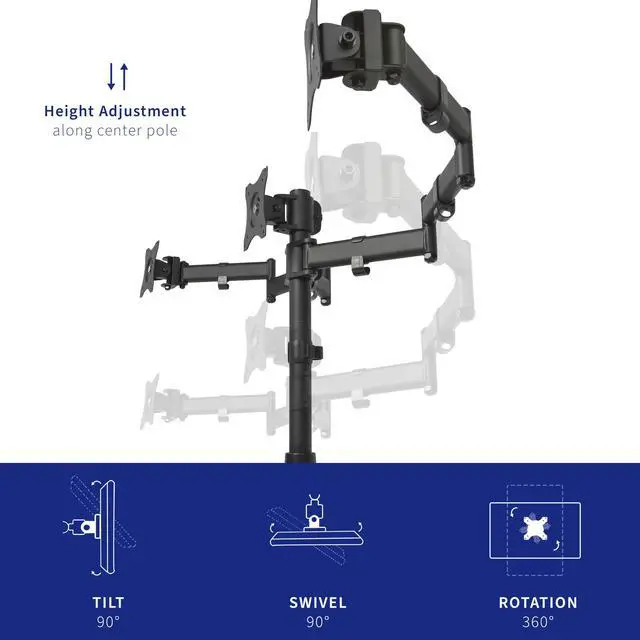
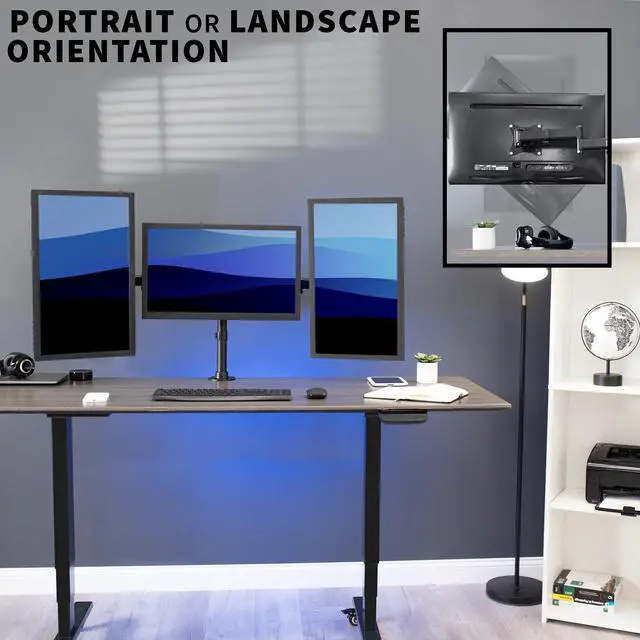
    • Fully Adjustable: Mounting arms and plates offer 90° tilt, 90° swivel, and 360° rotation. Monitors can be placed in portrait or landscape orientation
    • Perfect Monitor Alignment: The VESA plates allows each individual plate to be adjusted up and down by 1.1 so your monitors will be perfectly aligned
    • Drill-Free Mounting: This product secures to your surface of choice up to 3.25" thick via a heavy-duty C-clamp, or use the equally sturdy optional grommet mount to suit your preferred layout
    +
    +
    Overview
    Specs
    Reviews (7)
    See all Q & A

    Any questions? Ask CelesteSM will help you find out quickly.

    Brand new triple monitor mount (STAND-V003M) from VIVO! Clear up valuable work space on your desk with this heavy duty three monitor stand. Constructed of high grade steel, this mount was built to resist scratches. The newly designed VESA plates allows each individual plate to be adjusted up and down by 1.1" so your monitors will be perfectly aligned. This stand comes in a black matte finish.

    Measurements & Compatibility:

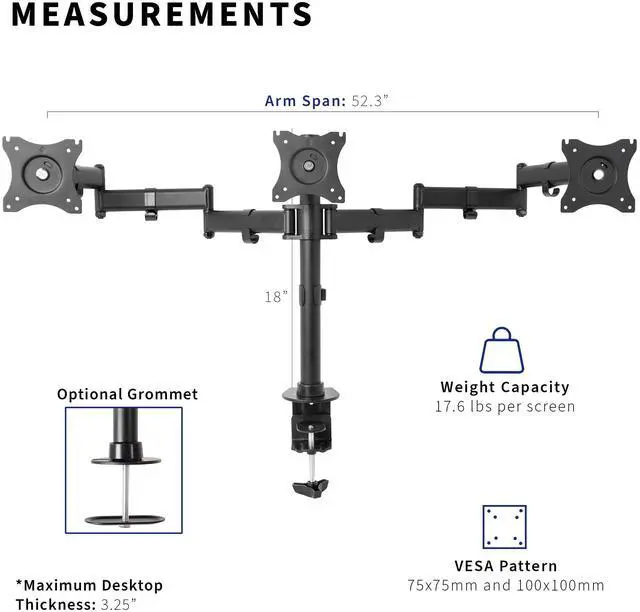
    • Supports three LCD screens up to 17.6lbs and 24" in size each (will fit 27" screens but will allow very limited angled screen positioning)
    • This is a standard VESA mount with 75 X 75 and 100 X 100 mounting holes
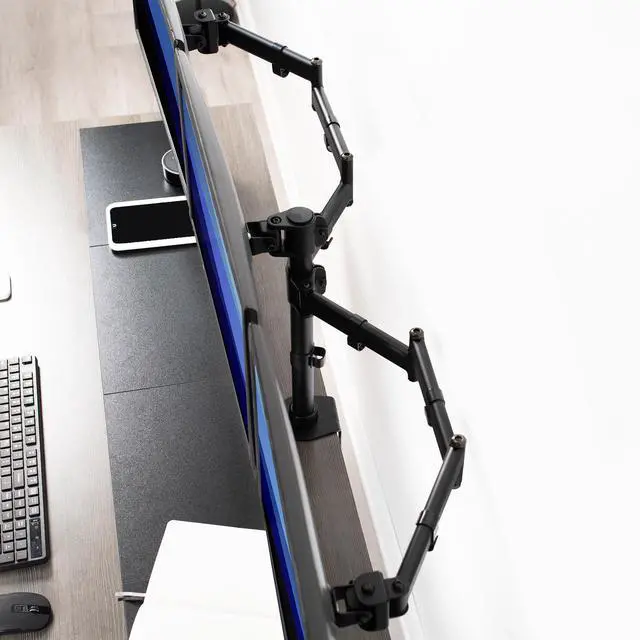
    • The total arm span reaches 52.3" with a 18" center post
    • The mounting brackets are 26" on center (apart), please see product diagram for further details

    Features:

    • Tilt: -45 to +45 degree
    • Swivel: 90 degree
    • Rotate: 360 degree
    • Height adjustable
    • Ultra heavy duty C- clamp and grommet mounting options
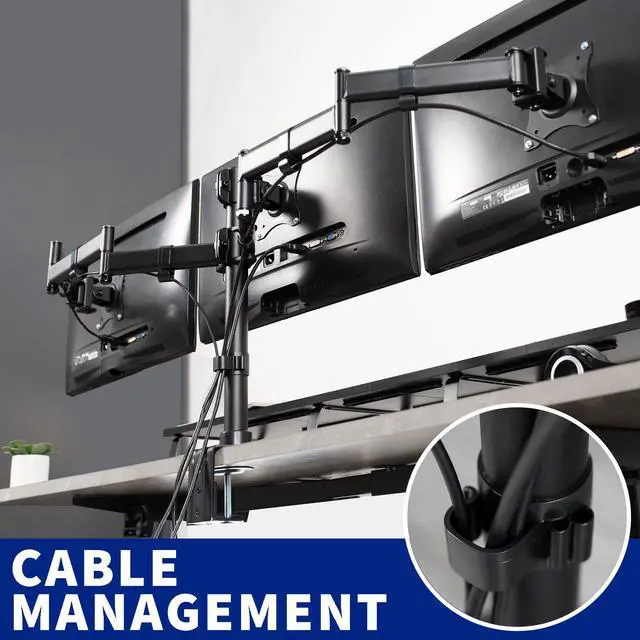
    • Integrated cable management system
    • Monitors can be installed either in portrait or landscape shape
    • Fully adjustable arms
    • The bottom of the clamp contains padding to protect your desk from scratches

    Warranty & Returns

    Warranty, Returns, And Additional Information

    Warranty

    • Please contact the Seller directly for warranty information. Warranty information may also be found on the Manufacturer's website.
    • CONTACT

    Return Policies

    • Return for refund within: 30 days
    • Return for replacement within: 30 days
    • This item is covered by VIVO Return Policy

    Manufacturer Contact Info

    LOADING...

    The VIVO Triple Monitor Adjustable Mount is a desk-mounted stand for three 13–24-inch monitors, suited to multitasking professionals and home-office users who want a side-by-side workspace with adjustable viewing angles. It supports monitors up to 17.6 lb each and VESA 75×75 mm or 100×100 mm.

    Recommended For

    • Desk-based multitaskers who keep email, documents, research, or work applications visible across three compact monitors and want one mount instead of three individual stands.
    • Home-office users with three VESA-compatible monitors up to 24 inches who want to free up desk surface and adjust screen height, tilt, swivel, or orientation.
    • PC users who use three screens for everyday gaming and want a side-by-side desk setup, rather than a dedicated racing-simulator display arrangement.
    • Users who want to mix portrait and landscape screens or make small alignment adjustments to create a more orderly three-monitor workspace.

    Real-World Use Scenarios

    • For software development, keep code on the center screen and documentation, test output, or logs on the side screens, making it easier to refer between them without repeatedly switching windows.
    • For office work involving email, documents, and spreadsheets, dedicate a screen to each task so reference information stays visible while the user works on the main document or sheet.
    • When reading long documents or code, turn a compatible side monitor to portrait orientation and use the center screen for the active task; this gives the workspace a taller view for page-length content.
    • In a home office with three separate monitor stands, mount the screens on one desk stand to free surface area for a keyboard, notebook, or other desk items; the clamp-on setup avoids drilling into the desk.