Meet Your Seller
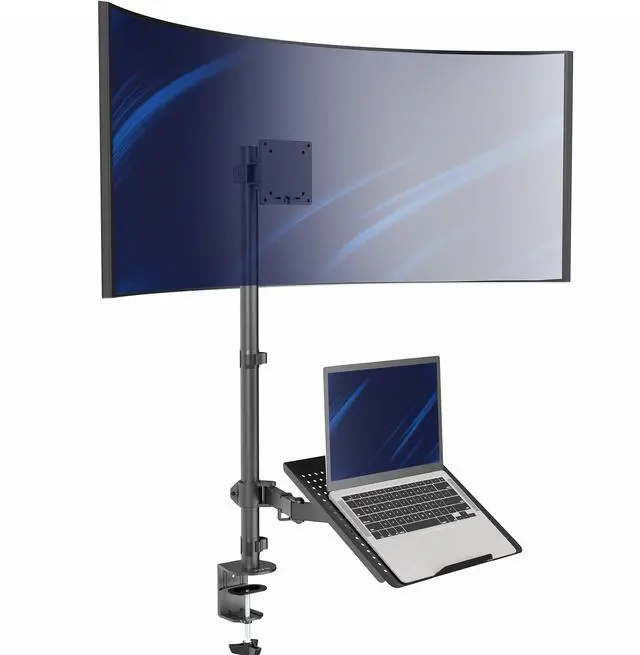
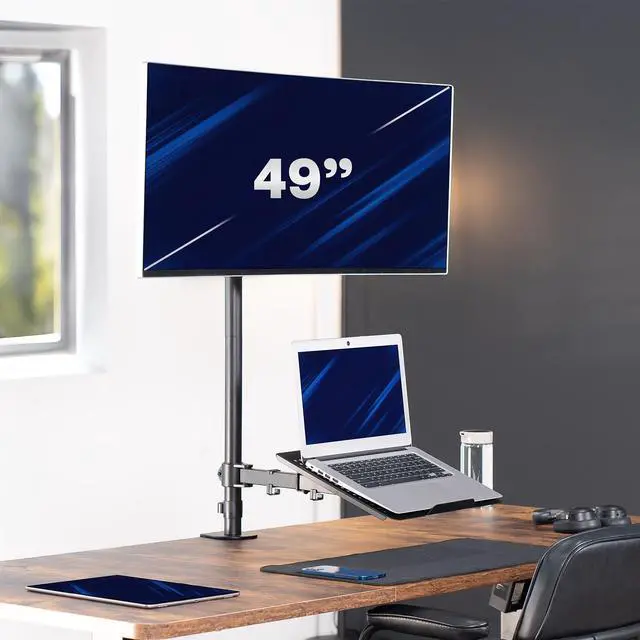
VIVO Laptop & Ultrawide Monitor Mount Extra Tall Desk Stand fits up to 49"
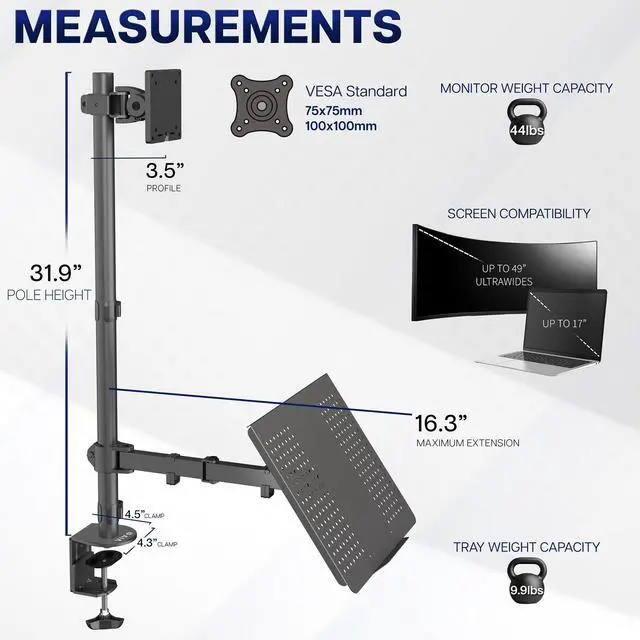
- Standard Screen Compatibility: This heavy-duty mount fits ultrawide screens up to 49" in size and 44 lbs in weight with VESA 75x75mm or 100x100mm mounting holes
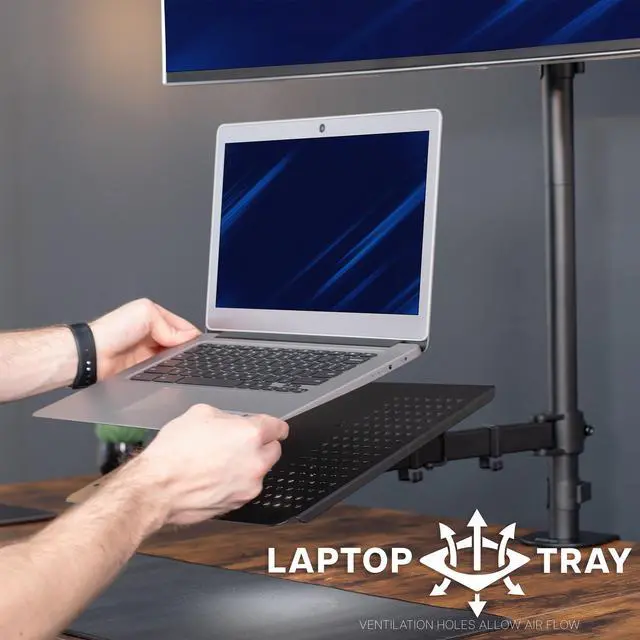
- Laptop Compatibility: Raise your notebook to a comfortable viewing and typing height right under your ultrawide with a sturdy tray fitting laptops up to 17" in size and 9.9 lbs in weight
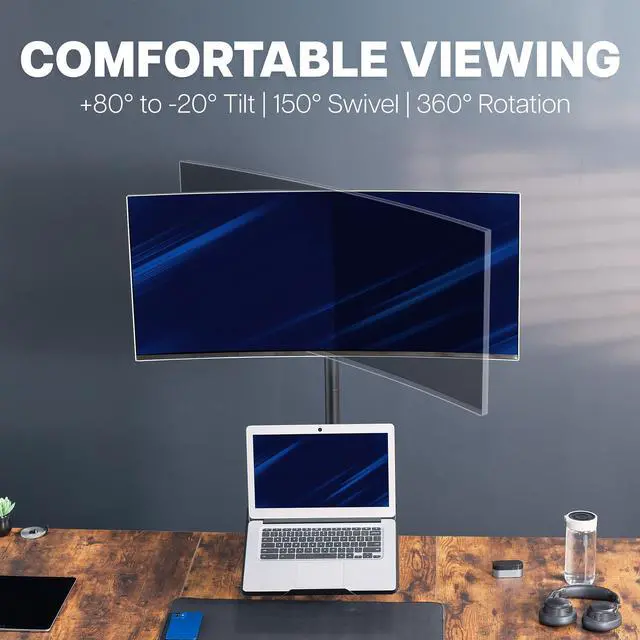
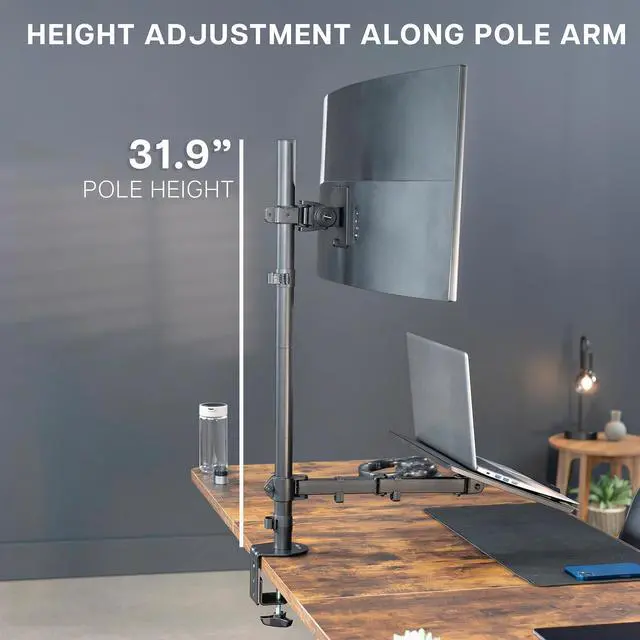
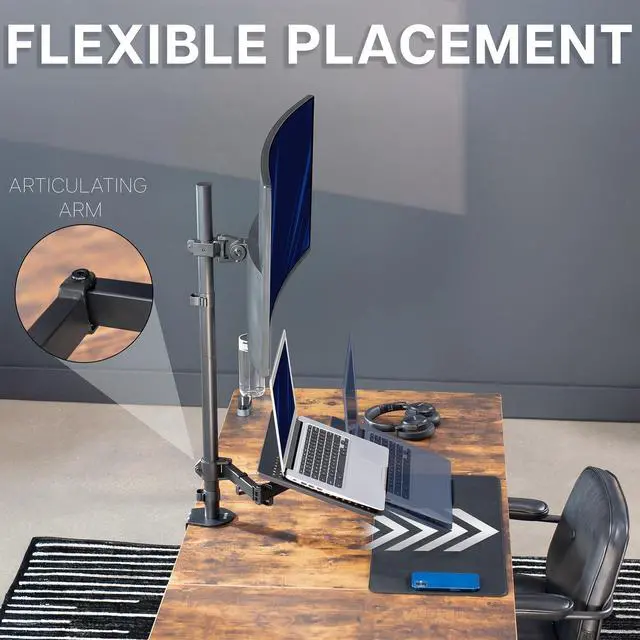
- Articulation and Height Adjustment: Enjoy comfortable viewing angles with +80° to -20° tilt, 150° swivel, 360° rotation, and height adjustment along the center pole
- Detachable VESA Plate: Mounting your monitor is made easier with the detachable VESA plate, and all instructions and hardware are provided for proper assembly
- Drill-Free Mounting: This product secures to your desk (up to 3.3" thick) via a heavy-duty C-clamp, or use the equally sturdy optional grommet mount to suit your preferred layout
Any questions? Ask CelesteSM will help you find out quickly.
Clear up valuable desk space with a solid stand for your computer screen and notebook with the Single Ultrawide Monitor and Laptop Extra Tall Desk Mount (STAND-V012C) from VIVO! This heavy-duty dual-arm mount attaches to the back of your desk, freeing up space that the original monitor stand would occupy. An advanced arm design holds ultrawide screens up to 49 in size and 44 lbs in weight, elevating your monitor for optimal viewing angles. The sturdy laptop tray provides a solid surface for typing and positions your notebook at a comfortable height. The mounting bracket uses universal VESA patterns 75x75mm and 100x100mm, and the heavy-duty C-clamp installs to desks with no drilling required, protecting your table surface.
Compatibility:
Screen Size: Up to 49 Ultrawides
Laptop Size: Up to 17
VESA Compatibility: 75x75mm and 100x100mm
Desktop Thickness for Clamp: 0.4 to 3.3
Desktop Thickness for Grommet: 0.4 to 2.9
Laptop Weight Capacity: 9.9 lbs
Specifications:
Color: Black
Material: Steel, Aluminum, Plastic
Pole Height: 31.9
Screen Extension: 3.5
Screen Articulation: +80° to -20° tilt, 150° swivel, and 360° rotation
Laptop Tray Dimensions: 14" x 12" x 1.2"
Maximum Tray Extension: 16.3
Laptop Tray Articulation: +90° to -90° tilt, 180° swivel, and 360° rotation
Height Adjustment: Along the center pole
Features: Integrated cable management system
Screen Orientation: Portrait or Landscape
Warranty & Returns
Warranty, Returns, And Additional Information
Warranty
- Please contact the Seller directly for warranty information. Warranty information may also be found on the Manufacturer's website.
- CONTACT
Return Policies
- Return for refund within: 30 days
- Return for replacement within: 30 days
- This item is covered by VIVO Return Policy
Manufacturer Contact Info
- For a directory of all our manufacturers, please click below.
- Manufacturers Directory
The VIVO Extra Tall Desk Stand is a combined monitor and laptop mount for desk setups with an ultrawide monitor up to 49 inches and a laptop up to 17 inches. It suits users who want to position a notebook beneath their monitor while adjusting screen height and viewing angle.
Recommended For
- Desk-based workers who keep a laptop open alongside a large ultrawide and want both screens mounted above the desktop instead of using separate stands.
- People building a fixed home-office workstation who want to reclaim desk space taken up by a monitor stand while keeping a laptop within reach.
- Users with a compatible VESA ultrawide and a laptop up to 17 inches who want to position the monitor and laptop at different heights on one desk-mounted stand.
- People who need a clamp- or grommet-mounted setup and want to adjust screen height and viewing angle without drilling a new mounting hole for the clamp option.
Real-World Use Scenarios
- For a home-office workflow, keep the laptop open beneath the ultrawide: use the larger display for your main work and the laptop screen for email, chat, or reference material, while leaving more of the desktop clear.
- When a large monitor stand and an open laptop crowd a desk, mount both above the work surface; this setup can free the area beneath them for a keyboard, mouse, or writing space.
- For gaming or watching video on the ultrawide, keep the laptop open below it for secondary tasks such as checking messages or controlling music, rather than placing another device beside the wide screen.
- For a laptop-centered workstation, connect the laptop to an external ultrawide and use both displays at once; the laptop screen can hold ongoing apps while the larger display is used for the main task.