Meet Your Seller
VIVO Triple Monitor Desk Stand Mount FreeStanding Adjustable 3 Screens up to 32"
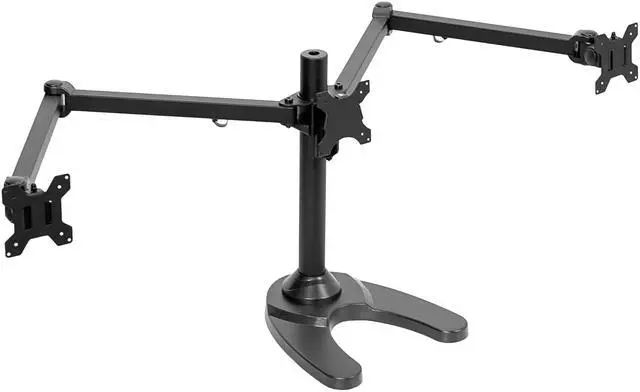
- VIVO Monitor Mounting Solutions: We create affordable solutions designed with creativity and quality to transform your workspace. This heavy-duty triple monitor stand provides a 3-screen ergonomic display for increased work comfort and efficiency
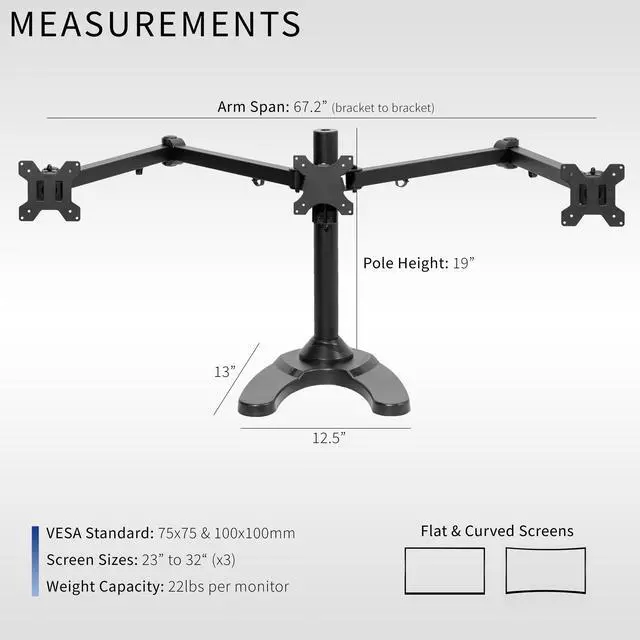
- Fits 23" to 32" Screens: Freestanding mount holds three screens 23 to 32 in size weighing up to 22 lbs each. Supports VESA 75x75mm and 100x100mm mounting hole patterns
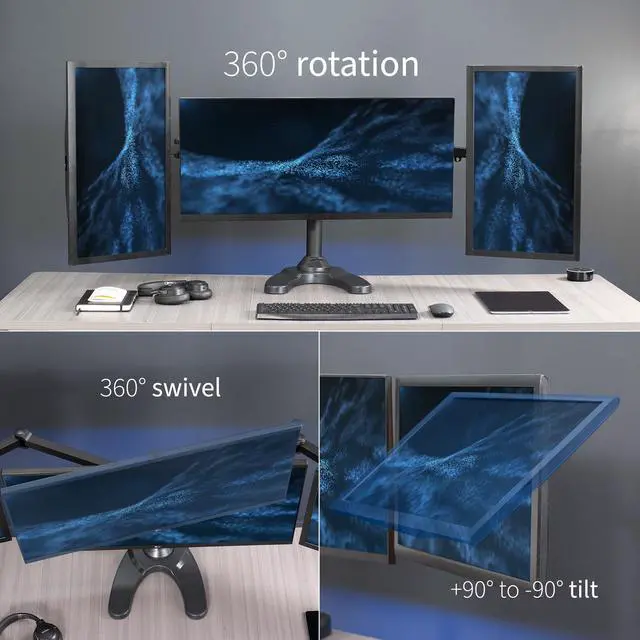
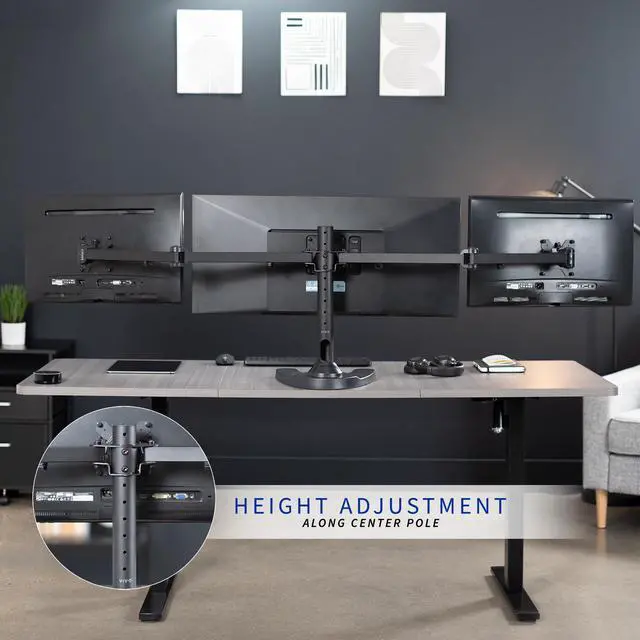
- Full Motion: Find just the right viewing angle with -90° to +90° tilt, 180° swivel, and 360° rotation. Height adjustment is provided along the center pole
- Sturdy Construction: The 12.5 x 13.5 ultra heavy-duty base keeps the stand and monitors balanced and upright so you can rest easy knowing your valuable equipment is safe and secure
- Best Practices: Please do not pull monitors too far forward or backward unless the stand is bolted down, as this will cause stability issues. Additionallly, please check to make sure the base size fits your available desk space
Any questions? Ask CelesteSM will help you find out quickly.
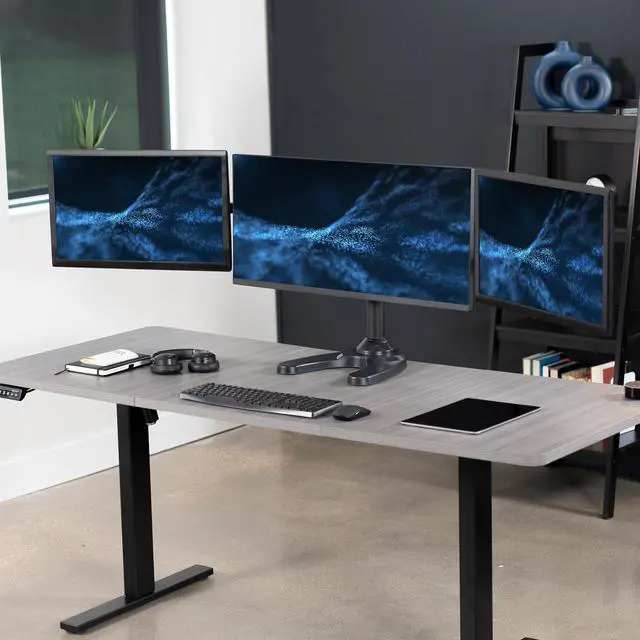
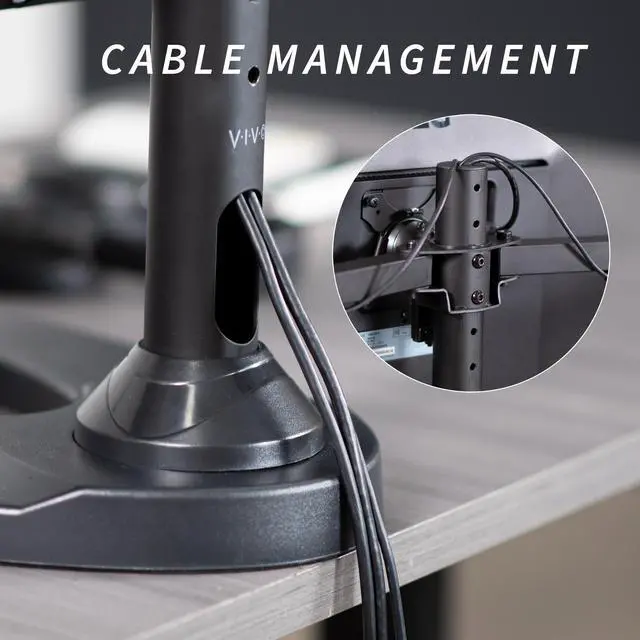
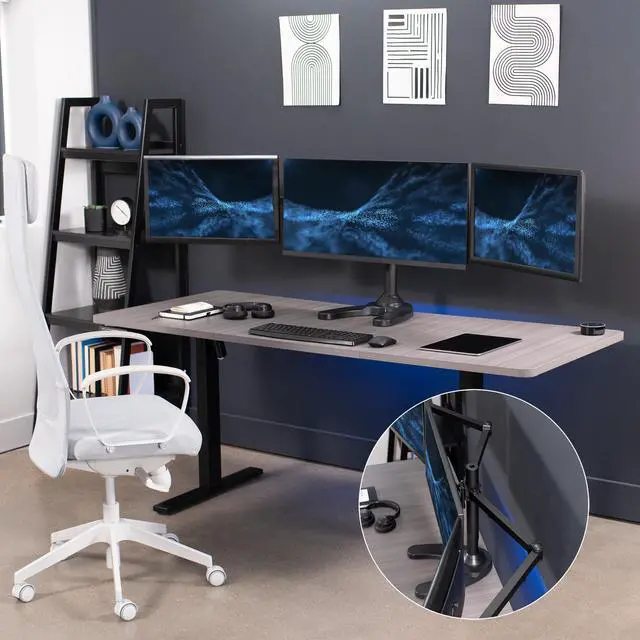
Clear up valuable desk space and view three monitors side-by-side with Freestanding Triple Monitor Mount (STAND-V103F) from VIVO! Manufactured with high-grade steel that provides excellent triple monitor support, security, and scratch resistance, this stand supports monitors 23" to 32" in size and 22 lbs in weight. Designed with user-geared features such as smooth arm articulation, removable VESA mounting plates, adjustable monitor height, integrated cable management, and more, this mount is customizable to your particular office needs. The versatility of screen placement allows for ergonomic viewing that aids in decreased fatigue and muscle strain on the neck, back, and shoulders. All necessary hardware and instructions are provided so you can get your stand assembled and monitors mounted in no time! Please Note: Pulling monitors forward for a sharper viewing angle (above 25 degrees) may require bolting the stand to the desk to avoid tipping. Hardware for this is included.
Compatibility
- Supports 3 Monitor Screens: Sizes 23" to 32"
- VESA Standard: 75x75mm and 100x100mm
- Weight Capacity: 22 lbs per monitor
Specifications
- Color: Black
- Material: Steel, Plastic
- Pole Height: 19"
- Pole Diameter: 2"
- Base Dimensions: 12.5" x 13"
- Articulation: -90° to +90° tilt, 180° swivel, and 360° rotation
- Arm Span: 67.2" (from bracket to bracket)
- Screen Placement: Portrait or Landscape
Warranty & Returns
Warranty, Returns, And Additional Information
Warranty
- Please contact the Seller directly for warranty information. Warranty information may also be found on the Manufacturer's website.
- CONTACT
Return Policies
- Return for refund within: 30 days
- Return for replacement within: 30 days
- This item is covered by VIVO Return Policy
Manufacturer Contact Info
- For a directory of all our manufacturers, please click below.
- Manufacturers Directory
The VIVO Triple Monitor Desk Stand is a freestanding mount for people who want a three-screen desk setup, supporting 23–32-inch monitors up to 22 lb each with VESA 75x75mm or 100x100mm mounting holes.
Recommended For
- Office users who keep three monitors set up side by side for ongoing work—such as comparing documents, spreadsheets, dashboards, or code—and want to adjust screen angles and orientation without using three separate monitor stands.
- Home-office users who want a three-screen mount that rests on the desk rather than attaching with a desk clamp or grommet, and can leave the stand in a fixed workspace.
- Users arranging compatible monitors in landscape or portrait for work that benefits from different screen orientations, such as keeping reference material beside a primary display.
Real-World Use Scenarios
- For accounting or spreadsheet-heavy work, keep a main workbook on one screen and reference reports, email, or PDFs on the others; a VIVO user describes using two monitors for work and a portrait display for PDFs.
- For a home-office workflow, keep a video meeting visible on one display while using the others for documents, messages, or spreadsheets, reducing the need to switch between windows.
- On a desk where a clamp mount is inconvenient, use the stand’s freestanding base to position three displays without attaching the mount to the desk; check that the base fits and keep the screens balanced.
- For mixed office tasks, turn a side screen vertically for long PDFs or documents while keeping the main display in landscape for active work; the stand allows portrait or landscape screen orientation.
- For home gaming, use the center display for the game and the side screens for a guide, chat, or other apps; VIVO positions this stand for home-gaming setups, though the computer and game determine multi-display support.