Meet Your Seller
VIVO Articulating Single Pneumatic Spring Desk Mount Stand for Screens up to 40"
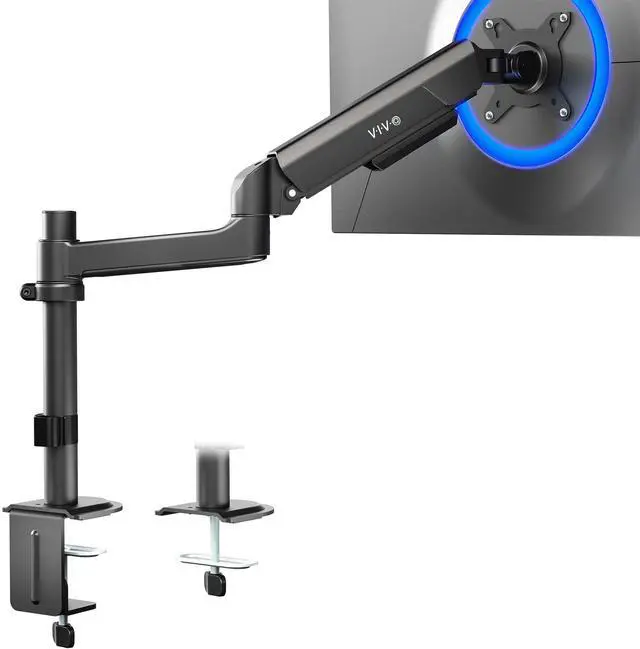
- VIVO Monitor Mounting: This product is designed to fit ultra-wide monitors and features counterbalance tension for optimal performance
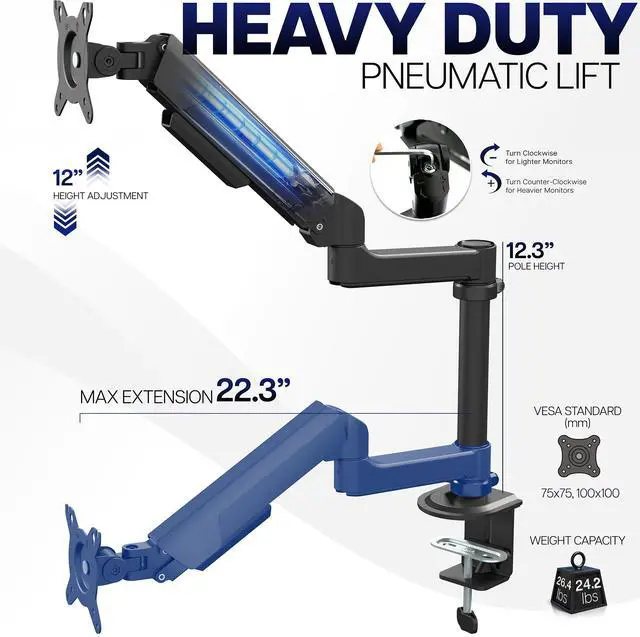
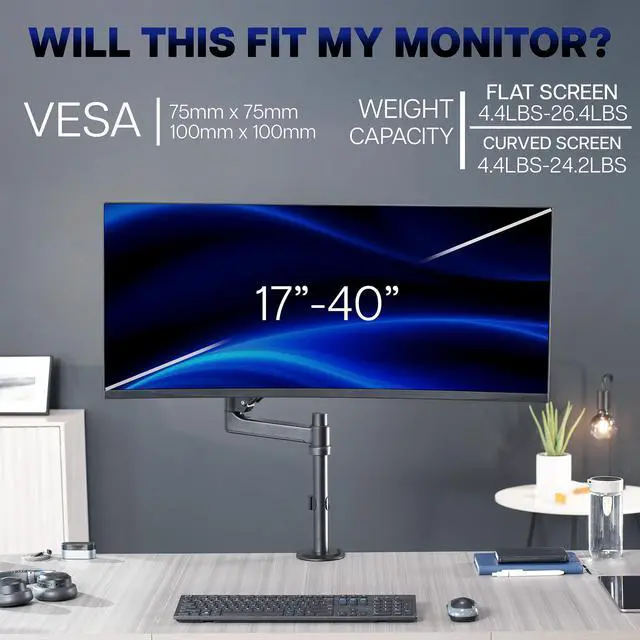
- Ultrawide Compatibility: Durable stand holds 17" to 40" standard monitors and ultrawide monitors, weighing from 4.4 lbs (minimum) to 26.4 lbs (maximum). The removable VESA bracket has 75x75mm and 100x100mm mounting capability
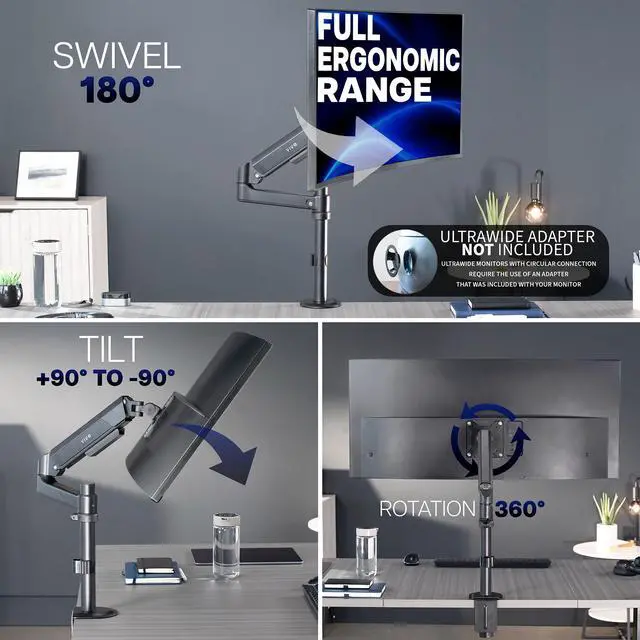
- Fully Adjustable: Find just the right viewing angle with -35° to +35° tilt, 180° swivel, and 360° rotation. The heavy-duty pneumatic spring arm creates 12 inches of smooth height transition with additional adjustment along the extension pole
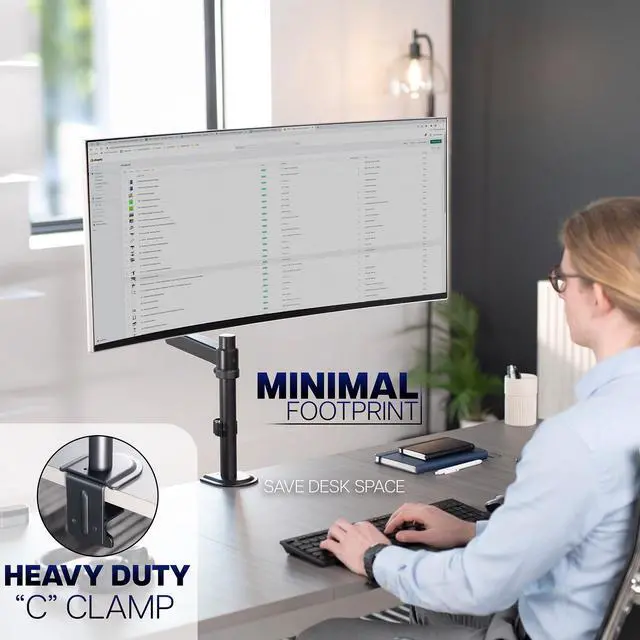
- Drill-Free Mounting: This product secures to your surface of choice up to 3.3 thick via a heavy-duty C-clamp, or use the equally sturdy optional grommet mount (up to 1.5 thick) to suit your preferred layout
- Cable Management: An integrated cable management system keeps cords organized to give your workspace a clean appearance
Any questions? Ask CelesteSM will help you find out quickly.
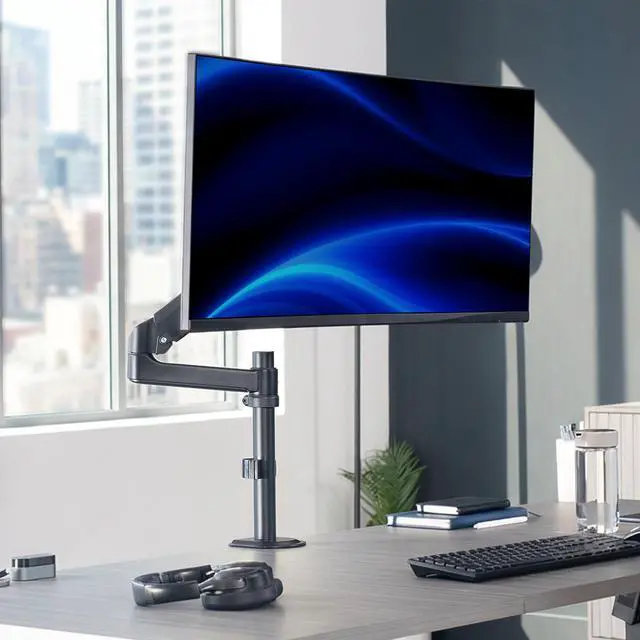
Enjoy comfortable viewing angles throughout the workday with Heavy-Duty Single Monitor Arm (STAND-V101H) from VIVO! Fitting standard to ultra-wide monitors, this stand gives you options! Elevate your monitor to an ergonomic height and adjust the viewing angle with just the touch of a hand. Featuring sturdy steel construction, smooth height adjustment, free-tilting design, desk mounting capability, and integrated cable management, this stand is ready to perform! The versatility of screen placement encourages comfortable viewing that aids in decreased muscle strain on the neck, back, and shoulders. The sleek appearance adds a modern look to any office while providing excellent support for your 17 to 40 monitor (also compatible with Ultrawide screens). All hardware and instructions are provided for easy assembly, so you can get your stand secured and monitor mounted in no time!
Compatibility
Monitor Screen Size: 17" to 40"
VESA Standard: 75x75mm and 100x100mm
Flat Screen Weight Capacity: 4.4 lbs (minimum) to 26.4 lbs (maximum)
Curved Screen Weight Capacity: 4.4 lbs (minimum) to 24.2 lbs (maximum)
Desktop Thickness for Clamp: 0.4" to 3.3"
Desktop Thickness for Grommet: 0.4" to 1.5
Specifications
Pole Height: 12.3 (desk surface to top of pole)
Articulation: +35° to -35° tilt, 180° swivel, and 360° rotation
Arm Height Adjustment: 12 (center of screen)
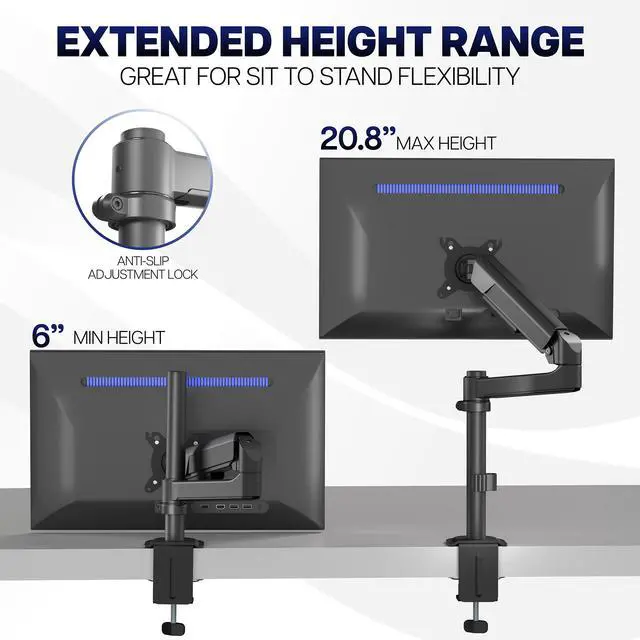
Maximum Screen Height: 20.8
Maximum Extension: 22.3
Mounting Options: Sturdy C-clamp and Grommet Mount
Screen Placement: Portrait or Landscape Orientation
Warranty & Returns
Warranty, Returns, And Additional Information
Warranty
- Please contact the Seller directly for warranty information. Warranty information may also be found on the Manufacturer's website.
- CONTACT
Return Policies
- Return for refund within: 30 days
- Return for replacement within: 30 days
- This item is covered by VIVO Return Policy
Manufacturer Contact Info
- For a directory of all our manufacturers, please click below.
- Manufacturers Directory
The VIVO Articulating Single Pneumatic Spring Desk Mount is an adjustable desk arm for 17–40-inch monitors weighing 4.4–26.4 lb, making it suitable for users who want to position a compatible standard or ultrawide screen with smooth height adjustment.
Recommended For
- Single-monitor users who want to raise, lower, tilt, or swivel their screen during the workday instead of keeping it on a fixed desk stand.
- People building a single-screen ultrawide workspace who want an articulating arm and whose monitor fits the mount’s weight and VESA requirements.
- Desk-space-conscious home-office or gaming users who want to move a compatible monitor off its original stand and clear the area beneath it.
- Users who sometimes rotate one compatible VESA monitor between landscape and portrait orientation for reading, coding, or document work.
Real-World Use Scenarios
- When a monitor’s factory stand takes up desk space, clamp this arm to the desk edge to free room for a keyboard, notebook, or other work items while keeping the screen mounted.
- For a shared desk or changing work posture, raise, lower, or reposition the monitor by hand to bring it closer to a comfortable viewing position without moving the desk or stand.
- When using a compatible ultrawide as the main work screen, adjust its height and angle to suit a setup with several windows open side by side, then move it out of the way when more desk access is needed.
- At a desk where drilling is undesirable, use the C-clamp or grommet mounting option, if the desktop and its thickness are compatible, to attach the monitor without installing a permanent stand base.
- For reading long documents or viewing code, rotate a compatible VESA-mounted screen to portrait orientation; return it to landscape for general work or video.