Meet Your Seller
VIVO White Extra Sturdy Clamp-on Computer Keyboard & Mouse Under Desk Tray
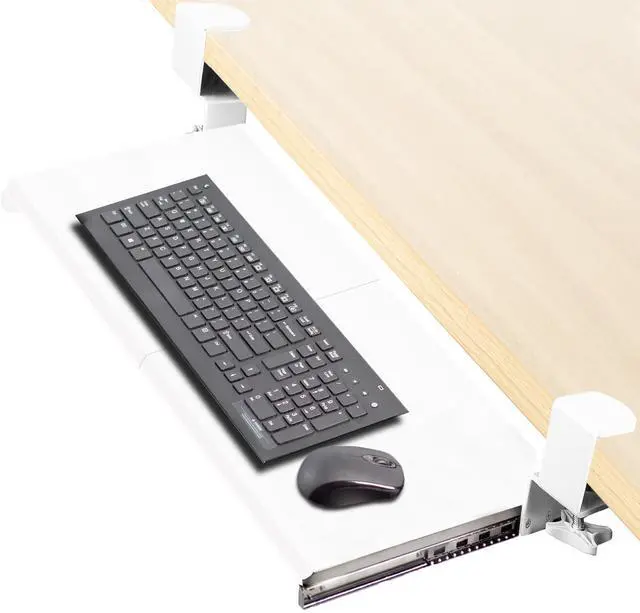
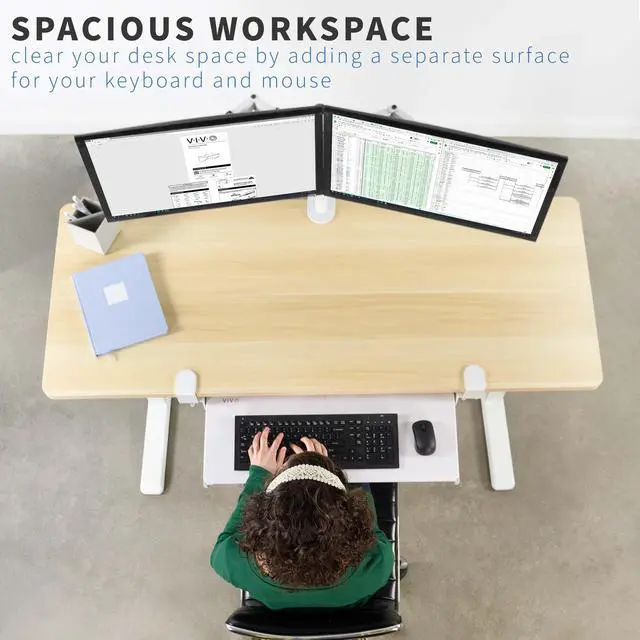
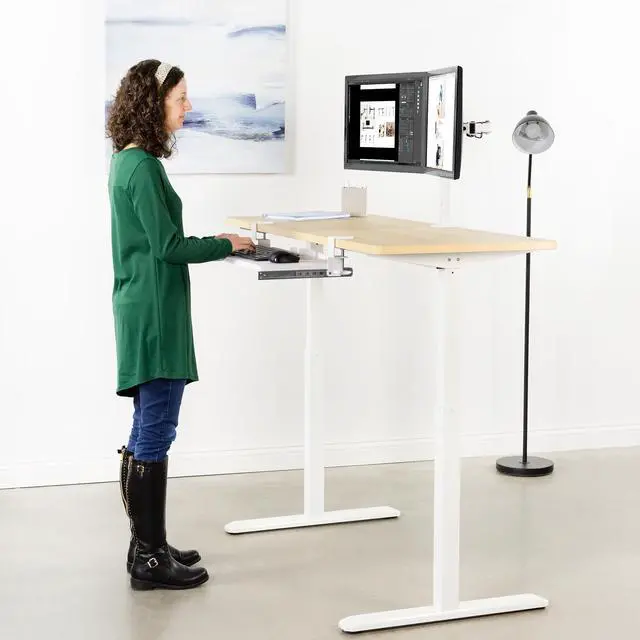
- Saves Desk Space: This 26.8" (32.5" including clamps) x 11" under-desk keyboard tray holds your keyboard, mouse, and other small accessories below the desktop for added work space --Patent Pending--
- Comfortable Typing Angles: Easily slide the tray in and out and enjoy ergonomic typing angles that relieve stress on your wrists and shoulders. The tray extends a maximum of 8.5" from the edge of your desk and holds up to 11 lbs
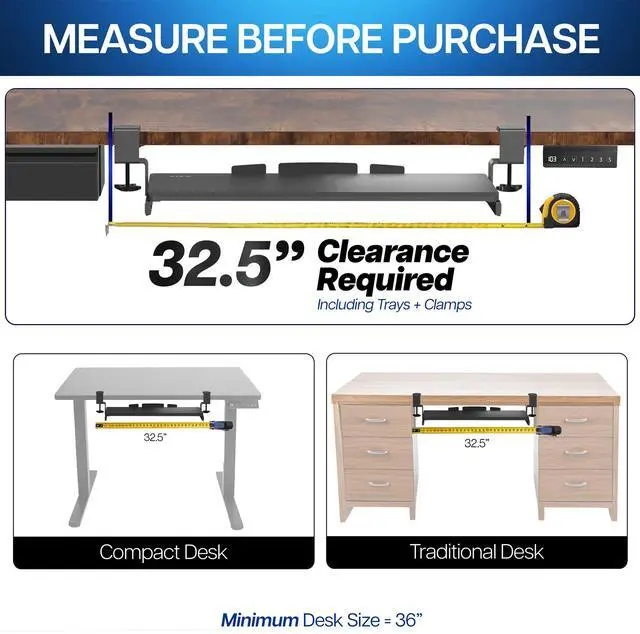
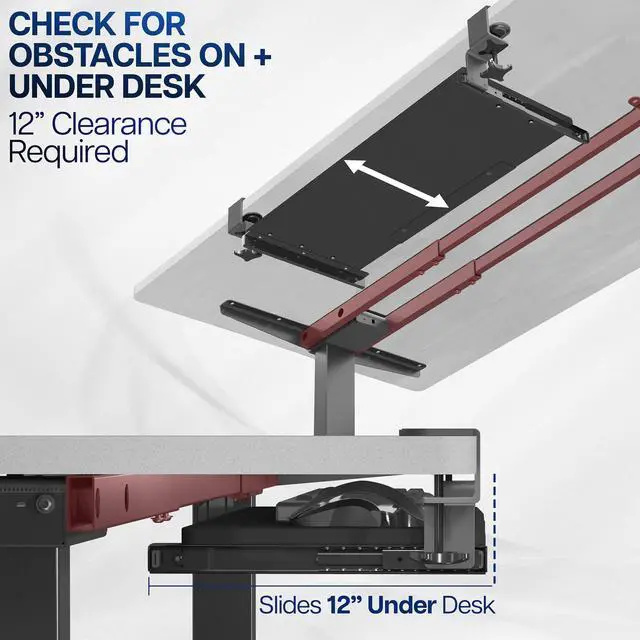
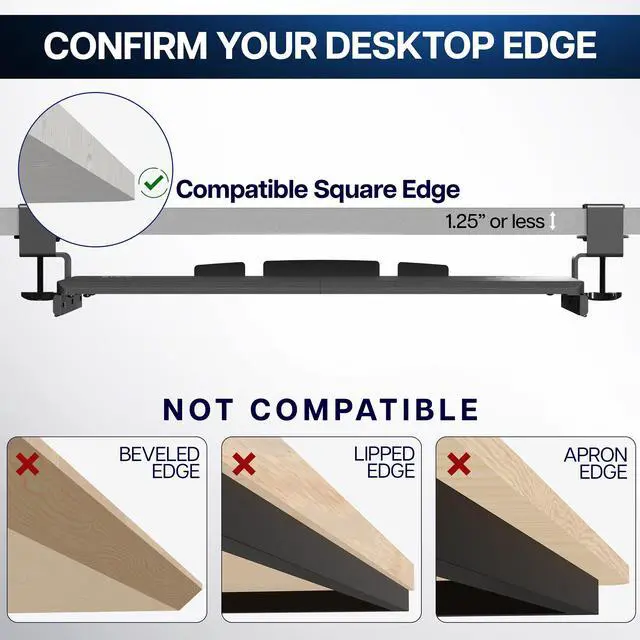
- Compatibility: Tray with clamps requires 32.5" of available desk space. Please measure and check for mounting obstacles such as drawers or desk controllers before purchase. Desktop thickness should not exceed 1.25"
- Sturdy C-Clamps: Attach the keyboard tray to your workstation without causing any damage to your desk (1.25" maximum desktop thickness) with sturdy C-clamps that hold everything tightly in place and are easily adjustable for user convenience
Any questions? Ask CelesteSM will help you find out quickly.
Enjoy the benefits of ergonomic typing angles and a work area thats spacious and extra sturdy with white clamp-on keyboard tray, MOUNT-KB05W, from VIVO! Win back valuable desk space by adding a lower tier surface for the keyboard, mouse, and other small items. Designed with user-geared features such as smooth gliding motion for easy placement, sturdy C-clamps for convenient mounting, and anti-skid padding for scratch resistance, this mount was built to perform! The solid steel track makes this mount extra sturdy, and under-desk tray placement creates an ergonomic setup that decreases fatigue and muscle strain on the neck, back, and shoulders. All hardware is provided for easy installation to get your tray mounted and organized in no time!
Compatibility:
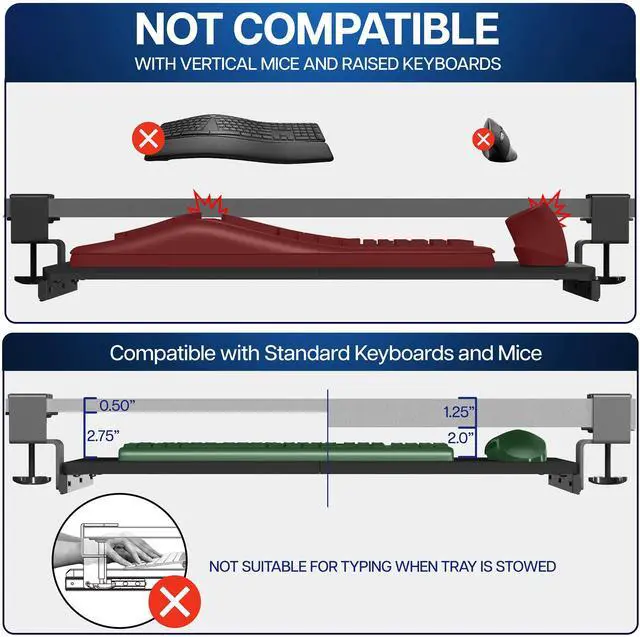
- Universal Design: Fits most keyboards and mice on the market
- Minimum Recommended Desk Thickness: 0.5"
- Maximum Recommended Desk Thickness: 1.25"
- Weight Capacity: 11 lbs
Specifications:
- Color: White
- Material: Steel, MDF Board
- Tray Dimensions: 26.8" (32.5" including clamps) x 11"
- Total Track Length: 12.3"
- Extension: Tray slides out a total of 8.5" from the desk
- Orientation: Tray sits 1.5" to 2.75" below the desk surface
- Keyboard Tray Thickness: 0.6"
Warranty & Returns
Warranty, Returns, And Additional Information
Warranty
- Please contact the Seller directly for warranty information. Warranty information may also be found on the Manufacturer's website.
- CONTACT
Return Policies
- Return for refund within: 30 days
- Return for replacement within: 30 days
- This item is covered by VIVO Return Policy
Manufacturer Contact Info
- For a directory of all our manufacturers, please click below.
- Manufacturers Directory
The VIVO White Extra Sturdy Clamp-on Computer Keyboard & Mouse Under Desk Tray is a slide-out, clamp-mounted tray for people who want to free up desk space while keeping a keyboard and mouse close at hand; it fits desks with at least 32.5 inches of clear space and tops no thicker than 1.25 inches.
Recommended For
- People with a crowded desktop who want to move a keyboard and mouse below the desk between work sessions; the tray slides out for use and back under the desk to free surface space.
- Renters or people using a borrowed desk who want an under-desk keyboard tray without drilling into the desktop; the C-clamps attach at the desk edge.
- Home-office users with a clear, compatible desk edge who want to bring their keyboard and mouse lower than the desktop for everyday typing; the sliding tray offers a separate keyboard surface.
- Users who want a tray for a standard keyboard-and-mouse setup rather than a heavy device; VIVO rates this model for up to 11 lb.
Real-World Use Scenarios
- When a keyboard and mouse take up most of a compact desk, keep them on the tray while typing and slide them underneath when you need the desktop for notes or other tasks.
- For a desk that needs to stay undrilled, such as a rental or borrowed workspace, use the C-clamps to attach the tray; check that the desktop and underside have room for the clamps.
- When switching between computer work and writing or handling papers, slide the keyboard and mouse out of the way to clear the main desktop without removing the tray.
- For everyday typing and mouse use, place both on the lower tray so they sit below the desktop; this can help create a more comfortable input position, depending on the user's chair and desk setup.
- In a shared or multipurpose workspace, slide the tray under the desk when the computer is not in use to keep the keyboard and mouse tucked away and leave the desktop open.