• $29.99
  • Free 30-day Returns
  • Sold by Direct from manufacturerVIVO
    Top Rated
    4.7 (2,010 seller ratings)

    Shipped by Direct from manufacturerVIVO

    Price alert
    Shop it at NeweggBusiness.

    Meet Your Seller

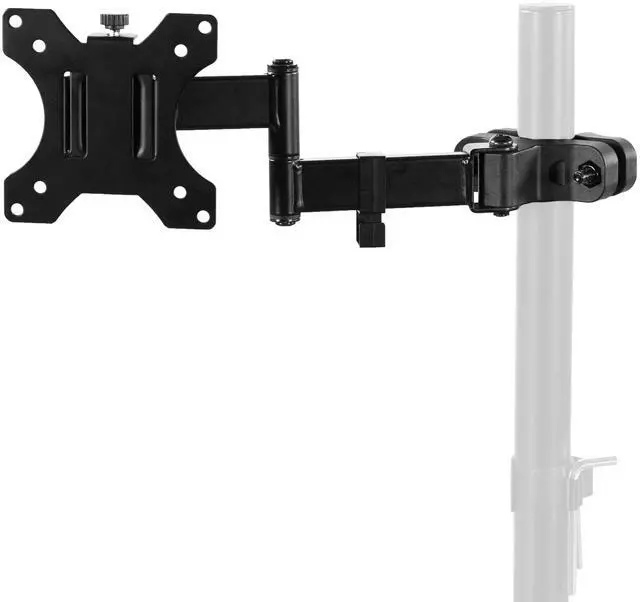
    VIVO Steel Universal Pole Mount Monitor Arm VESA Plate | Fits 17" to 32" Screens

    • Black
    • White
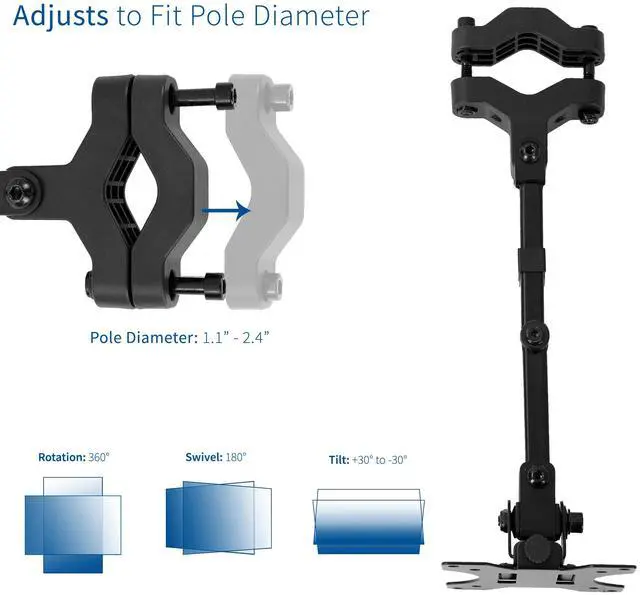
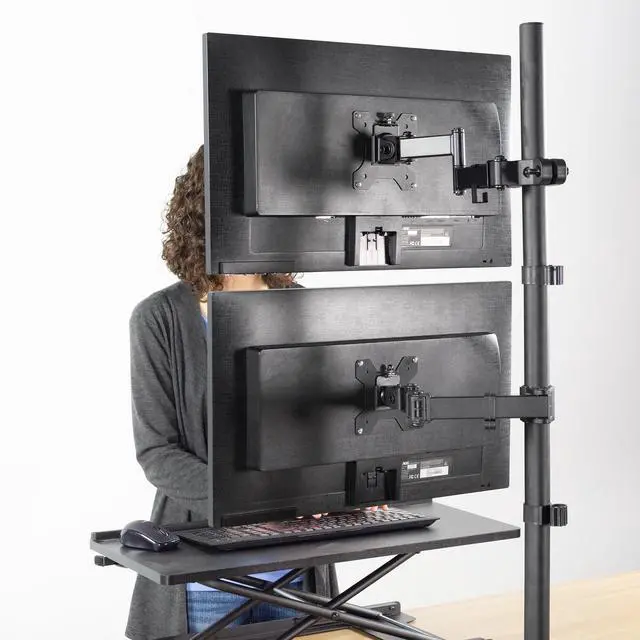
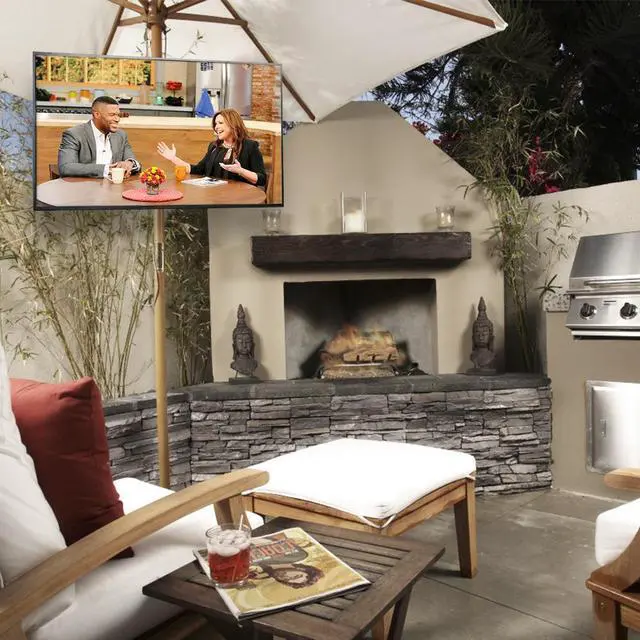
    • Universal Pole Mount: This sturdy steel monitor arm fits any pole from 1.1" to 2.4" in diameter for convenient screen placement. Please Note: Pole is not included
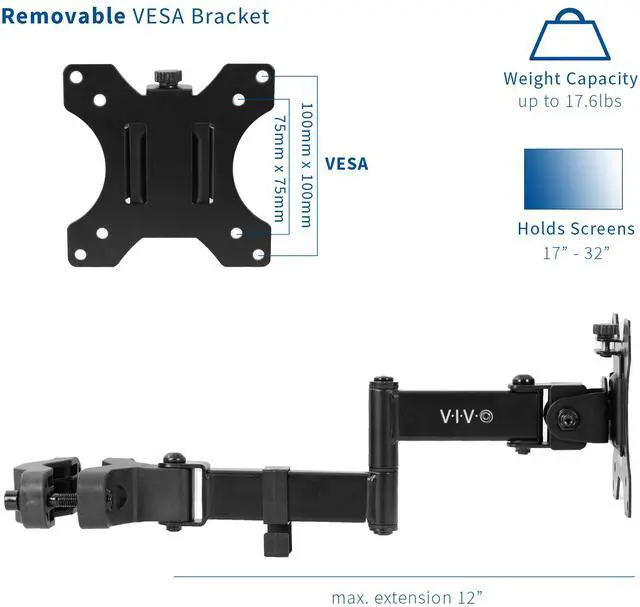
    • Fits 17" to 32" Screens: Designed for 17" to 32" monitors and TV's weighing up to 17.6 lbs with VESA 75x75mm or 100x100mm mounting patterns
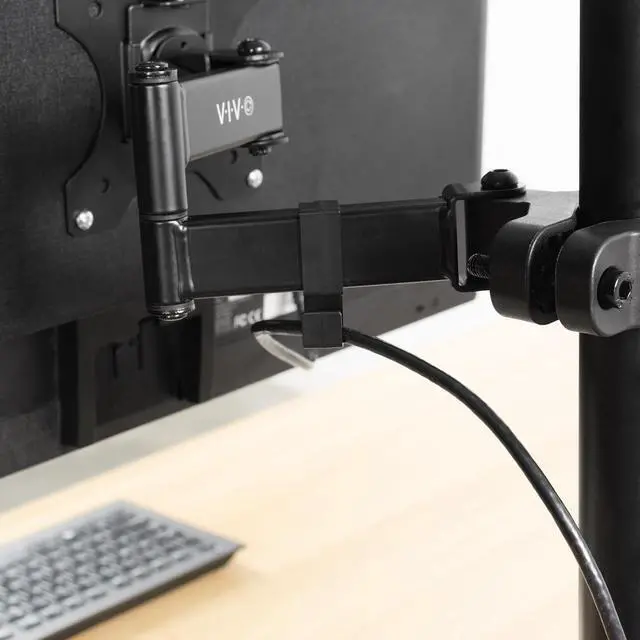
    • Versatile Design: This sturdy mount lets you update your monitor stand's VESA compatibility and create alternative mounting solutions for poles within the diameter range. Cable management clips route cords along the arm for a clean, organized appearance
    • Full Motion: Mounting bracket features +30° to -30° tilt, 180° swivel, and 360° rotation for ideal viewing angles with a swiveling arm for additional flexibility. Pole clamp can rotate completely around the pole for easy collaboration and screen sharing
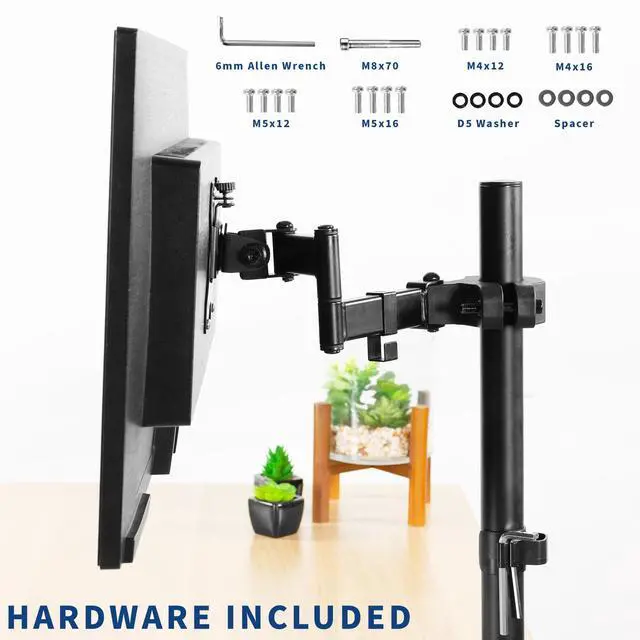
    • Easy Installation: All hardware and instructions are provided for simple assembly, and a removable VESA plate makes installation a breeze
    +
    +
    Overview
    Specs
    Reviews

    Any questions? Ask CelesteSM will help you find out quickly.

    Mounting your monitor or small TV just got easier with Pole Mount Monitor Arm for VESA 75x75mm and 100x100mm (MOUNT-POLE01A) from VIVO! Whether you want to update your current monitor stands VESA compatibility or add mounting capability to an existing pole, this sturdy arm has you covered. It holds one 17 to 32 screen weighing up to 17.6 lbs and fits pole diameters from 1.1 to 2.4. Once your screen is mounted, this durable bracket is adjustable with +30° to -30° tilt, 180° swivel, and 360° rotation for comfortable viewing angles that relieve tension on the neck, back, and shoulders. We provide all the necessary hardware for assembly, and a removable VESA plate makes mounting and unmounting your screen a fast and easy process. Please Note: Pole is not included.

    Compatibility

    • Screen Size: 17 to 32
    • Pole Diameter: 1.1 to 2.4
    • VESA Standard: 75x75mm and 100x100mm
    • Weight Capacity: 17.6 lbs

    Specifications

    • Color: Black
    • Material: Steel
    • Max Extension: 12
    • Articulation: +30° to -30° tilt, 180° swivel, and 360° rotation

    Warranty & Returns

    Warranty, Returns, And Additional Information

    Warranty

    • Please contact the Seller directly for warranty information. Warranty information may also be found on the Manufacturer's website.
    • CONTACT

    Return Policies

    • Return for refund within: 30 days
    • Return for replacement within: 30 days
    • This item is covered by VIVO Return Policy

    Manufacturer Contact Info

    LOADING...

    The VIVO Steel Universal Pole Mount Monitor Arm is for users who want to mount a 17–32-inch screen on an existing 1.1–2.4-inch pole, with full-motion adjustment and support for monitors weighing up to 17.6 lbs.

    Recommended For

    • People with an existing compatible pole who want to add a VESA monitor without replacing their stand or mounting system.
    • Shared workspaces where a screen needs to swivel toward different viewers for collaboration or screen sharing.
    • Workstation builders who want to mount a monitor on a pole to keep its existing desk or work surface clear.
    • Users who need to switch a compatible monitor between landscape and portrait orientation using the rotating VESA mount.

    Real-World Use Scenarios

    • When a compatible monitor stand already has a pole but lacks a VESA plate, attach this arm to mount a supported monitor and reuse the existing stand instead of replacing the whole setup.
    • At a shared workstation, rotate or swivel the screen toward a colleague for quick side-by-side viewing, then turn it back for individual work.
    • In a compact desk setup with a compatible pole stand, mount the display off its original base to keep the area beneath and around the screen less crowded.
    • When a monitor’s position feels uncomfortable, adjust its tilt and swivel on the pole to aim the screen toward the user without moving the entire stand.
    • For a compatible monitor that is better suited to portrait viewing, rotate the mounted screen between portrait and landscape orientation for tasks such as reading tall documents or viewing wide content.