Meet Your Seller
VIVO Extra Sturdy Clamp-on Computer Keyboard and Mouse Under Desk Slider Tray
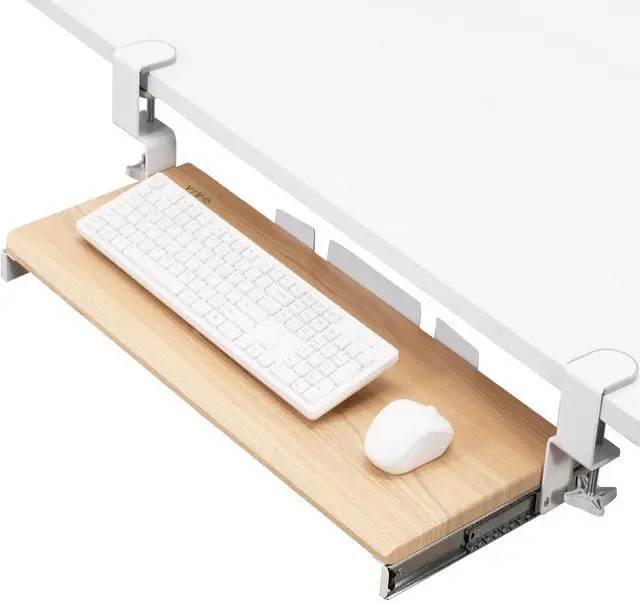
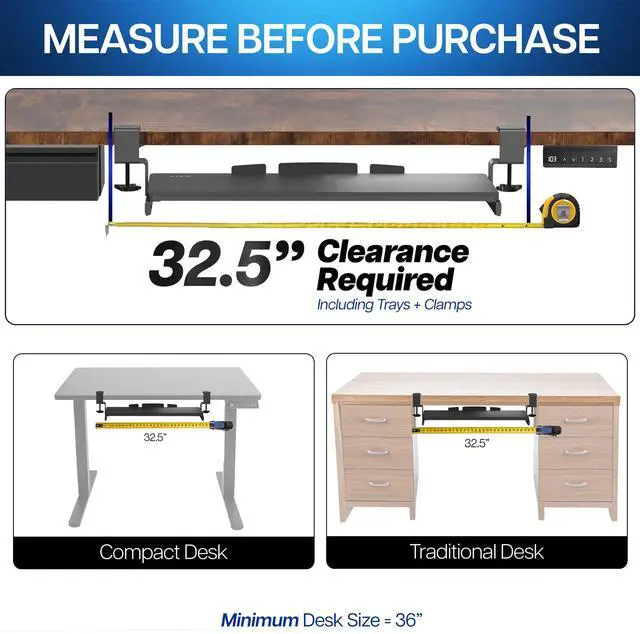
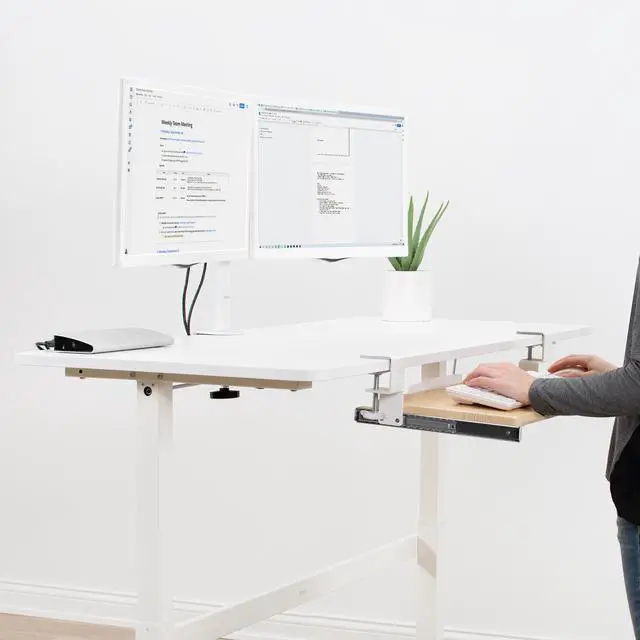
- Saves Desk Space: This 26.8" (32.5" including clamps) x 11" under-desk keyboard tray holds your keyboard, mouse, and other small accessories below the desktop for added work space --Patent Pending--
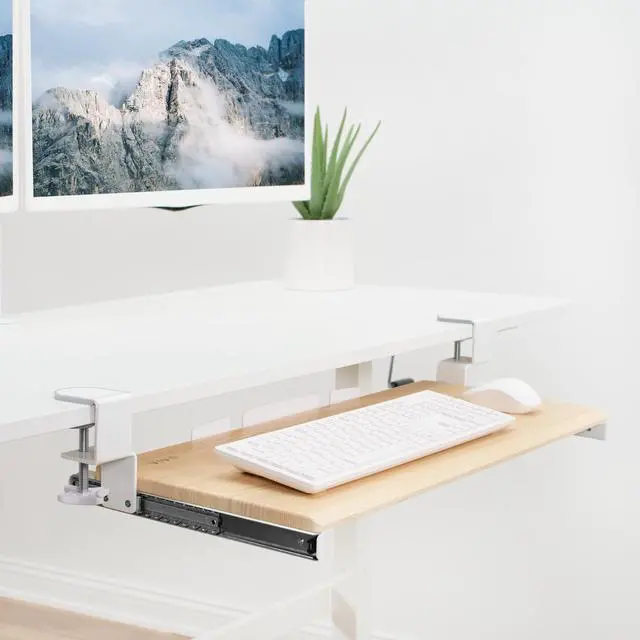
- Comfortable Typing Angles: Easily slide the tray in and out and enjoy ergonomic typing angles that relieve stress on your wrists and shoulders. The tray extends a maximum of 8.5" from the edge of your desk and holds up to 11 lbs
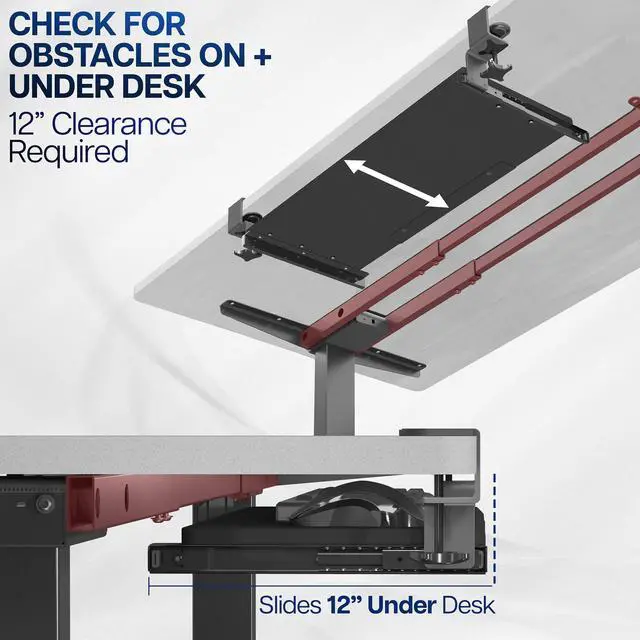
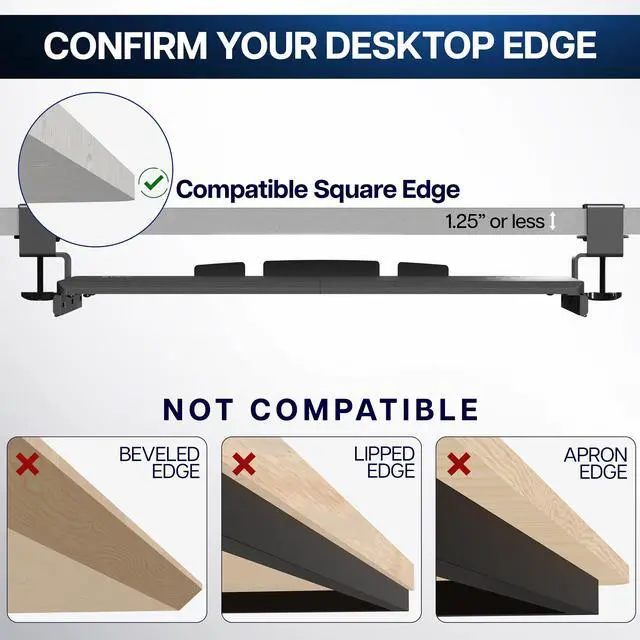
- Compatibility: Tray with clamps requires 32.5" of available desk space. Please measure and check for mounting obstacles such as drawers or desk controllers before purchase. Desktop thickness should not exceed 1.25"
- Sturdy C-Clamps: Attach the keyboard tray to your workstation without causing any damage to your desk (1.25" maximum desktop thickness) with sturdy C-clamps that hold everything tightly in place and are easily adjustable for user convenience
Any questions? Ask CelesteSM will help you find out quickly.
Enjoy the benefits of ergonomic typing angles and a work area thats spacious and extra sturdy with Light Wood Clamp-on Keyboard Tray (MOUNT-KB05A) from VIVO! Win back valuable desk space by adding a lower-tier surface for the keyboard, mouse, and other small items. Featuring smooth gliding motion for easy placement, sturdy C-clamps for convenient mounting, and anti-skid padding for scratch resistance, this mount was built to perform! Under-desk tray placement creates an ergonomic setup that decreases fatigue and muscle strain on the neck, back, and shoulders. The sleek appearance adds a modern look to any office while providing ample support for your keyboard and accessories. All hardware is provided for easy installation, so you can get your tray mounted and organized in no time!
Compatibility
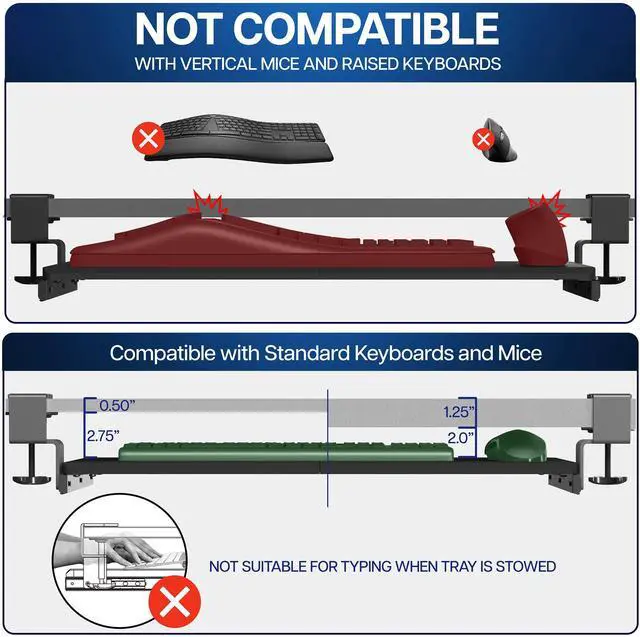
- Universal Design: Fits most keyboards and mice on the market
- Minimum Recommended Desk Thickness: 0.5
- Maximum Recommended Desk Thickness: 1.25
- Weight Capacity: 11 lbs
Specifications
- Color: Light Wood Top, White Clamps
- Material: Steel, Particle Board
- Tray Dimensions: 26.8 (32.5 including clamps) x 11
- Extension: Tray slides out a total of 8.5 from desk
- Orientation: Tray sits 1.5 to 2.75 below the desk surface
- Track Length: 12.3
- Keyboard Tray Thickness: 0.6
Warranty & Returns
Warranty, Returns, And Additional Information
Warranty
- Please contact the Seller directly for warranty information. Warranty information may also be found on the Manufacturer's website.
- CONTACT
Return Policies
- Return for refund within: 30 days
- Return for replacement within: 30 days
- This item is covered by VIVO Return Policy
Manufacturer Contact Info
- For a directory of all our manufacturers, please click below.
- Manufacturers Directory
The VIVO Extra Sturdy Clamp-on Under Desk Slider Tray holds a keyboard, mouse, and small accessories below the desktop, making it suitable for home-office and workstation users who want more clear desk space. It measures 26.8 x 11 inches and supports up to 11 lb.
Recommended For
- People working at a crowded home-office desk who want to move their keyboard and mouse below the desktop and free up the main surface for notes, a laptop, or other work items.
- Desk workers who type with a separate keyboard and mouse and want both on a pull-out surface that can slide away when not in use.
- People seeking a clamp-mounted alternative to drilling into a desk, provided the desktop edge and underside have enough clear space for the clamps.
- Users who prefer a lower keyboard position for everyday typing and are comfortable with a set tray height rather than frequent height or angle adjustments.
Real-World Use Scenarios
- In a home office where the keyboard and mouse take up the main work surface, slide them under the desk between typing sessions to make more room for writing or other tasks.
- For everyday computer work, pull the tray out to use the keyboard and mouse together, then slide it back under the desk when you want them out of the way.
- When adding a keyboard surface to a desk you do not want to drill into, attach the tray with its clamps; check desk thickness and under-desk clearance before installing.
- On a standing-desk setup, use the tray to keep the keyboard and mouse below the desktop while typing; confirm the clamps and tray have clearance throughout the desk’s movement.
- If the keyboard sits too high on the desktop for your preferred typing position, try the lower tray placement and adjust your chair and desk setup to find a comfortable fit.