- Free 30-day Returns
Meet Your Seller
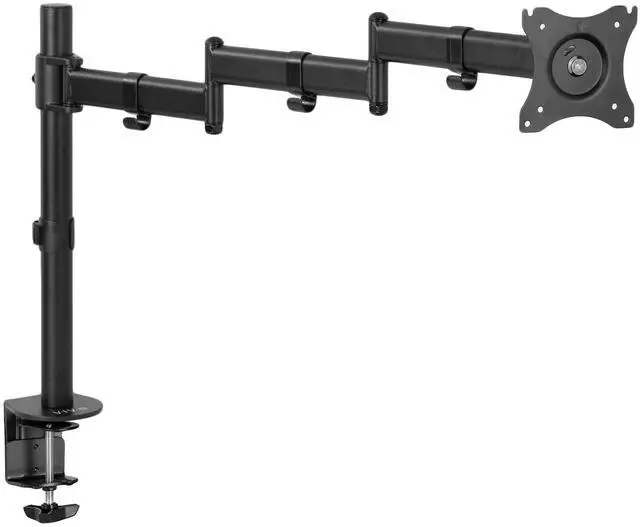
VIVO 13" to 32" LCD Computer Monitor Desk Mount with Extra Long Adjustable Arm
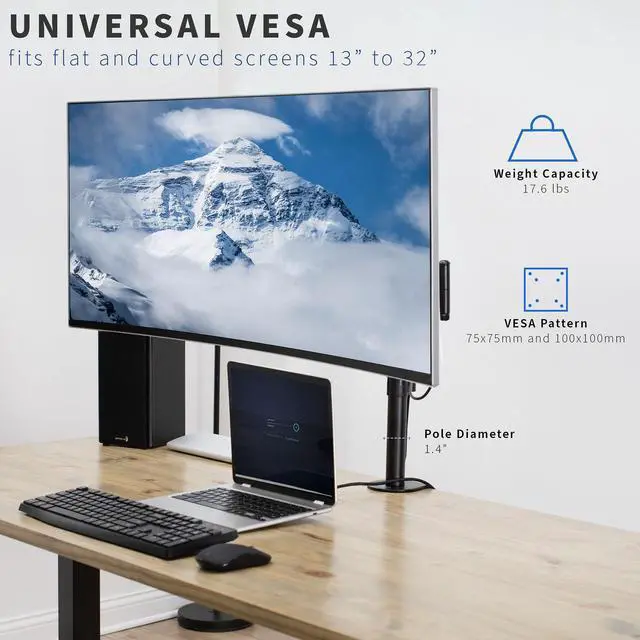
- Fits 13 to 32 Screens: Single monitor mount fitting one screen up to 32 in size and 17.6 lbs in weight with VESA 75x75mm or 100x100mm mounting holes --Patent Pending--
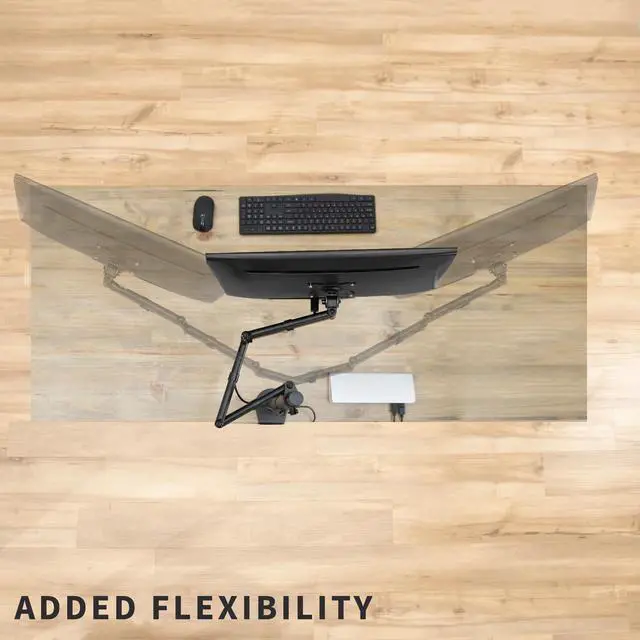
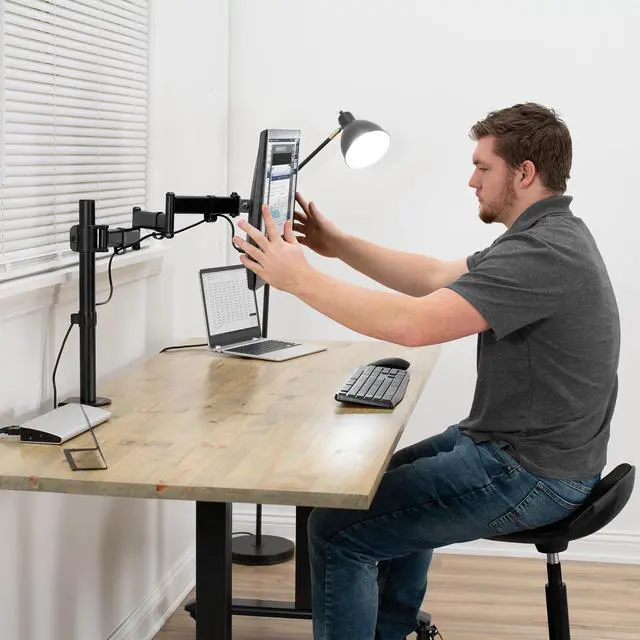
- Articulation and Height Adjustment: Adjustable arm offers +45° to -45° tilt, 180° swivel, 360° rotation, and height adjustment along the center pole for optimal viewing. Monitor can be placed in portrait or landscape orientation to fit your preference
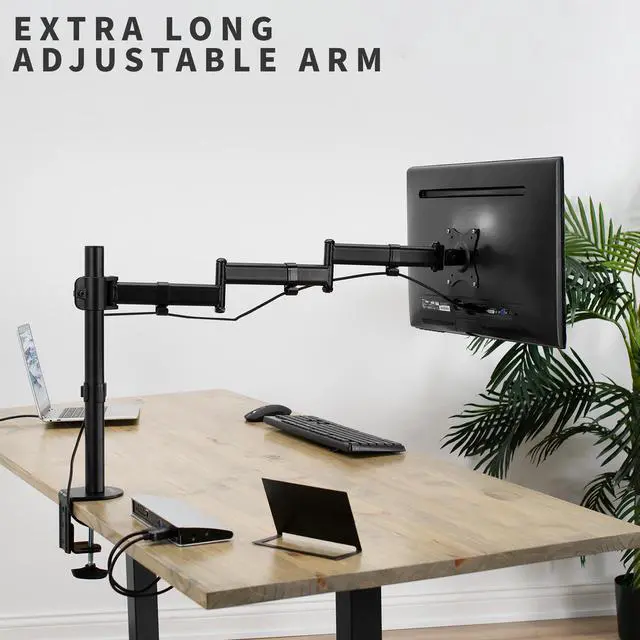
- Integrated Cable Management: Keep your power and AV cables clean and organized with detachable cable clips on the arms and center pole. Enjoy a non-cluttered screen setup that encourages concentration
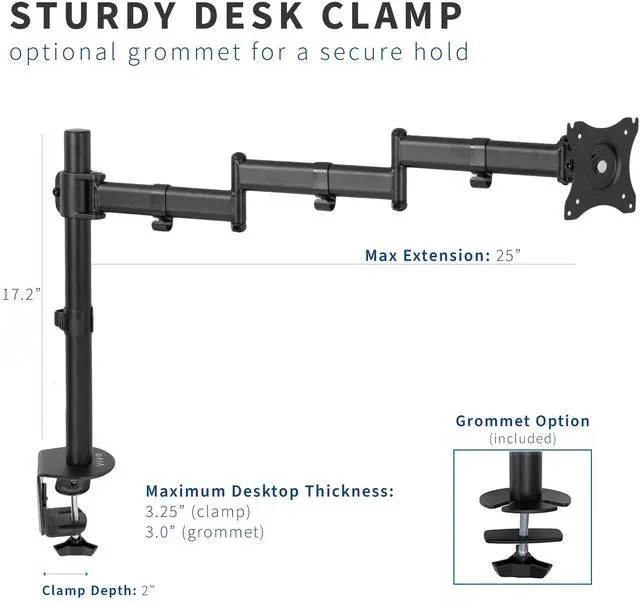
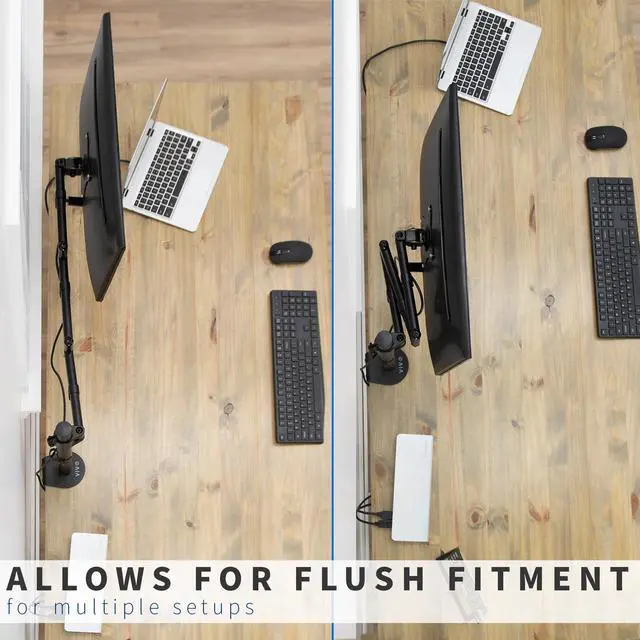
- Drill-Free Mounting: This product secures to your surface of choice up to 3.25 thick via a heavy-duty C-clamp, or use the equally sturdy optional grommet mount (up to 3 thick) to suit your preferred layout
Any questions? Ask CelesteSM will help you find out quickly.
Elevate your screen to a comfortable height and win back valuable desk space using Single Monitor Desk Mount with Extra Long Arm (STAND-V101N) from VIVO! Designed specifically for most 13 to 32 monitors on the market, this stand raises your screen to an ergonomic viewing height with an extra long reach for additional flexibility. Offering a variety of features including solid steel construction for strength and durability, full articulation for optimal viewing, and integrated cable management for organization, this stand was built to perform! Tighten or loosen each joint to make them as fluid or stationary as desired. All necessary hardware and instructions are provided to make the assembly process as fast and simple as possible!
Compatibility
- Screen Size: 13 to 32
- VESA Standard: 75x75mm and 100x100mm
- Maximum Desktop Thickness: 3.25 (clamp), 3.0 (grommet)
- Weight Capacity: 17.6 lbs
Specifications
- Color: Black
- Material: Steel
- Pole Height: 17.2
- Maximum Extension: 27.5
- Articulation: +45° to -45° tilt, 180° swivel, 360° rotation
- Height Adjustment: Provided along the center pole
- Mounting Options: C-clamp and Grommet
- Screen Placement: Portrait or Landscape Orientation
Warranty & Returns
Warranty, Returns, And Additional Information
Warranty
- Please contact the Seller directly for warranty information. Warranty information may also be found on the Manufacturer's website.
- CONTACT
Return Policies
- Return for refund within: 30 days
- Return for replacement within: 30 days
- This item is covered by VIVO Return Policy
Manufacturer Contact Info
- For a directory of all our manufacturers, please click below.
- Manufacturers Directory
The VIVO STAND-V101N is an adjustable desk mount for one 13–32-inch monitor weighing up to 17.6 lb, suited to users who want to free desk space and reposition a VESA-compatible screen for comfortable viewing.
Recommended For
- Desk users who need to bring a single monitor farther forward—for example, to position the screen across a deep desk or nearer to a seated user. The arm extends up to 27.5 inches, and a Reddit user described choosing this model for an eye-tracking setup while bed-bound.
- People who want to free up desk space by replacing a monitor’s factory stand with a clamp- or grommet-mounted arm for one VESA-compatible screen.
- Users who switch between landscape and portrait layouts, such as readers or people working with vertically oriented documents, and want to rotate a single monitor without changing its desk position.
- People who need to adjust one monitor’s height and viewing angle at a fixed workstation, but do not need a pneumatic arm: this model uses manually adjustable joints and a height-adjustable center pole.
Real-World Use Scenarios
- When a monitor’s original stand takes up useful desk area, clamp this mount to the desk and suspend the screen above it, leaving more room for a keyboard, notebooks, or other work items.
- On a wide desk or with the clamp mounted away from the screen’s ideal position, extend and pivot the arm to bring a compatible monitor into view without relocating the desk mount.
- For a home-office workday, adjust the screen’s height, tilt, and angle to suit your seated viewing position, then keep it there while working.
- When reading long documents or viewing code, rotate a compatible monitor to portrait orientation to show more vertical content at once.
- For a quick screen share at a desk, swivel the monitor toward a nearby colleague or another seat, then return it to face the main user.