• $49.99
  • Free 30-day Returns
  • Sold by Direct from manufacturerVIVO
    Top Rated
    4.7 (2,010 seller ratings)

    Shipped by Direct from manufacturerVIVO

    Price alert
    Add to Wish List(Found on 1 wish list)
    Shop it at NeweggBusiness.

    Meet Your Seller

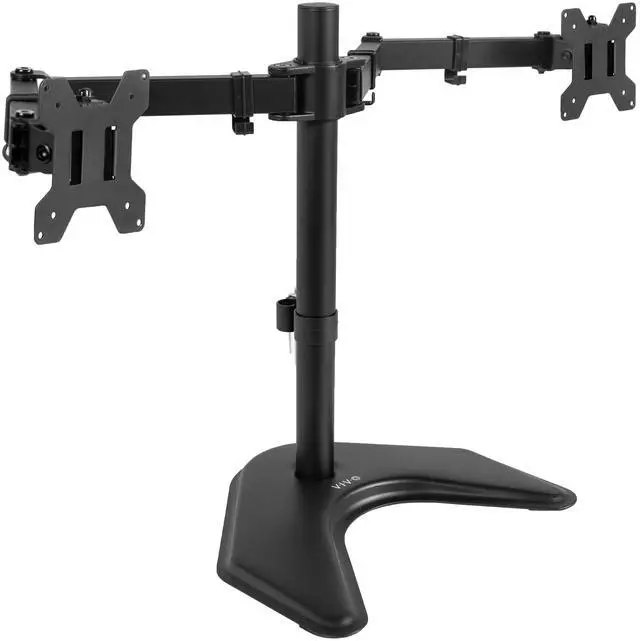
    VIVO Black Dual Monitor Articulating Desk Stand Mount, Fits Up to 32" Screens

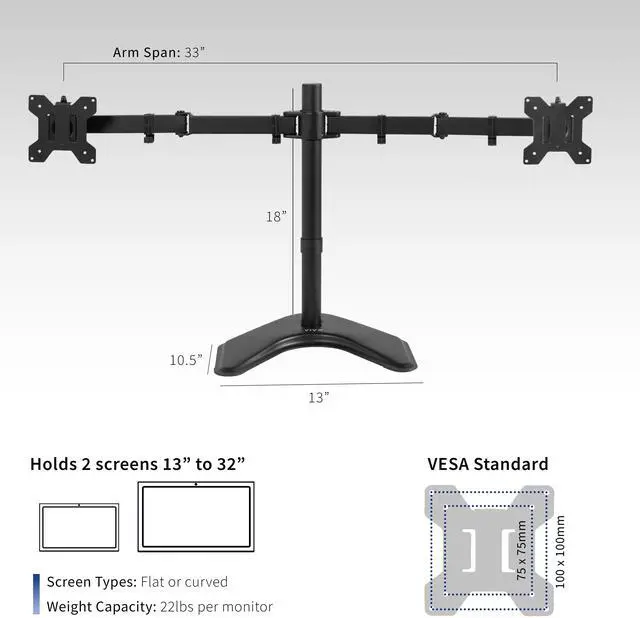
    • Fits 13" to 32" Screens: Dual monitor mount fitting two screens 13 to 32 in size and up to 22 lbs in weight with 75x75mm or 100x100mm backside mounting holes
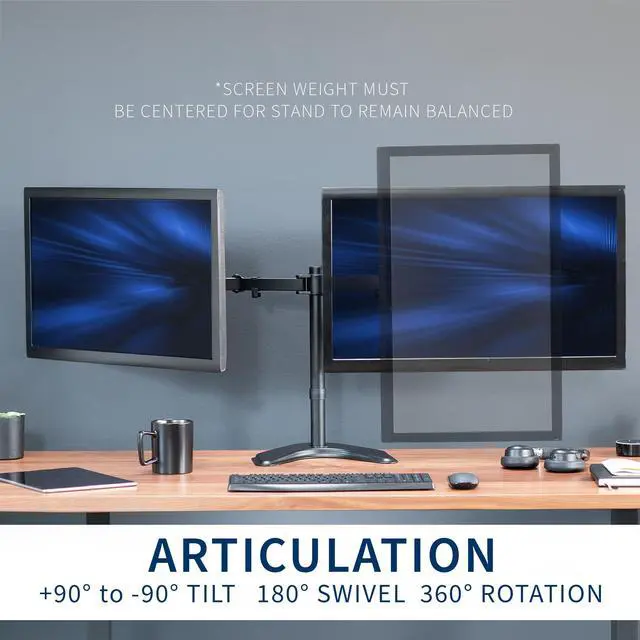
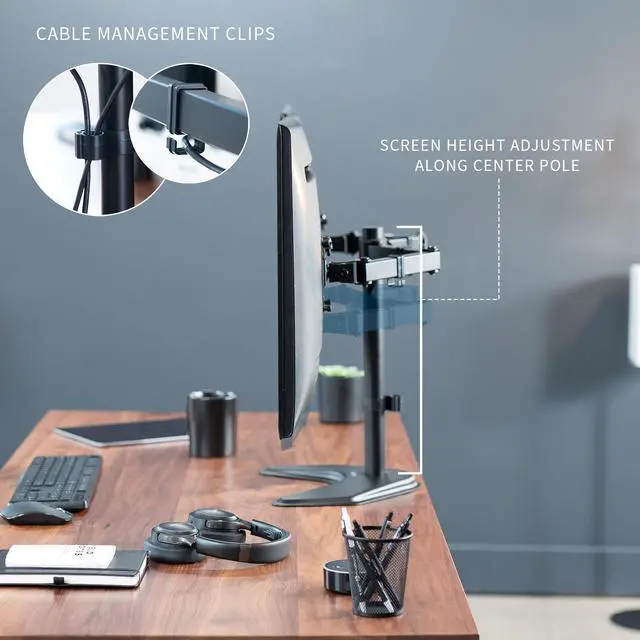
    • Full Articulation: Adjustable mount offers +90° to -90° tilt, 180° swivel, 360° rotation, and height adjustment along the center pole for convenient, customizable viewing angles
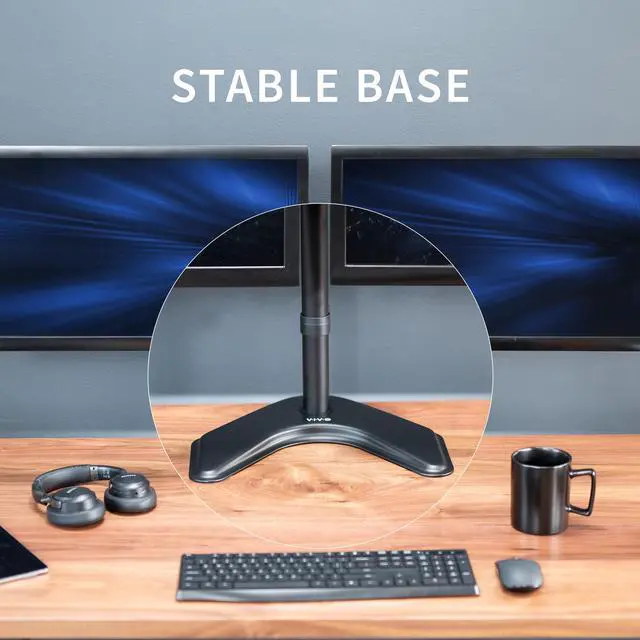
    • Heavy Duty Extra Large Base: Measures 13" x 10.5" providing solid stability while monitors are held within its center of gravity. The bottom of the base features padding to protect your desk from scratches
    • Easy Installation with Detachable VESA Plate: Mounting your monitors is a simple process with detachable VESA bracket plates. We provide the hardware and easy-to-follow instructions for assembly
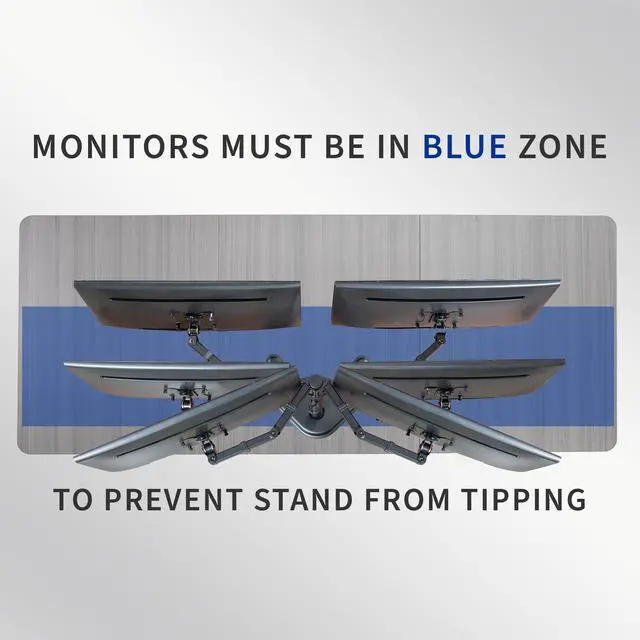
    • Best Practices: Please do not pull monitors too far forward or backward unless the stand is bolted down, as this will cause stability issues. Additionallly, please check to make sure the base size fits your available desk space
    +
    +
    Overview
    Specs
    Reviews (1)

    Any questions? Ask CelesteSM will help you find out quickly.

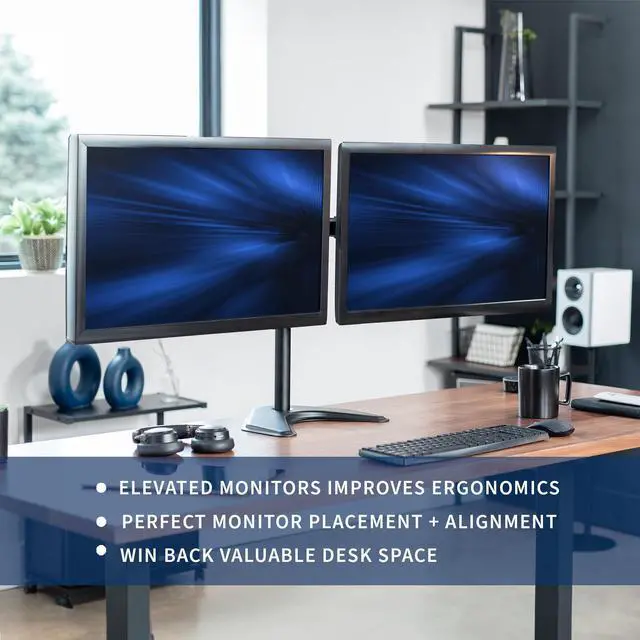
    Enhance your monitor display and enjoy ergonomic viewing angles with the Black Dual Monitor Desk Stand (STAND-V032F) from VIVO! This heavy-duty stand features arm articulation and monitor height adjustment for optimal screen positioning, removable VESA mounting plates for easy installation, integrated cable management for an organized appearance, and more! The versatility of screen placement allows for ergonomic viewing that encourages proper body posture and helps reduce fatigue and strain on the neck, shoulders, and eyes. The low profile base clears up valuable desk space and holds your equipment safe and secure.

    Compatibility

    • Screen Size: 13 to 32 (Holds 2 monitor screens)
    • Standard VESA: 75x75mm and 100x100mm
    • Weight Capacity: 22 lbs (each)

    Specifications

    • Color: Black
    • Material: Steel
    • Pole Height: 18" (Including Base)
    • Arm Span: 33"
    • Base Dimensions: 13" x 10.5"
    • Articulation: +90° to -90° tilt, 180° swivel, and 360° rotation
    • Height Adjustment: Provided along the center pole
    • Screen Placement: Portrait or Landscape Orientation

    Warranty & Returns

    Warranty, Returns, And Additional Information

    Warranty

    • Please contact the Seller directly for warranty information. Warranty information may also be found on the Manufacturer's website.
    • CONTACT

    Return Policies

    • Return for refund within: 30 days
    • Return for replacement within: 30 days
    • This item is covered by VIVO Return Policy

    Manufacturer Contact Info

    LOADING...

    The VIVO Black Dual Monitor Articulating Desk Stand is a freestanding mount for two 13–32-inch monitors weighing up to 22 lb, suited to desk users who want adjustable viewing angles and screens positioned on a shared center pole.

    Recommended For

    • People setting up two monitors on a desk that cannot take a clamp or grommet mount; the weighted base lets the stand sit on the desktop without attaching to it.
    • Home-office or desk-based workers who want two side-by-side screens for tasks such as keeping reference material open beside their main work screen, and prefer one shared stand over two separate monitor bases.
    • Users who want to set monitor tilt, swivel, rotation, or portrait/landscape orientation for a mostly stationary desk setup, rather than frequently moving the screens during the day.
    • People whose two displays have compatible VESA mounting holes and fit within the stand’s size and weight limits, including users arranging screens side by side across its 33-inch arm span.

    Real-World Use Scenarios

    • For a home-office setup, keep email, chat, or reference material on one screen while working on the other; the side-by-side arrangement makes it easier to glance between tasks without switching windows as often.
    • When a desk cannot take a clamp or grommet mount, such as some glass or thin desktops, place the stand on the work surface instead; check that the base fits and keep the monitors positioned over it for stability.
    • For reading long documents, code, or web pages, rotate one compatible monitor to portrait while leaving the other in landscape; the two screens can be set to different orientations for the task at hand.
    • For a gaming or streaming desk, use the main screen for the game and the second for chat, a guide, or stream controls; both displays stay mounted together, with viewing angles adjustable for the layout.
    • When arranging two monitors for everyday work, adjust their height and angle so the screens line up with your preferred seated viewing position; the stand allows individual tilt and swivel adjustments.