Andromeda Insights Advanced AMD Vector - RX 9070XT 16GB | Ryzen 5 9600X (5.4 GHz Turbo Boost) | 32GB DDR5 6000MHz | 1TB Gen4 SSD | 850W Gold PSU | ARGB Fans | Wi-Fi + BT | Win 11 Home
  •  
  • $2,399.99 –
  • $59.99
  • Free 30-day Returns
  • Sold by Direct from manufacturerVIVO
    Top Rated
    4.7 (2,010 seller ratings)

    Shipped by Direct from manufacturerVIVO

    Price alert
    Shop it at NeweggBusiness.

    Meet Your Seller

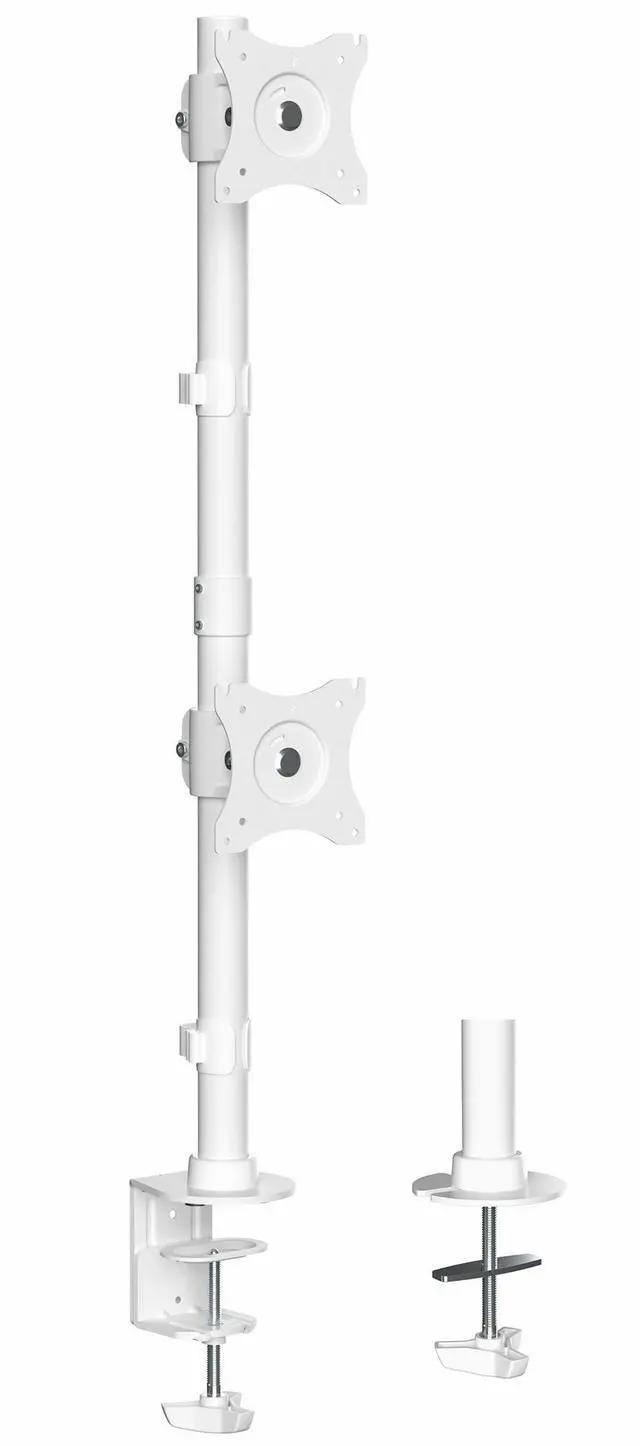
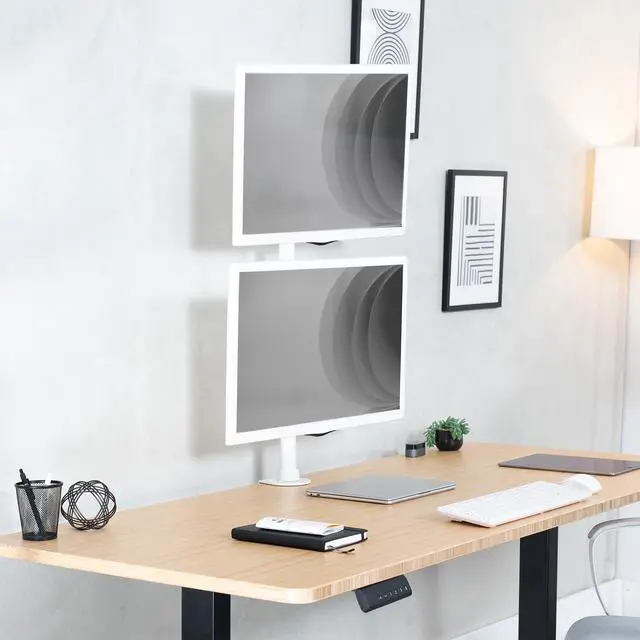
    VIVO White Dual Computer Monitor Desk Mount, Vertical Array, 2 Screens up to 34"

    • Black
    • White
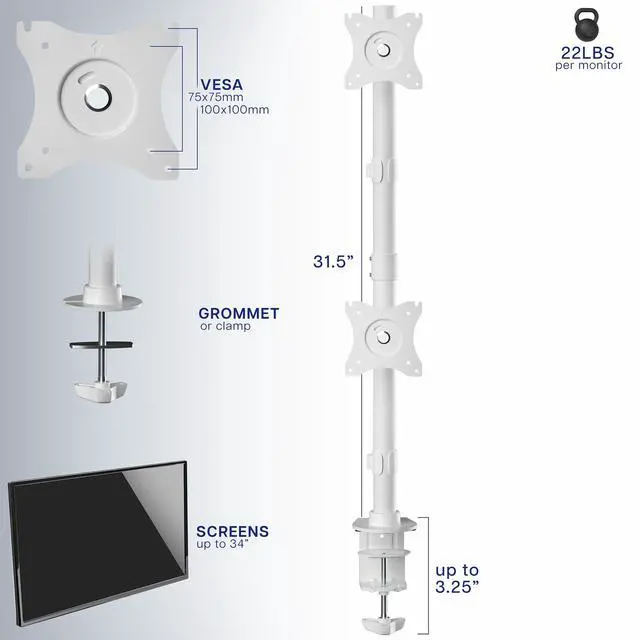
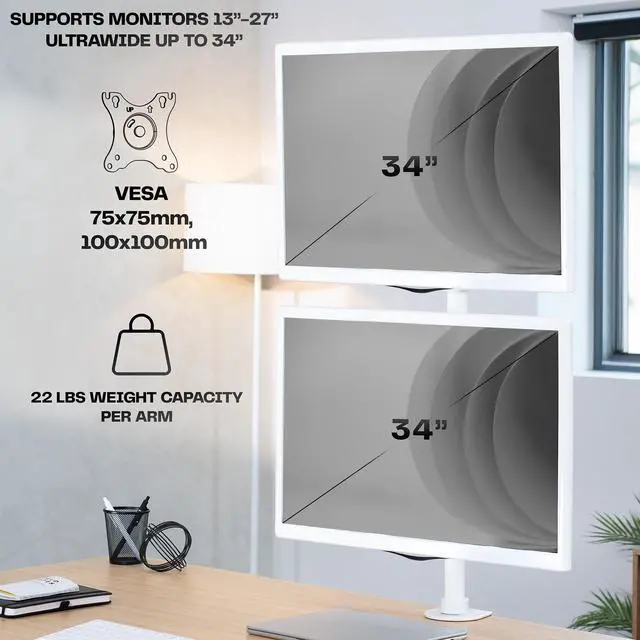
    • Ultrawide Compatibility: Dual vertically stacked monitor mount fitting two ultra-wide screens 13 to 34 in size and up to 22 lbs in weight (each) with VESA 75x75mm or 100x100mm mounting holes
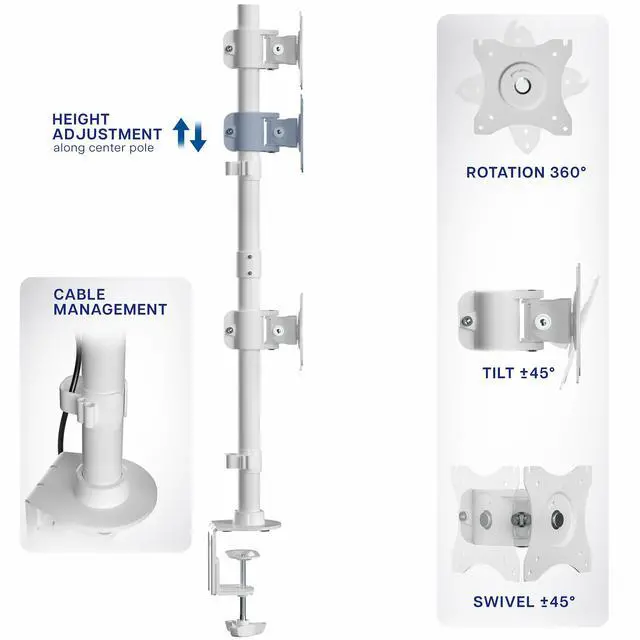
    • Vertically Stacked Array: Holds monitors in a stacked position for top and bottom browsing and gaming. Detachable cable clips keep your power and AV cords clean and organized
    • Articulation and Height Adjustment: Adjustable mounting brackets offer +45° to -45° tilt, 90° swivel, 360° rotation, and height adjustment along the center pole. Monitors can be placed in portrait or landscape orientation
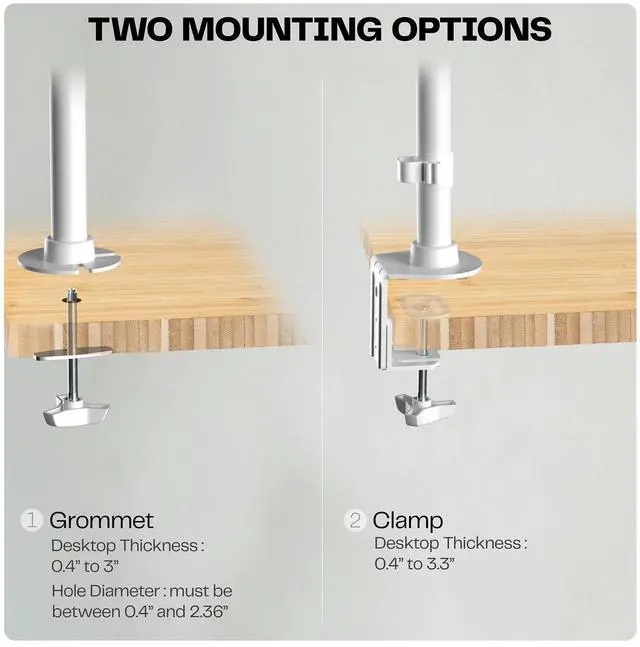
    • Drill-Free Mounting: This product secures to your surface of choice up to 3.25" thick via a heavy-duty C-clamp, or use the equally sturdy optional grommet mount to suit your preferred layout
    • Easy Installation: Mounting your monitors is a simple process with detachable VESA bracket plates. We provide the hardware and easy-to-follow instructions for assembly
    +
    +
    Overview
    Specs
    Reviews (6)

    Any questions? Ask CelesteSM will help you find out quickly.

    Increase productivity with the White Dual Vertical Ultrawide Monitor Desk Mount (STAND-V002RW) from VIVO! Clear up desk space by consolidating two monitors on a single stand in a vertically stacked array. Made of high-grade steel and aluminum, this stand is designed to hold most LCD monitors from 13" to 34" in size, weighing up to 22 lbs each. Features include articulation for comfortable viewing angles, integrated cable management for hiding and protecting cords, and open top slots in the VESA plate to make monitor mounting fast and simple. Screens are height adjustable along the pole, and every joint is able to be tightened or loosened to your preference.

    Compatibility

    • Fits: Most 13" to 34" Regular and Ultrawide Monitors
    • VESA Standard: 75x75mm and 100x100mm
    • Maximum Desktop Thickness: 3.25"
    • Weight Capacity: 22 lbs (per monitor)

    Specifications

    • Color: White
    • Material: Steel
    • Pole Height: 31.5"
    • Articulation: +45° to -45° tilt, 90° swivel, and 360° rotation
    • Height Adjustment: Provided along the center pole
    • Mounting Options: C-clamp or Grommet
    • Screen Placement: Portrait or Landscape Orientation

    Warranty & Returns

    Warranty, Returns, And Additional Information

    Warranty

    • Please contact the Seller directly for warranty information. Warranty information may also be found on the Manufacturer's website.
    • CONTACT

    Return Policies

    • Return for refund within: 30 days
    • Return for replacement within: 30 days
    • This item is covered by VIVO Return Policy

    Manufacturer Contact Info

    LOADING...

    The VIVO White Dual Monitor Desk Mount is a vertically stacked mount for two 13–34-inch monitors up to 22 lb each, suited to users who want a space-saving top-and-bottom setup for browsing or gaming.

    Recommended For

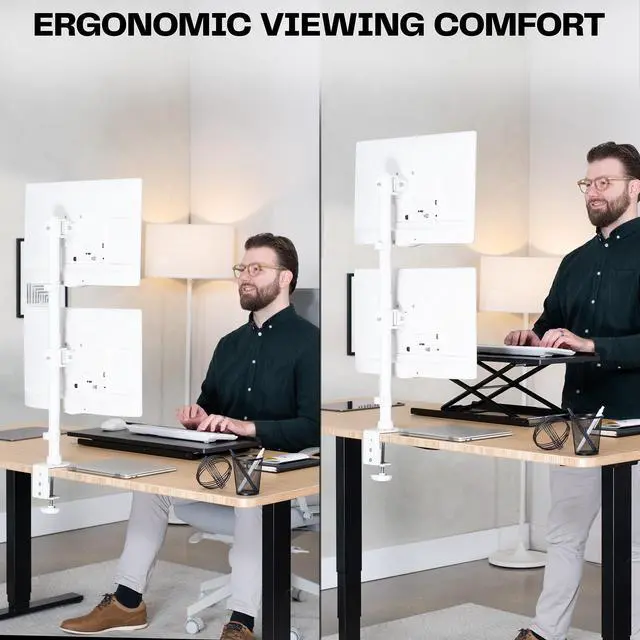
    • Desk users who want two monitors stacked vertically to reclaim space for a keyboard, writing area, or other equipment instead of arranging the screens side by side.
    • People who use one screen for their main task and the other for secondary content—such as keeping a game on one display and chat, browsing, or video on the other.
    • Remote workers who want a stacked ultrawide setup and are comfortable setting the upper screen for occasional reference or viewing while keeping their main work on the lower screen.
    • Users combining compatible flat or ultrawide monitors who want portrait or landscape orientation and height adjustment along a central pole.

    Real-World Use Scenarios

    • During desk work, keep the primary task on the lower screen and meetings or chat on the upper one; this keeps the secondary view available at a glance without placing it side by side.
    • While gaming on the lower screen, use the upper display for Discord, a video, or system monitoring; the stacked layout keeps these secondary windows visible without covering the game.
    • When desk width is limited, stack the displays instead of placing them side by side; this can leave more lateral desk space available for other equipment or work materials.
    • For occasional reference reading, rotate one display to portrait for long pages or documents while keeping the main work on the other screen; the upper display is better suited to brief glances than continuous viewing.