• $49.99
  • Free 30-day Returns
  • Sold by Direct from manufacturerVIVO
    Top Rated
    4.7 (2,010 seller ratings)

    Shipped by Direct from manufacturerVIVO

    Price alert
    Shop it at NeweggBusiness.

    Meet Your Seller

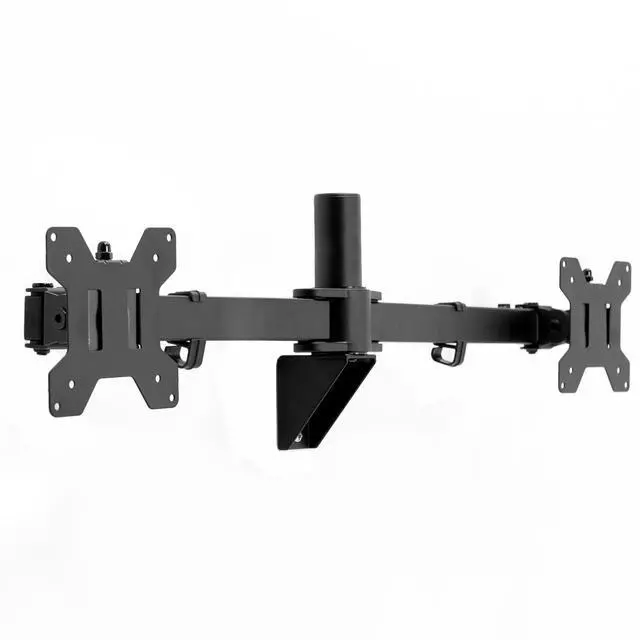
    VIVO Steel Telescoping Flush Wall Mount for Dual 27" to 38" Ultra Wide Monitors

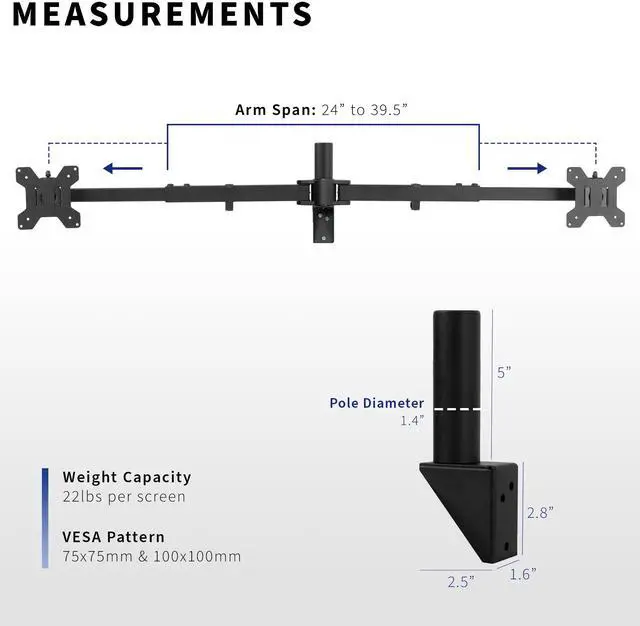
    • Ultrawide Compatibility: Dual monitor mount fitting two ultrawide and regular screens up to 38" in size and 22 lbs in weight (each) with VESA 75x75mm or 100x100mm mounting holes --Patented--
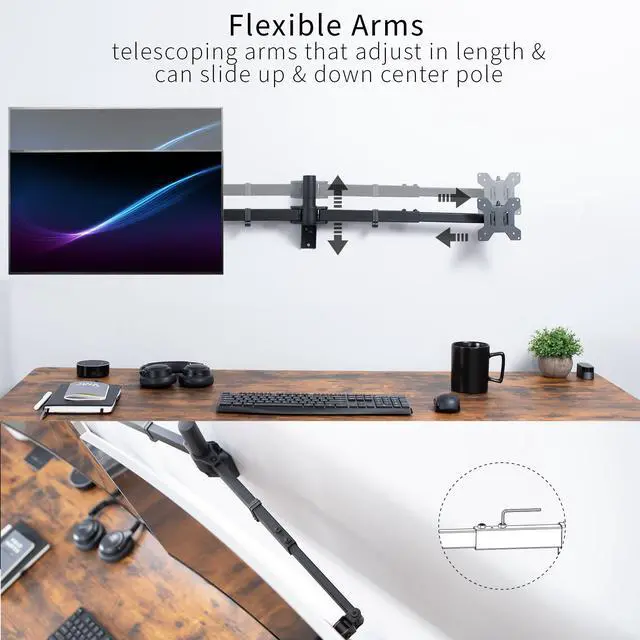
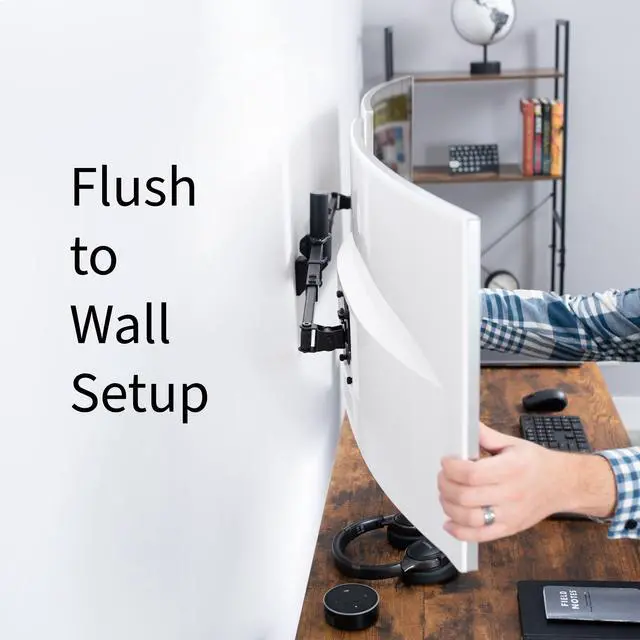
    • Premium Telescoping Arms for Flush Setup: Heavy duty arms adjust to fit larger ultrawide monitors. Unique telescoping design expands arms straight outwards for a clean, flush-to-wall setup. The arms slide into each other for added strength and stability
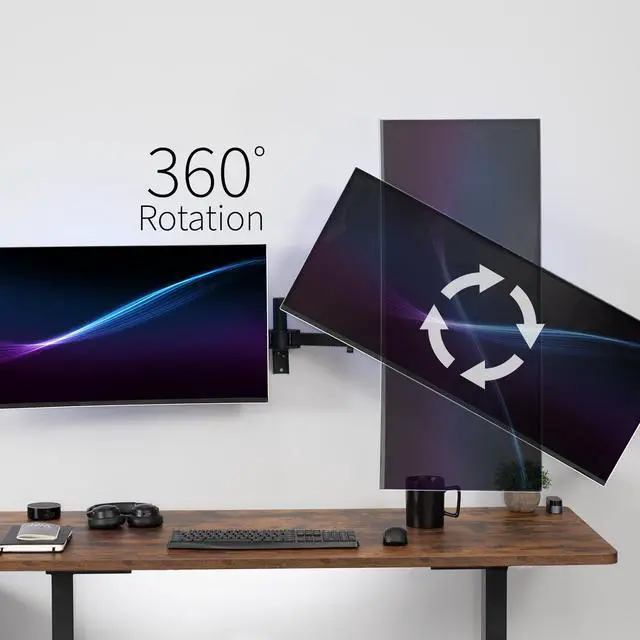
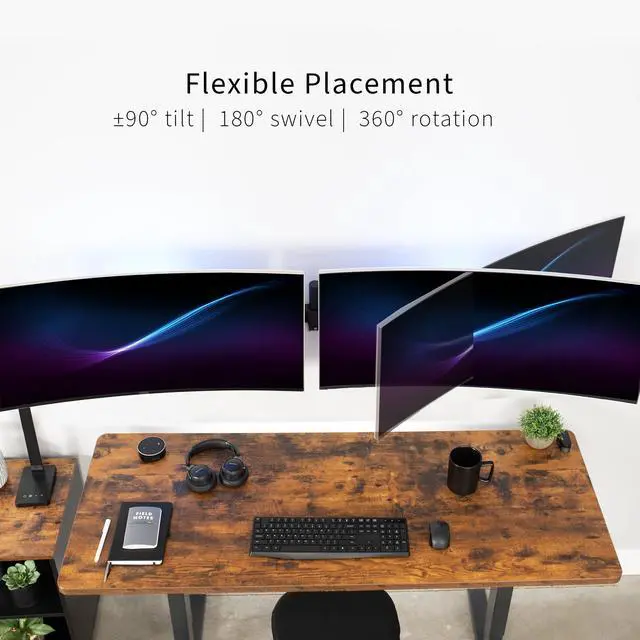
    • Articulation: Adjustable mount offers +90° to -90° tilt, 180° swivel, and 360° rotation for comfortable viewing angles. Monitors can be placed in portrait or landscape orientation
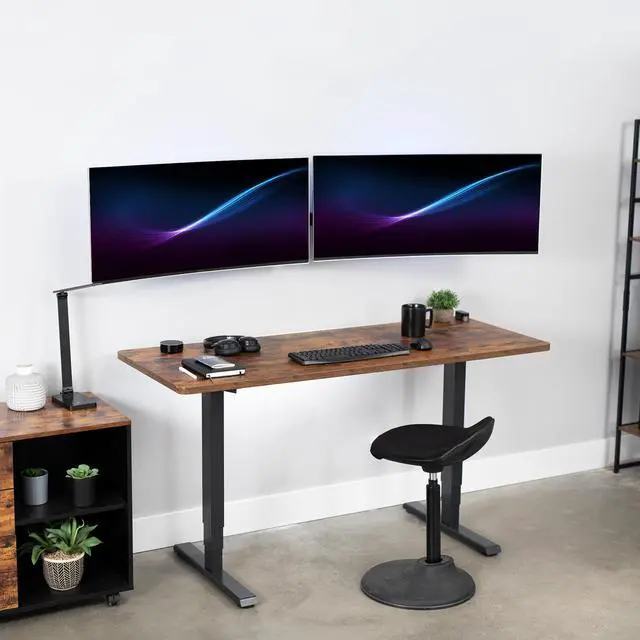
    • Save Desk Space: Protect your equipment and clear room on your desktop by getting your screens conveniently mounted to the wall at an ideal height. Cable clips are provided to route cords for an organized appearance
    • Easy Installation: Installing your monitors is a simple process with detachable VESA brackets. Included hardware for wood stud mounting
    +
    +
    Overview
    Specs
    Reviews (1)

    Any questions? Ask CelesteSM will help you find out quickly.

    Enjoy a truly flush floating wall setup with the Telescoping Dual Monitor Wall Mount (MOUNT-TS38B) from VIVO! Premium telescoping arms adjust in length to fit your monitors, accommodating 27 to 38 screens with ease. The adaptable nature allows a snug side-by-side monitor positioning thats flush with the wall for a clean appearance. Heavy-duty arms overlap and feature fewer joints than typical mounts with a stronger, more durable hold for ultrawide monitors. Additional features include sleek cable management for organization and screen articulation for ergonomic viewing angles. All hardware and instructions are provided so you can enjoy a space-saving monitor wall setup in no time!

    Compatibility

    • Screen Sizes: 27 to 38
    • VESA Standard: 75x75mm and 100x100mm
    • Mounting Hardware: Provided for Wood Stud Installation
    • Weight Capacity: 22 lbs per screen

    Specifications

    • Color: Black
    • Material: Steel
    • Mounting Base Dimensions: 1.6 x 2.5 x 2.8
    • Arm Length Adjustment: 12 to 19.8
    • Arm Span: 24 to 39.5 (center of bracket)
    • Screen Articulation: +90° to -90° tilt, 180° swivel, and 360° rotation
    • Screen Orientation: Portrait or Landscape

    Warranty & Returns

    Warranty, Returns, And Additional Information

    Warranty

    • Please contact the Seller directly for warranty information. Warranty information may also be found on the Manufacturer's website.
    • CONTACT

    Return Policies

    • Return for refund within: 30 days
    • Return for replacement within: 30 days
    • This item is covered by VIVO Return Policy

    Manufacturer Contact Info

    LOADING...

    The VIVO Steel Telescoping Flush Wall Mount holds two 27–38-inch monitors up to 22 lb each, making it suitable for desk setups that need a space-saving, side-by-side wall-mounted display with a close-to-wall fit.

    Recommended For

    • Dual-monitor workstation users who want two 27–38-inch displays side by side and close to the wall, rather than monitor arms extending across the desk.
    • People with a fixed home-office or office setup who want to free desk surface by mounting both monitors on the wall.
    • Users who keep two large monitors in a mostly consistent position but want tilt, swivel, or portrait/landscape adjustment for different viewing tasks.
    • Workstations using two VESA-compatible monitors, such as separate screens for documents, dashboards, or editing timelines, provided each display is within the mount’s size and weight limits.

    Real-World Use Scenarios

    • At a home-office desk, mount two displays side by side to keep a document or video call visible while working in another app; the screens stay off the desktop and can be tilted for a more comfortable view.
    • For a desk set close to a wall, use the telescoping arms to position two large monitors side by side without a desk-mounted arm projecting behind the screens; the setup can sit close to the wall while leaving more desk surface available.
    • When two monitor stands take up needed room, wall-mount both displays above the desk to make more space for a keyboard, paperwork, or other equipment; cable clips can help keep the connected cords gathered along the mount.
    • In a gaming or streaming setup, keep gameplay on one screen and a guide, chat, or stream controls on the other; wall mounting keeps the two-screen arrangement in place without using desk space for monitor bases.
    • If the two screens need slightly different viewing angles, adjust their tilt or swivel after mounting; this helps users line up the displays for their seating position rather than relying on the monitors’ original stand positions.