Meet Your Seller
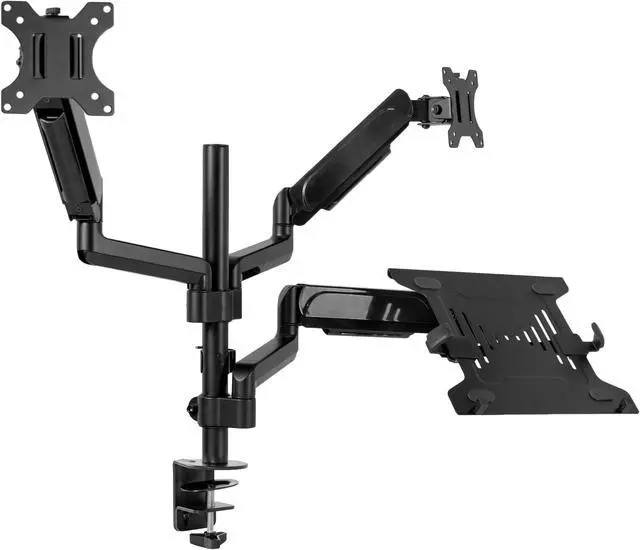
VIVO Black Dual 17" to 32" Monitor and Laptop Pneumatic Arm Desk Mount
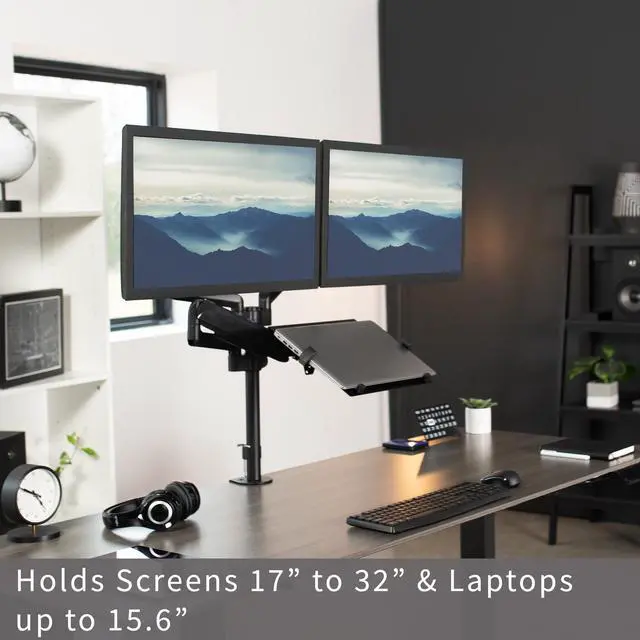
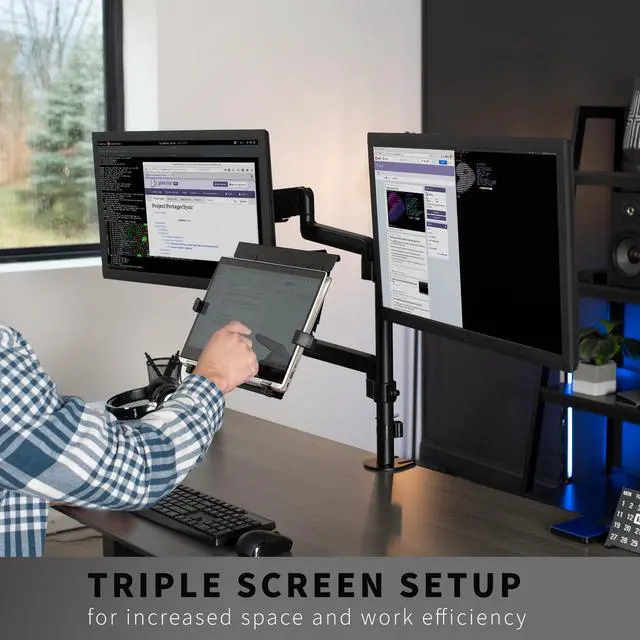
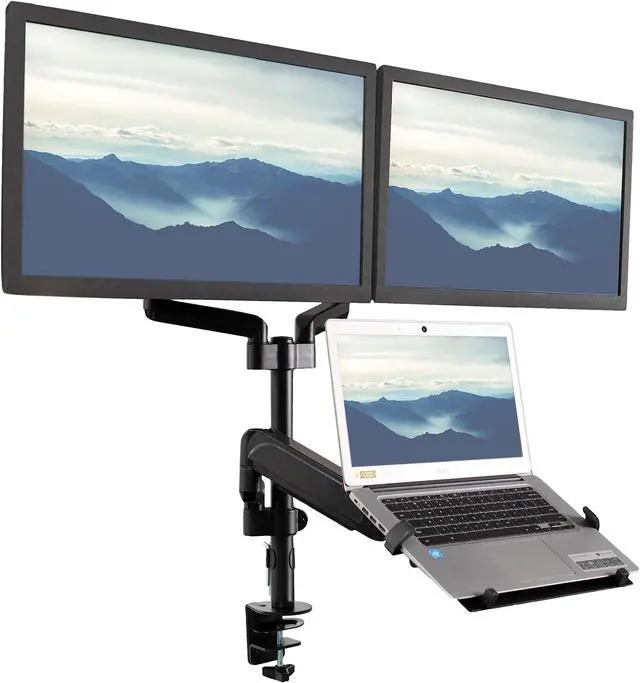
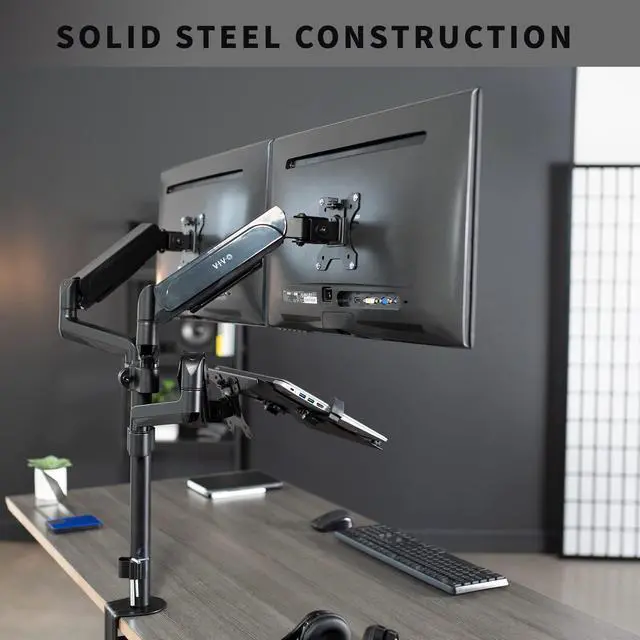
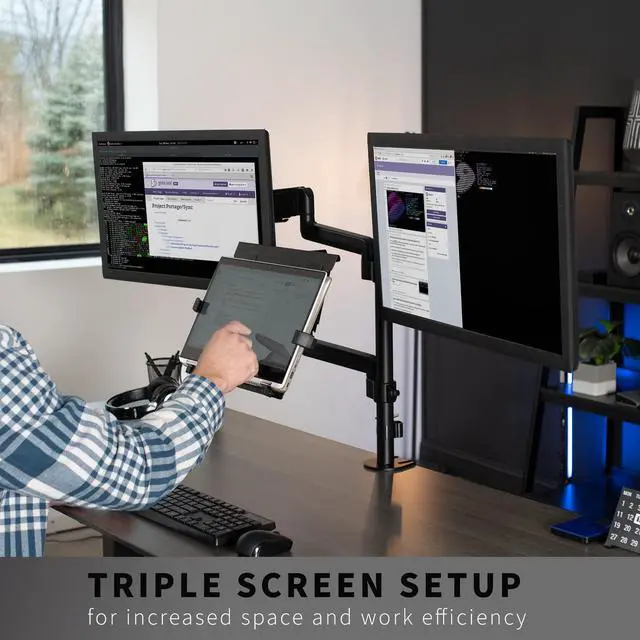
- Fits 17" to 32" Screens: 3-screen display designed to hold 2 monitors and 1 laptop for triple-screen viewing. Fits most monitors 17 to 32 in size and 2.2 lbs to 19.8 lbs (per screen) in weight with VESA 75x75mm or 100x100mm mounting holes
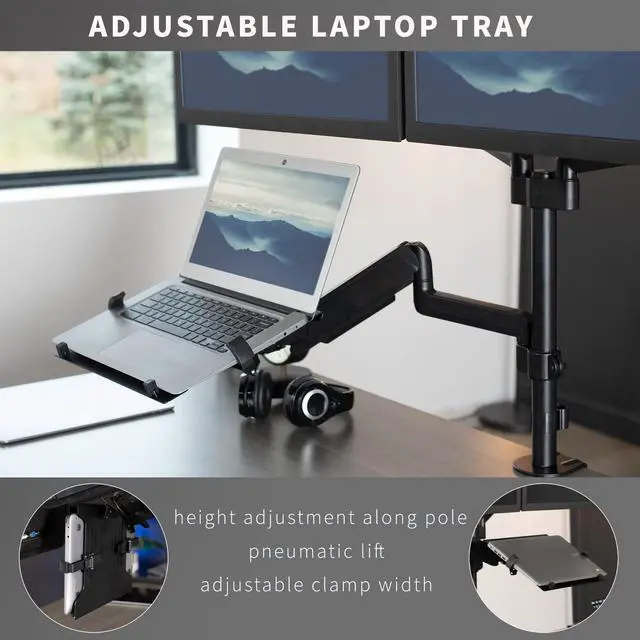
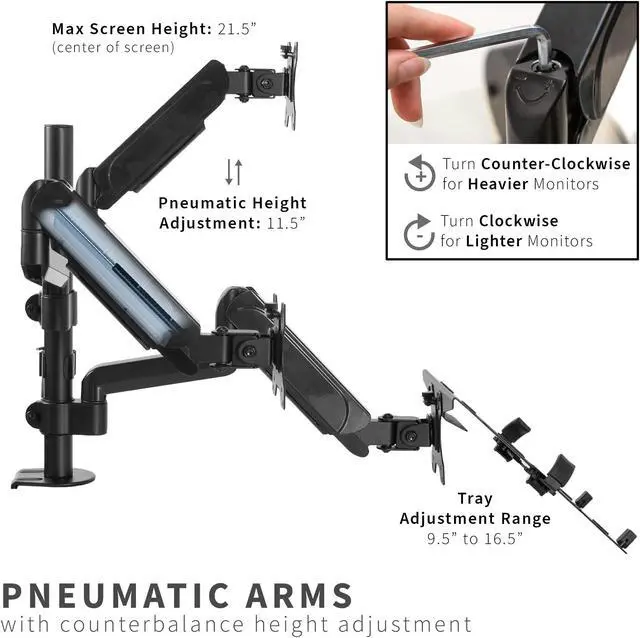
- Laptop Tray: Width adjusts to fit your laptop with rubber tabs that keep the device secure and protected. The ventilated tray provides airflow to prevent overheating. Fits laptops 10 to 15.6 and up to 9.9 lbs. Detachable VESA plates make mounting simple
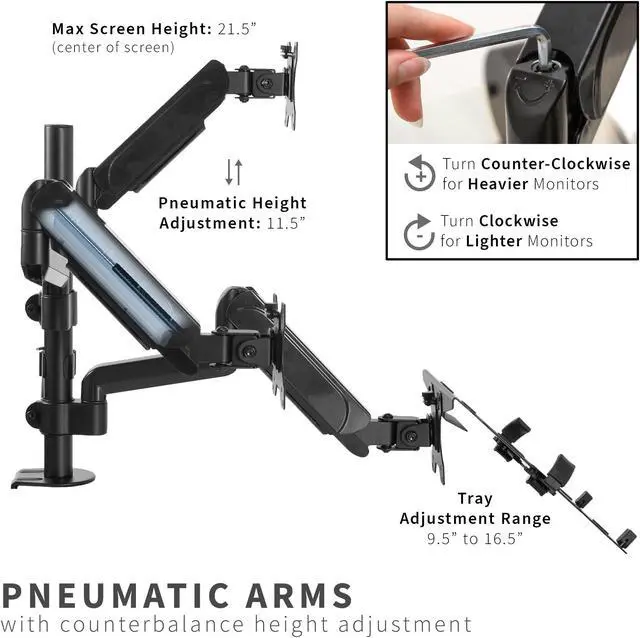
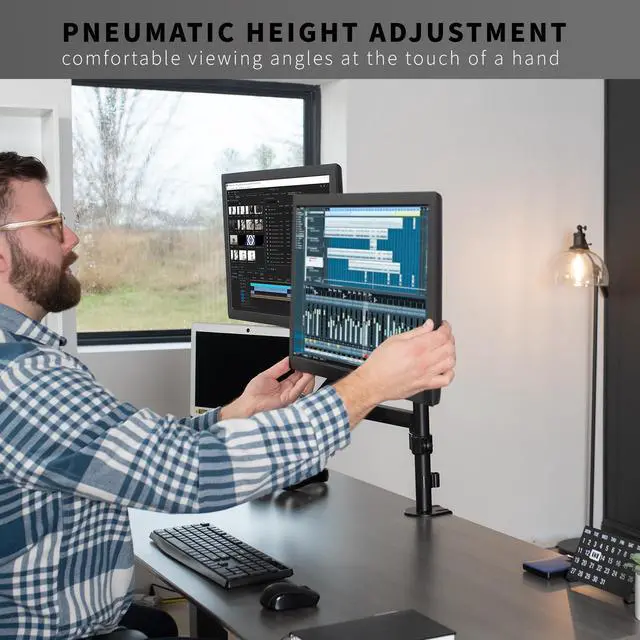
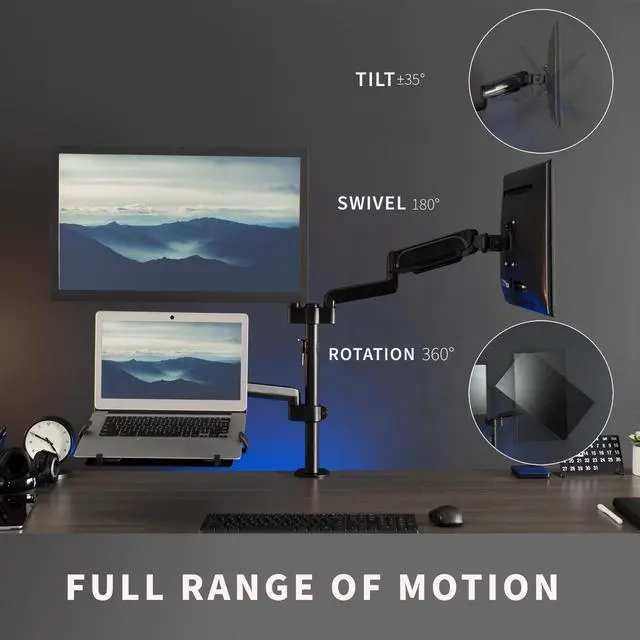
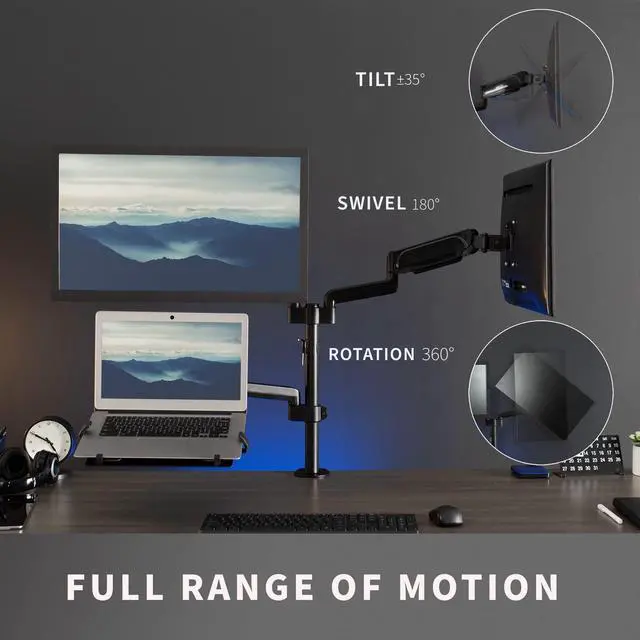
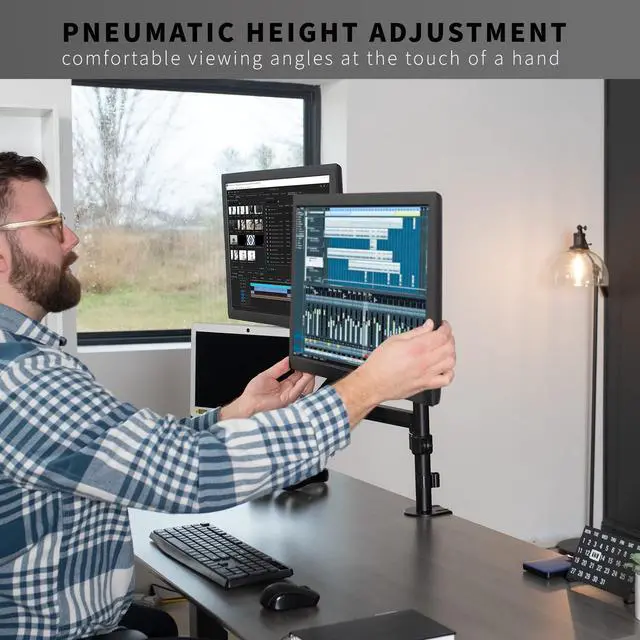
- Articulation and Height Adjustment: Mount offers +35° to -35° tilt, 180° swivel, and 360° rotation for comfortable viewing angles, and pneumatic spring arms provide smooth height transitions by perfectly counterbalancing the weight of your screens
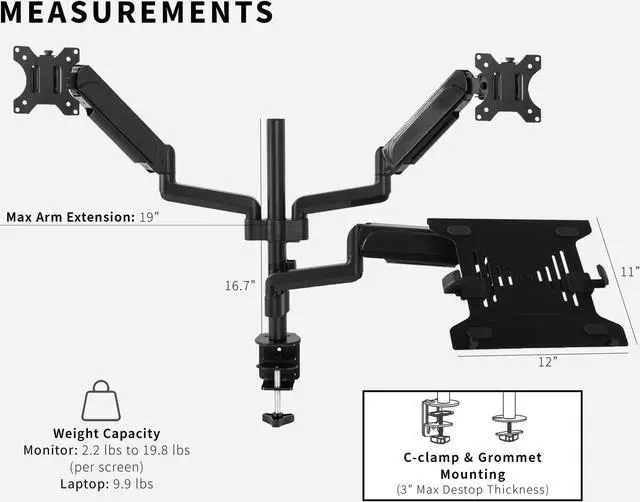
- Sturdy Mounting: The heavy-duty C-clamp attaches to desktops up to 3 in thickness with simple hand-tightening, and an optional grommet mount is included. Both mounting options offer a secure hold for your triple-screen setup
Any questions? Ask CelesteSM will help you find out quickly.
Increase efficiency and optimize viewing angles with the Pneumatic Arm Dual Monitor and Laptop Desk Mount (STAND-V003KL) from VIVO! Win back valuable desk space by elevating 2 monitors and a laptop to an ideal viewing height with this high-grade steel stand built for scratch resistance and security. Featuring screen articulation, pneumatic spring height adjustment, a sturdy C-clamp, integrated cable management, and more, this mount is customizable to your particular office needs. The versatility of screen placement allows ergonomic viewing that aids in decreased fatigue and muscle strain on the neck, back, and shoulders. The classy appearance adds a modern look to any office while providing ample support for 3 screens. All hardware is provided for easy assembly, so you can get your screens mounted in no time!
Compatibility
- Screen Sizes: Fits two 17 to 32 screens
- Laptop Size: 10 to 15.6
- VESA Standard: 75x75mm and 100x100mm
- Maximum Desktop Thickness: 3
- Monitor Weight Capacity: 2.2 lbs to 19.8 lbs (per screen)
- Laptop Weight Capacity: 9.9 lbs
Specifications
- Color: Black
- Material: Steel, Plastic
- Pole Height: 16.7
- Maximum Screen Height: 21.5 (center screen)
- Maximum Extension: 19
- Laptop Tray Dimensions: 12 x 11
- Laptop Tray Adjustment Range: 9.5 to 16.5
- Articulation: +35° to -35° tilt, 180° swivel, and 360° rotation
- Height Adjustment: 11.5 with Pneumatic Arms (additional adjustment along center pole)
- Screen Orientation: Portrait or Landscape
Warranty & Returns
Warranty, Returns, And Additional Information
Warranty
- Please contact the Seller directly for warranty information. Warranty information may also be found on the Manufacturer's website.
- CONTACT
Return Policies
- Return for refund within: 30 days
- Return for replacement within: 30 days
- This item is covered by VIVO Return Policy
Manufacturer Contact Info
- For a directory of all our manufacturers, please click below.
- Manufacturers Directory
The VIVO STAND-V003KL is a desk-mounted triple-screen arm for people who want two 17–32-inch monitors and a 10–15.6-inch laptop arranged together, with pneumatic height adjustment and flexible screen positioning.
Recommended For
- Laptop-based workers who use two external monitors for tasks such as comparing documents, keeping dashboards visible, or working across several apps, and want all three screens on one desk mount.
- Desk-based users who regularly change screen height or viewing angle during the workday; the pneumatic arms and adjustable screen joints are designed for repositioning.
- People setting up a compact multi-screen workstation who want to raise two monitors and a laptop off the desk and route cables along the mount.
- Users with a compatible 10–15.6-inch laptop and two VESA-compatible monitors who want the laptop displayed alongside, rather than in place of, their external screens.
Real-World Use Scenarios
- For a laptop-based home office, keep email or a video call on the laptop while using the two monitors for active work; the three-screen layout reduces the need to switch between windows.
- When comparing documents, spreadsheets, or research sources, place reference material on one monitor and the main task on the other, with the laptop available for notes or communication; this keeps more of the workflow visible at once.
- For frequent video meetings, use the laptop for the call and keep shared files or work applications on the two monitors; the laptop remains part of the setup without taking up the main work area.
- On a crowded desk, mount the laptop and monitors above the work surface to free room for a keyboard, mouse, or paperwork; the arms allow the screens to be repositioned when the layout needs to change.
- For a study or coursework setup, keep a lecture or reference material visible on one screen while writing or working on the other, with the laptop available for class communication or notes.