Andromeda Insights Advanced AMD Vector - RX 9070XT 16GB | Ryzen 5 9600X (5.4 GHz Turbo Boost) | 32GB DDR5 6000MHz | 1TB Gen4 SSD | 850W Gold PSU | ARGB Fans | Wi-Fi + BT | Win 11 Home
  •  
  • $2,399.99 –
  • $59.99
  • Free 30-day Returns
  • Sold by Direct from manufacturerVIVO
    Top Rated
    4.7 (2,010 seller ratings)

    Shipped by Direct from manufacturerVIVO

    Price alert
    Shop it at NeweggBusiness.

    Meet Your Seller

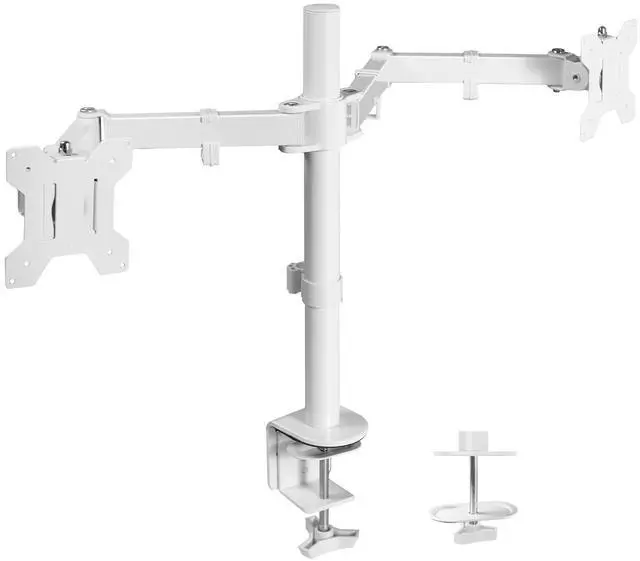
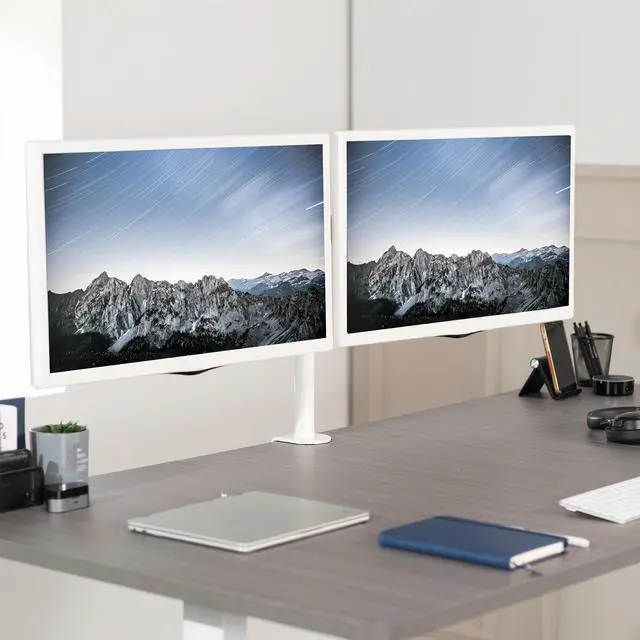
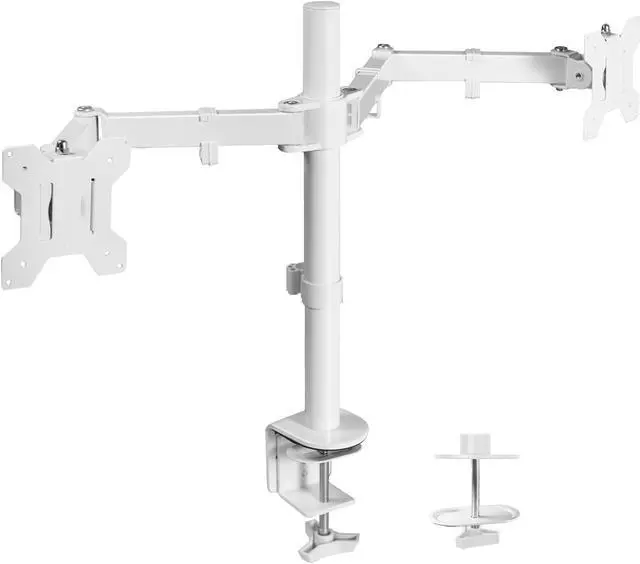
    VIVO White Dual Monitor Desk Mount Adjustable Stand, Fits Screens up to 32"

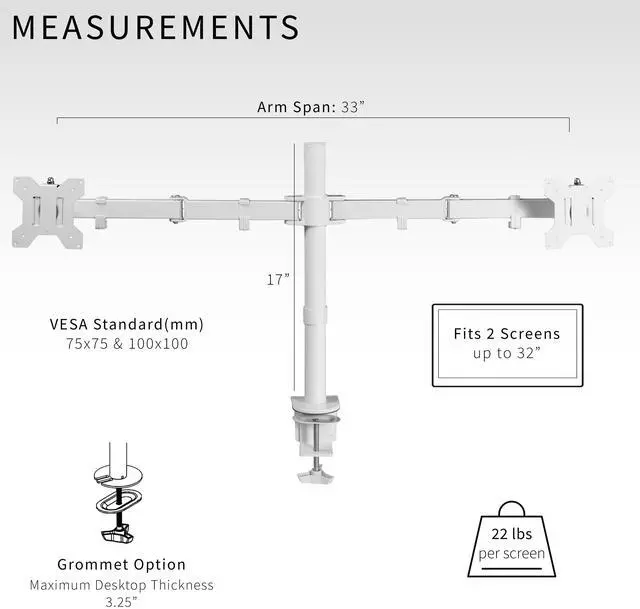
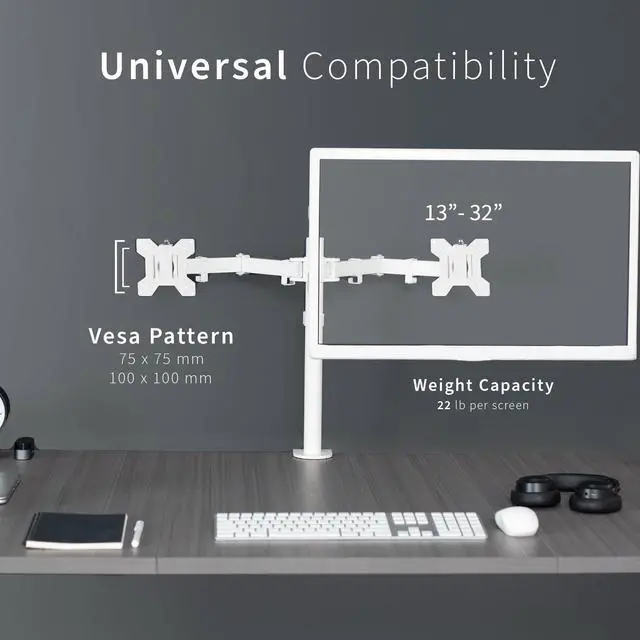
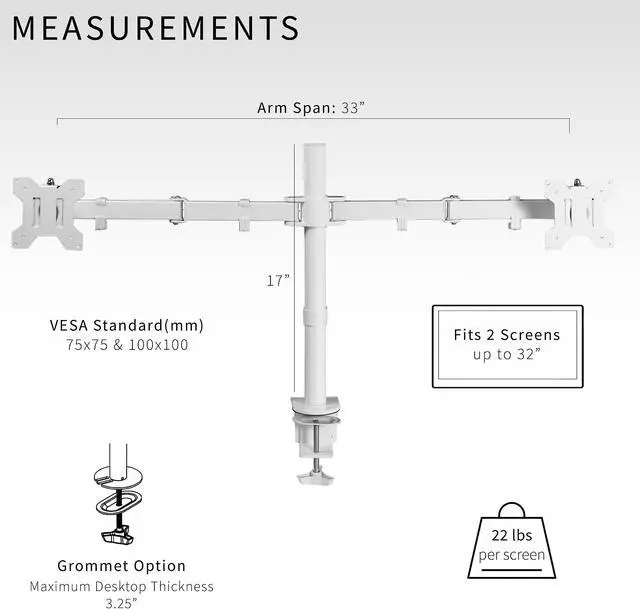
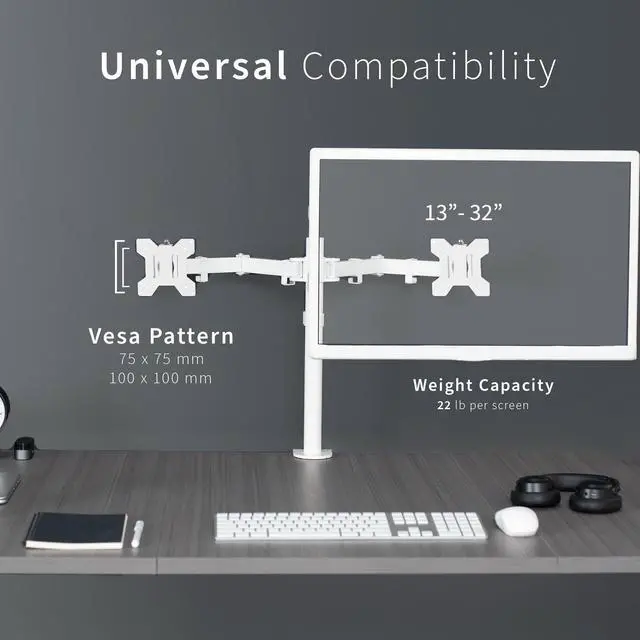
    • Fits 13" to 32" Screens: Dual monitor mount fitting two screens 13 to 32 in size and up to 22 lbs in weight each with VESA 75x75mm or 100x100mm backside mounting holes
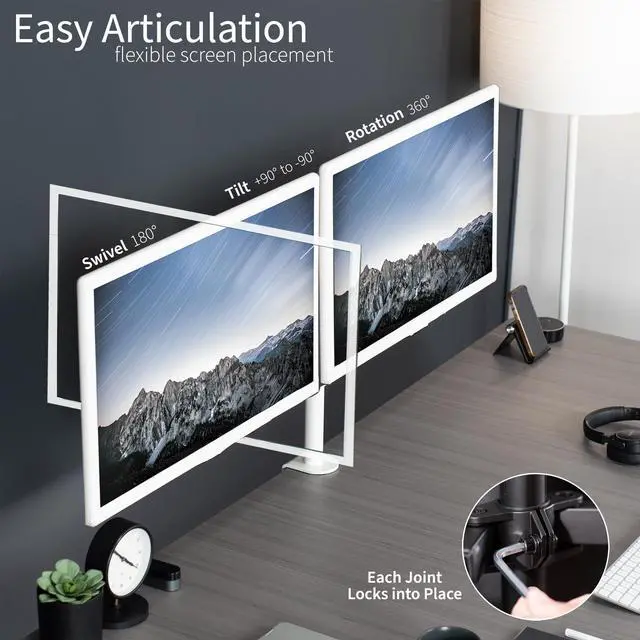
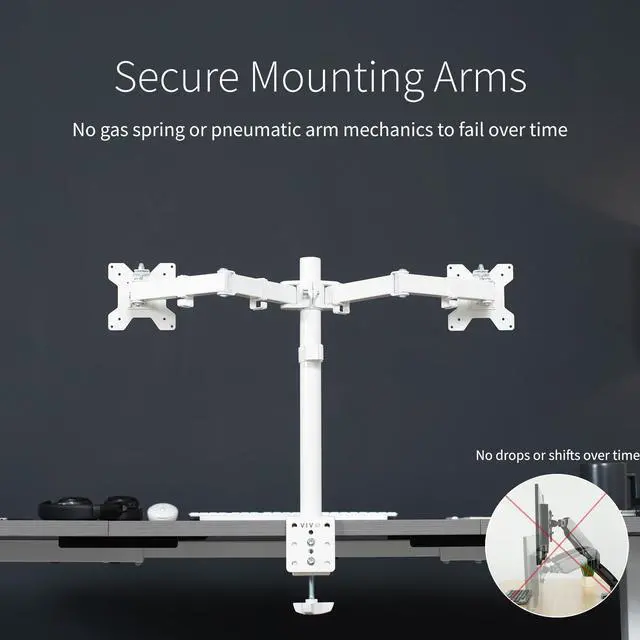
    • Articulation and Height Adjustment: Adjustable brackets offer +90° to -90° tilt, 180° swivel, 360° rotation, and height adjustment along the center pole. Monitors can be placed in portrait or landscape orientation
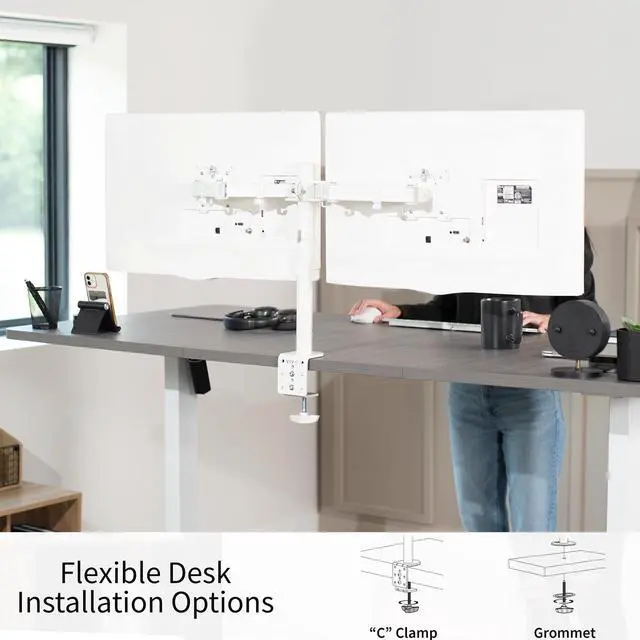
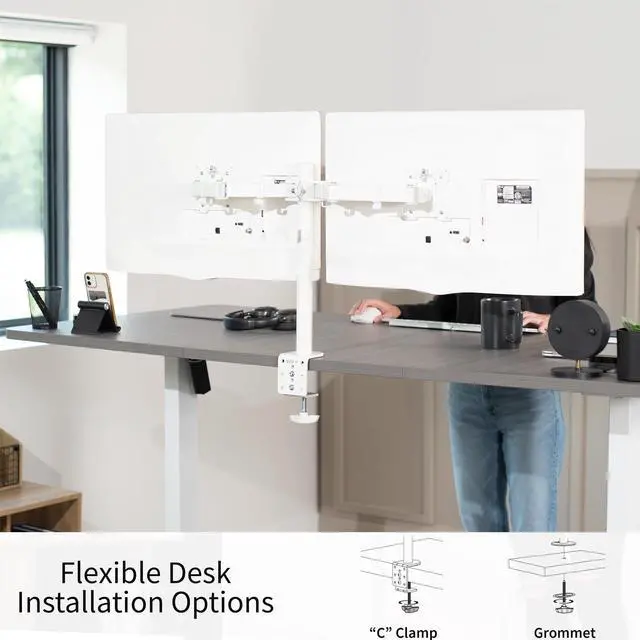
    • Drill-Free Mounting: This product secures to your surface of choice up to 3.25" thick via a heavy-duty C-clamp, or use the equally sturdy optional grommet mount to suit your preferred layout
    • Integrated Cable Management System: Cable management clips are provided along the arms and center pole to keep cords organized and give your workspace a clean appearance
    • Easy Installation: Mounting your monitors is a simple process with detachable VESA bracket plates. We provide the hardware and easy-to-follow instructions for assembly
    +
    +
    Overview
    Specs
    Reviews

    Any questions? Ask CelesteSM will help you find out quickly.

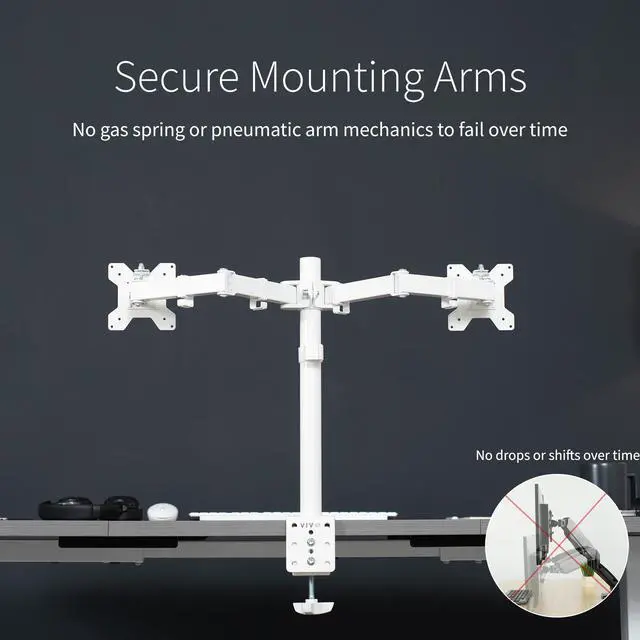
    Enjoy double the viewing with the White Dual Monitor Desk Mount (STAND-V032W) from VIVO! Made of high-grade steel and aluminum, this stand fits most LCD monitors 13 to 32 in size and supports up to 22 lbs per monitor. Every joint is able to be tightened, so you can adjust exactly how fluid/stationary you want everything to be. Special features include the ability for each individual VESA plate to be adjusted up and down by 0.5 so your monitors will be perfectly aligned. We also make mounting your screens easy with detachable VESA plates that screw into your monitors and then slide back onto the frame of the stand. Heavy duty C-clamp and grommet mounting options are included. All hardware and instructions are provided so you can get your new stand assembled and providing comfortable viewing angles in no time!

    Compatibility

    • Screen Size: 13 to 32
    • VESA Standard: 75x75mm and 100x100mm
    • Maximum Desk Thickness: 3.25
    • Weight Capacity: 22 lbs (per screen)

    Specifications

    • Color: White
    • Material: Steel, Aluminum
    • Pole Height: 17
    • Arm Span: 33
    • Maximum Extension: 18
    • Mounting Options: C-clamp or Grommet
    • Articulation: +90° to -90° tilt, 180° swivel, and 360° rotation
    • Screen Placement: Portrait or Landscape Orientation

    Warranty & Returns

    Warranty, Returns, And Additional Information

    Warranty

    • Please contact the Seller directly for warranty information. Warranty information may also be found on the Manufacturer's website.
    • CONTACT

    Return Policies

    • Return for refund within: 30 days
    • Return for replacement within: 30 days
    • This item is covered by VIVO Return Policy

    Manufacturer Contact Info

    LOADING...

    The VIVO White Dual Monitor Desk Mount is an adjustable stand for two 13–32-inch monitors weighing up to 22 lb each, suited to desk users who want to position compatible VESA-mounted screens in portrait or landscape orientation.

    Recommended For

    • Desk-based workers who use two VESA-compatible monitors for separate tasks—such as keeping documents or chat visible beside a primary work screen—and want to free up space taken by the monitors’ original stands.
    • Home-office users setting up a mostly fixed dual-screen layout: the arms support tilt, swivel, and rotation, but community feedback suggests this style is less convenient when monitors need frequent repositioning.
    • Users who want a clamp- or grommet-mounted setup rather than a freestanding base, and whose desk can accommodate the selected mounting method.
    • People who want to switch one or both compatible monitors between landscape and portrait orientation for tasks such as reading long documents or coding.

    Real-World Use Scenarios

    • For a home-office workday, keep email or a video meeting on one screen while editing a document or spreadsheet on the other; this reduces the need to repeatedly switch between windows.
    • When coding, use one screen for the editor and the other for documentation, a browser, or a terminal; rotating a compatible monitor to portrait can show more lines of code or a longer document at once.
    • For spreadsheet or data work, leave the working file open on one monitor and reference data, email, or notes on the other; this makes it easier to compare information without constantly covering one window with another.
    • During a video call, keep the meeting on one display and presentation notes, a shared document, or chat on the other; the mount lets users position both screens for their desk layout.
    • On a crowded desk, replace two monitor feet with a clamp-mounted dual setup; this frees the space those stands occupied for items such as a keyboard, notebook, or other desk accessories.