• $59.99
  • Free 30-day Returns
  • Sold by Direct from manufacturerVIVO
    Top Rated
    4.7 (2,010 seller ratings)

    Shipped by Direct from manufacturerVIVO

    Price alert
    Shop it at NeweggBusiness.

    Meet Your Seller

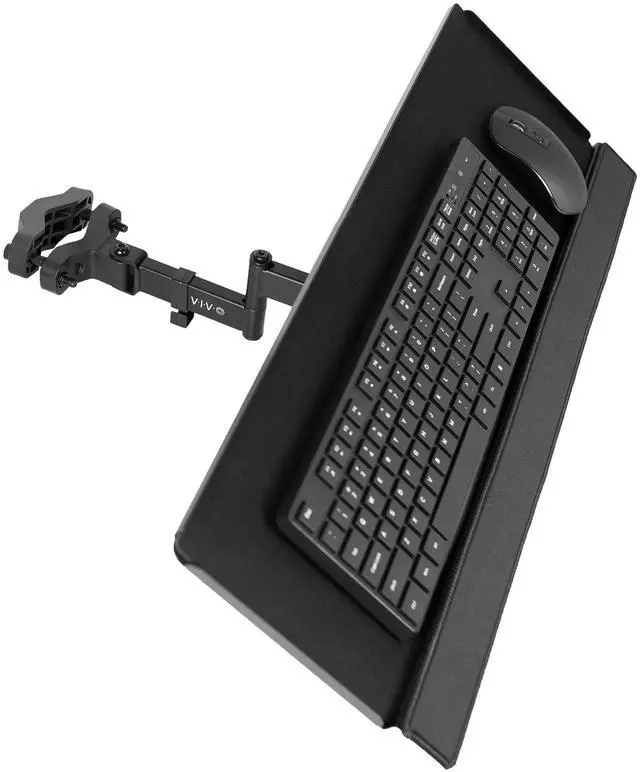
    VIVO Steel Universal Full Motion Pole Mount, 26 Inch Keyboard and Mouse Tray

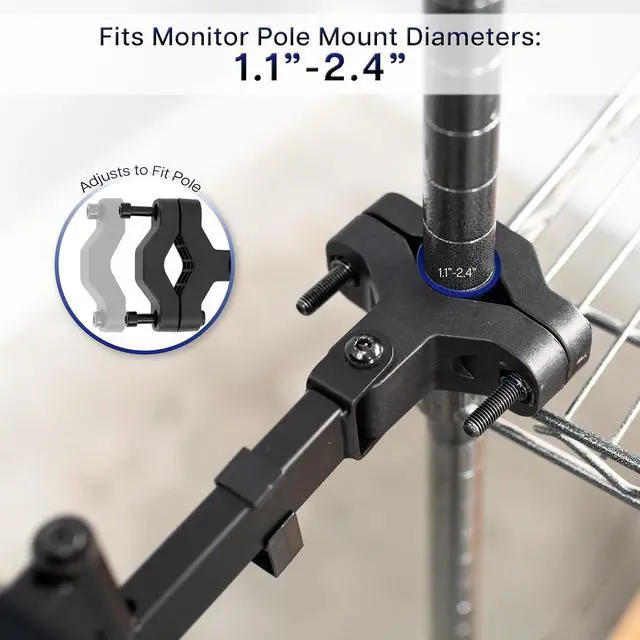
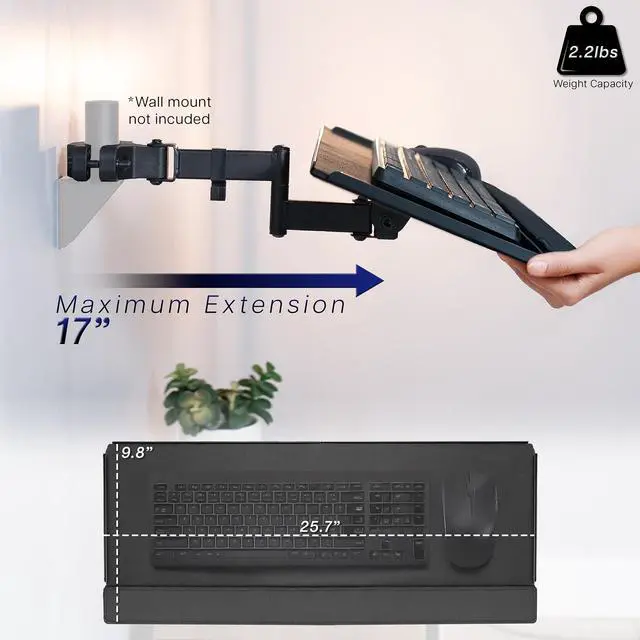
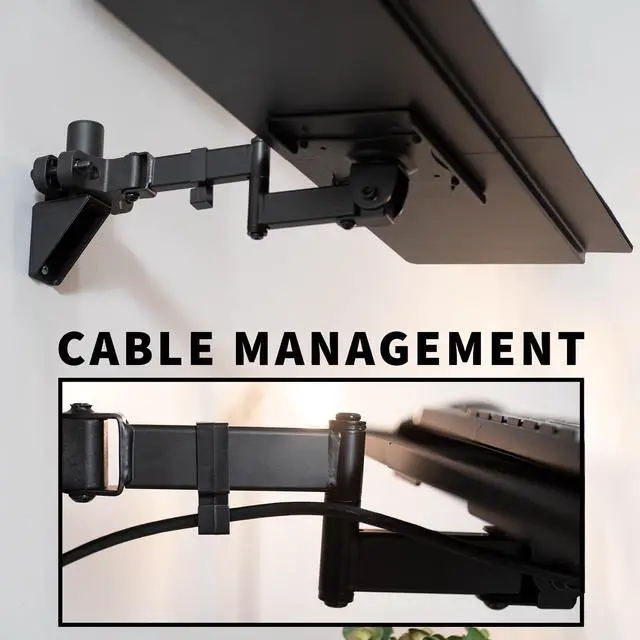
    • Universal Pole Mount Keyboard Tray: This sturdy steel keyboard tray arm fits any pole from 1.1" to 2.4" in diameter for better typing and ideal placement. Tray extends a total of 17" from the wall, holding your mouse and keyboard on an accessible platform
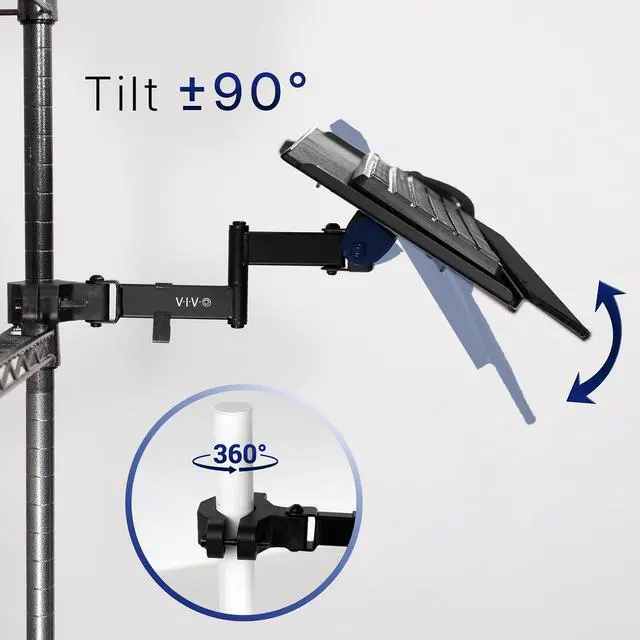
    • Adjustable Tilt and Rotation: Enjoy comfortable typing angles with 90° tilt and alleviate wrist soreness and tension. Features full 360° rotation for easily moving the tray out of the way when not in use or routinely switching up typing positions
    • Large Keyboard Surface: The spacious 25.7" x 9.8" platform fits most standard and oversized keyboards on the market with ample space for your mouse. Raised edges prevent accidental drops, keeping your keyboard securely in place
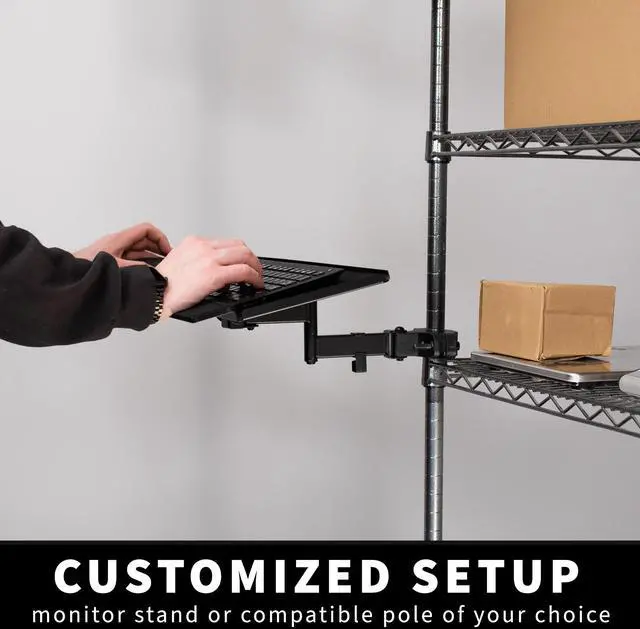
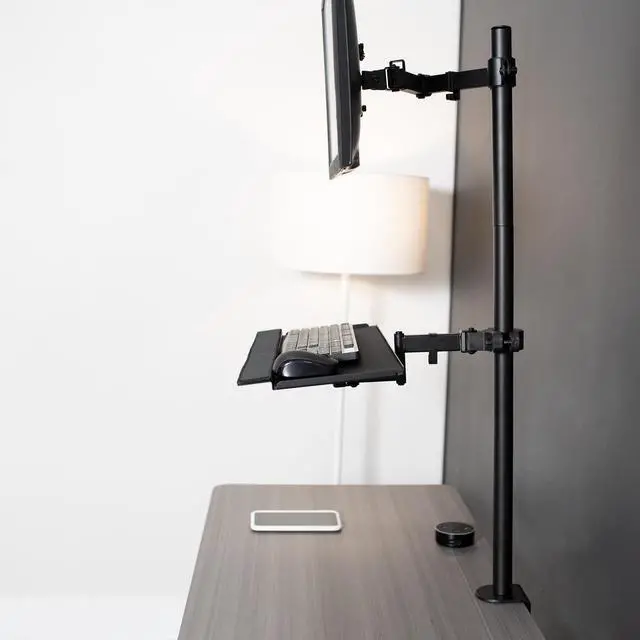
    • Versatile Placement: This sturdy mount adds a keyboard and mouse tray to your monitor stand, wall mount, or any pole within the diameter range
    +
    +
    Overview
    Specs
    Reviews

    Any questions? Ask CelesteSM will help you find out quickly.

    Elevate your keyboard for comfortable typing angles with the Black Pole Mount Tilting Keyboard Tray (MOUNT-POLEKB) from VIVO! This universal mount is ideal for adding a keyboard tray to an existing monitor stand or any pole within the diameter range. The adjustable tilt joint provides flexibility in your typing angles with 90-degree tilt, and the pole mount can rotate completely around the pole for convenient placement. Raised edges ensure that your keyboard and mouse will stay securely in place, preventing them from sliding or falling off the tray. The wrist padding provides added comfort and support, reducing strain on your joints and muscles. Upgrade your workstation today, and enjoy comfortable ergonomic typing angles personalized to your needs. **Pole is NOT included**

    Compatibility

    • Pole Diameter: 1.1 to 2.4
    • Weight Capacity: 2.2 lbs

    Specifications

    • Color: Black
    • Material: Particle Board, Steel, Plastic
    • Keyboard Tray Dimensions: 25.7 x 9.8
    • Arm Length: 12
    • Max Extension: 17
    • Tray Tilt: +90° to -90° (from vertical position)
    • Pole Clamp Rotation: 360°

    Warranty & Returns

    Warranty, Returns, And Additional Information

    Warranty

    • Please contact the Seller directly for warranty information. Warranty information may also be found on the Manufacturer's website.
    • CONTACT

    Return Policies

    • Return for refund within: 30 days
    • Return for replacement within: 30 days
    • This item is covered by VIVO Return Policy

    Manufacturer Contact Info

    LOADING...

    The VIVO Steel Universal Full Motion Pole Mount is a keyboard-and-mouse tray for users who want to add an adjustable typing surface to a compatible pole, monitor stand, or wall mount. Its 25.7-by-9.8-inch platform tilts up to 90° and rotates 360°.

    Recommended For

    • People adding a keyboard and mouse surface to an existing compatible monitor-stand or wall-mount pole when a conventional desk-edge tray is not practical; the pole is not included.
    • Compact-workspace users who want to swing the keyboard tray around the pole or move it out of the way when it is not in use.
    • People who want to adjust their keyboard’s typing angle and use a tray sized for a keyboard-and-mouse setup, rather than a broad work surface.

    Real-World Use Scenarios

    • On a sim-racing rig, mount a keyboard and mouse beside the cockpit so you can use menus or a desktop between races, then swing the tray aside when it is not needed.
    • In a flight-simulation setup, attach the tray to a compatible pole near the controls to keep a keyboard within reach without dedicating a separate desk surface to it.
    • At a workstation built around a monitor-stand pole, add a nearby typing and mousing surface without using more of the main desktop; rotate the tray away when you want the space clear.
    • For a compact desk where the keyboard and mouse compete with other work items, position the tray for computer use and turn it aside when you need the surface for another task.
    • When a setup needs the keyboard at a different angle, tilt the tray to suit the typing position and rotate it around the pole to bring it closer or move it out of the way.