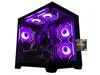
ABS Cyclone Aqua Prebuilt Gaming PC - Windows 11 - Intel Core i7-14700F - GeForce RTX 5060 8GB - DLSS 4 - 32GB DDR5 - 1TB NVMe SSD
  •  
  • $1,599.99 –
  • Save: 11%
  • $79.99
  • Free 30-day Returns
  • Sold by Direct from manufacturerVIVO
    Top Rated
    4.7 (2,010 seller ratings)

    Shipped by Direct from manufacturerVIVO

    Price alert
    Shop it at NeweggBusiness.

    Meet Your Seller

    VIVO White Extra Long Clamp-on Computer Keyboard and Mouse Under Desk Slide Tray

    • Black
    • White
    • Extra Long Tray: This 33.9" (39.4" including clamps) x 11" under-desk keyboard tray holds your keyboard, mouse, and other small accessories below the desktop for added work space and holds up to 11 lbs --Patent Pending--
    • Comfortable Typing Angles: Easily slide the tray in and out and enjoy ergonomic typing angles that relieve stress on your wrists and shoulders. The tray extends a maximum of 8.5" from the edge of your desk
    • Compatibility: Before purchasing, please make sure that your desk surface does not exceed a thickness of 1.25". Note the tray's total length from clamp to clamp is 39.4", so please make sure you have that much space on your desk before purchasing
    • Sturdy C-Clamps: Attach the keyboard tray to your workstation without causing any damage to your desk (1.25" maximum desk thickness) with solid C-clamps that hold everything tightly in place and are easily adjustable for user convenience
    +
    +
    Overview
    Specs
    Reviews

    Any questions? Ask CelesteSM will help you find out quickly.

    Enjoy the benefits of ergonomic typing angles and a work area thats spacious and extra sturdy with the White Clamp-on Extra Long Keyboard Tray (MOUNT-KB15EW) from VIVO! Win back valuable desk space by adding a lower-tier surface for the keyboard, mouse, and other small items. Featuring smooth gliding motion for easy placement, sturdy C-clamps for convenient mounting, and anti-skid padding for scratch resistance, this mount was built to perform! Under-desk tray placement creates an ergonomic setup that decreases fatigue and muscle strain on the neck, back, and shoulders. The sleek appearance adds a modern look to any office while providing ample support for your keyboard and accessories. All hardware is provided for easy installation, so you can get your tray mounted and organized in no time!

    Compatibility

    • Universal Design: Fits most keyboards and mice on the market
    • Minimum Recommended Desk Thickness: 0.5
    • Maximum Recommended Desk Thickness: 1.25
    • Weight Capacity: 11 lbs

    Specifications

    • Color: White
    • Material: Steel, Particle Board
    • Tray Dimensions: 33.9" (39.4" including clamps) x 11"
    • Extension: Tray slides out a total of 8.5 from desk
    • Orientation: Tray sits 1.5 to 2.75 below the desk surface
    • Track Length: 12.3
    • Keyboard Tray Thickness: 0.6

    Warranty & Returns

    Warranty, Returns, And Additional Information

    Warranty

    • Please contact the Seller directly for warranty information. Warranty information may also be found on the Manufacturer's website.
    • CONTACT

    Return Policies

    • Return for refund within: 30 days
    • Return for replacement within: 30 days
    • This item is covered by VIVO Return Policy

    Manufacturer Contact Info

    LOADING...

    The VIVO White Extra Long Clamp-on Under Desk Slide Tray is a spacious keyboard-and-mouse platform for desk users who want to free up desktop space and keep their input devices within reach. It measures 33.9 by 11 inches and supports up to 11 pounds.

    Recommended For

    • People working at a shallow or crowded desk who want to move their keyboard and mouse below the desktop and slide them out of the way when they need the surface back.
    • Full-size keyboard and mouse users who want a wide shared tray, with room for small accessories alongside their input devices.
    • Renters or people using a borrowed desk who want a keyboard tray that attaches with clamps rather than screws through the desktop.
    • People who prefer a simple sliding tray at a fixed position below the desk over a screw-mounted setup with more adjustment hardware.

    Real-World Use Scenarios

    • When a home-office desk feels crowded, place the keyboard and mouse on the lower tray to clear the desktop for a laptop, monitor, or notes; slide the tray back under the desk when you want that surface space back.
    • For a wide keyboard-and-mouse setup, use the extra-long surface to keep both peripherals side by side; a verified buyer also reports room for a keyboard, mouse, and game controller.
    • In a home office or shared workspace where you cannot drill into the desk, clamp the tray to a compatible front edge to add a pull-out keyboard surface without screwing into the desktop.
    • When typing at a desk where the keyboard sits too high on the desktop, use the tray’s lower position to bring the keyboard below the desk surface; whether this feels more comfortable depends on the user’s chair and desk height.
    • For a gaming or multi-device desk, use the wider tray to keep a keyboard and mouse together and move them beneath the desk when you need more room on top; check that the desk edge and under-desk area leave enough clearance.