ABS Cyclone Aqua Prebuilt Gaming PC - Windows 11 - Intel Core i7-14700F - GeForce RTX 5060 8GB - DLSS 4 - 32GB DDR5 - 1TB NVMe SSD
  •  
  • $1,599.99 –
  • Save: 11%
  • $69.99
  • Free 30-day Returns
  • Sold by Direct from manufacturerVIVO
    Top Rated
    4.7 (2,010 seller ratings)

    Shipped by Direct from manufacturerVIVO

    Price alert
    Shop it at NeweggBusiness.

    Meet Your Seller

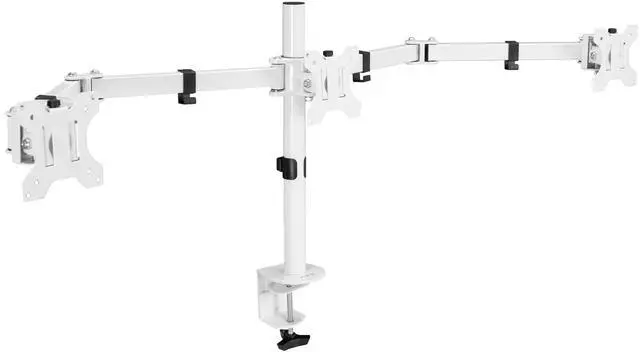
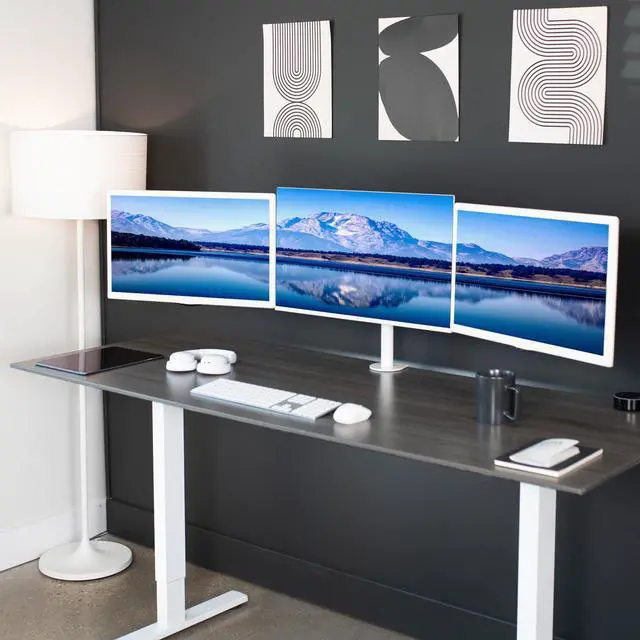
    VIVO White Triple Monitor Mount, Articulating Stand for 3 Screens up to 24"

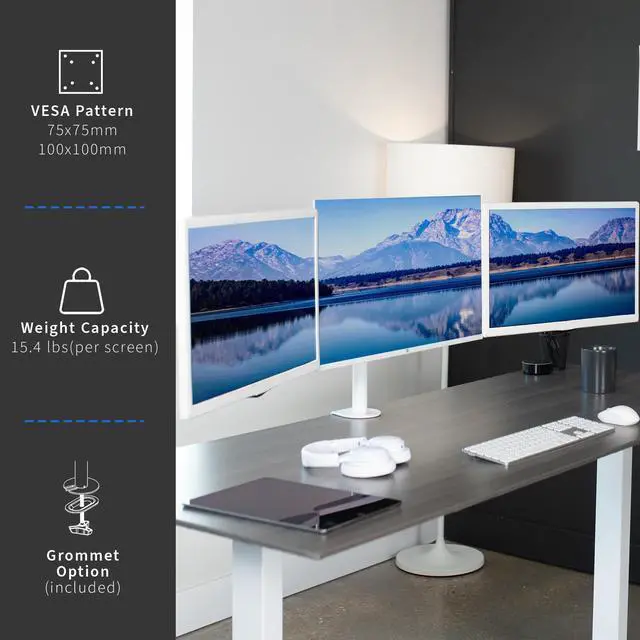
    • Fits up to 24" Screens: 3-screen display saves valuable desk space and increases productivity by elevating 3 monitors for triple-screen viewing. Fits most monitors up to 24" in size and up to 15.4 lbs (per screen) with 75x75mm or 100x100mm VESA patterns
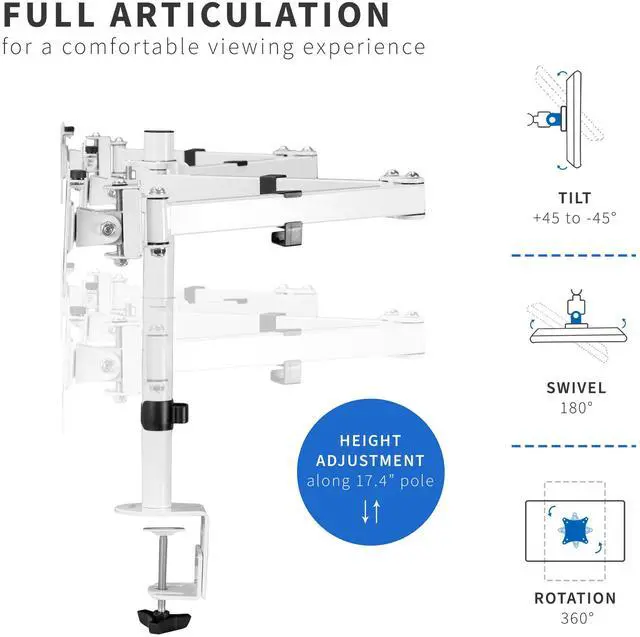
    • Articulation and Height Adjustment: Mount offers +45° to -45° tilt, 180° swivel, and 360° rotation for comfortable viewing angles, and the arms are height adjustable along the center pole
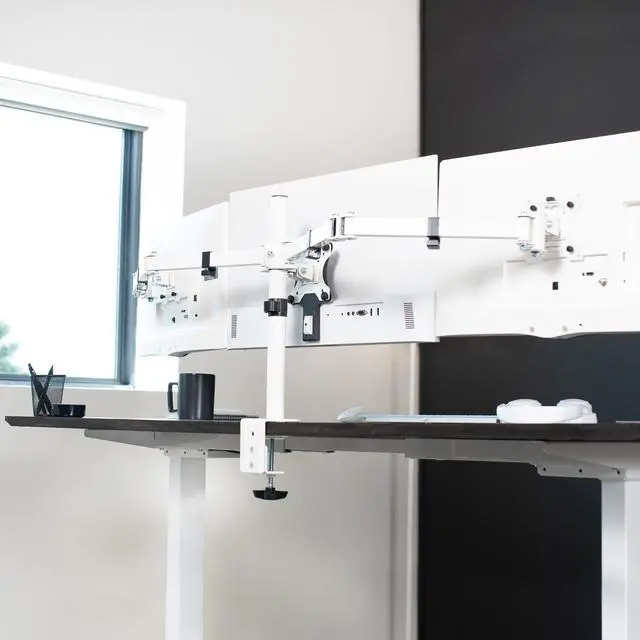
    • Sturdy Mounting: The heavy-duty C-clamp attaches to desktops up to 3.25 in thickness with simple hand-tightening, and an optional grommet mount is included. Both mounting options hold your triple-screen setup safe and secure
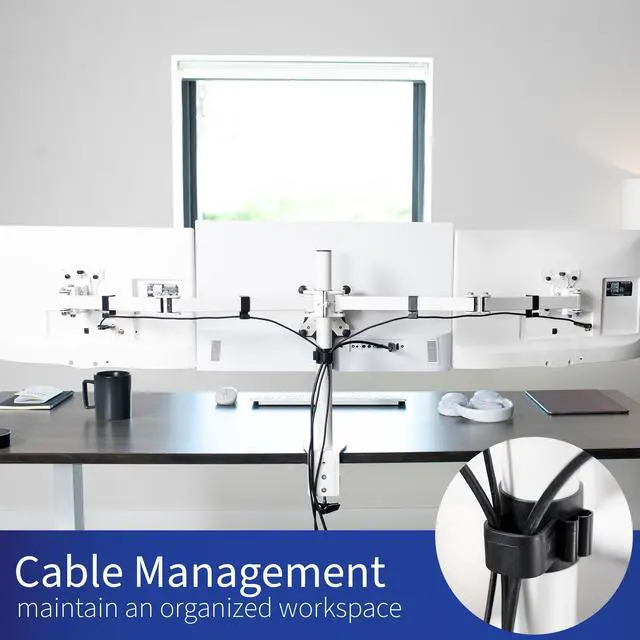
    • Additional Features: Power cords can be routed through the provided cable clips to keep wires clean and organized, and protective padding keeps your desktop free of scratches
    +
    +
    Overview
    Specs
    Reviews

    Any questions? Ask CelesteSM will help you find out quickly.

    Clear up valuable workspace and view three monitors side-by-side with STAND-V003YW provided by VIVO! Manufactured with high-grade steel that provides security and resists scratches, this stand was built to perform! Designed with user-geared features such as arm articulation, removable VESA mounting plates, adjustable monitor height, integrated cable management, and more, this mount is customizable to your particular office needs. The versatility of screen placement allows for ergonomic viewing that aids in decreased fatigue and muscle strain on the neck, back, and shoulders. This product's heavy-duty construction provides excellent triple monitor support, and creates a viewing experience perfect for you!

    Compatibility

    • Screen Sizes: 13" to 24" (each)
    • VESA Standard: 75x75mm and 100x100mm
    • Mounting Options: C-clamp and Grommet
    • Maximum Desk Thickness: 3.25
    • Weight Capacity: 15.4 lbs per screen

    Specifications

    • Color: White
    • Material: Steel, Plastic
    • Pole Height: 17.4"
    • Total Arm Span: 52.5" (between center of outer brackets)
    • Articulation: +45° to -45° tilt, 180° swivel, and 360° rotation
    • Height Adjustment: Along center pole
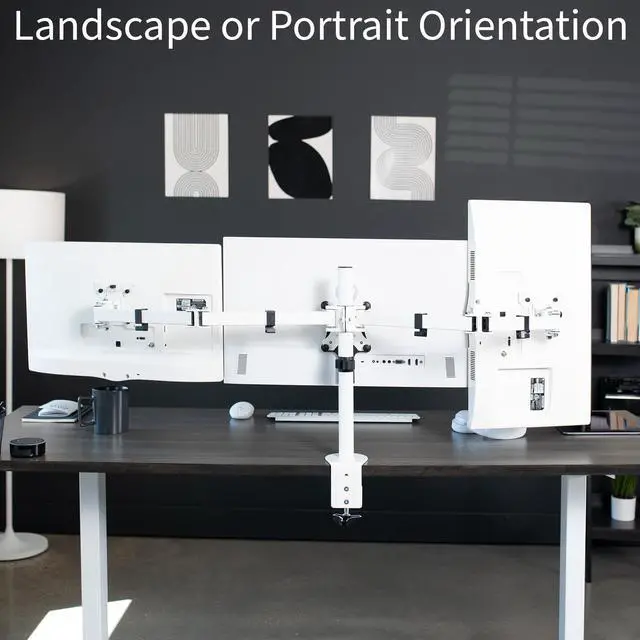
    • Screen Orientation: Portrait or Landscape

    Warranty & Returns

    Warranty, Returns, And Additional Information

    Warranty

    • Please contact the Seller directly for warranty information. Warranty information may also be found on the Manufacturer's website.
    • CONTACT

    Return Policies

    • Return for refund within: 30 days
    • Return for replacement within: 30 days
    • This item is covered by VIVO Return Policy

    Manufacturer Contact Info

    LOADING...

    The VIVO White Triple Monitor Mount is an articulating desk stand for three monitors up to 24 inches and 15.4 lb each, suited to users who want a space-saving multi-screen workstation with adjustable viewing angles.

    Recommended For

    • Desk-based multitaskers who keep email, documents, chat, or reference material open across three screens and want to clear space beneath them.
    • Users building a three-screen home-office or productivity setup with compact monitors (13–24 inches) who want the screens arranged side by side on one desk mount.
    • People who want to set screens at different viewing angles or rotate a compatible monitor between portrait and landscape, while keeping the three-screen arrangement on a single mount.
    • Users whose desks can take a C-clamp or grommet mount and who prefer a fixed desk installation over a freestanding base.

    Real-World Use Scenarios

    • For a home-office multitasking setup, place email or chat on one screen, a document or spreadsheet on another, and a video call or reference page on the third; the screens stay visible together instead of requiring frequent window switching.
    • When coding, keep the editor on the center monitor and documentation, a browser preview, or debugging tools on the side screens; this makes it easier to refer between them without repeatedly covering the code window.
    • For spreadsheet-heavy work, use one screen for the main workbook and the others for source data, reports, or dashboards; the mount holds the displays in a shared viewing area while freeing the space their separate stands would occupy.
    • For compatible PC games that support a multi-monitor view, angle the side displays toward the player to create a wider field of view; the result depends on the game and computer supporting three-screen output.
    • On a crowded desk, replace three individual monitor bases with the shared mount and route cables along its clips; this can leave more surface available for a keyboard, notebook, or other desk items.