Meet Your Seller
VIVO White Triple Monitor Mount, 2 Pneumatic Arms + 1 Fixed, 3 Screens up to 32"
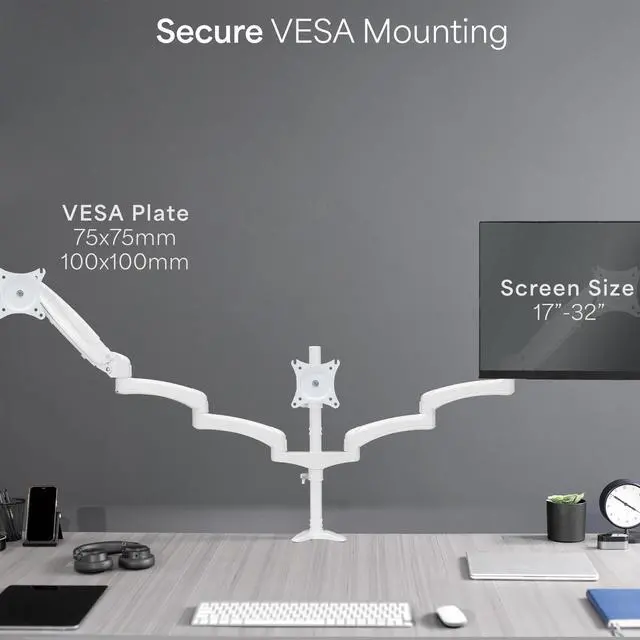
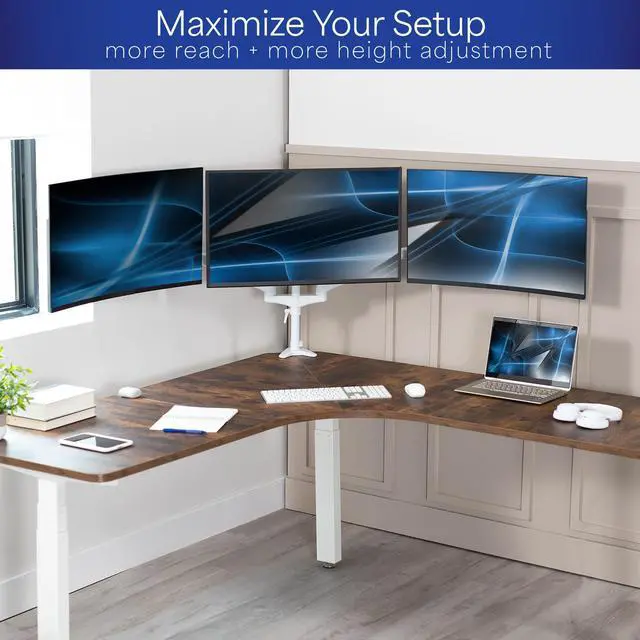
- Fits 17" to 32" Screens: Triple monitor mount holds most computers 17" to 32" in size and up to 17.6 lbs in weight (each) with VESA 75x75mm or 100x100mm mounting holes
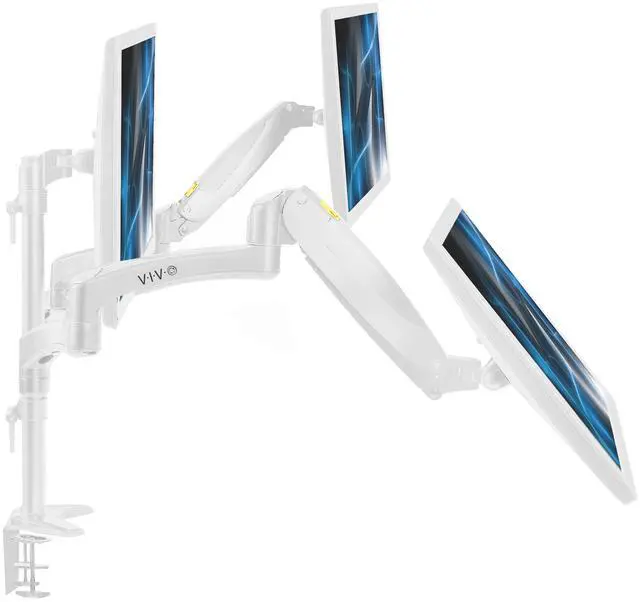
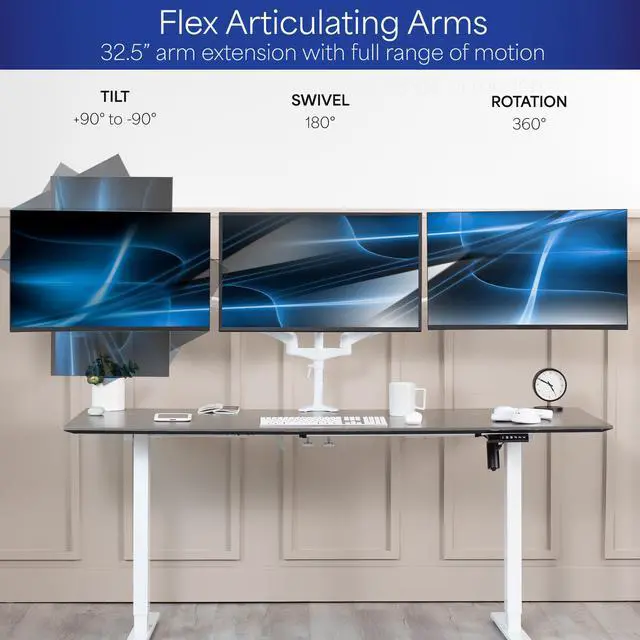
- Articulation and Height Adjustment: Dual side pneumatic arms and fixed center bracket offer +90° to -90° tilt, 180° swivel, and 360° rotation for comfortable viewing angles. Dual pneumatic springs allow smooth transitions by counterbalancing the monitors
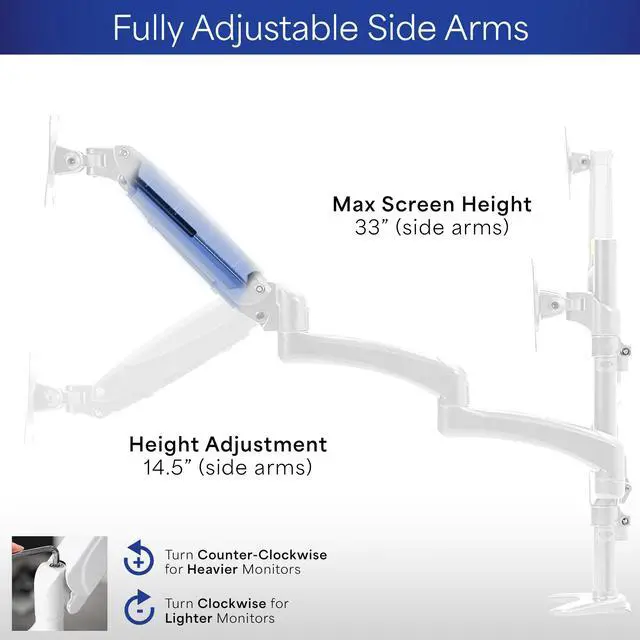
- Sturdy Steel and Aluminum Support: Securely holds three monitor screens weighing up to 17.6 lbs each. Tension can be increased for heavier monitors or decreased for lighter monitors to achieve more flexibility
- Easy Setup: Step-by-step instructions and hardware are provided to make assembly and installation a smooth and painless process. Win back valuable desk space by mounting 3 individual monitors on one stand
- Drill-Free Mounting: This product secures to your surface of choice up to 3.25" thick via a heavy-duty C-clamp for a solid hold
Any questions? Ask CelesteSM will help you find out quickly.
Save valuable desk space with the White Triple Monitor Desk Mount - 2 Pneumatic Arms + 1 Fixed (STAND-V300GW) from VIVO! This solid mount features dual flex pneumatic arms for easy adjustments and articulation alongside a center VESA plate for a triple-screen display! Featuring pneumatic height adjustment, a sturdy C-clamp, integrated cable management, and more, this mount is customizable to accommodate your preferred setup. Wide pneumatic spring arm extensions make it easy to have 3 monitors fit your large desk and eliminate a cramped setup, increasing productivity and use. All hardware is provided for easy assembly, so you can enjoy your triple-screen display in no time!
Compatibility
- Screen Size: Fits up to 32 Monitors (x3)
- Screen Type: Flat and Curved
- VESA Standard: 75x75mm and 100x100mm
- Maximum Desktop Thickness: 3.25
- Weight Capacity: 17.6 lbs per arm
Specifications
- Color: White
- Material: Steel, Plastic
- Pole Height: 20.2
- Arm Span: 68
- Maximum Extension: 32.5
- Base Dimensions: 5.8 x 4.5
- Articulation: +90° to -90° tilt, 180° swivel, and 360° rotation
- Maximum Screen Height: 33 (side arms)
- Height Adjustment: 14.5 with Pneumatic Arms (additional adjustment along center pole)
- Mounting Options: Sturdy C-clamp
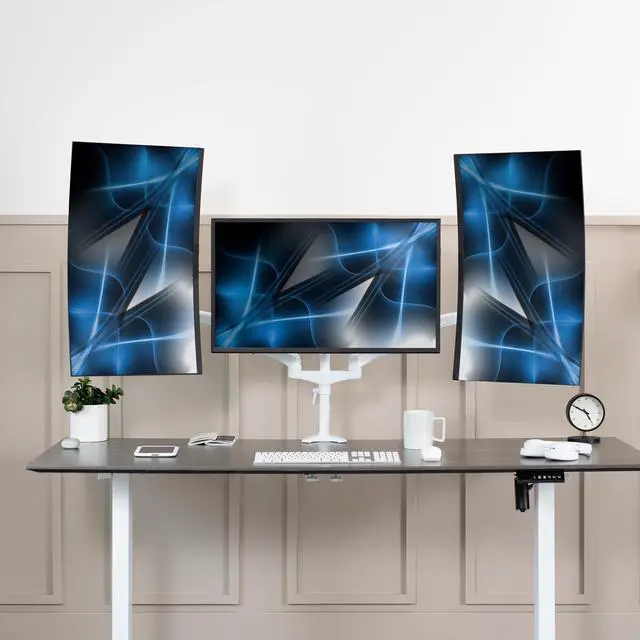
- Screen Placement: Portrait or Landscape Orientation
Warranty & Returns
Warranty, Returns, And Additional Information
Warranty
- Please contact the Seller directly for warranty information. Warranty information may also be found on the Manufacturer's website.
- CONTACT
Return Policies
- Return for refund within: 30 days
- Return for replacement within: 30 days
- This item is covered by VIVO Return Policy
Manufacturer Contact Info
- For a directory of all our manufacturers, please click below.
- Manufacturers Directory
The VIVO White Triple Monitor Mount holds three 17–32-inch monitors, with two pneumatic side arms and a fixed center bracket, making it suitable for multi-screen desk setups that need adjustable viewing angles and more open desk space.
Recommended For
- Desk-based multitaskers who use three monitors for work or gaming and want to clear space taken up by separate monitor stands.
- Users who want to reposition their two outer screens during the day; the pneumatic side arms adjust, while the center screen stays on a fixed bracket.
- People setting up a sit/stand workstation who want to raise or lower the side monitors without moving each screen by hand; owner feedback describes using the arms to adjust screen height between sitting and standing.
- Users with a sturdy desk edge who want a clamp-on installation rather than drilling into the desk; the clamp supports desktops up to 3.25 inches thick.
Real-World Use Scenarios
- For work that involves keeping documents, email, and a main task visible at once, mount three screens side by side; the center screen stays in place while the side screens can be repositioned to suit the viewing angle.
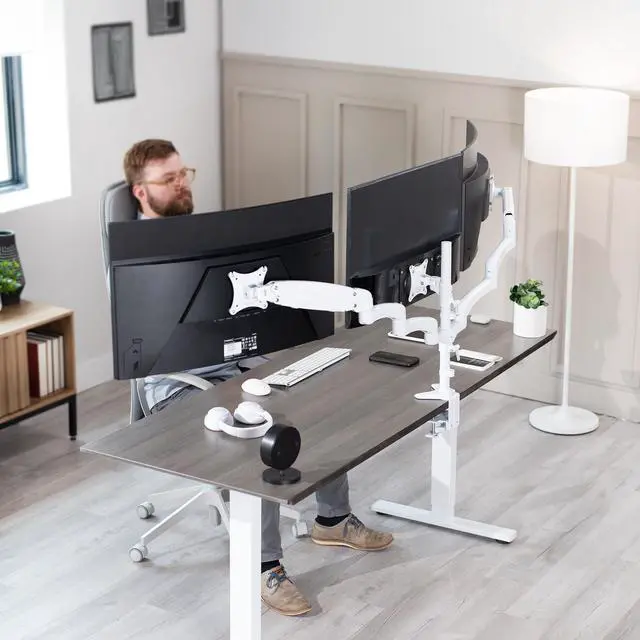
- When three individual monitor stands crowd a work surface, mount the screens on the desk edge to clear space underneath for a keyboard, notebook, or other desk items.
- For a gaming-and-work desk, use the center monitor as the primary display and keep chat, guides, or work windows on the side screens; the side arms can be angled or moved when switching tasks.
- When one side screen is mainly for coding, chat, or long documents, rotate it to portrait orientation for more vertical content; keep the center and other side screen in landscape for general use.
- For a desk used through long work sessions, adjust the side monitors to face the user rather than leaving all three flat; this can make the screens easier to view from a seated position.