Meet Your Seller
VIVO White Dual Monitor Articulating Desk Stand Mount, Fits Up to 32" Screens
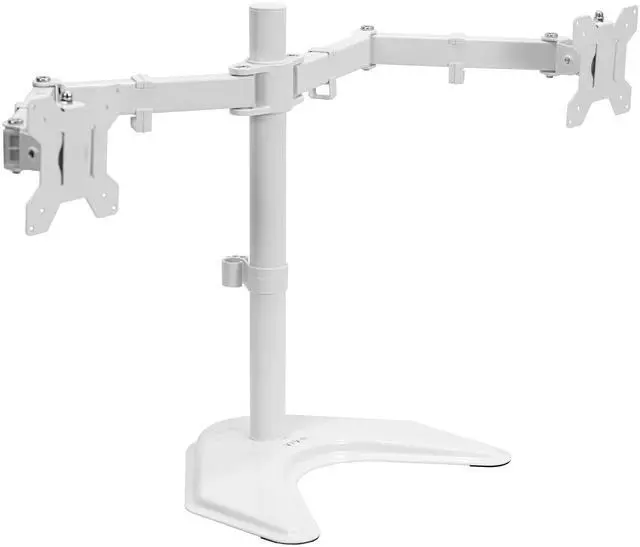
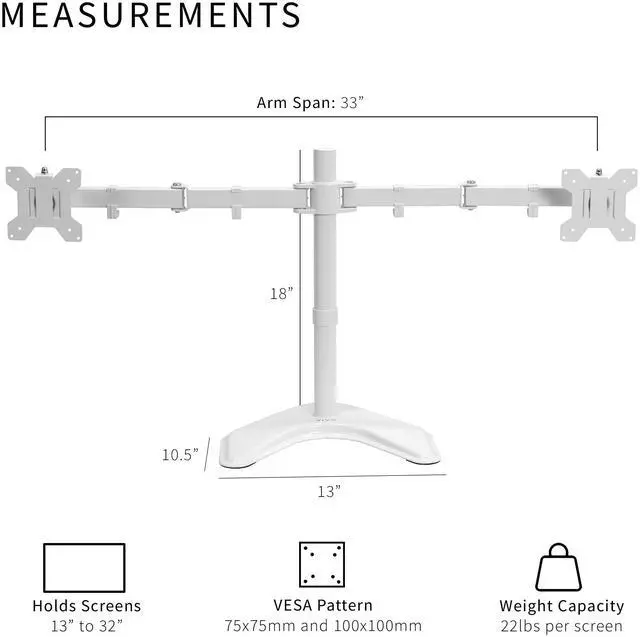
- Fits 13" to 32" Screens: Dual monitor mount fitting two screens 13 to 32 in size and up to 22 lbs in weight with 75x75mm or 100x100mm backside mounting holes
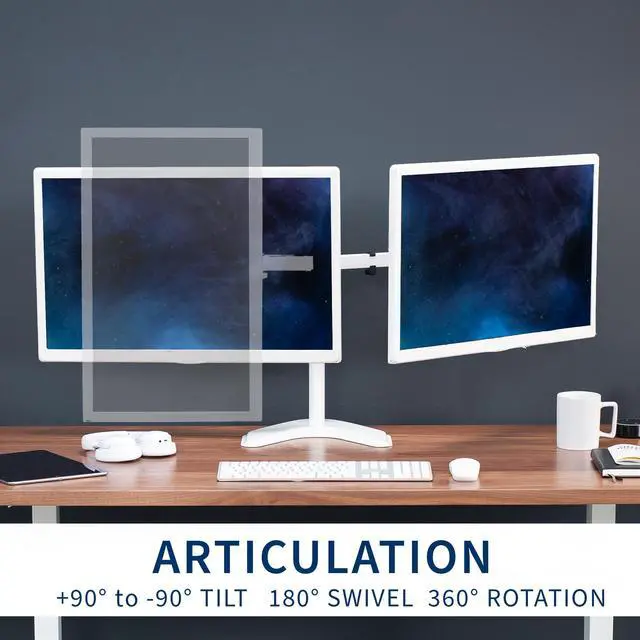
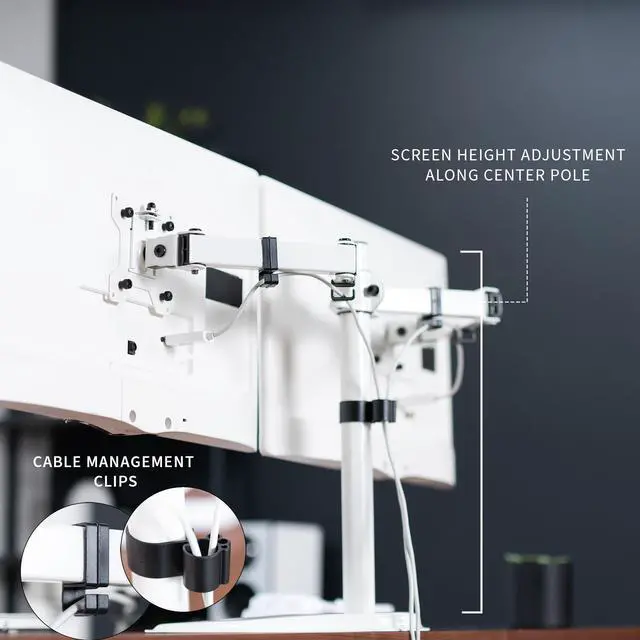
- Full Articulation: Adjustable mount offers +90° to -90° tilt, 180° swivel, 360° rotation, and height adjustment along the center pole for convenient, customizable viewing angles
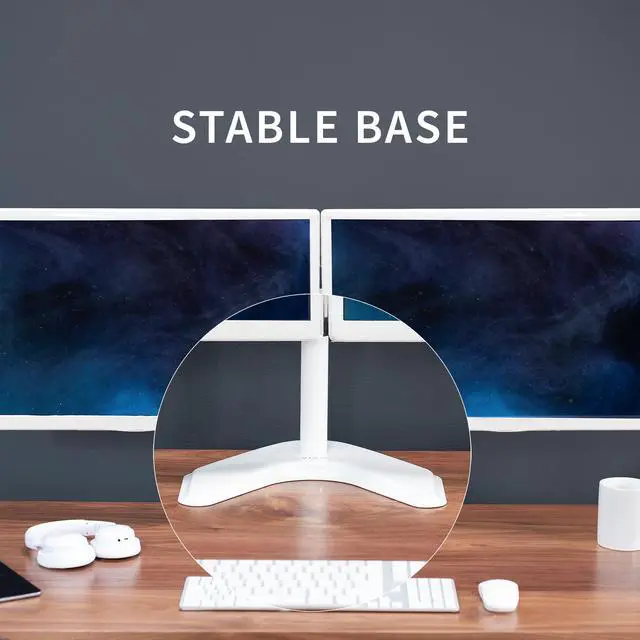
- Heavy Duty Extra Large Base: Measures 13" x 10.5" providing solid stability while monitors are held within its center of gravity. The bottom of the base features padding to protect your desk from scratches
- Easy Installation with Detachable VESA Plate: Mounting your monitors is a simple process with detachable VESA bracket plates. We provide the hardware and easy-to-follow instructions for assembly
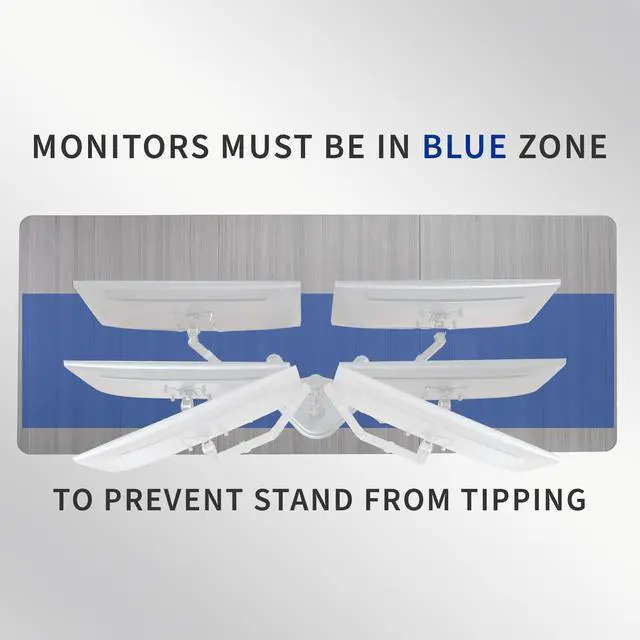
- Best Practices: Please do not pull monitors too far forward or backward unless the stand is bolted down, as this will cause stability issues. Additionallly, please check to make sure the base size fits your available desk space
Any questions? Ask CelesteSM will help you find out quickly.
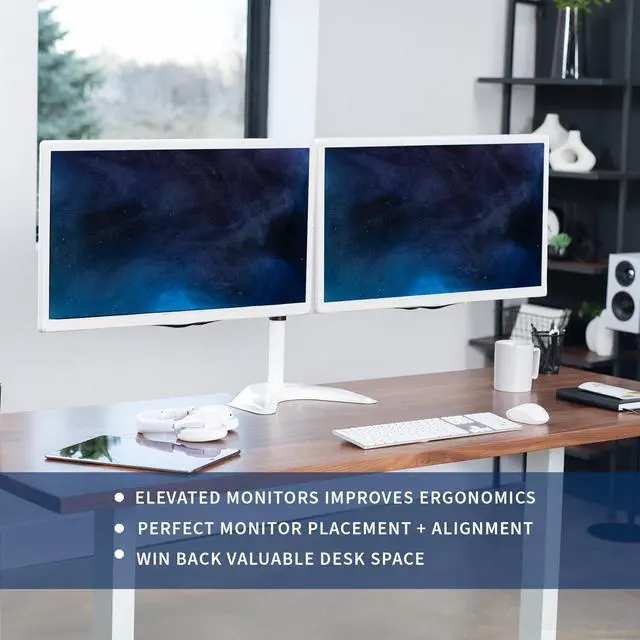
Enhance your monitor display and enjoy ergonomic viewing angles with the White Dual Monitor Desk Stand (STAND-V032FW) from VIVO! This heavy-duty stand features arm articulation and monitor height adjustment for optimal screen positioning, removable VESA mounting plates for easy installation, integrated cable management for an organized appearance, and more! The versatility of screen placement allows for ergonomic viewing that encourages proper body posture and helps reduce fatigue and strain on the neck, shoulders, and eyes. The low-profile base clears up valuable desk space and holds your equipment safe and secure.
Compatibility
- Screen Size: 13 to 32 (Holds 2 monitor screens)
- Standard VESA: 75x75mm and 100x100mm
- Weight Capacity: 22 lbs (each)
Specifications
- Color: White
- Material: Steel
- Pole Height: 18" (Including Base)
- Arm Span: 33"
- Base Dimensions: 13" x 10.5"
- Articulation: +90° to -90° tilt, 180° swivel, and 360° rotation
- Height Adjustment: Provided along the center pole
- Screen Placement: Portrait or Landscape Orientation
Warranty & Returns
Warranty, Returns, And Additional Information
Warranty
- Please contact the Seller directly for warranty information. Warranty information may also be found on the Manufacturer's website.
- CONTACT
Return Policies
- Return for refund within: 30 days
- Return for replacement within: 30 days
- This item is covered by VIVO Return Policy
Manufacturer Contact Info
- For a directory of all our manufacturers, please click below.
- Manufacturers Directory
The VIVO White Dual Monitor Articulating Desk Stand is a desktop mount for two 13–32-inch monitors weighing up to 22 lb each, suited to users who want adjustable viewing angles, height positioning, and a tidy two-screen workstation.
Recommended For
- People setting up two monitors on a desk that cannot take a clamp mount, such as a desk with no accessible edge; the stand rests on its own base.
- Desk-based workers who keep two screens in a mostly fixed side-by-side setup and want to set their viewing angles and heights without attaching a mount to the desk.
- Users who switch one screen between portrait and landscape—for example, keeping documents or code on one display and other work on the second.
- People who want both monitors elevated on a shared stand and can spare desk space for its freestanding base.
Real-World Use Scenarios
- For a home-office workflow, position one screen for the active task and the other for email, chat, or reference material; the side-by-side setup keeps both visible without relying on two separate monitor bases.
- When one display is used mainly for reading or coding, rotate it to portrait while keeping the primary screen in landscape; this gives long documents or code more vertical space, provided the monitor supports the needed rotation in its display settings.
- For a main screen plus a secondary screen at an angle, adjust the monitors to suit the desk and seating position; leave enough space behind the stand, since a sharply angled layout can bring the screens closer to the user.
- On a desk where a clamp-on mount is unsuitable or unavailable, use the freestanding base to hold two monitors; check that its footprint fits and keep the screens balanced over the base rather than pulling them far forward or backward.
- For a study or research setup, keep a document or lecture on one screen while taking notes or working on the other; adjustable height and tilt help align both displays with the seated viewing position.