Meet Your Seller
White Dual LCD Monitor Desk Mount Stand, Stacked Vertical 2 Screens up to 34"
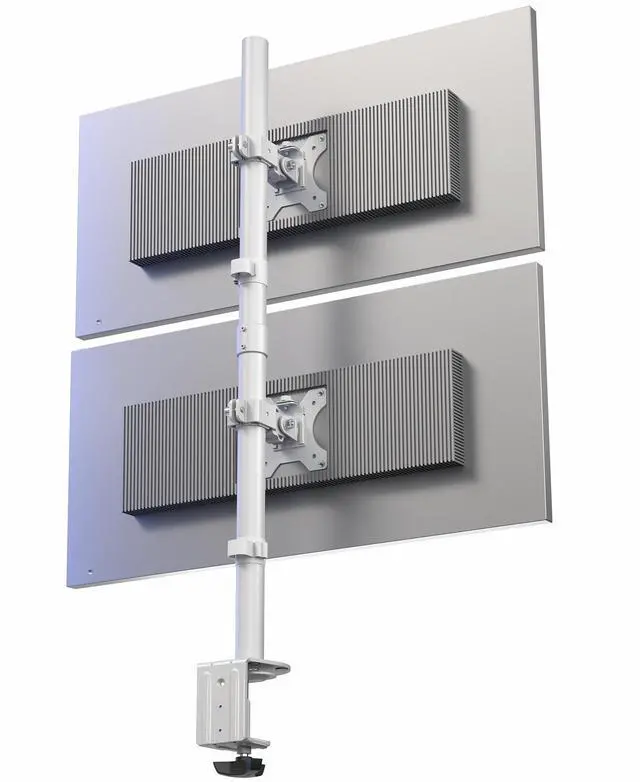
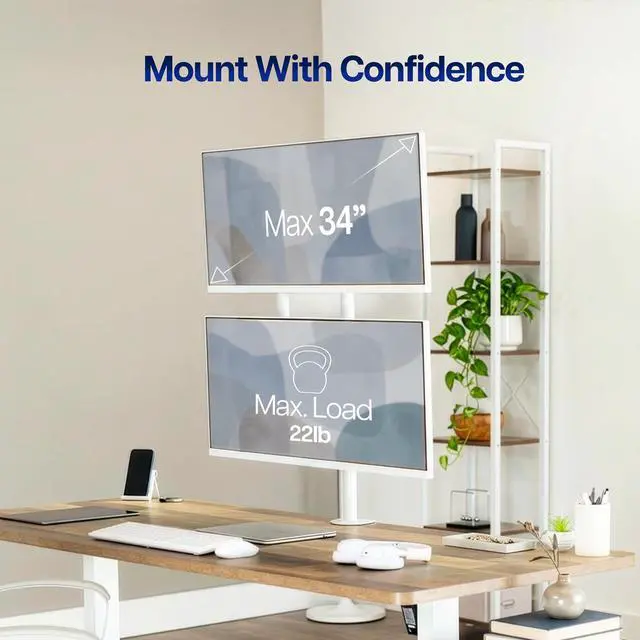
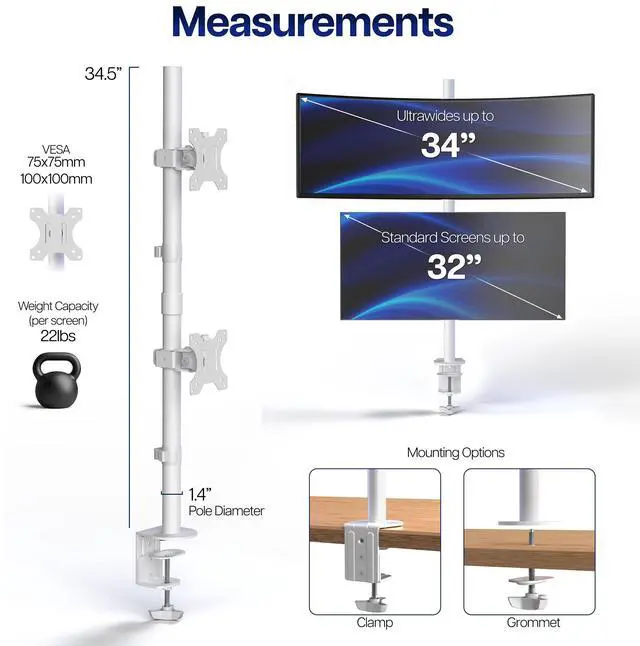
- Ultrawide Compatibility: Dual vertically stacked monitor mount fitting two ultra-wide screens 13 to 34 in size and up to 22 lbs in weight (each) with VESA 75x75mm or 100x100mm mounting holes
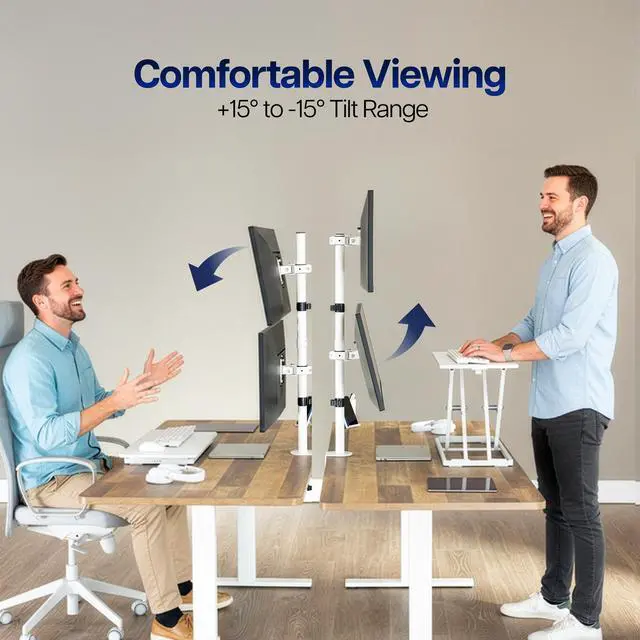
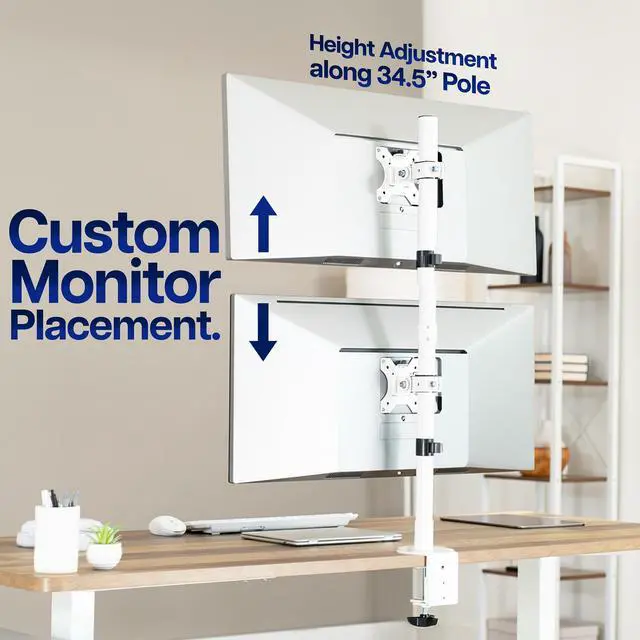
- Articulation and Height Adjustment: Adjustable mount offering +15° to -15° tilt, 360° swivel, 360° rotation, and height adjustment along the center pole for optimal viewing angles. Monitors can be placed in portrait or landscape orientation
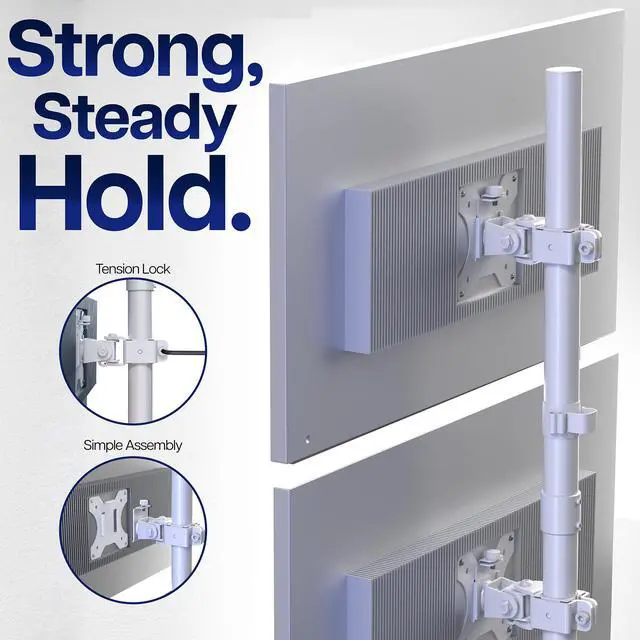
- Simple Installation: Mounting your monitors is a simple process with detachable VESA bracket plates. We provide the hardware and instructions for easy assembly
- Integrated Cable Management: Keep your power and AV cables clean and organized with detachable cable clips on the center pole
- Drill-Free Mounting: This product secures to your surface of choice up to 3.25" thick via a heavy-duty C-clamp, or use the equally sturdy optional grommet mount to suit your preferred layout
Any questions? Ask CelesteSM will help you find out quickly.
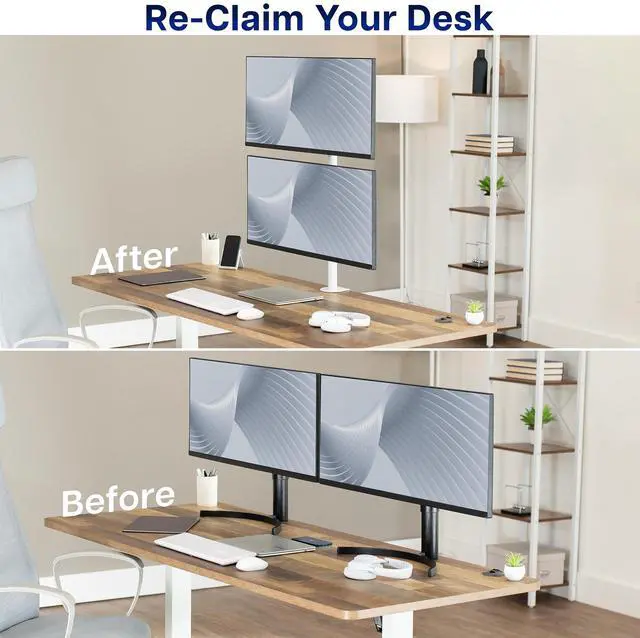
Clear up desk space by consolidating 2 ultrawide monitors on a single stand in a vertically stacked array with the White Dual Monitor Extra Tall Desk Mount (STAND-V002TW) from VIVO! Features include smooth articulation for comfortable viewing angles, integrated cable management for neatly routed cords, and height adjustment along the center pole for customized screen placement. Made of high-grade steel and aluminum, this stand fits most regular and ultrawide monitors 13" to 34" in size and up to 22 lbs in weight. Every joint is able to be tightened, so you can make your screen setup as fluid or stationary as desired.
Compatibility
- Screen Sizes: 13" to 34"
- VESA Standard: 75x75mm and 100x100mm
- Mounting Options: Heavy Duty C-clamp, Grommet
- Maximum Desktop Thickness: 3.25"
- Weight Capacity: 22 lbs per screen
Specifications
- Color: White
- Material: Aluminum, Steel, Plastic
- Pole Height: 34.5"
- Pole Diameter: 1.4"
- Articulation: +15° to -15° tilt, 360° swivel, 360° rotation
- Height Adjustment: Provided along the center pole
- Screen Orientation: Portrait or Landscape
Warranty & Returns
Warranty, Returns, And Additional Information
Warranty
- Please contact the Seller directly for warranty information. Warranty information may also be found on the Manufacturer's website.
- CONTACT
Return Policies
- Return for refund within: 30 days
- Return for replacement within: 30 days
- This item is covered by VIVO Return Policy
Manufacturer Contact Info
- For a directory of all our manufacturers, please click below.
- Manufacturers Directory
The VIVO White Dual LCD Monitor Desk Mount is a vertically stacked stand for two 13–34-inch monitors weighing up to 22 lb each, suited to users who want to arrange compatible screens above one another on a desk.
Recommended For
- Desk-based users who want two monitors stacked vertically to free up side-to-side workspace, including setups with two ultrawides that fit the mount’s compatibility limits.
- People building a fixed stacked setup—such as a main screen below and a secondary screen above—who value a compact pole mount over the frequent, fluid repositioning of separate monitor arms.
- Home-office or gaming users pairing a large lower monitor with a smaller upper monitor; owners report using VIVO’s vertical mount with mixed-size screens, including 27-inch and 34-inch combinations.
- Users who want a desk-mounted stacked arrangement close to the wall and do not need the screens to swing freely around the desk.
Real-World Use Scenarios
- When a desk is too narrow for two monitors side by side, stack the displays to keep a main screen centered while using less horizontal space; the tradeoff is that the upper screen is best for occasional viewing.
- For research or office work, keep the primary task on the lower screen and place reference material, messages, or a calendar on the upper one; this lets users check supporting information without keeping both screens side by side.
- For gaming or watching video while keeping a work display available, use one screen for the game or video and the other for work or supporting apps; users report that this is most useful when the upper screen does not need constant attention.
- For a desk-based setup with two ultrawide displays, the mount can consolidate them into a vertical arrangement, leaving more of the desk surface open; this suits users who prefer screens above and below rather than spread across the desk.
- For long work sessions, position the lower display for the main task and reserve the upper display for brief checks: frequent upward viewing may feel uncomfortable for some users, so this layout is less suited to reading or working on both screens continuously.