Meet Your Seller
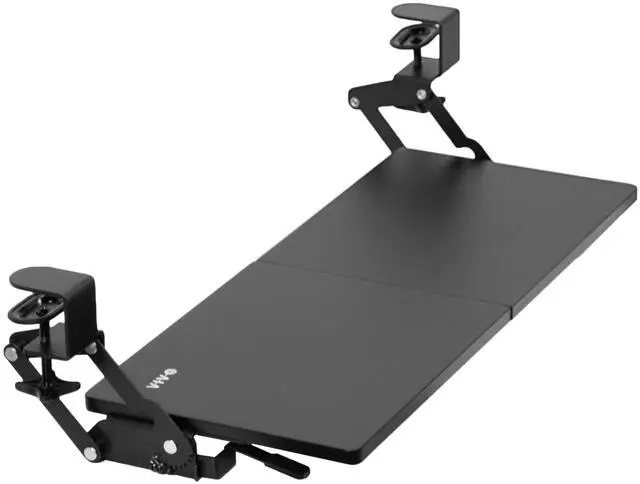
VIVO Black Clamp-on Under Desk Keyboard Tray with Swinging Height Adjustment
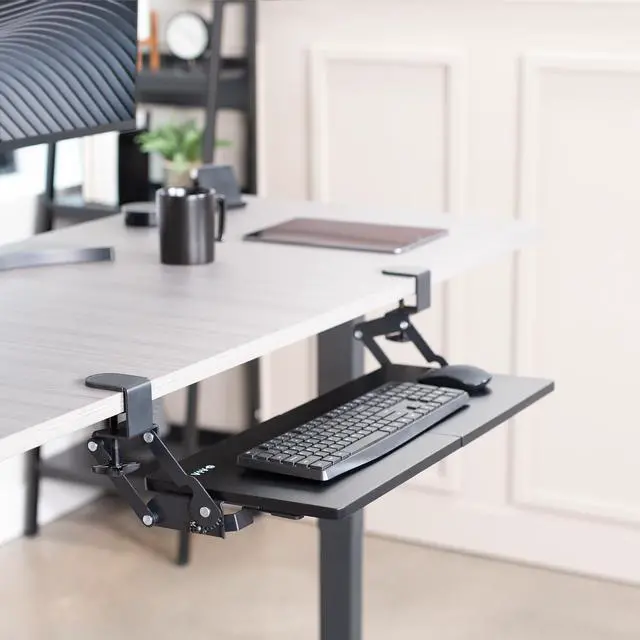
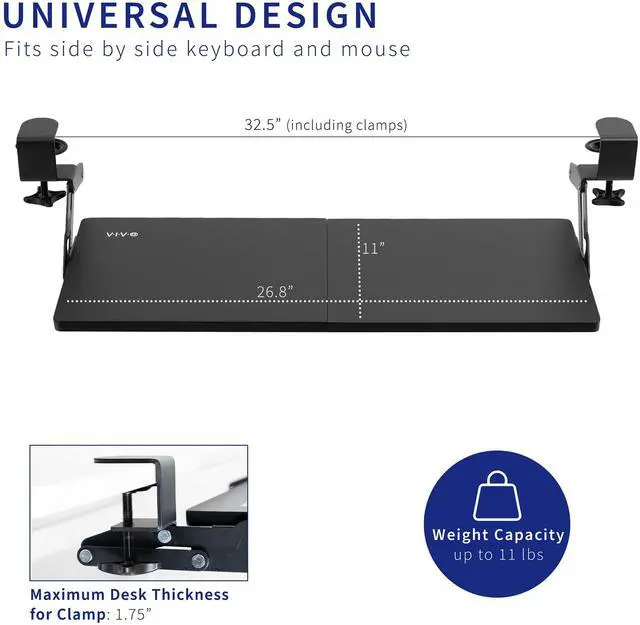
- Save Desk Space: This 26.8" (32.5" including clamps) x 11" ergonomic keyboard tray clamps to the edge of your desk (up to 1.75" thick), holding your keyboard and mouse below the desktop for added workspace --Patent Pending--
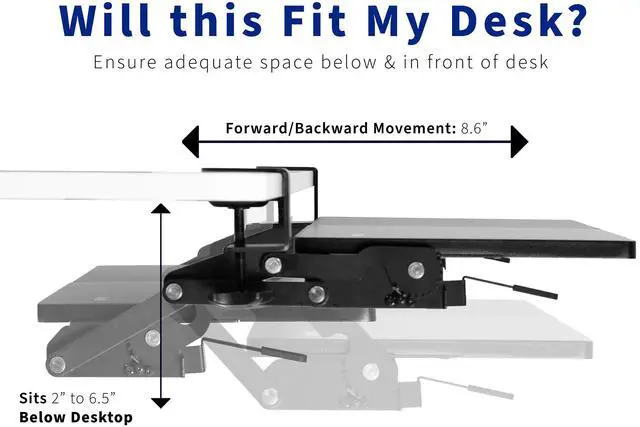
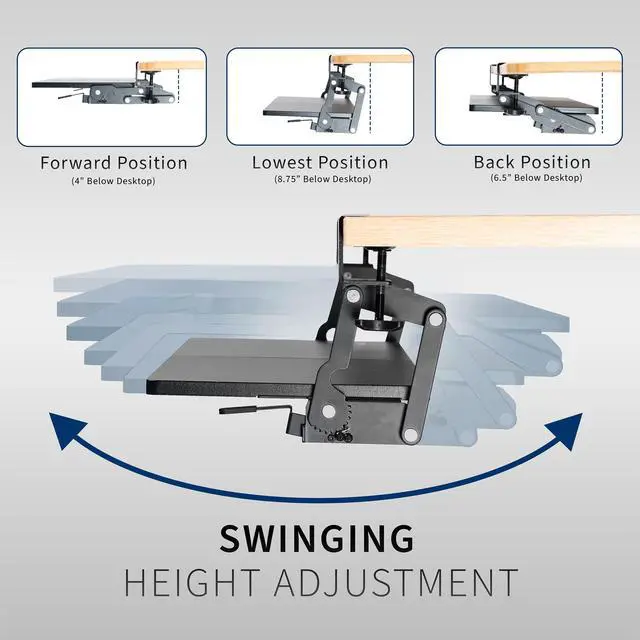
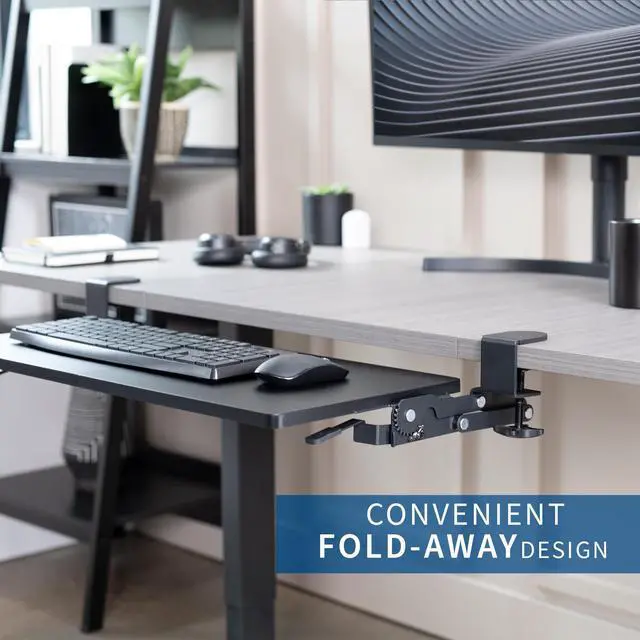
- Swing Design for Comfortable Typing Angles: Move the tray forward or backward a total of 8.6" to find the most comfortable typing angle. The total swinging range is 165° and operates without the use of tools
- Height Adjustment: Adjust the distance between your tray and the desktop (2" to 6.5") with the simple 12-step locking system. This encourages ergonomic posture and accommodates thicker table tops
- Weight Compatibility: The tray weighs 9 lbs and can hold up to 11 lbs. Please make sure your desk can support this weight before purchasing
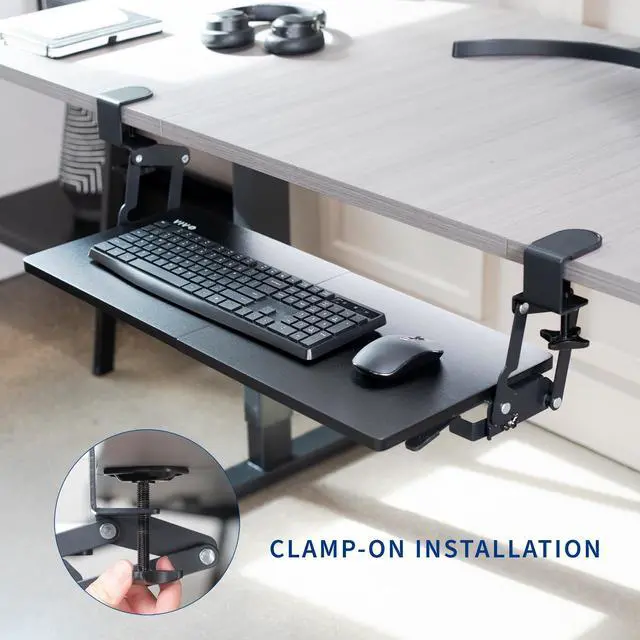
- Simple Assembly Process: Hardware and instructions are provided for fast and easy assembly, and the heavy-duty C-clamps attach to desktops up to 1.75" in thickness without causing any damage to your table surface
Any questions? Ask CelesteSM will help you find out quickly.
Save desk space and enjoy comfortable typing angles with the Black Clamp-on Keyboard Tray with Swinging Height Adjustment (MOUNT-KB08V) from VIVO! Enhance your typing posture by placing your keyboard tray below the desk surface, and enjoy swinging forward and backward motion as well as 12-step locking height adjustment. When not in use, simply swing the tray under the desk and out of the way. This product comes in a modern black color to complement a variety of work and home environments. Getting your keyboard tray assembled is a breeze, and heavy-duty C-clamps secure to your desktop for damage-free installation.
Compatibility
- Universal Design: Fits most keyboards and mice on the market
- Maximum Desktop Thickness: 1.75
- Item Weight: 9 lbs
- Weight Capacity: 11 lbs
Specifications
- Color: Black
- Material: Particle Board, Steel
- Tray Dimensions: 26.8 (32.5 including clamps) x 11 x 0.6
- Height Adjustment: 2 to 6.5 below the desktop
- Forward/Backward Movement: 8.6
- Swinging Range: 165°
- Step Locking System: 12 Positions
Warranty & Returns
Warranty, Returns, And Additional Information
Warranty
- Please contact the Seller directly for warranty information. Warranty information may also be found on the Manufacturer's website.
- CONTACT
Return Policies
- Return for refund within: 30 days
- Return for replacement within: 30 days
- This item is covered by VIVO Return Policy
Manufacturer Contact Info
- For a directory of all our manufacturers, please click below.
- Manufacturers Directory
The VIVO Black Clamp-on Under Desk Keyboard Tray is an adjustable, space-saving tray for desk users who want to move their keyboard and mouse below the desktop, with tool-free swinging and 12-step height adjustment.
Recommended For
- Desk workers who want to free up desktop space can tuck the keyboard and mouse below the desk, then swing the tray away when they are not typing.
- People setting up a home or office desk without drilling can use the C-clamps to attach the tray to a compatible desktop.
- Users who need to fine-tune keyboard position can choose among 12 height settings and swing the tray forward or backward to adjust their typing position.
- Compact desk users who want a below-desk spot for a standard keyboard and mouse can use the 26.8-by-11-inch tray while keeping the desktop clearer.
Real-World Use Scenarios
- When a home-office desk is crowded with a monitor, notebook, and other work items, the user can move the keyboard and mouse onto the under-desk tray, freeing the desktop for other tasks.
- During long typing sessions, a user can set the keyboard tray below the desktop and adjust its height to find a typing position that better fits their desk and seated posture.
- When the user needs the desktop clear for writing or another task, the tray can be swung beneath the desk and moved out of the working area.
- For a desk that cannot be drilled into, such as a rental or finished work surface, the user can attach the tray with its clamps and add a keyboard-and-mouse surface without screw-mounting it to the desk.
- If the user's preferred keyboard position changes, they can move the tray forward or back and adjust its height, then lock it into a position that feels more comfortable for their setup.