• $59.99
  • Free 30-day Returns
  • Sold by Direct from manufacturerVIVO
    Top Rated
    4.7 (2,010 seller ratings)

    Shipped by Direct from manufacturerVIVO

    Price alert
    Shop it at NeweggBusiness.

    Meet Your Seller

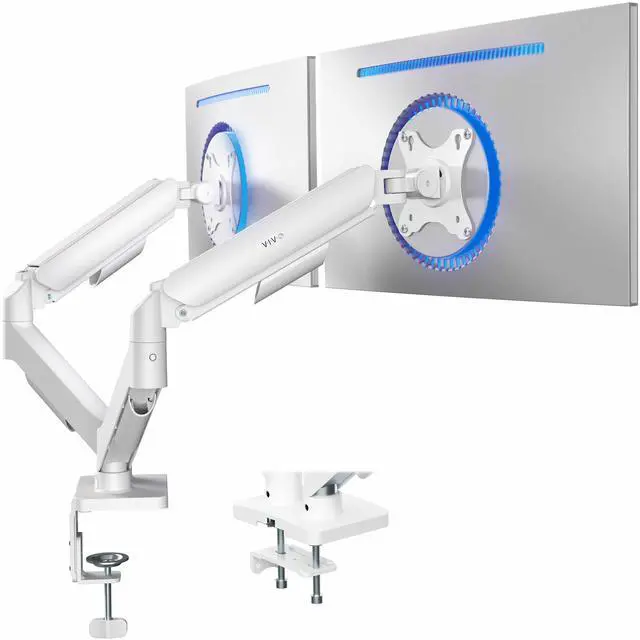
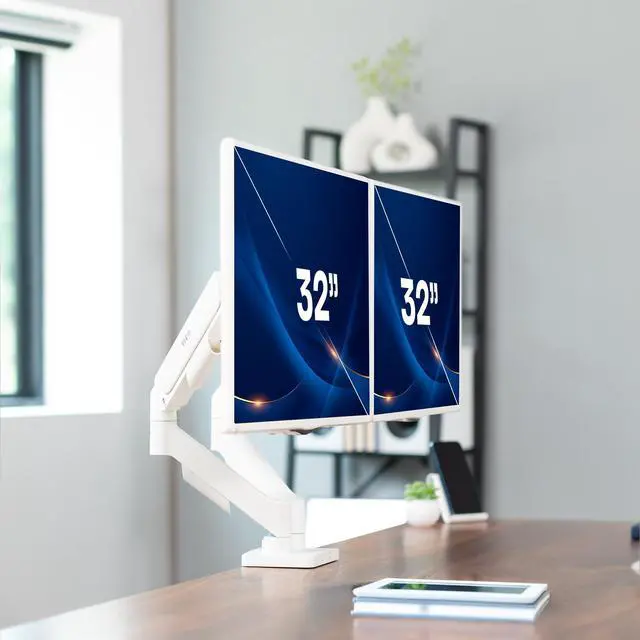
    VIVO Dual Monitor Mechanical Spring Desk Mount Fits Computer Screens up to 32"

    • Black
    • White
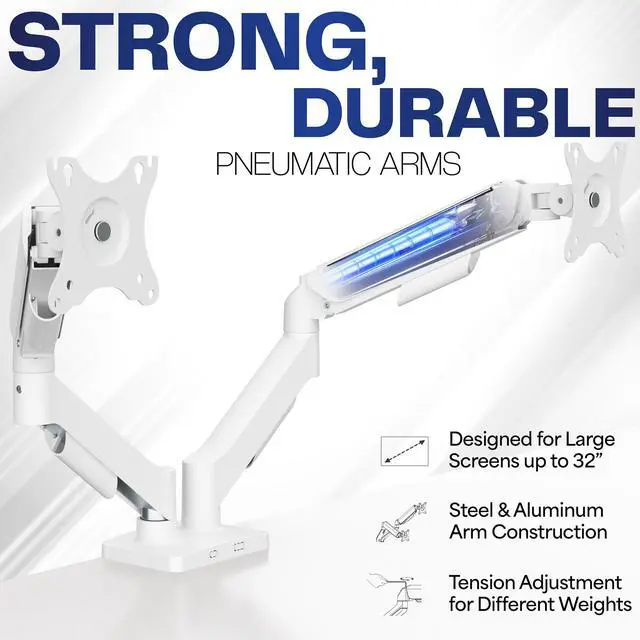
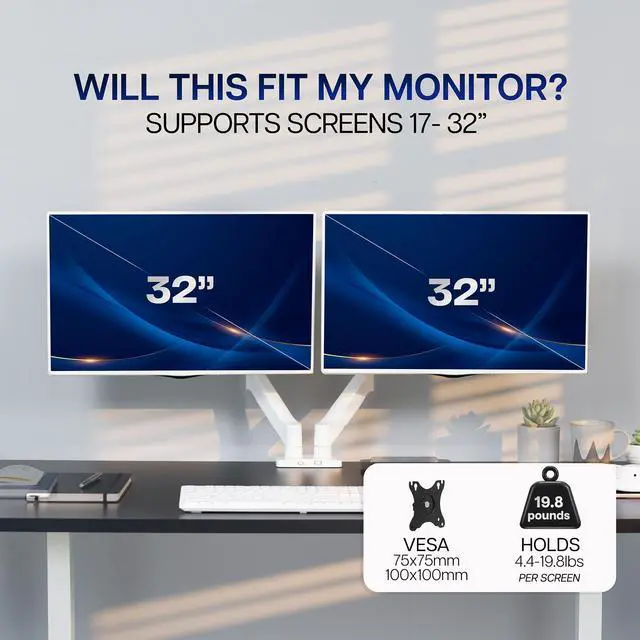
    • Screen Compatibility: Universally compatible with most 17-inch to 32-inch flat and curved screens weighing from 4.4 lbs to 19.8 lbs each with VESA 75x75mm or 100x100mm mounting patterns
    • Mechanical Spring Adjustment: Toolless monitor placement with perfect counterbalance presentation in all directions. Please Note: The back of the arms will extend past the edge of your desk
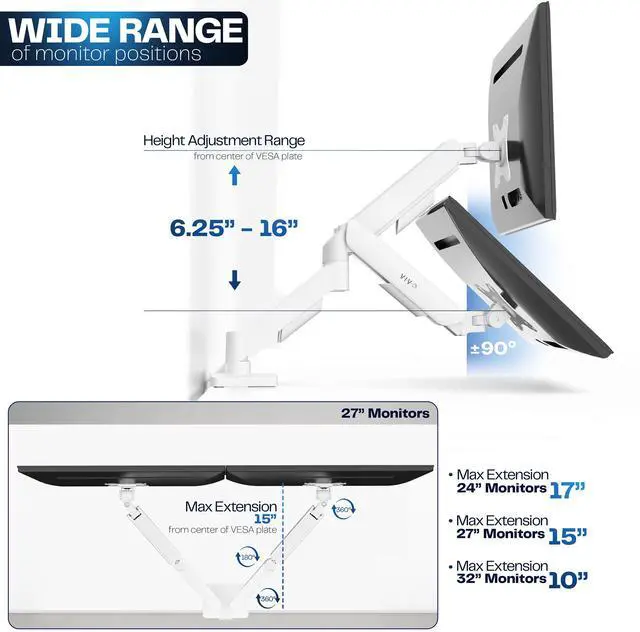
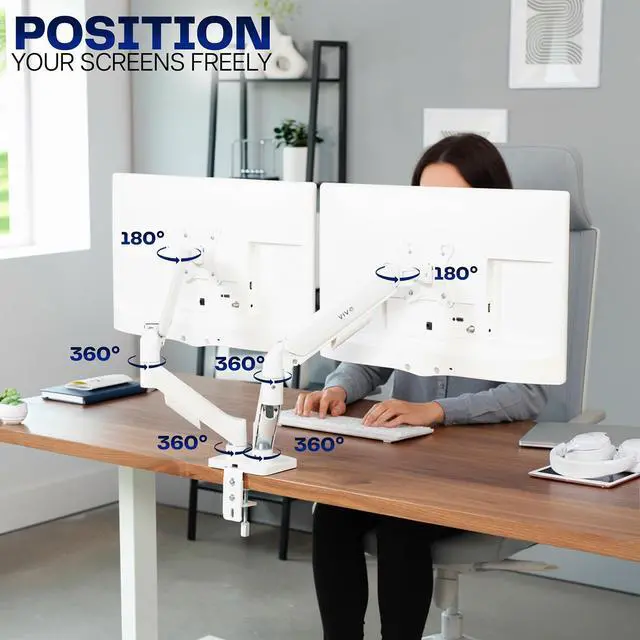
    • Articulation: The mounting brackets offer +90° to -90° tilt, 180° swivel, and 360° rotation for convenient, customizable viewing angles
    • Easy Assembly: All hardware and step-by-step instructions are provided for smooth assembly. The open-top VESA plates create easy slide-on monitor installation
    • Clear Up Desk Space: Reclaim valuable desk space by elevating 2 screens and mounting this stand to your surface of choice with the heavy-duty C-clamp (tops up to 3.1") or optional bolt-through grommet mount (tops up to 1.9")
    +
    +
    Overview
    Specs
    Reviews (7)

    Any questions? Ask CelesteSM will help you find out quickly.

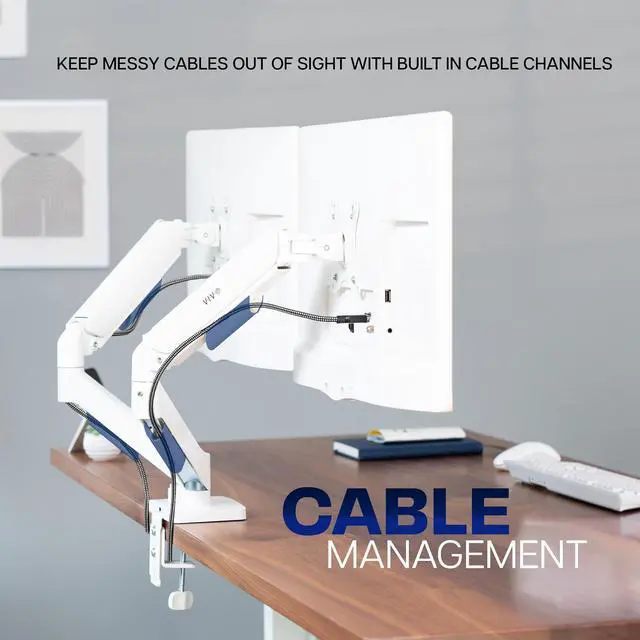
    Elevate your monitors to an ergonomic height and adjust viewing angles with just the touch of a hand with the White Mechanical Arm Dual Monitor Desk Mount (STAND-V002OW) from VIVO! Supporting 17" to 32" monitors weighing up to 19.8 lbs each, this counterbalance mount provides simple height adjustment without the use of tools. Featuring high-quality construction, flexible joints, integrated cable management, sturdy clamp or grommet mounting, and more, this stand is ready to transform your workspace!

    Compatibility

    • Screen Sizes: 17" to 32"
    • VESA Standard: 75x75mm and 100x100mm
    • Desktop Thickness for Clamp: 0.4" to 3.1"
    • Desktop Thickness for Grommet: 0.4" to 1.9"
    • Weight Capacity: 4.4 lbs to 19.8 lbs per arm

    Specifications

    • Color: White
    • Material: Aluminum, Steel, Plastic
    • Surface Finish: Powder Coating
    • Arm Span: 33"
    • Maximum Screen Height: 16 (center screen)
    • Maximum Extension: 19.75
    • Articulation: +90° to -90° tilt, 180° swivel, and 360° rotation
    • Height Adjustment: 6.25" to 16"
    • Screen Orientation: Portrait or Landscape

    Warranty & Returns

    Warranty, Returns, And Additional Information

    Warranty

    • Please contact the Seller directly for warranty information. Warranty information may also be found on the Manufacturer's website.
    • CONTACT

    Return Policies

    • Return for refund within: 30 days
    • Return for replacement within: 30 days
    • This item is covered by VIVO Return Policy

    Manufacturer Contact Info

    LOADING...

    The VIVO Dual Monitor Mechanical Spring Desk Mount is a space-saving desk stand for people who want to raise and independently position two 17–32-inch monitors, provided each screen weighs 4.4–19.8 lb and has a 75x75mm or 100x100mm VESA pattern.

    Recommended For

    • People who work across two monitors and want to position each screen independently for side-by-side tasks such as comparing documents, keeping reference material visible, or monitoring a second application.
    • Desk users who want to lift two monitors off the work surface to make more room for a keyboard, papers, or other equipment.
    • People who need to change screen height or viewing angle during the day; the spring arms allow tool-free repositioning, with tilt, swivel, and screen rotation.
    • Users with two compatible monitors who want a clamp-on or grommet-mounted setup instead of two separate monitor stands.

    Real-World Use Scenarios

    • For a home-office workflow, keep email or a video call on one screen while working on documents or spreadsheets on the other; raising both displays frees desk surface for a keyboard, notebook, or other essentials.
    • For coding or research, use one screen for the main task and rotate the second to portrait for code, long documents, or reference material; the adjustable arms help set each screen’s viewing angle.
    • For a gaming setup, keep a game on the primary display and a guide, chat, or streaming controls on the second; positioning both screens on arms leaves more of the desk clear for peripherals.
    • When switching between seated tasks or users, reposition the screens by hand and adjust their height or angle without tools, helping make a shared desk easier to set up for different viewing preferences.
    • For a compact workstation, clamp the mount to the rear of a compatible desk instead of using two individual monitor bases; allow room behind the desk because the arms extend past its edge.