Meet Your Seller
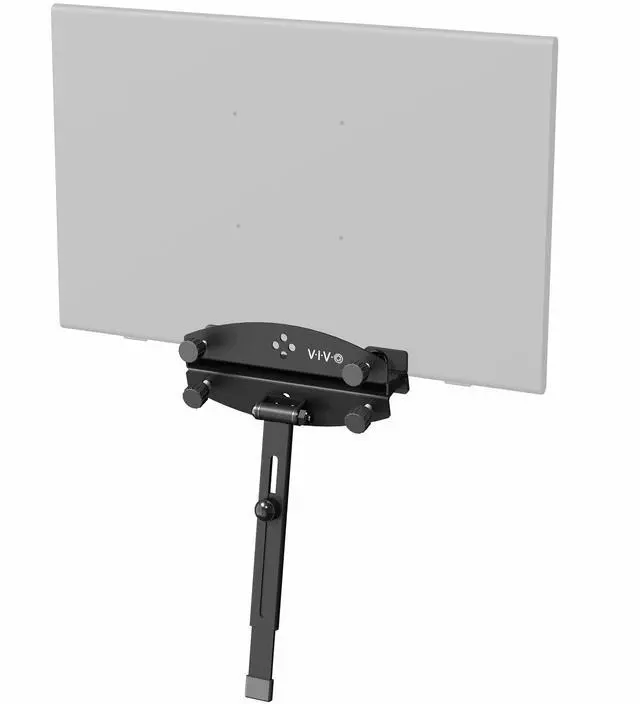
VIVO Universal Portable Computer Monitor Holder for Laptop Extension Holder Only
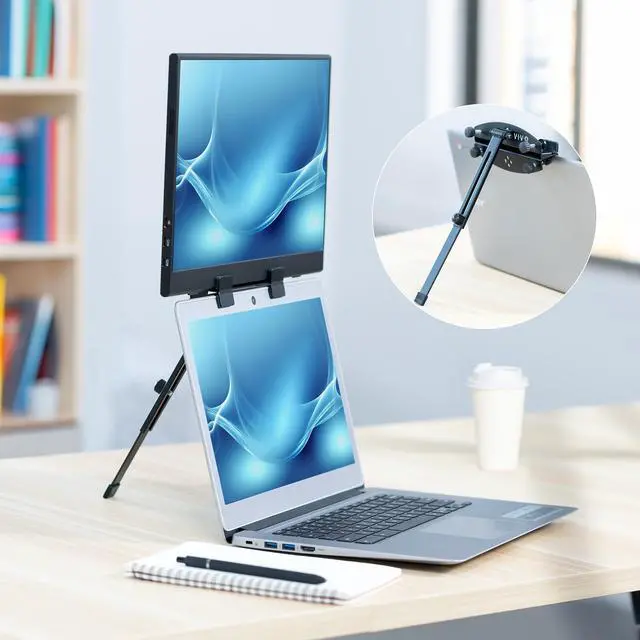
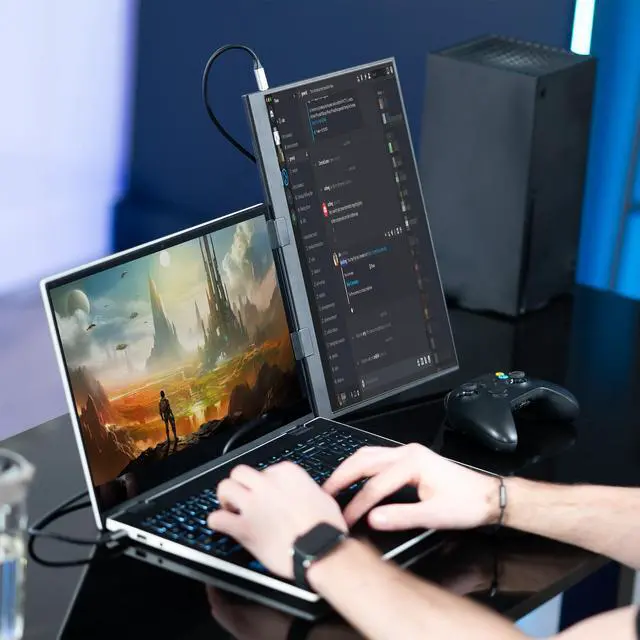
- Laptop Extension Holder: Expand your laptop work capability by attaching a portable monitor (not included) directly to your laptop, extending your screen space and boosting your productivity with a dual-screen setup.
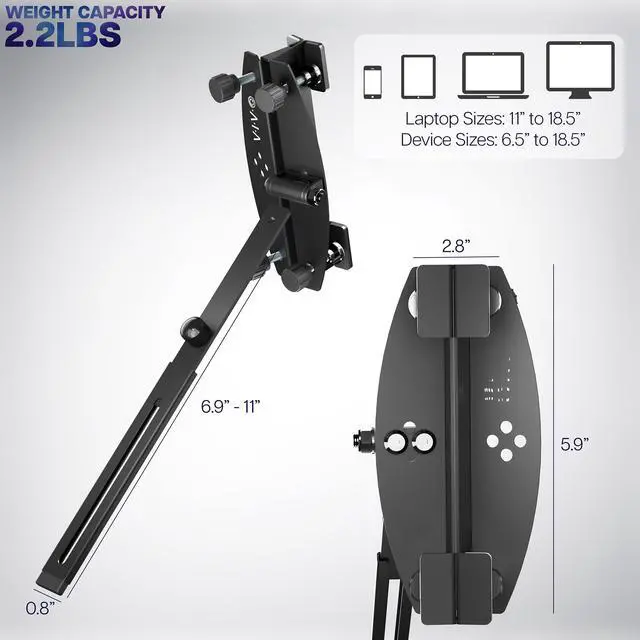
- Compatible Device Sizes: This mount secures to laptops 11 to 18.5 in size and holds devices 6.5 (larger phones) to 18.5 (larger portable monitors) for seamless screen expansion.
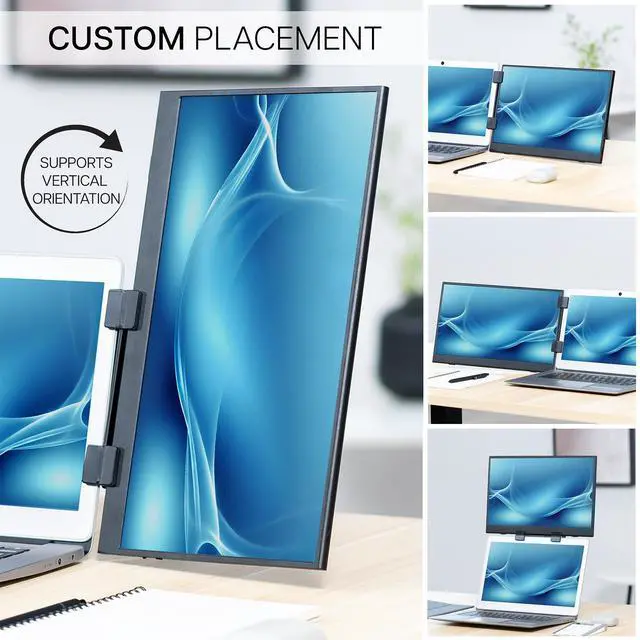
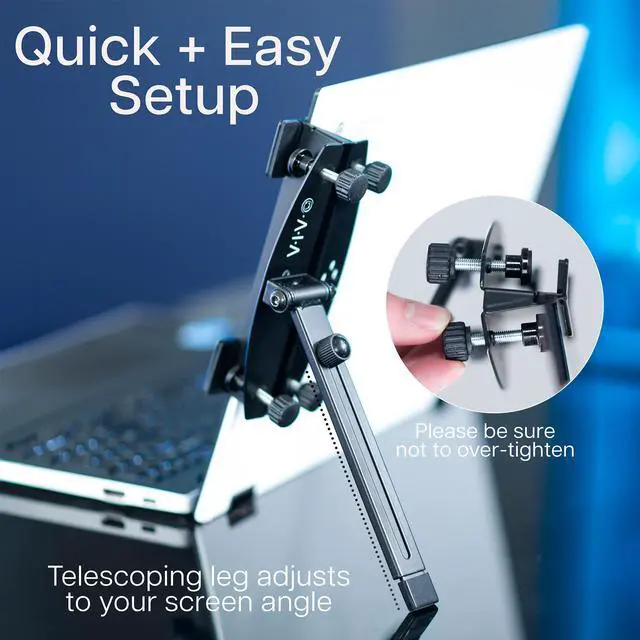
- Configuration Options: Mount your portable monitor on top of a laptop, to the right of a laptop, or to the left of a laptop to suit your preference. Thumbscrews are provided to tighten the monitor holder, and the support leg is adjustable with a telescoping design.
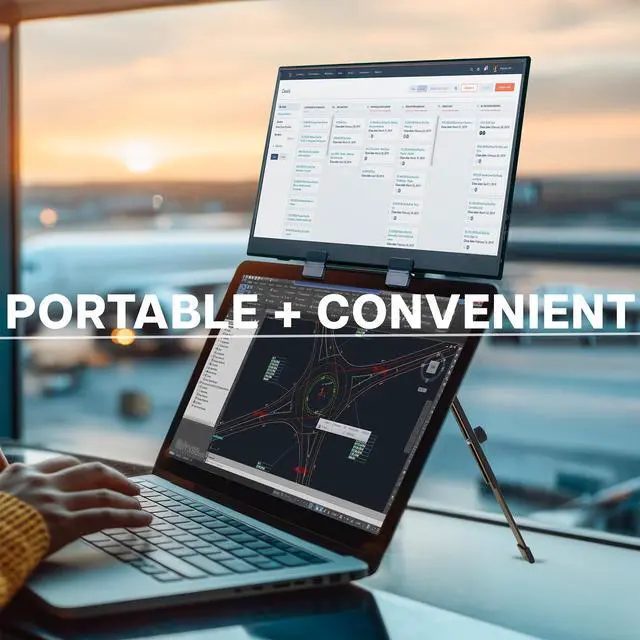
- Easily Portable: Folding design makes this mount easy to transport and use in different locations. Perfect for working from home or travel!
- Simple Assembly: Attach the monitor holder to the support leg with the provided hardware, and use the thumbscrews to adjust as necessary.
Any questions? Ask CelesteSM will help you find out quickly.
Its time to enhance your workflow with the Portable Monitor Holder for Laptop Extension (STAND-PM01A) from VIVO! This innovative mount secures directly to your laptop (up to 18.5) and holds devices spanning from large phones to large portable monitors above your screen, to the left of your screen, or to the right of your laptop for 3 configuration options! The folding, lightweight design is perfect for working from home or traveling, giving you the productivity boost of a dual-screen setup in any location!
Compatibility
- Laptop Sizes: 11 to 18.5
- Device Sizes: 6.5 (larger phones) to 18.5 (larger portable monitors)
- Maximum Device Thickness: 0.6
- Weight Capacity: 2.2 lbs
Specifications
- Color: Black
- Material: Steel, Plastic
- Mounting Options: On Top of Laptop, To Right of Laptop, To Left of Laptop
- Extension Leg Dimensions: (6.9 to 11) x 0.8 x 0.2
- Extension Leg Rotation: 225°
- Monitor Holder Dimensions: 5.9 x 2.8 x 1.8
- Monitor Holder Clamp Adjustment: 0 to 0.6
Warranty & Returns
Warranty, Returns, And Additional Information
Warranty
- Please contact the Seller directly for warranty information. Warranty information may also be found on the Manufacturer's website.
- CONTACT
Return Policies
- Return for refund within: 30 days
- Return for replacement within: 30 days
- This item is covered by VIVO Return Policy
Manufacturer Contact Info
- For a directory of all our manufacturers, please click below.
- Manufacturers Directory
The VIVO Universal Portable Computer Monitor Holder is a folding laptop attachment for adding a portable monitor above, to the left, or to the right of a compatible laptop, making it suitable for people who want a flexible dual-screen setup at home or while traveling; the monitor is sold separately.
Recommended For
- Remote and hybrid workers who move between work locations and want to add a compatible portable monitor to a laptop-based setup without bringing a separate desk stand.
- Laptop users who regularly keep reference material, chat, or work documents visible alongside their main screen and want to position a portable display above, to the left, or to the right of the laptop.
- Traveling professionals or students who already own a compatible portable monitor and want a folding holder for creating an extra-screen setup away from a permanent desk.
- Users who want flexible screen placement for a compact laptop workstation, since the holder supports above-laptop, left-side, and right-side configurations.
Real-World Use Scenarios
- At a hotel or temporary worksite, attach a compatible portable monitor (sold separately) beside the laptop to keep email or chat visible while working on a document; the extra screen can reduce switching between windows.
- When working across a spreadsheet and reference material, place the portable screen to the left or right of the laptop so both can stay visible; this can make comparing information or moving data between apps more convenient.
- For remote work in a shared space, keep a call or class on one display while using the other for notes or work; a second screen can help keep both activities in view without taking over the laptop display.
- At a compact home-office desk, position the portable monitor above or beside the laptop to add screen space without setting up a separate full-size monitor stand; the mounting position can be chosen to suit the available workspace.
- For someone who works in different locations during the week, fold and carry the holder with a compatible portable monitor, then set up a two-screen workspace where needed; the holder itself does not include a monitor.


![AOACE Gaming PC AMD Ryzen 7 5700X [8-Core 4.6GHz], RTX 5060 8GB GDDR7, DLSS 4, VR Ready, WiFi 6E, 32GB DDR4, 1TB PCIe4 NVMe, 6 ARGB, Win11 Home AOACE Gaming PC AMD Ryzen 7 5700X [8-Core 4.6GHz], RTX 5060 8GB GDDR7, DLSS 4, VR Ready, WiFi 6E, 32GB DDR4, 1TB PCIe4 NVMe, 6 ARGB, Win11 Home](https://c1.neweggimages.com/ProductImageCompressAll100/C545S2607150J6GDT09.jpg)