• $69.99
  • Free 30-day Returns
  • Sold by Direct from manufacturerVIVO
    Top Rated
    4.7 (2,010 seller ratings)

    Shipped by Direct from manufacturerVIVO

    Price alert
    Shop it at NeweggBusiness.

    Meet Your Seller

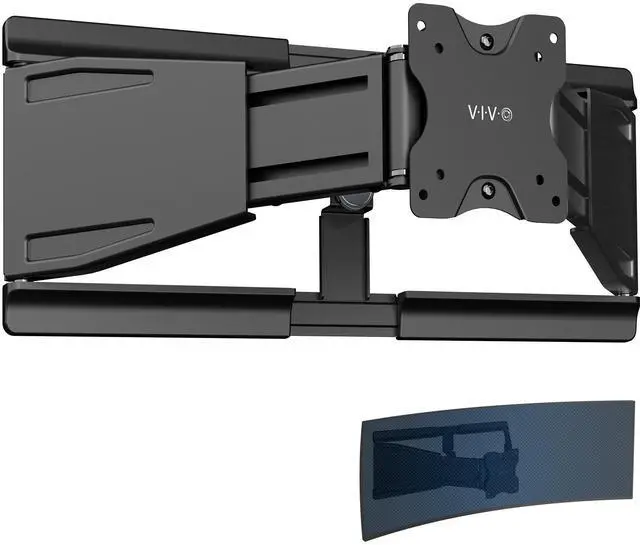
    VIVO Low Profile Telescoping Ultrawide Monitor Wall Mount for Up to 49" Screens

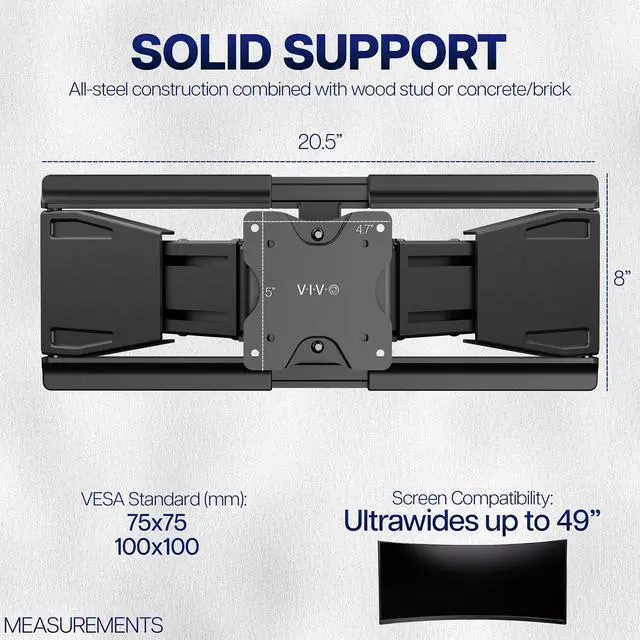
    • Low Profile Ultrawide Wall Mount: Holds ultra-wide monitors up to 49 in size and 44 lbs in weight with VESA 75x75mm or 100x100mm mounting patterns
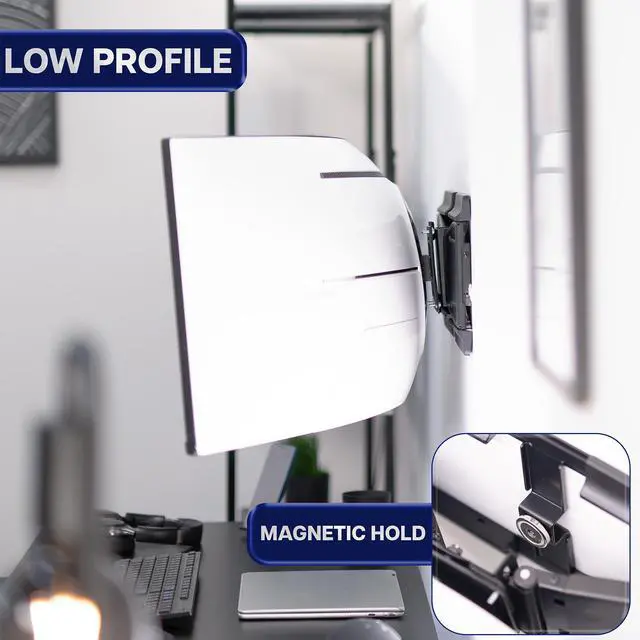
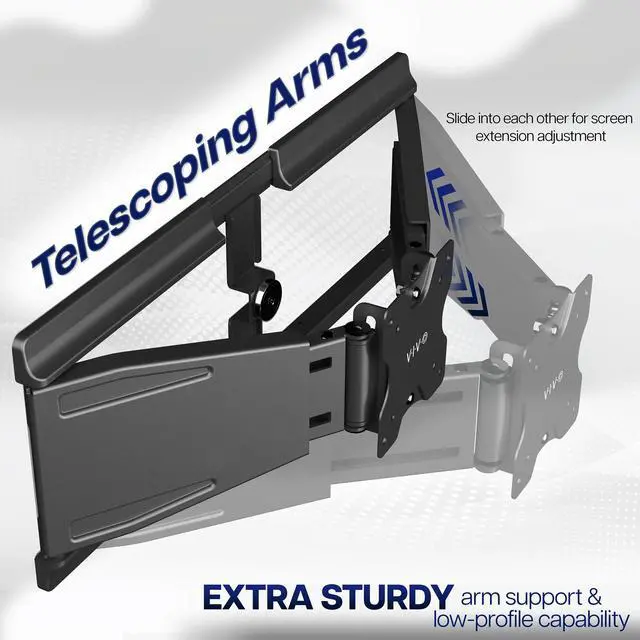
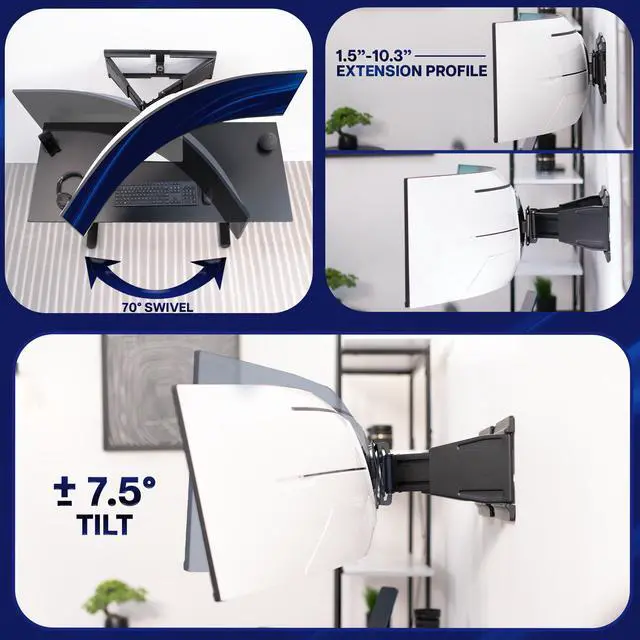
    • Telescoping Arms: Designed to slide into each other for screen extension adjustment (1.5 to 10.3), creating extra sturdy arm support and low-profile capability
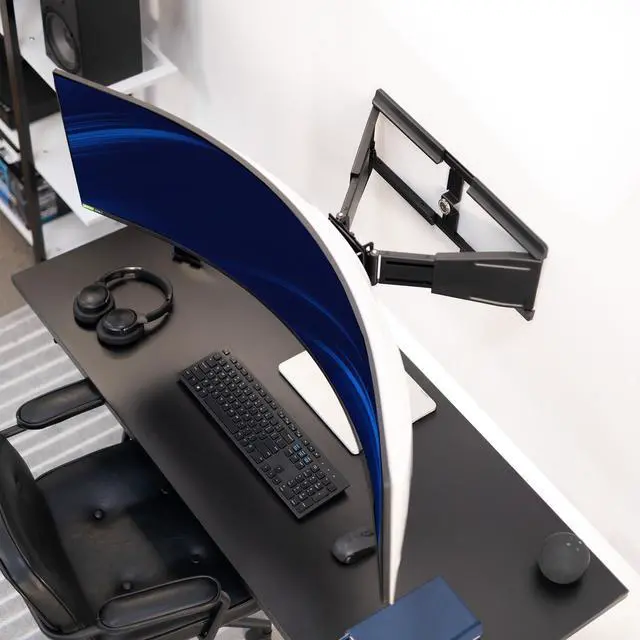
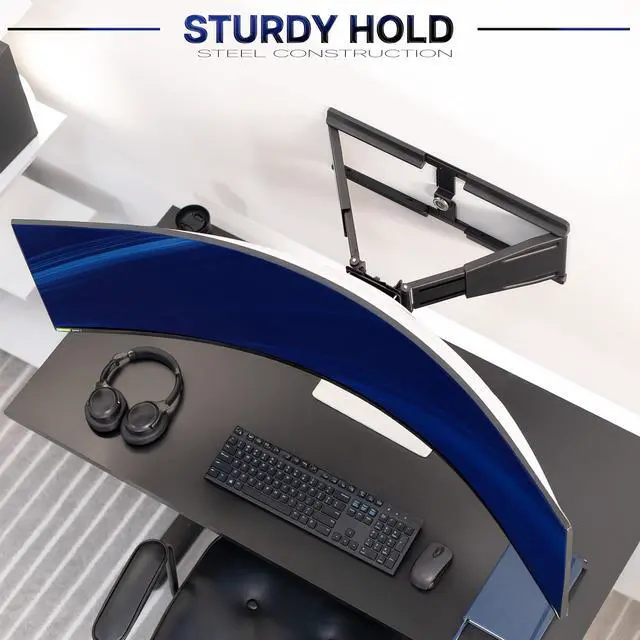
    • Solid Support: All-steel construction combined with wood stud or concrete/brick installation holds large monitors safely above the desk for an ergonomic, space-saving setup
    • Screen Articulation: Features +7.5° to -7.5° tilt, 70° swivel (range decreases as the arms are compressed), and 8° rotation for comfortable viewing angles, glare reduction, and screen leveling
    • Minimal Assembly: This VESA wall mount comes pre-assembled with cable clips and mounting hardware included in the package. The detachable VESA plate makes screen installation a smooth process
    +
    +
    Overview
    Specs
    Reviews

    Any questions? Ask CelesteSM will help you find out quickly.

    Experience a seamless large-screen setup with the Low Profile Telescoping Ultrawide Monitor Wall Mount (MOUNT-VWLP2) from VIVO! This solid steel mount installs to wood studs and concrete/brick walls for a secure hold, easily supporting large screens up to 49 in size and 44 lbs in weight. The telescoping arms slide into each other for smooth screen extension that accommodates the weight of larger screens, providing the support they need while maintaining the flexibility you want. All hardware and instructions are provided so you can enjoy a space-saving monitor wall setup in no time!

    Compatibility:

    • Screen Sizes: Up to 49 Ultrawides
    • Screen Types: Curved and Flat
    • Installation Options: Wood Stud, Brick/Concrete
    • VESA Standard: 75x75mm and 100x100mm
    • Weight Capacity: 8 lbs to 44 lbs

    Specifications:

    • Color: Black
    • Material: Steel, Plastic
    • Extension (Profile): 1.5 to 10.3
    • Wall Bracket Dimensions: 20.5 x 8 x 0.7
    • Telescoping Arm Adjustment: 4 (per arm)
    • Articulation: +7.5° to -7.5° tilt, 70° swivel (range decreases as the arms are compressed), 8° rotation

    Warranty & Returns

    Warranty, Returns, And Additional Information

    Warranty

    • Please contact the Seller directly for warranty information. Warranty information may also be found on the Manufacturer's website.
    • CONTACT

    Return Policies

    • Return for refund within: 30 days
    • Return for replacement within: 30 days
    • This item is covered by VIVO Return Policy

    Manufacturer Contact Info

    LOADING...

    The VIVO Low Profile Telescoping Ultrawide Monitor Wall Mount supports compatible ultrawide screens up to 49 inches and 44 pounds, making it suitable for users who want to free up desk space while keeping a large monitor adjustable.

    Recommended For

    • Desktop users with a shallow desk who want to move a large monitor off the desktop and keep it close to the wall.
    • Stationary home-office or gaming setups that want a low-profile wall-mounted ultrawide rather than a desk-clamped monitor arm.
    • Users whose monitor and wall can remain in a fixed position, with only occasional tilt or sliding adjustments needed after installation.
    • Ultrawide owners whose screen fits the mount’s supported size, weight, VESA pattern, and wall-installation requirements.

    Real-World Use Scenarios

    • In a work or gaming setup with a large ultrawide, wall-mounting moves the display off its desk stand, leaving more of the desktop clear for a keyboard, mouse, or other gear.
    • When a desk sits close to the wall, the telescoping arms can be compressed to keep the monitor nearer the wall; extending them provides some clearance for positioning or access behind the screen.
    • For a desk that cannot take a monitor clamp or has limited space behind it, mounting the display to a suitable wall structure keeps the screen supported independently of the desk.
    • After setting the screen in its main position, use the mount’s limited tilt and swivel to make small viewing-angle or leveling corrections; it is better suited to modest adjustments than frequent repositioning.
    • Before installation, check that the wall mounting points allow the screen to sit where you want and that the VESA plate clears the monitor’s recessed mounting area; one VIVO customer reported fit and placement issues with a particular Alienware ultrawide.