Your Browsing History
Meet Your Seller
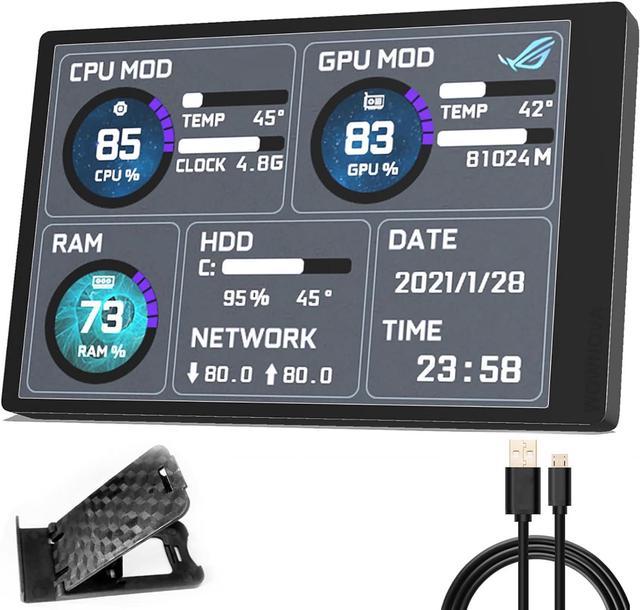
English Version Computer Temp Monitor, PC Sensor Panel Display, PC Temperature Display for PC ARGB Computer Case Secondary Screen, IPS USB Mini Screen PC CPU RAM HDD Data Monitor
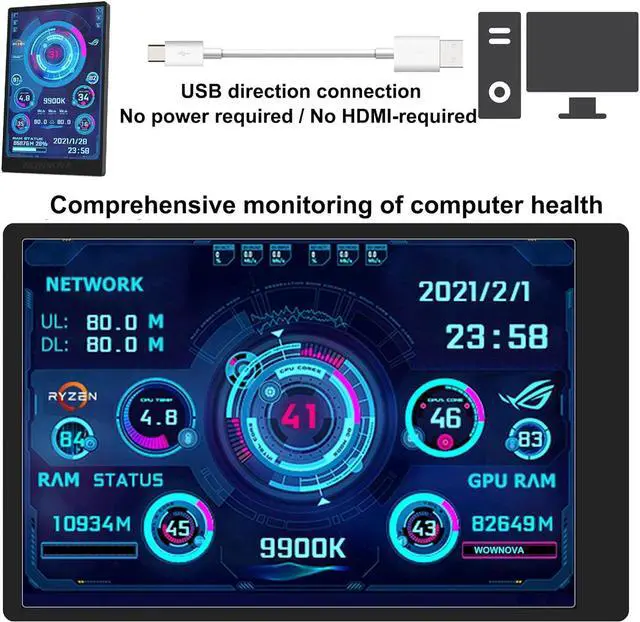
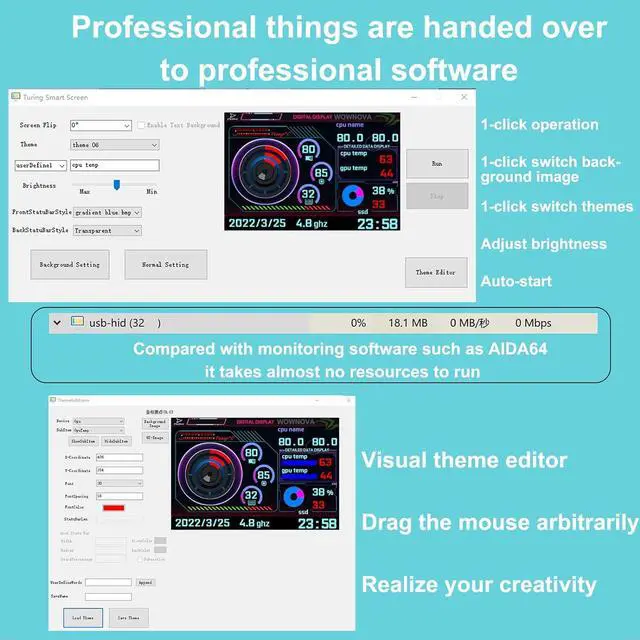
- The PC Temperature Display works creat with our English version software. You can use this with our software as a "second monitor" to view computer's Temperature and usage of CPU, GPU ,RAM and HDD Data etc.
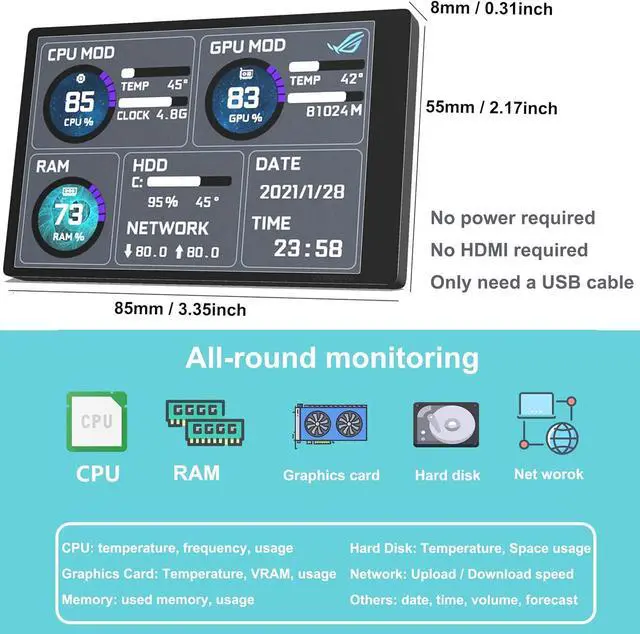
- Our Computer Temp Monitor only needs the single USB-C cable so it can be mounted completely internally off a usb header without the need of a port on the GPU which is a huge plus to you. No HDMI required, no power required.
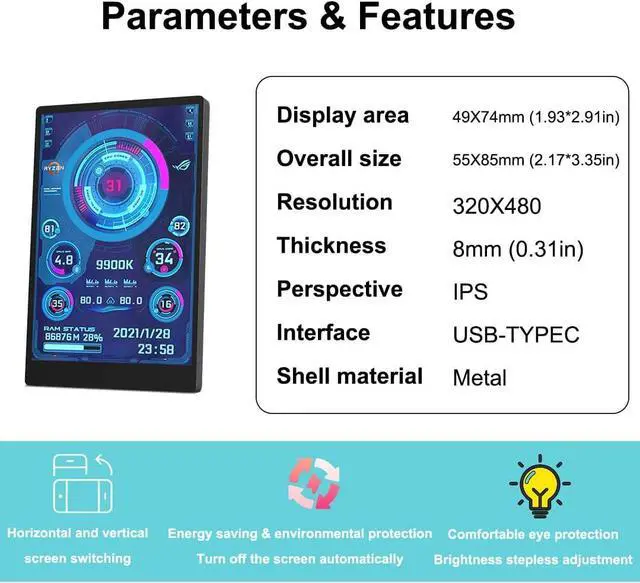
- IPS full view. 3.5inch mini screen. Display area: 1.93*2.91". Overall size: 2.17*3.35". Resolution: 320*480. Thickness: 0.31". Shell material: metal
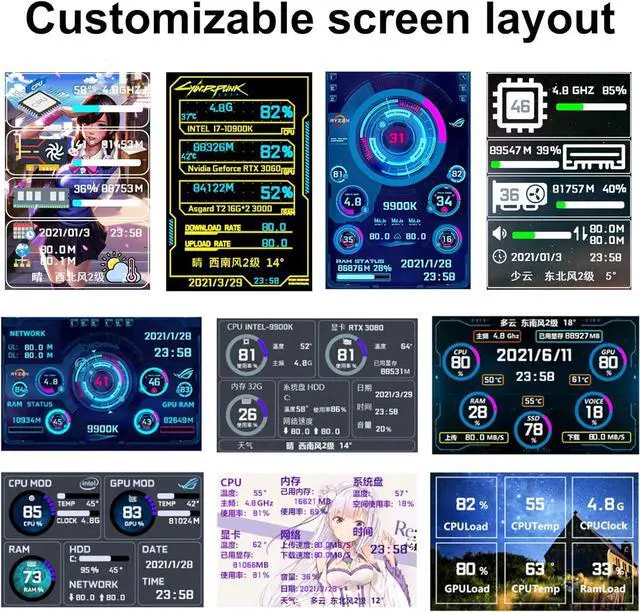
- Customizable screen layout. Horizontal and vertial screen switching. Visual theme editor: drag the mouse arbitarily to realize your creativity. Energy saving & environmental protection. Turn off the screen automatically and Comfortable eye protection Brightness adjustment.
- We respect and value each customer's product and service satisfaction. We want to offer you premium products for a Long-Lasting Experience.
+
+
Overview
Specs
Reviews
Any questions? Our AI beta will help you find out quickly.
Try me now
Q&A
1.
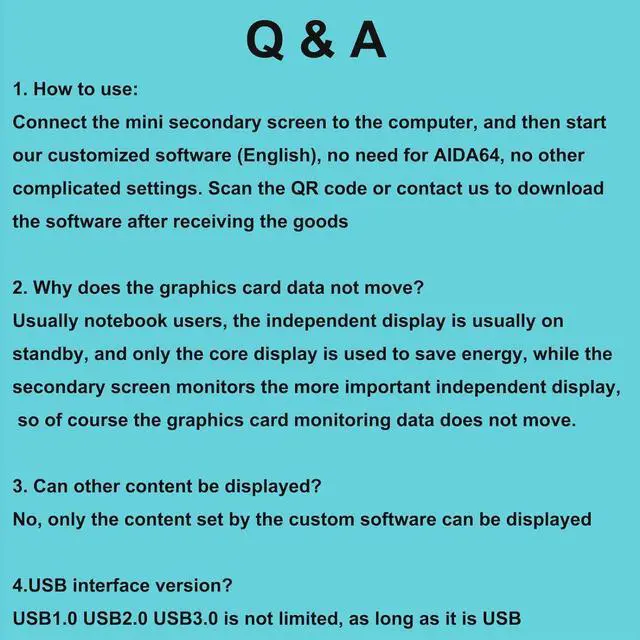
How to start: (No need for AIDA64)
A. Please unzip our software zip file to a folder
B. Connect to computer via data cable Right-click Usb Monitor. exe and click run as administrator"
C. Select Theme Click Run"
2. Why does the graphics card data not move?
Usually notebook users, the independent display is usually on standby, and only the core display is used to save energy, while the secondary screen monitors the more important independent display, so of course the graphics card monitoring data does not move.
3. Can other content be displayed?
No, only the content set by the custom software can be displayed
4. USB interface version?
USB 1.0, USB 2.0, USB 3.0 are not limited, as long as it is USB
5. HOW TO AUTO START?
Please note that it can auto-start: click Normal Setting Click Auto Start Click Save
6. Detailed reading of the manual and operation video can help you solve most of the issues. Any issues cannot be solved, please contact WOWNOVA directly.

1.
How to start: (No need for AIDA64)
A. Please unzip our software zip file to a folder
B. Connect to computer via data cable Right-click Usb Monitor. exe and click run as administrator"
C. Select Theme Click Run"
2. Why does the graphics card data not move?
Usually notebook users, the independent display is usually on standby, and only the core display is used to save energy, while the secondary screen monitors the more important independent display, so of course the graphics card monitoring data does not move.
3. Can other content be displayed?
No, only the content set by the custom software can be displayed
4. USB interface version?
USB 1.0, USB 2.0, USB 3.0 are not limited, as long as it is USB
5. HOW TO AUTO START?
Please note that it can auto-start: click Normal Setting Click Auto Start Click Save
6. Detailed reading of the manual and operation video can help you solve most of the issues. Any issues cannot be solved, please contact WOWNOVA directly.
Warranty & Returns
Warranty, Returns, And Additional Information
Warranty
- Please contact the Seller directly for warranty information. Warranty information may also be found on the Manufacturer's website.
- CONTACT
Return Policies
- Return for refund within: 30 days
- Return for replacement within: 30 days
- This item is covered by B-IN Electronics Return Policy
Manufacturer Contact Info
- For a directory of all our manufacturers, please click below.
- Manufacturers Directory
LOADING...