




 here!
here!
I’m your shopping assistant for PC builds, upgrades, and everything tech.
Got questions? Ask away!
Start a conversation
here!
I’m your shopping assistant for PC builds, upgrades, and everything tech.
Got questions? Ask away!
Start a conversation

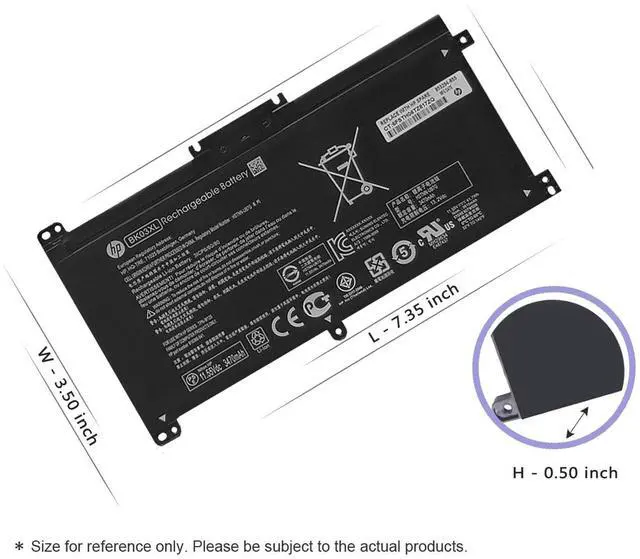
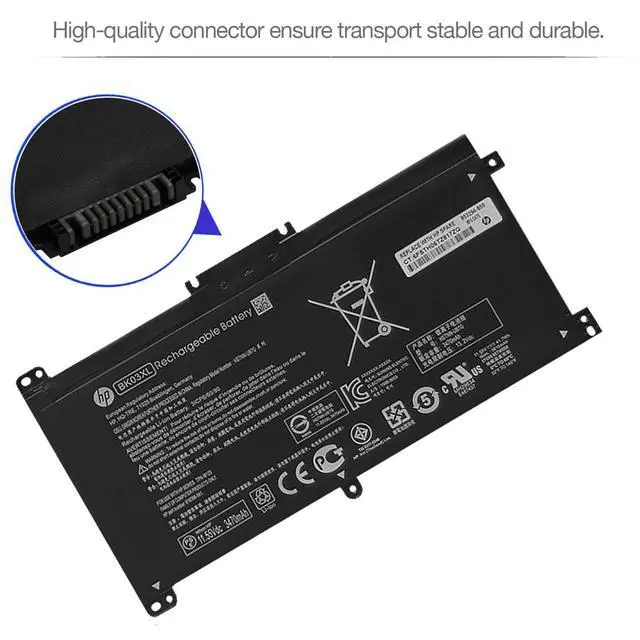
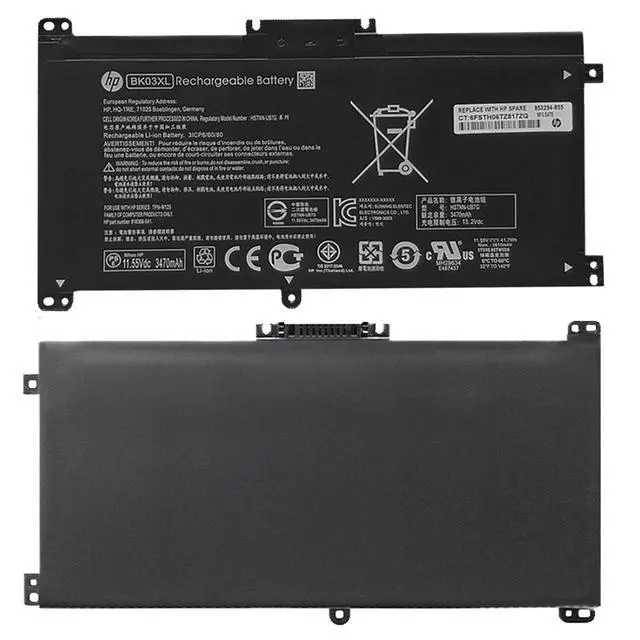



Any questions? Ask CelesteSM will help you find out quickly.
Model: BK03XL
Battery Type: Rechargeable Li-ion Polymer
Condition: 100% Brand New
Voltage: 11.1V
Capacity: 41.7Wh
BK03XL BK03041XL HSTNN-LB7S HSTNN-UB7G TPN-W125 916366-421 916366-541 916811-855 916812-855
- (Use "Ctrl"+"F" to find your model)
- In order to purchase the correct battery we recommend that you open the back cover of your laptop and confirm the original battery model.
HP Pavilion x360 14-BA000
- 14-BA000 14-BA001NS 14-BA004NI 14-BA006NG 14-BA011NG 14-BA012ND
- 14-BA012NG 14-BA013NG 14-BA015NG 14-BA016NA 14-BA017NG 14-BA018NG
- 14-BA018CA 14-BA019NG 14-BA020NG 14-BA021NG 14-BA024NL 14-BA026NG
- 14-BA027NG 14-BA028NG 14-BA029ns 14-BA030NG 14-BA031NG 14-BA032NA
- 14-BA033TX 14-BA034TX 14-BA035TX 14-BA036TX 14-BA037TX 14-BA038TX
- 14-BA039TX 14-BA040TX 14-BA041TX 14-BA042TX 14-BA043TX 14-BA044TX
- 14-BA046TX 14-BA047TX 14-BA048TX 14-BA048NA 14-BA049TX 14-BA070NG
- 14-BA071NG
HP Pavilion x360 14-BA100
- 14-BA100 14-BA100NG 14-BA100TX 14-BA101NG 14-BA101TX 14-BA102NG
- 14-BA103NG 14-BA104TX 14-BA105TX 14-BA105NE 14-BA106TX 14-BA107TX
- 14-BA108NG 14-BA109NG 14-BA110NR 14-BA113NG 14-BA118TU 14-BA126ND
- 14-BA170NG 14-BA170NZ 14-BA174NZ 14-BA175NR
- 14T-BA000 and more
- Before you buy this battery, in order to prevent unnecessary troubles caused by buying the wrong battery model, please check or consult the model that your laptop battery is compatible with. If you are not sure whether it can fit your computer, you can tell us the notebook model, we will give you a satisfactory answer.
1. Please use up the new battery to about 10~20% full charge and repeat 3~5 times to check whether there is a problem and stabilize the battery capacity.
2. Remember not to discharge the battery to 0%, otherwise it is easy to damage the battery.
3. After the battery is exhausted, please charge it in time. If it is not charged for a long time, the battery may be damaged.
4. If the battery is not used for a long time and needs to be stored above 70%, the storage time should not exceed 3 months.
5. If you use the charger frequently, please use the battery power regularly, and use it more than once a week.
6. Please use the original charger or famous brand charger, inferior charger will affect the normal charging of the battery.
7. Regularly clean the fan dust, increase the heat dissipation effect, reduce the power consumption, and effectively extend the battery life.
1. Unplug all external devices from the laptop.
2. Take out the battery.
3. Press the power button of the laptop for about 10-15 seconds.
4. Insert the battery and restart the computer.
5. Connect the AC adapter and check if your machine can detect the battery again.


