

Your Browsing History
- Free 30-day Returns
$36.33
Ships from China.


Meet Your Seller

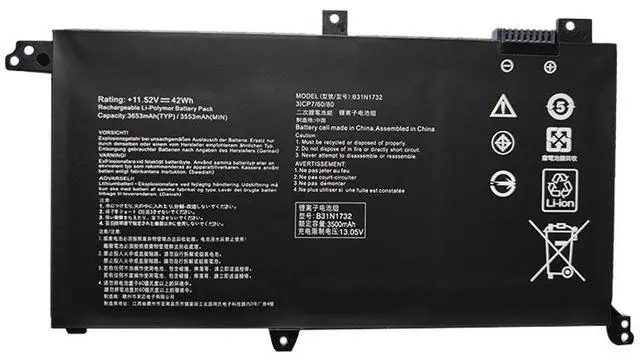
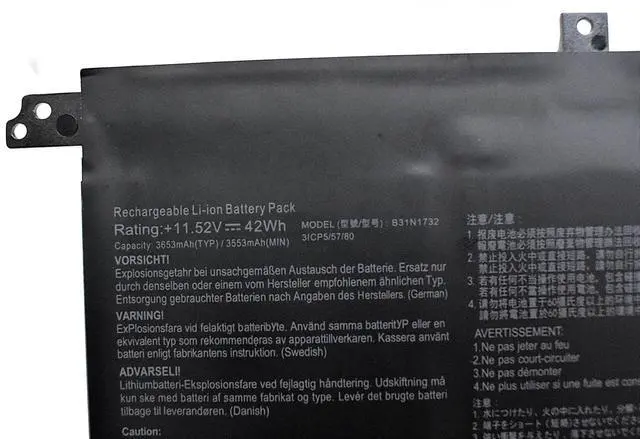
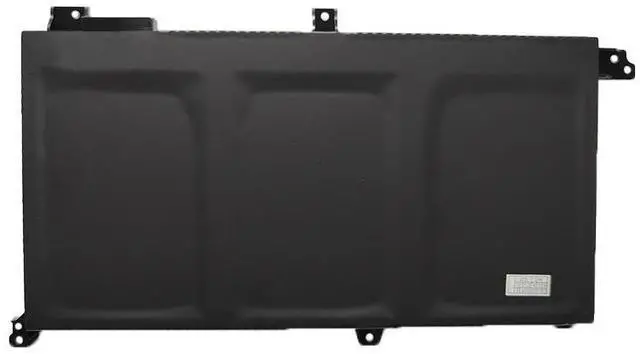
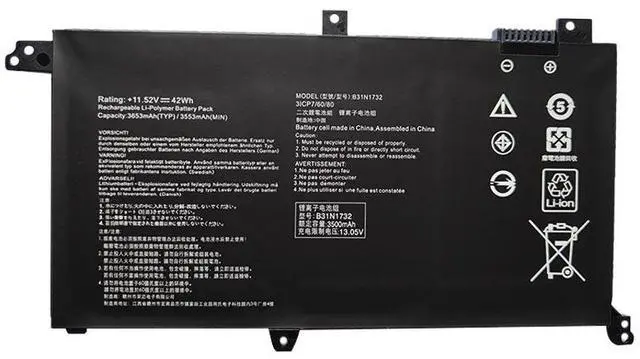
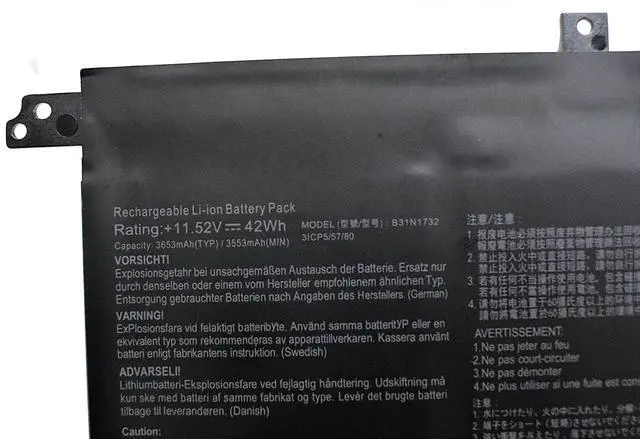
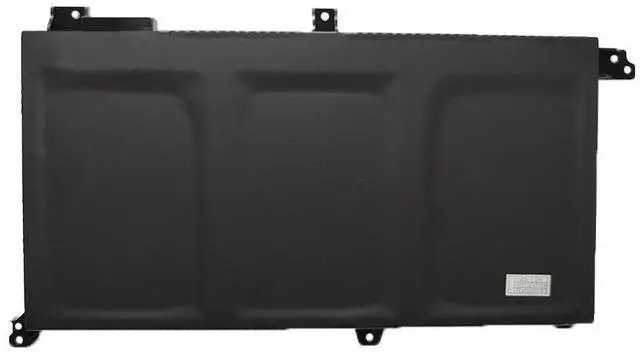


B31N1732 Replacement Battery for ASUS VivoBook S14 S430FA S430FN X430UF X430UN R430FA F571GD | 11.55V 42Wh | Compatible with 0B200-02960000, B31Bi9H
- Premium B31N1732 Replacement Battery for ASUS VivoBook S14, X, R, V, F Series
- Is your ASUS VivoBook constantly needing a charge? Restore its freedom and mobility with this brand new, high-quality replacement battery. Engineered to meet or exceed original specifications, this B31N1732 battery delivers reliable power and extended runtime for your ASUS VivoBook S14, X430, R430, V430, and F571 series laptops.
+
+
Overview
Specs
Reviews

Any questions? Our AI mode will help you find out quickly.
Try me now
Guaranteed Compatibility: Fits a Wide Range of ASUS VivoBooks
This battery is designed as a direct drop-in replacement for the original B31N1732 part, ensuring a perfect fit and seamless operation across many popular ASUS models.
Replaces OEM Part Numbers:
B31N1732
0B200-02960000
0B200-02960400
B31Bi9H
Compatible ASUS Laptop Series & Models:
ASUS VivoBook S14 Series: S430FA, S430FN, S430UA, S430UF, S430UN, S4300UF
ASUS VivoBook X Series: X430FA, X430FN, X430UF, X430UN
ASUS VivoBook R Series: R430FA, R430FN
ASUS VivoBook V Series: V430FA, V430FN, V430UF
ASUS VivoBook K Series: K430FA, K430FN, K430UF
ASUS TUF / Gaming Models: F571GD, FX571GT, K571GT
Pro Tip: With dozens of compatible models, the easiest way to confirm fit is to power off your laptop, remove the current battery, and check for the part number (e. g., B31N1732 or 0B200-02960000) printed on it. You can also use the search function (Ctrl+F) on this page to find your specific model number.
Precise Battery
Voltage: 11.55V (Matches OEM Spec)
Capacity: 42Wh (Matches OEM Spec)
Battery Type: Lithium-ion (Li-ion)
Color: Black
Condition: 100% Brand New. Premium Grade A cells ensure safety and longevity.
Why Choose This Battery for Your ASUS VivoBook?
Perfect OEM Match: Precisely engineered to the original 11.55V and 42Wh specifications for safe, stable, and reliable performance.
Wide Compatibility: One battery fits a vast range of ASUS VivoBook S14, X, R, V, and K series models, as well as the F571GD/FX571GT.
Easy Installation: A direct drop-in replacement that requires no modifications. Get your laptop back to full power in minutes.
Built-in Safety: Advanced circuitry provides protection against overcharging, over-discharging, short circuits, and overheating.
Restore Portability: Stop hunting for power outlets. Enjoy true cord-free computing for work, study, and entertainment.
Installation & Support
DIY-Friendly: The installation process is straightforward. We recommend searching for a guide for your specific model (e. g., "ASUS S430FN battery replacement") online for visual instructions.
Calibration Tip: For the most accurate battery life indicator, after installation, fully charge the battery to 100% and then allow it to drain completely before recharging.
Expert Support: Our customer service team is available to help with compatibility questions before you buy.
This battery is designed as a direct drop-in replacement for the original B31N1732 part, ensuring a perfect fit and seamless operation across many popular ASUS models.
Replaces OEM Part Numbers:
B31N1732
0B200-02960000
0B200-02960400
B31Bi9H
Compatible ASUS Laptop Series & Models:
ASUS VivoBook S14 Series: S430FA, S430FN, S430UA, S430UF, S430UN, S4300UF
ASUS VivoBook X Series: X430FA, X430FN, X430UF, X430UN
ASUS VivoBook R Series: R430FA, R430FN
ASUS VivoBook V Series: V430FA, V430FN, V430UF
ASUS VivoBook K Series: K430FA, K430FN, K430UF
ASUS TUF / Gaming Models: F571GD, FX571GT, K571GT
Pro Tip: With dozens of compatible models, the easiest way to confirm fit is to power off your laptop, remove the current battery, and check for the part number (e. g., B31N1732 or 0B200-02960000) printed on it. You can also use the search function (Ctrl+F) on this page to find your specific model number.
Precise Battery
Specifications
Voltage: 11.55V (Matches OEM Spec)
Capacity: 42Wh (Matches OEM Spec)
Battery Type: Lithium-ion (Li-ion)
Color: Black
Condition: 100% Brand New. Premium Grade A cells ensure safety and longevity.
Why Choose This Battery for Your ASUS VivoBook?
Perfect OEM Match: Precisely engineered to the original 11.55V and 42Wh specifications for safe, stable, and reliable performance.
Wide Compatibility: One battery fits a vast range of ASUS VivoBook S14, X, R, V, and K series models, as well as the F571GD/FX571GT.
Easy Installation: A direct drop-in replacement that requires no modifications. Get your laptop back to full power in minutes.
Built-in Safety: Advanced circuitry provides protection against overcharging, over-discharging, short circuits, and overheating.
Restore Portability: Stop hunting for power outlets. Enjoy true cord-free computing for work, study, and entertainment.
Installation & Support
DIY-Friendly: The installation process is straightforward. We recommend searching for a guide for your specific model (e. g., "ASUS S430FN battery replacement") online for visual instructions.
Calibration Tip: For the most accurate battery life indicator, after installation, fully charge the battery to 100% and then allow it to drain completely before recharging.
Expert Support: Our customer service team is available to help with compatibility questions before you buy.
Warranty & Returns
Warranty, Returns, And Additional Information
Warranty
- Please contact the Seller directly for warranty information. Warranty information may also be found on the Manufacturer's website.
- CONTACT
Return Policies
- Return for refund within: 30 days
- Return for replacement within: 30 days
- This item is covered by Ebuy limited Return Policy
Manufacturer Contact Info
- For a directory of all our manufacturers, please click below.
- Manufacturers Directory
LOADING...