

Your Browsing History
- Free 30-day Returns
$46.91
Ships from Hong Kong.
Best Sellers
 Top Rated
- $46.91
- + FREE SHIPPING

Meet Your Seller

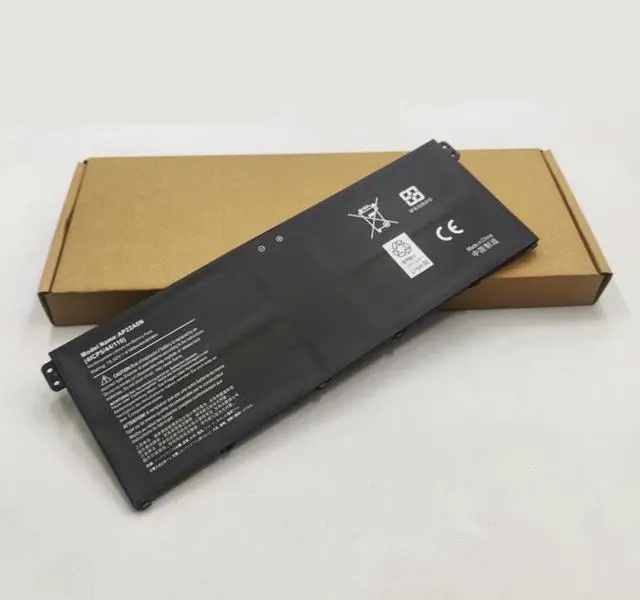

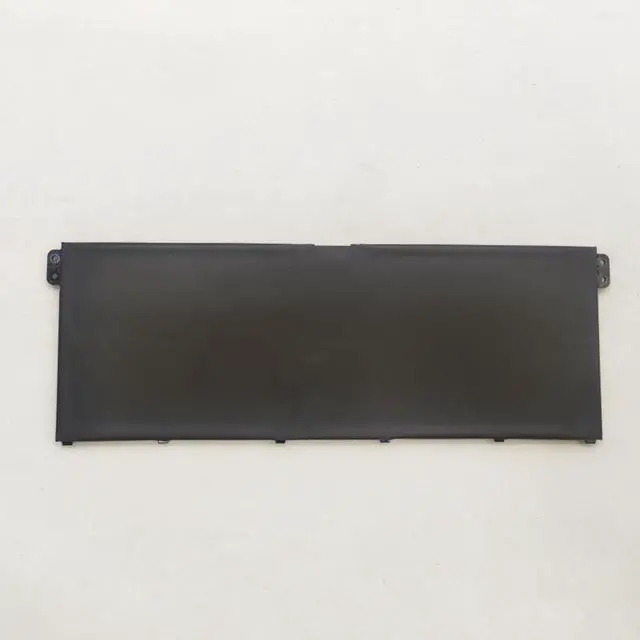


AP22A8N Replacement Battery for Acer Swift Go 16 SFG16-71 / 14 SFG14-71 & TravelMate P2 P4 P6 Series | 15.52V 65.01Wh | TMP214-55 TMP416-52 Compatible
- AP22A8N Replacement Battery for Acer Swift Go & TravelMate Series
- Power through your workday without interruption. This brand new, high-capacity 65Wh battery is a direct replacement for the original AP22A8N, designed to restore all-day battery life and reliable performance to your Acer Swift Go 14/16 and TravelMate P2, P4, and P6 series laptops.
+
+
Overview
Specs
Reviews

Any questions? Our AI mode will help you find out quickly.
Try me now
Guaranteed Compatibility: For Acer Business & Ultrabook Laptops
This AP22A8N battery is engineered to be a perfect fit for a wide range of modern Acer laptops, from sleek ultrabooks to durable business machines.
Replaces OEM Part Number:
AP22A8N
Compatible Acer Laptop Series & Models:
Acer Swift Go Series: Swift Go 16 (SFG16-71), Swift Go 14 (SFG14-71, SFG14-71T)
Acer TravelMate P2 Series: TMP214-55, TMP214-55-TCO, TMP216-51-TCO
Acer TravelMate P4 Series: TMP414-53, TMP416-52
Acer TravelMate P6 Series: TMP614-53-TCO
Pro Tip: The surest way to confirm compatibility is to shut down your laptop, turn it over, and check the part number on the original battery. If it reads AP22A8N, this is the correct replacement. You can also use the search function (Ctrl+F) on this page to find your specific model number.
High-Performance Battery
Voltage: 15.52V (Precisely matches OEM specification)
Capacity: 65.01W h / 4189mAh (Matches OEM specification for full runtime)
Battery Type: Lithium-ion (Li-ion) - Premium Grade A Cells
Condition: 100% Brand New. Never used, refurbished, or reconditioned.
Why Choose This Battery for Your Acer Laptop?
OEM Equivalent Performance: Delivers the exact same 15.52V and 65.01W h as the original battery, ensuring stable power delivery and expected battery life.
Wide Model Compatibility: One battery fits the popular Swift Go and multiple TravelMate series, making it a versatile choice.
Perfect Fit & Easy Installation: Designed as a direct drop-in replacement for a hassle-free install with no modifications needed.
Built-in Safety Protections: Advanced internal circuitry safeguards against over-charging, over-discharging, short circuits, and overheating.
Restore Mobility: Ideal for professionals and students, this battery lets you work untethered from a power outlet for hours.
Installation & Support
Straightforward Installation: The process is user-friendly. For visual guidance, we recommend searching for a service manual or video tutorial for your specific Acer model online.
Calibration Tip: After installation, for the most accurate battery percentage reading, fully charge the battery to 100% and then allow it to drain completely before recharging.
Dedicated Support: Our customer service team is available to assist with any pre-purchase compatibility questions.
Important Notes
Disclaimer: This is a high-quality replacement battery. Acer, Swift, and TravelMate are trademarks of Acer Inc. This product is not affiliated with or endorsed by the original manufacturer.
Maximize Battery Health: For long-term storage, charge the battery to approximately 50-60% and keep it in a cool, dry place.
Order With Confidence!
Fast Shipping: We ensure quick processing and delivery to get you back up and running without delay.
Satisfaction Guaranteed: We stand behind the quality and compatibility of our products.
Click Add to Cart now to restore the portability and productivity of your Acer laptop!
This AP22A8N battery is engineered to be a perfect fit for a wide range of modern Acer laptops, from sleek ultrabooks to durable business machines.
Replaces OEM Part Number:
AP22A8N
Compatible Acer Laptop Series & Models:
Acer Swift Go Series: Swift Go 16 (SFG16-71), Swift Go 14 (SFG14-71, SFG14-71T)
Acer TravelMate P2 Series: TMP214-55, TMP214-55-TCO, TMP216-51-TCO
Acer TravelMate P4 Series: TMP414-53, TMP416-52
Acer TravelMate P6 Series: TMP614-53-TCO
Pro Tip: The surest way to confirm compatibility is to shut down your laptop, turn it over, and check the part number on the original battery. If it reads AP22A8N, this is the correct replacement. You can also use the search function (Ctrl+F) on this page to find your specific model number.
High-Performance Battery
Specifications
Voltage: 15.52V (Precisely matches OEM specification)
Capacity: 65.01W h / 4189mAh (Matches OEM specification for full runtime)
Battery Type: Lithium-ion (Li-ion) - Premium Grade A Cells
Condition: 100% Brand New. Never used, refurbished, or reconditioned.
Why Choose This Battery for Your Acer Laptop?
OEM Equivalent Performance: Delivers the exact same 15.52V and 65.01W h as the original battery, ensuring stable power delivery and expected battery life.
Wide Model Compatibility: One battery fits the popular Swift Go and multiple TravelMate series, making it a versatile choice.
Perfect Fit & Easy Installation: Designed as a direct drop-in replacement for a hassle-free install with no modifications needed.
Built-in Safety Protections: Advanced internal circuitry safeguards against over-charging, over-discharging, short circuits, and overheating.
Restore Mobility: Ideal for professionals and students, this battery lets you work untethered from a power outlet for hours.
Installation & Support
Straightforward Installation: The process is user-friendly. For visual guidance, we recommend searching for a service manual or video tutorial for your specific Acer model online.
Calibration Tip: After installation, for the most accurate battery percentage reading, fully charge the battery to 100% and then allow it to drain completely before recharging.
Dedicated Support: Our customer service team is available to assist with any pre-purchase compatibility questions.
Important Notes
Disclaimer: This is a high-quality replacement battery. Acer, Swift, and TravelMate are trademarks of Acer Inc. This product is not affiliated with or endorsed by the original manufacturer.
Maximize Battery Health: For long-term storage, charge the battery to approximately 50-60% and keep it in a cool, dry place.
Order With Confidence!
Fast Shipping: We ensure quick processing and delivery to get you back up and running without delay.
Satisfaction Guaranteed: We stand behind the quality and compatibility of our products.
Click Add to Cart now to restore the portability and productivity of your Acer laptop!
Warranty & Returns
Warranty, Returns, And Additional Information
Warranty
- Please contact the Seller directly for warranty information. Warranty information may also be found on the Manufacturer's website.
- CONTACT
Return Policies
- Return for refund within: 30 days
- Return for replacement within: 30 days
- This item is covered by AyeFlow Return Policy
Manufacturer Contact Info
- For a directory of all our manufacturers, please click below.
- Manufacturers Directory
LOADING...
LOADING...