

Your Browsing History
- Free 30-day Returns
$100.91
Ships from Hong Kong.
Best Sellers
 Top Rated
- $100.91
- + FREE SHIPPING

Meet Your Seller

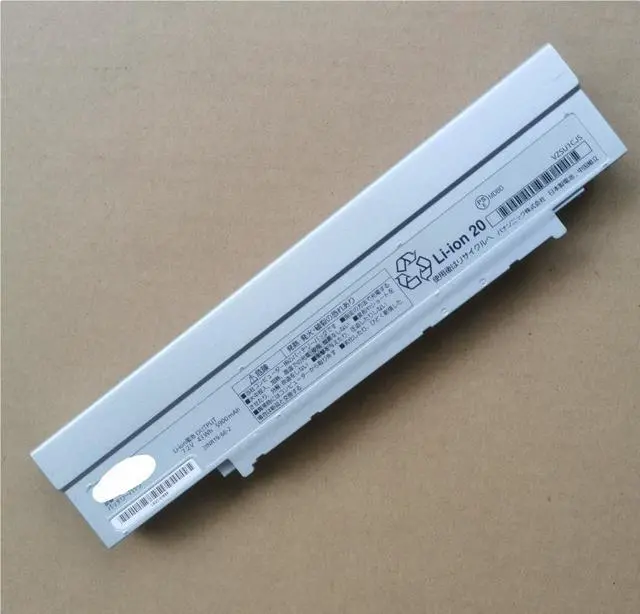
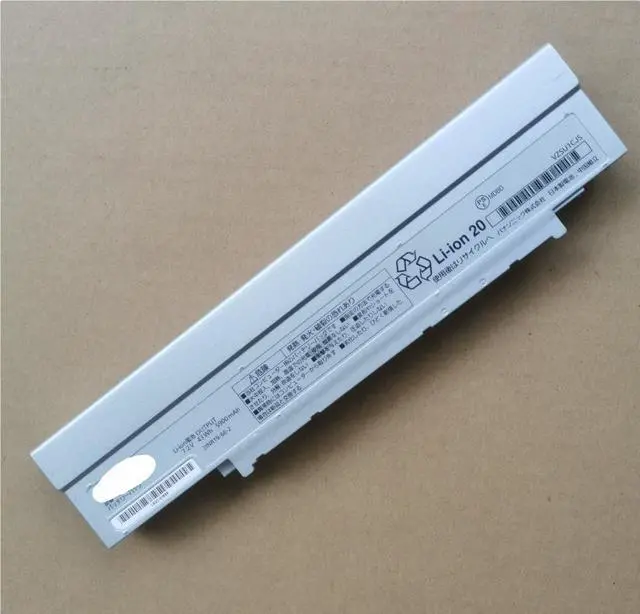
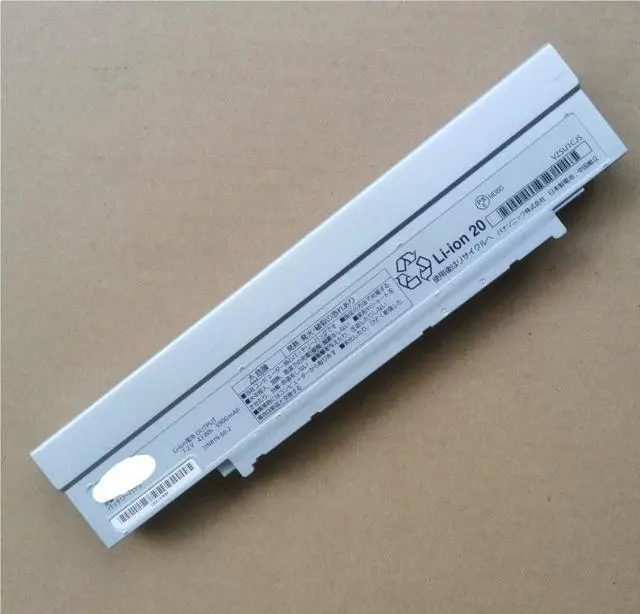


CF-VZSU1CJS Replacement Battery for Panasonic Toughbook CF-LV8, CF-LV9, CF-SV7, CF-SV8 Laptops - 7.2V 43Wh (5900mAh) Li-ion
- Revive Your Panasonic Toughbook with Premium Power
- Give your durable Panasonic Toughbook the endurance it deserves. This CF-VZSU1CJS replacement battery is engineered specifically for the CF-LV8, CF-LV9, CF-SV7, and CF-SV8 series laptops, delivering reliable 43Wh (5900mAh) of power at a stable 7.2V. Built with high-quality Japanese Li-ion cells, this brand new battery is designed to restore and extend your laptop's cord-free operation, perfect for field service, mobile professionals, and demanding work environments.
+
+
Overview
Specs
Reviews

Any questions? Our AI mode will help you find out quickly.
Try me now
DIRECT COMPATIBILITY VERIFY YOUR MODEL
This is a compatible battery designed to meet the original Panasonic specifications. Always check your laptop's model number before purchase.
Compatible Panasonic Toughbook Models: CF-LV8, CF-LV9, CF-SV7, CF-SV8.
Replaces Panasonic Part Numbers: CF-VZSU1CJS, CF-V2SU1CU, CF-VZSU1C, CF-VZSU1CU.
Voltage: 7.2V
Capacity: 5900mAh
Energy: 43 Watt-hours (Wh)
Chemistry: Lithium-Ion (Li-ion), High-Quality Japanese Cells
Condition: 100% Brand New
Warranty: 1-Year Warranty
WHY A FRESH BATTERY IS KEY FOR A TOUGHBOOK
Restored Mobility: Solves common issues like rapid power drain or failure to hold a charge, bringing back true laptop portability.
Extended Field Use: The 43Wh capacity supports longer work sessions away from an outlet, which is crucial for technicians, surveyors, and field personnel.
Durability Match: Designed to complement the rugged reliability of your Panasonic Toughbook.
Cost-Effective Solution: A simple battery swap is the most economical way to significantly extend the useful life of your valuable laptop.
EASY INSTALLATION & BEST PRACTICES
Power Down: Shut down your Toughbook and disconnect the AC adapter.
Swap the Battery: Release the latch (es) on the battery compartment, remove the old battery, and insert this new CF-VZSU1CJS compatible battery until it clicks securely into place.
Charge & Calibrate: Connect the original Panasonic AC adapter and allow the battery to charge to 100%. For the most accurate battery meter, perform a few full charge and discharge cycles after installation.
SAFETY & WARRANTY INFORMATION
Use Original Charger: For optimal safety and battery health, always use the official Panasonic AC power adapter.
Storage: If storing the laptop or battery for an extended period, charge it to about 50% and keep it in a cool, dry place.
Recycle Responsibly: Please dispose of your old laptop battery at a designated e-waste or battery recycling center.
PACKAGE INCLUDES
1 x CF-VZSU1CJS Compatible Replacement Battery ( 7.2V, 43Wh) for Panasonic Toughbook
This is a compatible battery designed to meet the original Panasonic specifications. Always check your laptop's model number before purchase.
Compatible Panasonic Toughbook Models: CF-LV8, CF-LV9, CF-SV7, CF-SV8.
Replaces Panasonic Part Numbers: CF-VZSU1CJS, CF-V2SU1CU, CF-VZSU1C, CF-VZSU1CU.
Voltage: 7.2V
Capacity: 5900mAh
Energy: 43 Watt-hours (Wh)
Chemistry: Lithium-Ion (Li-ion), High-Quality Japanese Cells
Condition: 100% Brand New
Warranty: 1-Year Warranty
WHY A FRESH BATTERY IS KEY FOR A TOUGHBOOK
Restored Mobility: Solves common issues like rapid power drain or failure to hold a charge, bringing back true laptop portability.
Extended Field Use: The 43Wh capacity supports longer work sessions away from an outlet, which is crucial for technicians, surveyors, and field personnel.
Durability Match: Designed to complement the rugged reliability of your Panasonic Toughbook.
Cost-Effective Solution: A simple battery swap is the most economical way to significantly extend the useful life of your valuable laptop.
EASY INSTALLATION & BEST PRACTICES
Power Down: Shut down your Toughbook and disconnect the AC adapter.
Swap the Battery: Release the latch (es) on the battery compartment, remove the old battery, and insert this new CF-VZSU1CJS compatible battery until it clicks securely into place.
Charge & Calibrate: Connect the original Panasonic AC adapter and allow the battery to charge to 100%. For the most accurate battery meter, perform a few full charge and discharge cycles after installation.
SAFETY & WARRANTY INFORMATION
Use Original Charger: For optimal safety and battery health, always use the official Panasonic AC power adapter.
Storage: If storing the laptop or battery for an extended period, charge it to about 50% and keep it in a cool, dry place.
Recycle Responsibly: Please dispose of your old laptop battery at a designated e-waste or battery recycling center.
PACKAGE INCLUDES
1 x CF-VZSU1CJS Compatible Replacement Battery ( 7.2V, 43Wh) for Panasonic Toughbook
Warranty & Returns
Warranty, Returns, And Additional Information
Warranty
- Please contact the Seller directly for warranty information. Warranty information may also be found on the Manufacturer's website.
- CONTACT
Return Policies
- Return for refund within: 30 days
- Return for replacement within: 30 days
- This item is covered by AyeFlow Return Policy
Manufacturer Contact Info
- For a directory of all our manufacturers, please click below.
- Manufacturers Directory
LOADING...
LOADING...