

Your Browsing History
- Free 30-day Returns
$35.99
Ships from China.


Meet Your Seller

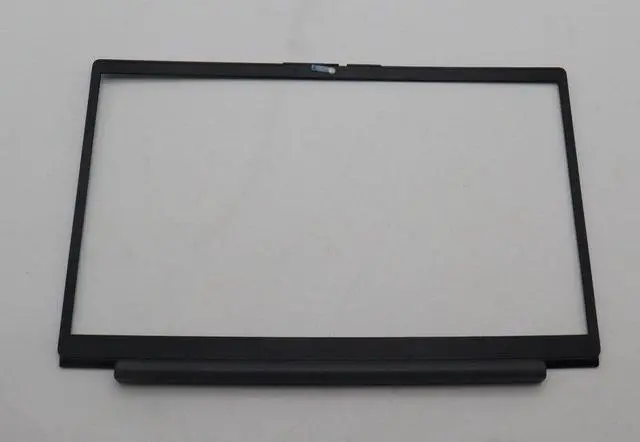
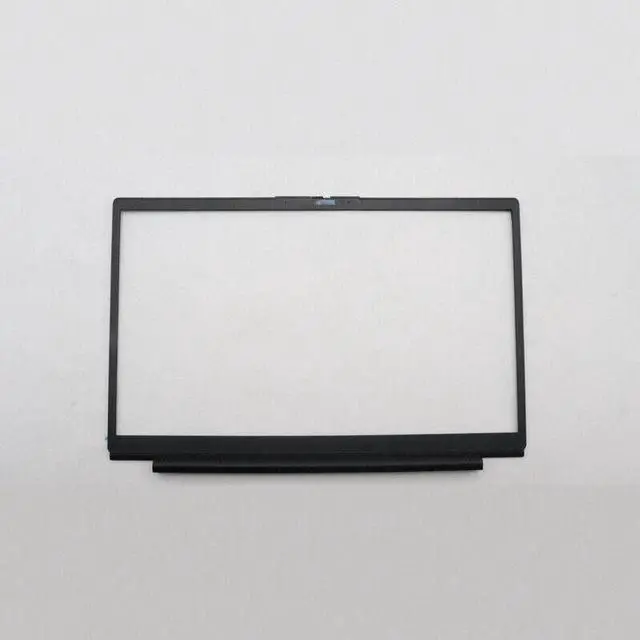
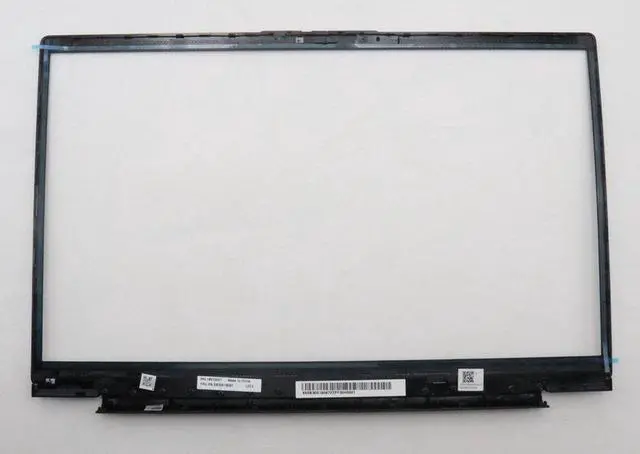


LCD Bezel Screen Frame / Front Cover 5B30S19096 Replace Lenovo V14 G4 AMN Broken or Cracked B Cover New
- Fix That Cracked or Broken Screen Bezel Dont live with a chipped, scratched, or loose screen frame. This genuine Lenovo V14 G4 AMN LCD bezel restores your laptops clean look and secures the display panel properly.
- Exact Fit for Lenovo V14 G4 / IdeaPad V14 G4 AMN Designed specifically for Lenovo V14 G4 AMN (IdeaPad V14 G4) models. Replaces original part number 5B30S19096. This is the front bezel / screen frame also referred to as B cover or A cover depending on assembly.
- Genuine Lenovo Quality New (No Retail Box) This is an authentic Lenovo replacement part, brand new. Ships without the original retail box to save cost but you get the same OEM fit and finish. No generic aftermarket parts.
- DIY Screen Bezel Replacement If your screen frame is cracked, the clips are broken, or the adhesive has failed, this bezel is a direct swap. No special tools required just careful prying and reattaching (doublesided tape not included).
- Affordable Fix vs. New Laptop Replacing a broken bezel is much cheaper than buying a new V14. Restore your laptops appearance and resale value. Backed by 30day return and 12month warranty.
+
+
Overview
Specs
Reviews

Any questions? Our AI mode will help you find out quickly.
Try me now
Why You Need This Lenovo V14 G4 AMN Screen Bezel
Accidents happen a dropped laptop, a crushed corner in a backpack, or a forceful screen close. Suddenly your screen bezel (the plastic frame around the display) is cracked, the corner is missing, or the clips are broken and the frame wont stay seated. This not only looks bad but can also let dust and debris into the display assembly.
This genuine Lenovo replacement bezel solves that problem restoring your laptops clean appearance and holding the screen glass/LCD securely.
Designed for Lenovo V14 G4 / IdeaPad V14 G4 AMN
This part is a direct fit for:
Lenovo V14 G4 AMN
Lenovo IdeaPad V14 G4 AMN
Replaces OEM part number: 5B30S19096
What is this part?
Front screen bezel / LCD frame
Sometimes called the B cover (the inner frame around the screen) or part of A cover (the entire lid assembly). This is the plastic bezel that snaps onto the display panel.
Product
Specification Detail
Part Name LCD Bezel / Screen Frame / Front Cover
Model Compatibility Lenovo V14 G4 AMN, IdeaPad V14 G4 AMN
OEM Part Number 5B30S19096
Condition Genuine, brand new (ships without original box)
Color Black (typical for V14 G4)
Signs You Need a New Bezel
Visible cracks or missing plastic pieces around the screen edges.
The bezel is loose you can press it back in but it pops out again.
Broken clips rattling inside the lid.
The screen glass is fine, but the surrounding frame is damaged.
You want to refurbish a secondhand or damaged V14 for resale.
What a Damaged Bezel Costs You
Poor appearance Your laptop looks broken or unprofessional.
Dust ingress Particles can get between the screen and bezel, affecting visibility.
Worsening damage Loose bezel can eventually damage the LCD panel or hinges.
Lower resale value A cracked bezel reduces your laptops value significantly.
Installation Guide (DIY)
Turn off your laptop and remove the bottom cover (if needed to access bezel clips consult your service manual).
Use a plastic spudger or guitar pick to carefully release the clips around the old bezel.
Lift off the old bezel (note any adhesive strips).
Clean any remaining adhesive from the lid.
Snap the new bezel into place, starting from the top and working around the edges. Press firmly to engage all clips.
(If applicable) apply new doublesided tape where needed not included.
Note: The bezel is held by clips and sometimes adhesive. Professional installation is recommended if you are not experienced. We are not responsible for damage during installation.
Whats Included
1 x Lenovo V14 G4 AMN LCD Bezel (5B30S19096) Genuine, new, no retail box.
Before You Order
Please doublecheck your laptop model this bezel fits Lenovo V14 G4 AMN and IdeaPad V14 G4 AMN only. It will not fit V14 G2, G3, or other IdeaPad 14 models like S340, S145, etc. Verify your original part number or visually compare the shape (notch for camera, hinge cutouts). If unsure, contact us with photos of your broken bezel.
Accidents happen a dropped laptop, a crushed corner in a backpack, or a forceful screen close. Suddenly your screen bezel (the plastic frame around the display) is cracked, the corner is missing, or the clips are broken and the frame wont stay seated. This not only looks bad but can also let dust and debris into the display assembly.
This genuine Lenovo replacement bezel solves that problem restoring your laptops clean appearance and holding the screen glass/LCD securely.
Designed for Lenovo V14 G4 / IdeaPad V14 G4 AMN
This part is a direct fit for:
Lenovo V14 G4 AMN
Lenovo IdeaPad V14 G4 AMN
Replaces OEM part number: 5B30S19096
What is this part?
Front screen bezel / LCD frame
Sometimes called the B cover (the inner frame around the screen) or part of A cover (the entire lid assembly). This is the plastic bezel that snaps onto the display panel.
Product
Specifications
Specification Detail
Part Name LCD Bezel / Screen Frame / Front Cover
Model Compatibility Lenovo V14 G4 AMN, IdeaPad V14 G4 AMN
OEM Part Number 5B30S19096
Condition Genuine, brand new (ships without original box)
Color Black (typical for V14 G4)
Signs You Need a New Bezel
Visible cracks or missing plastic pieces around the screen edges.
The bezel is loose you can press it back in but it pops out again.
Broken clips rattling inside the lid.
The screen glass is fine, but the surrounding frame is damaged.
You want to refurbish a secondhand or damaged V14 for resale.
What a Damaged Bezel Costs You
Poor appearance Your laptop looks broken or unprofessional.
Dust ingress Particles can get between the screen and bezel, affecting visibility.
Worsening damage Loose bezel can eventually damage the LCD panel or hinges.
Lower resale value A cracked bezel reduces your laptops value significantly.
Installation Guide (DIY)
Turn off your laptop and remove the bottom cover (if needed to access bezel clips consult your service manual).
Use a plastic spudger or guitar pick to carefully release the clips around the old bezel.
Lift off the old bezel (note any adhesive strips).
Clean any remaining adhesive from the lid.
Snap the new bezel into place, starting from the top and working around the edges. Press firmly to engage all clips.
(If applicable) apply new doublesided tape where needed not included.
Note: The bezel is held by clips and sometimes adhesive. Professional installation is recommended if you are not experienced. We are not responsible for damage during installation.
Whats Included
1 x Lenovo V14 G4 AMN LCD Bezel (5B30S19096) Genuine, new, no retail box.
Before You Order
Please doublecheck your laptop model this bezel fits Lenovo V14 G4 AMN and IdeaPad V14 G4 AMN only. It will not fit V14 G2, G3, or other IdeaPad 14 models like S340, S145, etc. Verify your original part number or visually compare the shape (notch for camera, hinge cutouts). If unsure, contact us with photos of your broken bezel.
Warranty & Returns
Warranty, Returns, And Additional Information
Warranty
- Please contact the Seller directly for warranty information. Warranty information may also be found on the Manufacturer's website.
- CONTACT
Return Policies
- Return for refund within: 30 days
- Return for replacement within: 30 days
- This item is covered by Ebuy limited Return Policy
Manufacturer Contact Info
- For a directory of all our manufacturers, please click below.
- Manufacturers Directory
LOADING...