Why You Need a Fresh CMOS Battery for Your HP ZBook Firefly 14
Does your HP ZBook Firefly 14 display CMOS Checksum Bad, RTC Power Failure, or lose the date and time every time you turn it on? Do you have to press F1 to continue booting? This is a classic sign of a dead or dying CMOS battery. The battery keeps your BIOS settings, system clock, and boot configuration alive when the laptop is off.
When it fails, every startup becomes a hassle resetting the time, losing custom BIOS settings, or even failing to boot entirely. A new CMOS battery solves all of these problems instantly.
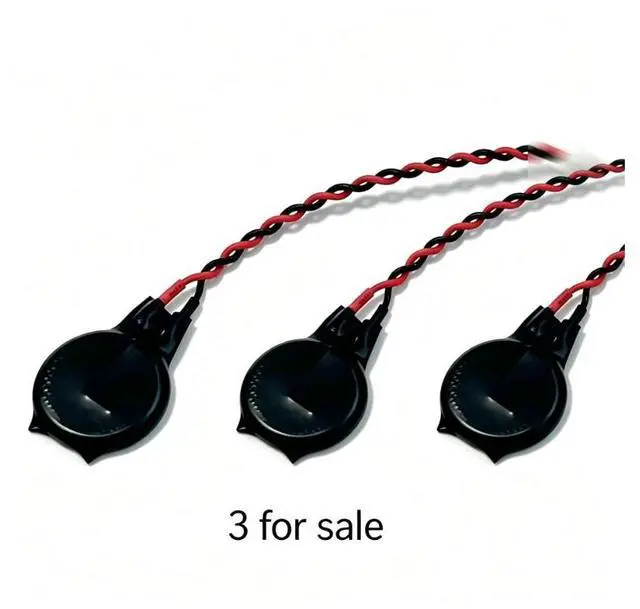
This 3pack of genuinespec CR1620 CMOS batteries gives you everything you need to fix your HP ZBook Firefly plus spares for other laptops or future maintenance.
Compatible HP Models (Ctrl+F to search):
HP ZBook Firefly 14 G7
HP ZBook Firefly 14 G8
Replaces OEM part number: L13694-001
Specifications
Specification Detail
Battery Type CR1620 (Li-ion)
Voltage 3V
Quantity 3 batteries per pack
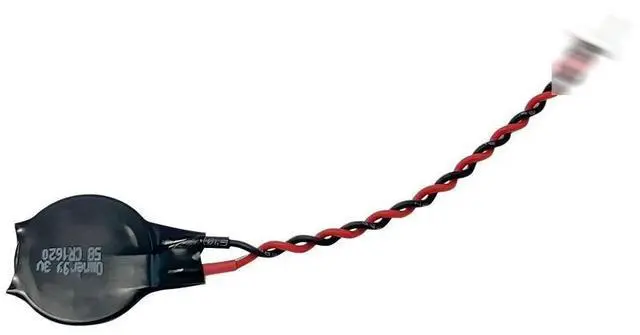
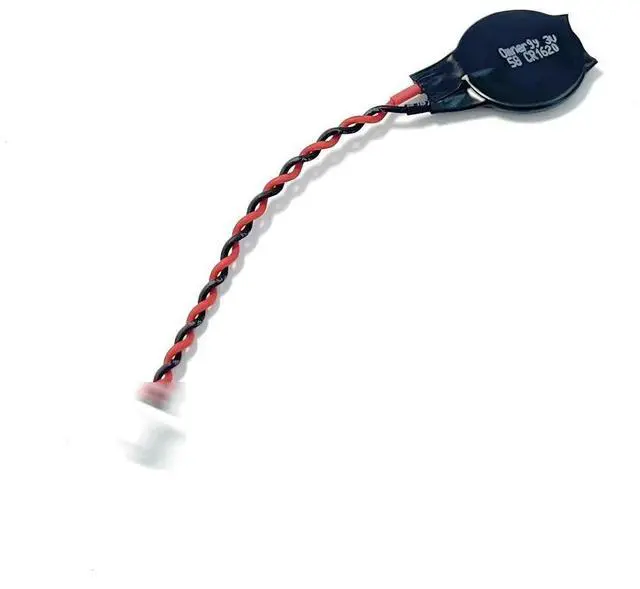
Connector Prewired for HP ZBook Firefly motherboard (refer to images)
Condition 100% brand new
Warranty 30day return + 12 months
What a Dead CMOS Battery Costs You
Lost time Resetting the clock every boot.
Boot errors Annoying CMOS Checksum Bad messages.
BIOS reset Your custom boot order, security settings, or virtualization options disappear.
Diagnostic confusion The laptop may appear faulty when only the battery is dead.
Signs You Need to Replace Your CMOS Battery
Clock resets to January 1, 2000 or some other incorrect date.
CMOS Battery Low or System CMOS Checksum Bad at startup.
You have to press F1 to continue booting every time.
BIOS settings wont save after restart.
Whats in the Box
3 x CR1620 CMOS/BIOS Batteries (prewired for HP ZBook Firefly)
Installation Guide (DIY)
Power off your ZBook Firefly 14 and disconnect the AC adapter.
Remove the bottom cover (Phillips or Torx screws tools not included).
Locate the small silver coinshaped battery on the motherboard it will have a small plastic connector with two wires.
Gently disconnect the old battery by pulling the connector (do not pull the wires).
Plug the new battery into the same socket (polarity is keyed only fits one way).
Reassemble the bottom cover, reconnect power, and turn on the laptop.
Enter BIOS (usually F10 on startup) and reset your date/time and any custom settings.
Note: Professional installation recommended if you are not comfortable opening your laptop. We are not responsible for damage caused during installation.
Why Buy Our 3Pack?
Value Three batteries for barely more than the price of one from other sellers.
Spares Keep extras for other HP ZBook Firefly units in your office or home.
Futureproof CMOS batteries wear out every 35 years have a spare ready.
Before You Order
Please check your original CMOS batterys connector and shape against our product images. This battery is designed for HP ZBook Firefly 14 G7 and G8 not for other HP models (like EliteBook, ProBook, or older ZBooks) without verifying compatibility. If unsure, contact us with a photo of your old battery.





 here!
here!