Your Browsing History
- Free 30-day Returns
$41.99
Meet Your Seller
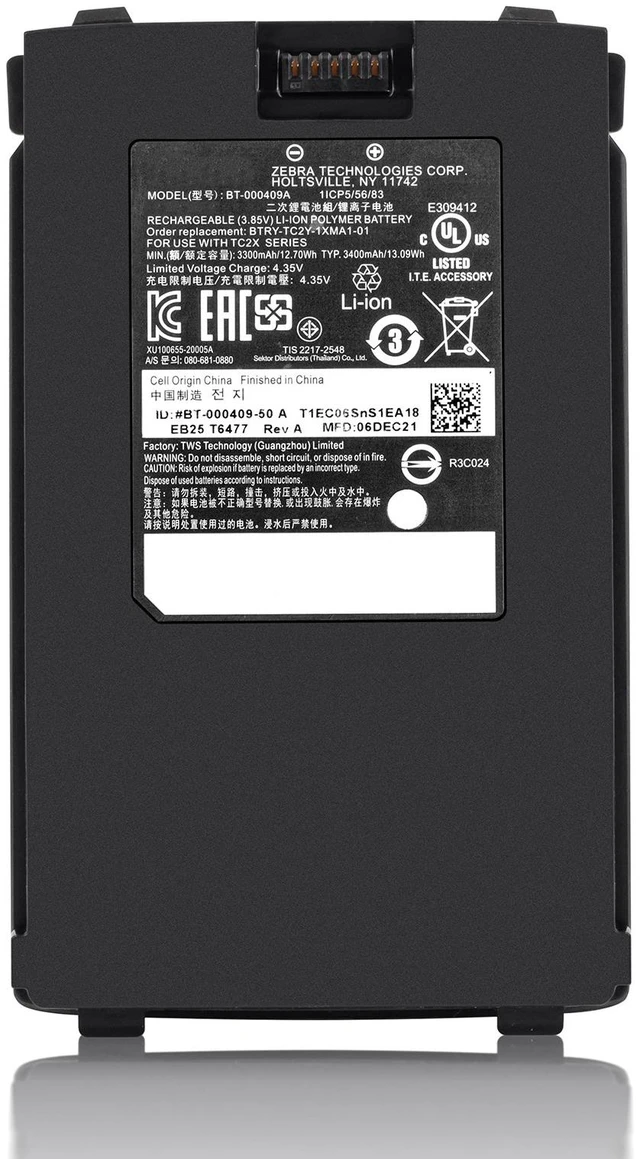
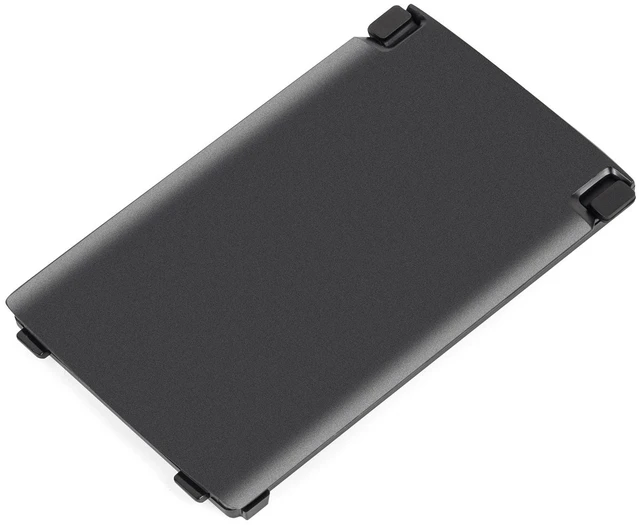
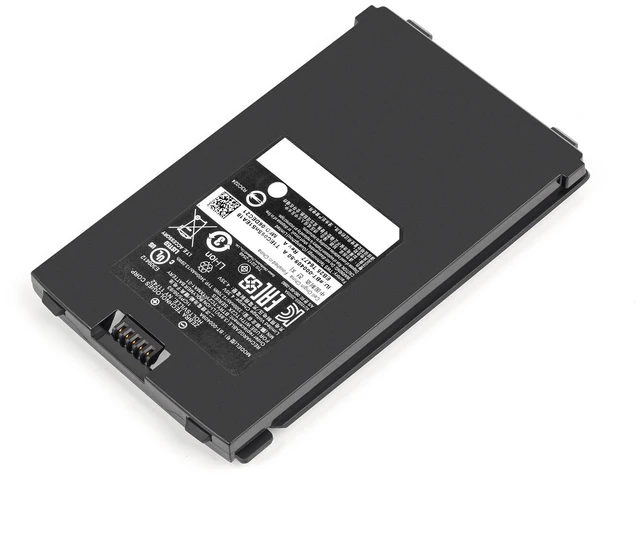
New BT-000409A 3.85V 3300mAh 12.7Wh Li-ion Battery for Zebra TC21 TC26 TC210K TC26BK TC26DK TC26EK Replaces BTRY-TC2Y-1XMA1-01 12-Month Warranty
- Exact Fit for Zebra TC21 & TC26 Series This BT-000409A replacement battery is designed for Zebra TC21, TC210K, TC26, TC26AK, TC26BK, TC26CK, TC26DK, and TC26EK handheld barcode scanners. Direct swap for your original battery with no modifications needed.
- Specifications 3.85V, 3300mAh (minimum) / 3400mAh (typical), 12.70Wh (min) / 13.09Wh (typ) , Li-ion Polymer. Compact dimensions of 103.89 × 62.99 × 10.4 mm.
- Direct Replacement for Multiple Part Numbers Replaces OEM part numbers BT-000409A, BT-000409, BT-000411-08, BTRY-TC2Y-1XMA1-01, BTRY-TC2X-1XMA1-01, and BTRY-TC2Y-2XMA1-01. Also compatible with BT-000409-50 and BT-000409-56.
- Premium Grade A Cells Reliable Performance Manufactured with brand new Grade A Li-ion Polymer cells. Built-in multi-protection against overcharge, over-discharge, over-current, over-voltage, short-circuit, and overheating. UL, CE, and UN38.3 certified.
- 100% Tested & 12-Month Warranty Each battery is individually tested before shipment. Backed by a full 12-month warranty and 30-day hassle-free returns for your peace of mind.
+
+
Overview
Specs
Reviews
Any questions? Ask CelesteSM will help you find out quickly.
Try me now
A dead or degraded battery can bring your barcode scanner to a standstill. This high-quality BT-000409A replacement battery delivers reliable, long-lasting power for your Zebra TC21 or TC26 series handheld computer.
Product Overview
Whether you're scanning inventory in a warehouse or processing payments at a retail counter, your equipment needs dependable power. This BT-000409A battery offers a true 3300mAh capacity with premium Grade A Li-ion Polymer cells, ensuring your device stays operational throughout the workday.
Compatible Devices:
Zebra TC21 Touch computer / barcode scanner
Zebra TC210K Touch computer
Zebra TC26 Touch computer
Zebra TC26AK Touch computer
Zebra TC26BK Touch computer
Zebra TC26CK Touch computer
Zebra TC26DK Touch computer
Zebra TC26EK Touch computer
Replaces OEM Part Numbers:
BT-000409A
BT-000409
BT-000409-50
BT-000409-56
BT-000411-08
BTRY-TC2Y-1XMA1-01
BTRY-TC2X-1XMA1-01
BTRY-TC2Y-2XMA1-01
Specification Detail
Model BT-000409A
Voltage 3.85V
Capacity 3300mAh (min) / 3400mAh (typ)
Energy 12.70W h (min) / 13.09W h (typ)
Battery Type Li-ion Polymer (Rechargeable)
Dimensions 103.89 × 62.99 × 10.4 mm
Certifications UL, CE, UN 38.3
Protection Overcharge, over-discharge, over-current, over-voltage, short-circuit, overheat
Warranty 12 Months
Why Choose This Battery:
True 3300mAh Capacity Not a low-capacity knockoff; tested to deliver full rated capacity.
Grade A Li-ion Polymer Cells Brand new, never refurbished or recycled cells for stable performance and longer lifespan.
Integrated Protection Circuit Built-in safety chip protects your device and ensures stable charging.
Plug-and-Play Installation Direct replacement for your original BT-000409A battery with no soldering required.
Installation Note (per Zebra Official Guidelines):
Press the Power button until the menu appears, then touch Power Off. Wait for the device to completely shut down.
If the hand strap is attached, slide the hand strap clip away from the bottom of the device, then lift it.
Press the two battery latches down. Do not insert fingers under the latches when pulling on the battery.
While pressing the latches down, press them inward toward the center of the device. The latches must be pressed in completely to release the battery.
Lift the battery from the device.
Insert the replacement battery, bottom first, into the battery compartment on the back of the device.
Press the battery down until the release latches snap into place.
Replace the hand strap if required, then press the Power button to turn on the device.
What's Included:
1 x BT-000409A Replacement Battery ( 3.85V / 3300mAh)
Product Overview
Whether you're scanning inventory in a warehouse or processing payments at a retail counter, your equipment needs dependable power. This BT-000409A battery offers a true 3300mAh capacity with premium Grade A Li-ion Polymer cells, ensuring your device stays operational throughout the workday.
Compatible Devices:
Zebra TC21 Touch computer / barcode scanner
Zebra TC210K Touch computer
Zebra TC26 Touch computer
Zebra TC26AK Touch computer
Zebra TC26BK Touch computer
Zebra TC26CK Touch computer
Zebra TC26DK Touch computer
Zebra TC26EK Touch computer
Replaces OEM Part Numbers:
BT-000409A
BT-000409
BT-000409-50
BT-000409-56
BT-000411-08
BTRY-TC2Y-1XMA1-01
BTRY-TC2X-1XMA1-01
BTRY-TC2Y-2XMA1-01
Specifications
:Specification Detail
Model BT-000409A
Voltage 3.85V
Capacity 3300mAh (min) / 3400mAh (typ)
Energy 12.70W h (min) / 13.09W h (typ)
Battery Type Li-ion Polymer (Rechargeable)
Dimensions 103.89 × 62.99 × 10.4 mm
Certifications UL, CE, UN 38.3
Protection Overcharge, over-discharge, over-current, over-voltage, short-circuit, overheat
Warranty 12 Months
Why Choose This Battery:
True 3300mAh Capacity Not a low-capacity knockoff; tested to deliver full rated capacity.
Grade A Li-ion Polymer Cells Brand new, never refurbished or recycled cells for stable performance and longer lifespan.
Integrated Protection Circuit Built-in safety chip protects your device and ensures stable charging.
Plug-and-Play Installation Direct replacement for your original BT-000409A battery with no soldering required.
Installation Note (per Zebra Official Guidelines):
Press the Power button until the menu appears, then touch Power Off. Wait for the device to completely shut down.
If the hand strap is attached, slide the hand strap clip away from the bottom of the device, then lift it.
Press the two battery latches down. Do not insert fingers under the latches when pulling on the battery.
While pressing the latches down, press them inward toward the center of the device. The latches must be pressed in completely to release the battery.
Lift the battery from the device.
Insert the replacement battery, bottom first, into the battery compartment on the back of the device.
Press the battery down until the release latches snap into place.
Replace the hand strap if required, then press the Power button to turn on the device.
What's Included:
1 x BT-000409A Replacement Battery ( 3.85V / 3300mAh)
Warranty & Returns
Warranty, Returns, And Additional Information
Warranty
- Please contact the Seller directly for warranty information. Warranty information may also be found on the Manufacturer's website.
- CONTACT
Return Policies
- Return for refund within: 30 days
- Return for replacement within: 30 days
- This item is covered by Ebuy limited Return Policy
Manufacturer Contact Info
- For a directory of all our manufacturers, please click below.
- Manufacturers Directory
LOADING...