




Welcome to AURUNHO !
AURUNHO is specializing in the Production,Wholesale and Retail of laptop batteries. We always adhered to "Quality first,Service creates Valuations!" business purposes.Whenever you need laptop batteries, AURUNHO batteries will be the perfect choice for you.


Package included:
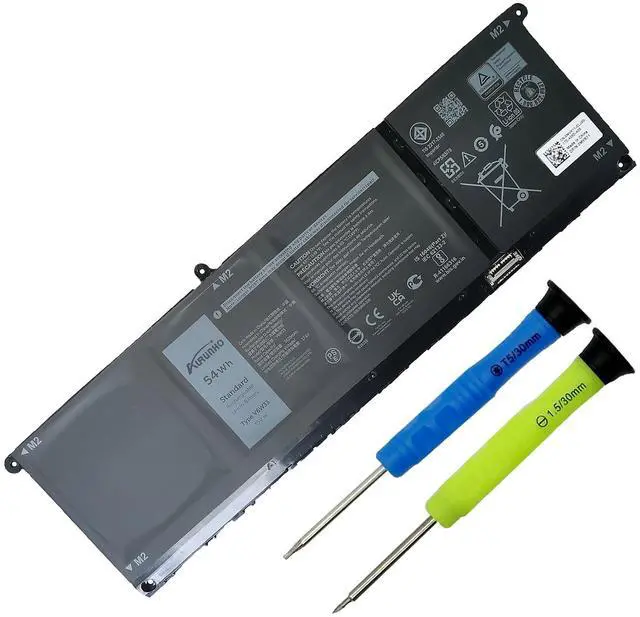
- 1X G91J0 battery
- One set of screwdrivers tool
- 1X User Manual
Specifications:
- Specifications:
- Battery Type: Rechargeable Color: Black
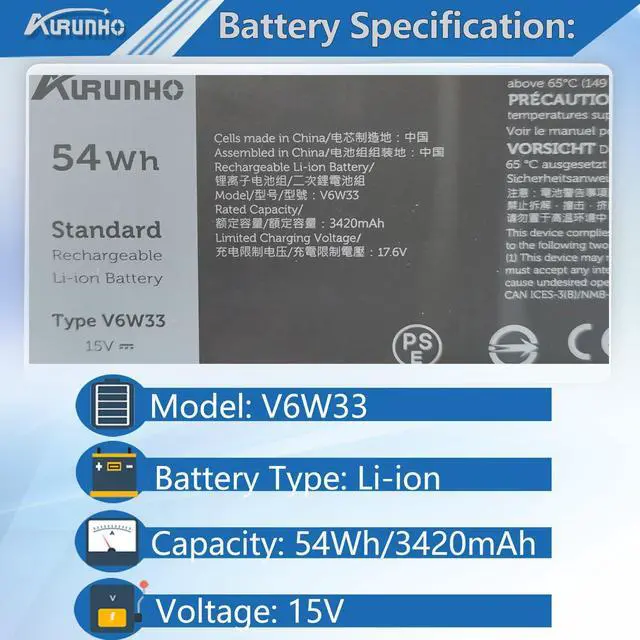
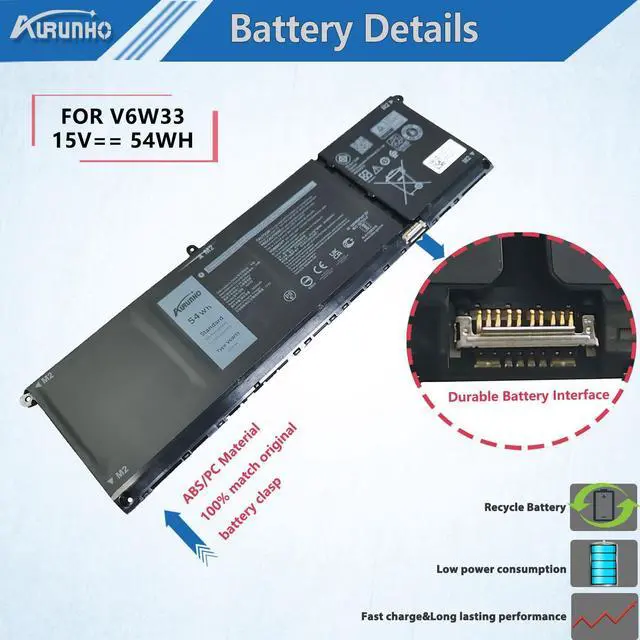
- Model: V6W33
- Voltage: 15V
- Capacity: 54Wh/3420mAh 4-Cell
- Condition: Grade A Cell / 100% brand New from Manufacturer
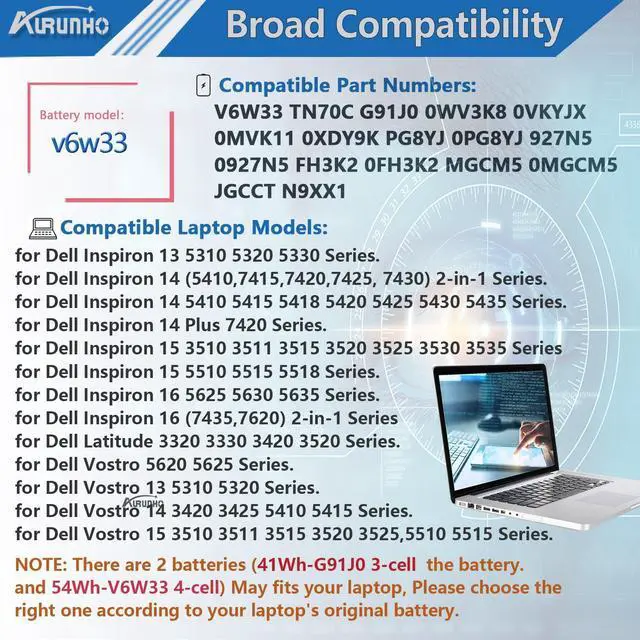
- Compatible Part Numbers:
- V6W33 TN70C G91J0 0WV3K8 0VKYJX 0MVK11 0XDY9K PG8YJ 0PG8YJ 927N5 0927N5 FH3K2 0FH3K2 MGCM5 0MGCM5 JGCCT N9XX1
Compatible Models (use "Ctrl+F to find your model quickly")
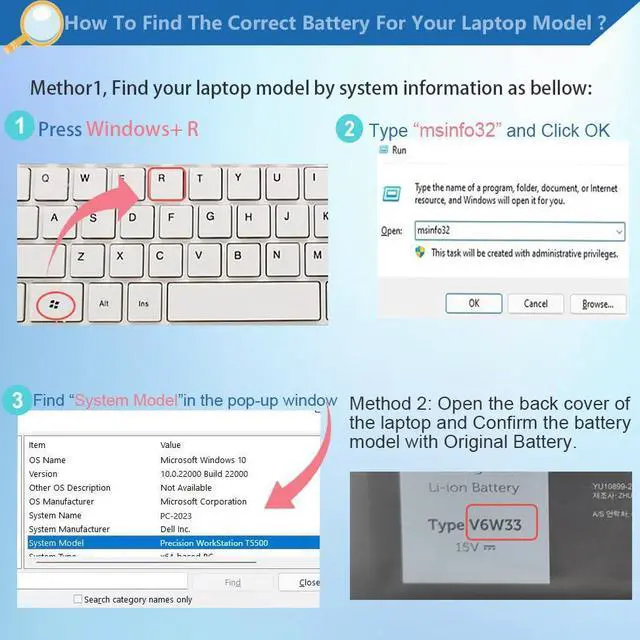
Note: 3 batteries (41Wh-G91J0 , 54Wh-V6W33 and 64Wh-TN70C ) may fits above laptops. Please choose the right one according to original battery Shape.

NOTE: These listing we are selling is V6W33 54Wh 4-Cell
 Click |  G91J0 41WH Laptop Battery Replacement for Dell Latitude 3320 3330 3420 3520 I... |  Click | |
|---|---|---|---|
| Customer Reviews | — | — | — |
| Price | — | — | — |
| Brand | AURUNHO | AURUNHO | AURUNHO |
| Battery Voltage | 15V | 11.25V | 15.2V |
| Battery Capacity | 54Wh | 41Wh | 64Wh |
| Cells | 4-Cell | 3-Cell | 4-Cell |
| Brand New | ? | ? | ? |
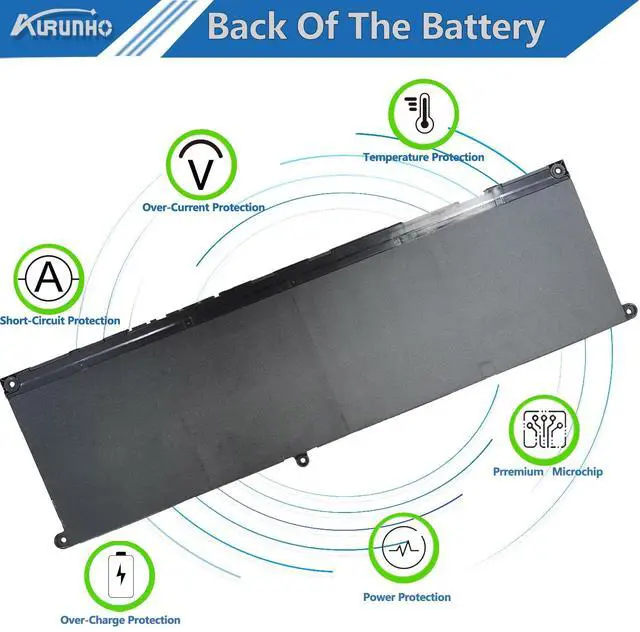
| Over-Charge Protection | ? | ? | ? |
| Over-Current Protection | ? | ? | ? |
| Short-Circuit Protection | ? | ? | ? |
| Over-Voltage Protection | ? | ? | ? |
Battery Maintenance Advice

We are glad to help your for any battery questions that via "Your Orders" tab in your account.
- For The first time to use the new battery,discharge the new battery to 10% (Do not 0%), then charge it to 100%. Cycle 3-5 times to activate its maximum capacity.
- Do not run out of battery power to 0%, the lithium battery will turn on the Charge Protection. So it can not be recharged any more.
- If the battery needs to remain idle in a month or a longer time, remove the battery out of the computer, charge it to 60%-80% and store it in a dry cool and clean place.
Welcome to AURUNHO !
AURUNHO is specializing in the Production,Wholesale and Retail of laptop batteries. We always adhered to "Quality first,Service creates Valuations!" business purposes.Whenever you need laptop batteries, AURUNHO batteries will be the perfect choice for you.
Specifications:
Package included:
- 1X G91J0 battery
- One set of screwdrivers tool
- 1X User Manual
- Specifications:
- Battery Type: Rechargeable Color: Black
- Model: V6W33
- Voltage: 15V
- Capacity: 54Wh/3420mAh 4-Cell
- Condition: Grade A Cell / 100% brand New from Manufacturer
- Compatible Part Numbers:
- V6W33 TN70C G91J0 0WV3K8 0VKYJX 0MVK11 0XDY9K PG8YJ 0PG8YJ 927N5 0927N5 FH3K2 0FH3K2 MGCM5 0MGCM5 JGCCT N9XX1
Compatible Models (use "Ctrl+F to find your model quickly")
| V6W33 Battery for Inspiron | for Dell Inspiron 13 5310 5320 5330 Series |
| V6W33 Battery for Inspiron | for Dell Inspiron 14 5410 5415 5418 5420 5425 5430 5435 5440 5445 Series |
| V6W33 Battery for Inspiron | for Dell Inspiron 14 Plus 7420 7430 7440 Series |
| V6W33 Battery for Inspiron | for Dell Inspiron 14 5410 2-in-1 Series |
| V6W33 Battery for Inspiron | for Dell Inspiron 14 7415 2-in-1 Series |
| V6W33 Battery for Inspiron | for Dell Inspiron 14 7420 2-in-1 Series |
| V6W33 Battery for Inspiron | for Dell Inspiron 14 7425 2-in-1 Series |
| V6W33 Battery for Inspiron | for Dell Inspiron 14 7430 2-in-1 Series |
| V6W33 Battery for Inspiron | for Dell Inspiron 14 7435 2-in-1 Series |
| V6W33 Battery for Inspiron | for Dell Inspiron 14 7440 2-in-1 Series |
| V6W33 Battery for Inspiron | for Dell Inspiron 14 7445 2-in-1 Series |
| V6W33 Battery for Inspiron | for Dell Inspiron 15 3510 3511 3515 Series |
| V6W33 Battery for Inspiron | for Dell Inspiron 15 3520 3521 3525 3530 3535 Series |
| V6W33 Battery for Inspiron | for Dell Inspiron 15 5510 5515 5518 Series. |
| V6W33 Battery for Inspiron | for Dell Inspiron 15 5515 (R1508STW / R1608STW / R1708STW) Series |
| V6W33 Battery for Inspiron | for Dell Inspiron 16 5625 5630 5635 5640 5645 Series |
| V6W33 Battery for Latitude | for Dell Latitude 3320 3330 Series |
| V6W33 Battery for Latitude | for Dell Latitude 3420 3430 Series |
| V6W33 Battery for Latitude | for Dell Latitude 3520 3530 Series |
| V6W33 Battery for Latitude | for Dell Latitude 3445 Chromebook Series |
| V6W33 Battery for Latitude | for Dell Latitude 5430 Chromebook Series |
| V6W33 Battery for Dell Vostro | for Dell Vostro 13 5310 5320 Series |
| V6W33 Battery for Dell Vostro | for Dell Vostro 14 3420 3425 Series |
| V6W33 Battery for Dell Vostro | for Dell Vostro 14 3430 3435 Series |
| V6W33 Battery for Dell Vostro | for Dell Vostro 14 5410 5415 Series |
| V6W33 Battery for Dell Vostro | for Dell Vostro 15 3510 3511 3515 Series |
| V6W33 Battery for Dell Vostro | for Dell Vostro 15 3520 3525 Series |
| V6W33 Battery for Dell Vostro | for Dell Vostro 15 3530 3535 Series |
| G91J0 Battery for Dell Vostro | for Dell Vostro 15 3562 Series |
| V6W33 Battery for Dell Vostro | for Dell Vostro 15 5510 5515 Series |
| V6W33 Battery for Dell Vostro | for Dell Vostro 16 5620 5625 5630 5635 5640 Series |
Note: 3 batteries (41Wh-G91J0 , 54Wh-V6W33 and 64Wh-TN70C ) may fits above laptops. Please choose the right one according to original battery Shape.
NOTE: These listing we are selling is V6W33 54Wh 4-Cell
Click | G91J0 41WH Laptop Battery Replacement for Dell Latitude 3320 3330 3420 3520 I... | Click | |
|---|---|---|---|
| Customer Reviews | — | — | — |
| Price | — | — | — |
| Brand | AURUNHO | AURUNHO | AURUNHO |
| Battery Voltage | 15V | 11.25V | 15.2V |
| Battery Capacity | 54Wh | 41Wh | 64Wh |
| Cells | 4-Cell | 3-Cell | 4-Cell |
| Brand New | ? | ? | ? |
| Over-Charge Protection | ? | ? | ? |
| Over-Current Protection | ? | ? | ? |
| Short-Circuit Protection | ? | ? | ? |
| Over-Voltage Protection | ? | ? | ? |
Battery Maintenance Advice
We are glad to help your for any battery questions that via "Your Orders" tab in your account.
- For The first time to use the new battery,discharge the new battery to 10% (Do not 0%), then charge it to 100%. Cycle 3-5 times to activate its maximum capacity.
- Do not run out of battery power to 0%, the lithium battery will turn on the Charge Protection. So it can not be recharged any more.
- If the battery needs to remain idle in a month or a longer time, remove the battery out of the computer, charge it to 60%-80% and store it in a dry cool and clean place.