










How to choose the correct battery?
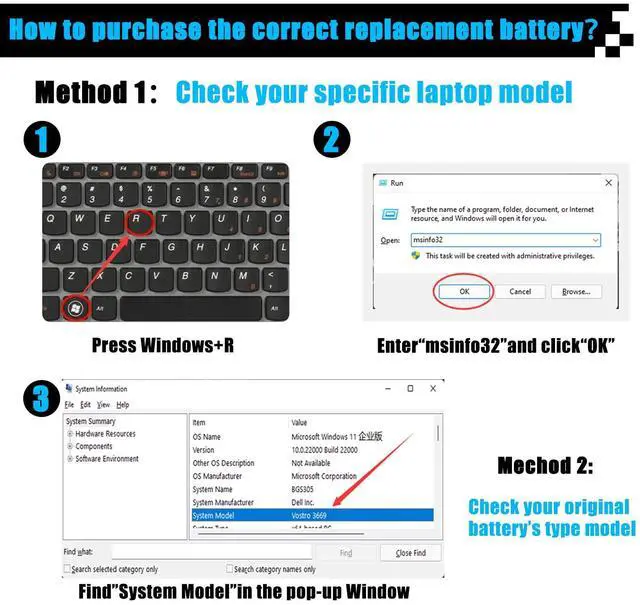
Method 1: Use System Information to find your laptop model
- Step 1: Press "Windows + R" to open the Run window.
- Step 2: Enter "msinfo32" in the empty box and click OK to open System Information.
- Step 3: Keep in the "System Summary" sectionand you will find the "System Model " itemin the right pane.
Method 2: Open the back cover of the laptop and confirm the battery type and capacity, as well as the model of the laptop.
- Step 1: Turn off the laptop and unplug the power cord (to prevent electric shock)
- Step 2: Remove the back panel with a screwdriver. (Please proceed with care to avoid damage to the laptop's components.)
- Step 3: Disconnect the cable connected to the battery and remove it. After that, you can check the specifications of your battery.

Welcome to AOMKA
Aomka is a professional laptop/tablet battery provider, dedicated to providing different types of high-quality batteries for our customers to bring their laptops back to life again.


Warm tips before ordering
Please open the back cover of the laptop before ordering and make sure that the original battery model is consistent with the listing.
- Package Included:
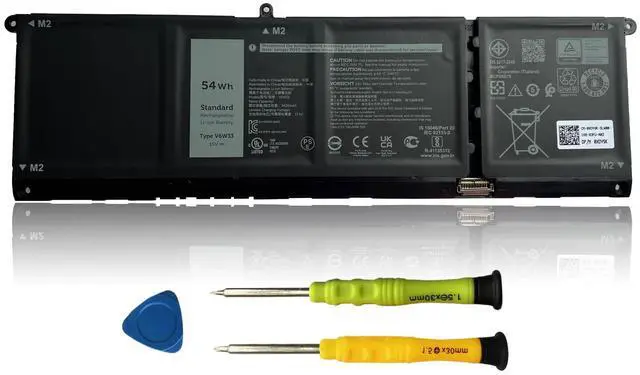
- 1 X V6W33 Battery
- 1 set Installation Tools
Specification
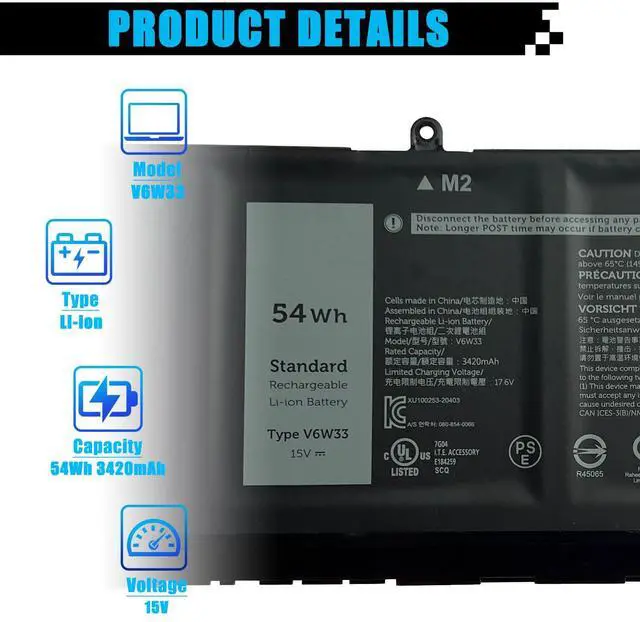
- Model: V6W33
- Voltage:15V
- Capacity: 54Wh 3420mAh
- Battery Type: Li-ion
- Battery Condition: Brand New
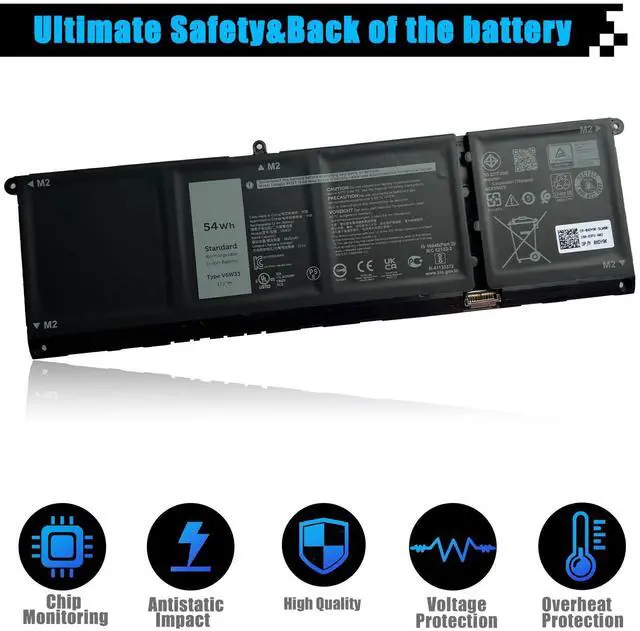
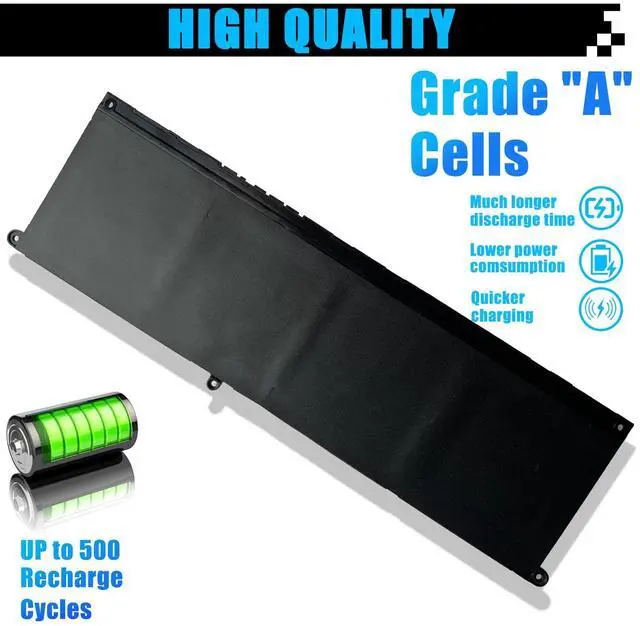
- Condition: 100% New from Manufacturer, Grade A Cell
Replace Part Number:
- V6W33 TN70C G91J0 0WV3K8 0VKYJX 0MVK11 0XDY9K PG8YJ
- 0PG8YJ 927N5 0927N5 FH3K2 0FH3K2 MGCM5 0MGCM5 JGCCT N9XX1
Compatible Model Numbers:
- For Dell Inspiron 3510 3511 3515 5310 5410 series
- For Dell Inspiron 5415 5418 5510 5515 5518 series
- For Dell Inspiron 5410 2-in-1 Series
- For Dell Inspiron 15 5515 R1508STW R1608STW R1708STW series
- For Dell Latitude 3320 3520 3420 series
- For Dell Vostro 3510 3515 3511 5510 5515 5410 5415 series


Precautions for installing a new battery
1.Check your original battery's part number and confirm the exact battery model you need.
2.You need to turn off your laptop and disconnect the power.
3. Disconnect the old battery from the motherboard to avoid unnecessary damage caused by disassembling the battery. Then unscrew the old battery screws one by one and carefully store each screw.
4. Remove the old battery, carefully install the new battery on the battery case, screw in the screws, and connect the wires of the new battery.
5. If you don't understand the above steps, you can search for videos on YouTube about laptop battery installation. Perhaps it will help you.

Precautions during battery usage stage
1.Discharge the new battery use to 5%(not to 0%) and then charge to 95%, and cycle 3-4 times.
2.If the battery is damaged and swollen, do not use it.
3. Do not disassemble, crush or puncture. Do not handle it in fire or water.
4.If you remove the battery for a long time, charge it to at least 80% or more once a month.
5.Do not connect the adapter for a long time when using the battery. It may damage the battery.

How to improve computers that do not recognize new batteries?
Method 1:
1. Check the packing and the battery to confirm it has not been harmed during the shipping.
2. Please make sure that the connector of the battery has been inserted into the system board correctly and tightly.
3. Update the battery drive to the newest edition. Charge the new battery for 4-6 hours.
Method 2:
1.Unplug all external devices from the laptop, Then take out the battery.
2.Press the power button of the laptop for about 15 seconds.
3.Insert the battery and restart the computer.
4.Connect the AC adapter and check if your machine can detect the battery again.
How to choose the correct battery?
Method 1: Use System Information to find your laptop model
- Step 1: Press "Windows + R" to open the Run window.
- Step 2: Enter "msinfo32" in the empty box and click OK to open System Information.
- Step 3: Keep in the "System Summary" sectionand you will find the "System Model " itemin the right pane.
Method 2: Open the back cover of the laptop and confirm the battery type and capacity, as well as the model of the laptop.
- Step 1: Turn off the laptop and unplug the power cord (to prevent electric shock)
- Step 2: Remove the back panel with a screwdriver. (Please proceed with care to avoid damage to the laptop's components.)
- Step 3: Disconnect the cable connected to the battery and remove it. After that, you can check the specifications of your battery.
Welcome to AOMKA
Aomka is a professional laptop/tablet battery provider, dedicated to providing different types of high-quality batteries for our customers to bring their laptops back to life again.
Specification
Warm tips before ordering
Please open the back cover of the laptop before ordering and make sure that the original battery model is consistent with the listing.
- Package Included:
- 1 X V6W33 Battery
- 1 set Installation Tools
- Model: V6W33
- Voltage:15V
- Capacity: 54Wh 3420mAh
- Battery Type: Li-ion
- Battery Condition: Brand New
- Condition: 100% New from Manufacturer, Grade A Cell
Replace Part Number:
- V6W33 TN70C G91J0 0WV3K8 0VKYJX 0MVK11 0XDY9K PG8YJ
- 0PG8YJ 927N5 0927N5 FH3K2 0FH3K2 MGCM5 0MGCM5 JGCCT N9XX1
Compatible Model Numbers:
- For Dell Inspiron 3510 3511 3515 5310 5410 series
- For Dell Inspiron 5415 5418 5510 5515 5518 series
- For Dell Inspiron 5410 2-in-1 Series
- For Dell Inspiron 15 5515 R1508STW R1608STW R1708STW series
- For Dell Latitude 3320 3520 3420 series
- For Dell Vostro 3510 3515 3511 5510 5515 5410 5415 series
Precautions for installing a new battery
1.Check your original battery's part number and confirm the exact battery model you need.
2.You need to turn off your laptop and disconnect the power.
3. Disconnect the old battery from the motherboard to avoid unnecessary damage caused by disassembling the battery. Then unscrew the old battery screws one by one and carefully store each screw.
4. Remove the old battery, carefully install the new battery on the battery case, screw in the screws, and connect the wires of the new battery.
5. If you don't understand the above steps, you can search for videos on YouTube about laptop battery installation. Perhaps it will help you.
Precautions during battery usage stage
1.Discharge the new battery use to 5%(not to 0%) and then charge to 95%, and cycle 3-4 times.
2.If the battery is damaged and swollen, do not use it.
3. Do not disassemble, crush or puncture. Do not handle it in fire or water.
4.If you remove the battery for a long time, charge it to at least 80% or more once a month.
5.Do not connect the adapter for a long time when using the battery. It may damage the battery.
How to improve computers that do not recognize new batteries?
Method 1:
1. Check the packing and the battery to confirm it has not been harmed during the shipping.
2. Please make sure that the connector of the battery has been inserted into the system board correctly and tightly.
3. Update the battery drive to the newest edition. Charge the new battery for 4-6 hours.
Method 2:
1.Unplug all external devices from the laptop, Then take out the battery.
2.Press the power button of the laptop for about 15 seconds.
3.Insert the battery and restart the computer.
4.Connect the AC adapter and check if your machine can detect the battery again.
AOMKA is manufacturer of high performance items. We are offering affordable laptop batteries, laptop power ac adapters/ chargers, iRobot batteries, power tool batteries and more products directly supply from our factory.
