







Compatible with Laptop Model:(Ctrl+F to search your model)

Security and Reliable
- 12 rigorous testing. Deal with accidents calmly.
- Core circuit protection design. Only for efficiency and safety.
- Data and stability. Merged into one.

Fit Perfectly
- Original machine design, OEM experience
- Systematic testing, industry standards met. Real-machine tests, Strict delivery for stability

Top Quality Battery Cells
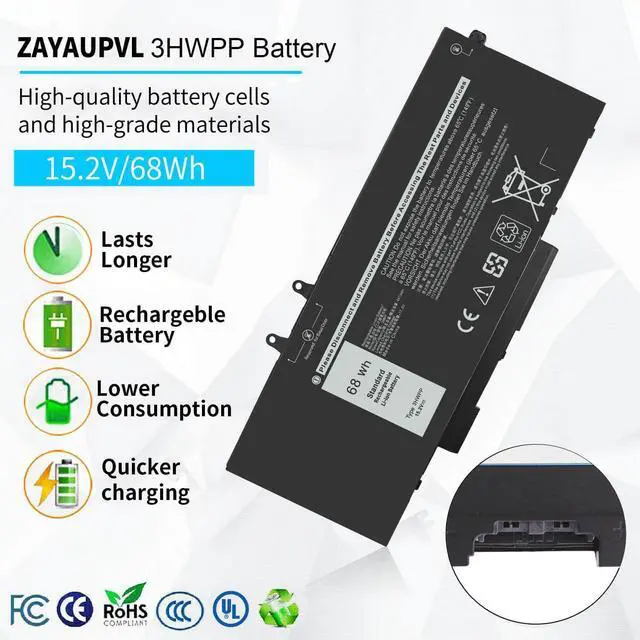
- A+ cell structure. Excellent discharge curve and low internal resistance. Excellent cell stability. Long cycle life.

Product Details
- ABS/PC Material: heat & wear-resistant, durable
- 100% Matches Original Laptop High-Quality Power Interface: stable current & voltage.

There are two ways to choose the right battery. Which two methods are they ?
1. Search battery model: Remove the laptop case to check and confirm the shape of the original battery. (Recommended ?)
2. Search laptop model: Pressing [Window] + [R] key and entering [msinfo32] or [dxdiag]. Click OK to find "System Model".
What do we need to pay attention to using batteries for the first time?
1.The battery must be full charged before first use
2.You need to turn off your laptop and disconnect the power when you install a new battery
2.Do Discharge the new battery use to 5%/7%(not to 0%) and then charge to 95%, and cycle 3-4 times
How should I do if we received the item doesn't work?
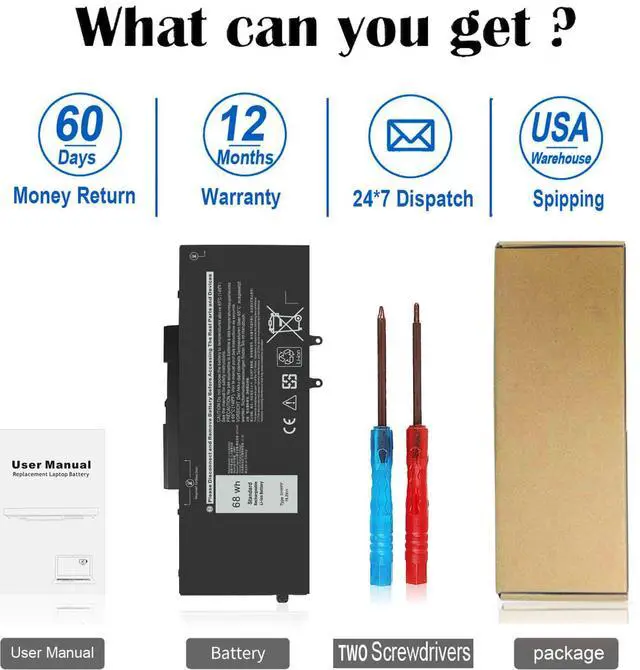
Our item has a 12-month replacement and a 60-day money-back . Please contact ZAYAUPVL INC. We will replace it with a new one for free
How should I preserve my laptop battery when I don’t use it?
The ideal preservation method is to charge the battery to about 40%.the battery should be used once a month, which can not only good preservation of the battery but also prevent the battery from being damaged by the complete loss of power
How should I charge my laptop battery?
It is suggested to charge the battery before the power runs out completely. It is best to charge when the remaining power is about 5-10%, and the battery should be charged in a relatively dry place.

Compatible with Laptop Model:(Ctrl+F to search your model)
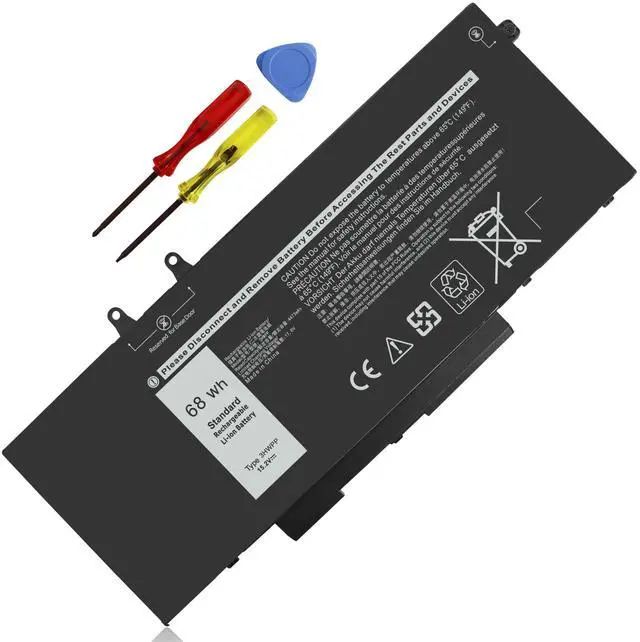
| Specifications: | Voltage: 15.2V; Capacity: 68Wh; Cells: 3-cell; The package also includes 1pcs 3HWPP battery, 2pcs screwdrivers, and 1pcs instruction; Ships from US Warehouse; Full refunds are available for any reason within 60 days of purchase; If it becomes defective within one year of your purchase, we offer a free exchange |
|---|---|
| Compatible Part Numbers: | 3HWPP 03HWPP 10X1J N2NLL 1VY7F 3YNXM 3PCVM 451-BCMN |
| Compatible with: | Dell Latitude 5401 E5401 Series |
| Compatible with: | Dell Latitude 5501 E5501 Series |
| Compatible with: | Dell Latitude 5411 E5411 Series |
| Compatible with: | Dell Latitude 5511 E5511 Series |
| Compatible with: | Dell Latitude 14 5410 E5410 Series |
| Compatible with: | Dell Latitude 15 5510 E5510 Series |
| Compatible with: | Dell Precision 3541 Series |
| Compatible with: | Dell Precision 3551 Series, for Dell Inspiron 17 7500 2-in-1 Black Edition Series (NOT fit for Dell Inspiron 17 7500 2-in-1 Silver Edition) |
| Compatible with: | Dell Inspiron 17 7506 2-in-1 Black Edition Series (NOT fit for Dell Inspiron 17 7506 2-in-1 Silver Edition) |
| Note: | 3HWPP battery for -- Dell Inspiron 17 7500/7506 2-in-1 Black Edition (What we sell); JK6Y6/H5CKD battery for - - Dell Inspiron 17 7500/7506 2-in-1 Silver Edition |
Security and Reliable
- 12 rigorous testing. Deal with accidents calmly.
- Core circuit protection design. Only for efficiency and safety.
- Data and stability. Merged into one.
Fit Perfectly
- Original machine design, OEM experience
- Systematic testing, industry standards met. Real-machine tests, Strict delivery for stability
Top Quality Battery Cells
- A+ cell structure. Excellent discharge curve and low internal resistance. Excellent cell stability. Long cycle life.
Product Details
- ABS/PC Material: heat & wear-resistant, durable
- 100% Matches Original Laptop High-Quality Power Interface: stable current & voltage.

There are two ways to choose the right battery. Which two methods are they ?
1. Search battery model: Remove the laptop case to check and confirm the shape of the original battery. (Recommended ?)
2. Search laptop model: Pressing [Window] + [R] key and entering [msinfo32] or [dxdiag]. Click OK to find "System Model".
What do we need to pay attention to using batteries for the first time?
1.The battery must be full charged before first use
2.You need to turn off your laptop and disconnect the power when you install a new battery
2.Do Discharge the new battery use to 5%/7%(not to 0%) and then charge to 95%, and cycle 3-4 times
How should I do if we received the item doesn't work?
Our item has a 12-month replacement and a 60-day money-back . Please contact ZAYAUPVL INC. We will replace it with a new one for free
How should I preserve my laptop battery when I don’t use it?
The ideal preservation method is to charge the battery to about 40%.the battery should be used once a month, which can not only good preservation of the battery but also prevent the battery from being damaged by the complete loss of power
How should I charge my laptop battery?
It is suggested to charge the battery before the power runs out completely. It is best to charge when the remaining power is about 5-10%, and the battery should be charged in a relatively dry place.