

Your Browsing History
- Free 30-day Returns
$67.49
Ships from Hong Kong.

Meet Your Seller

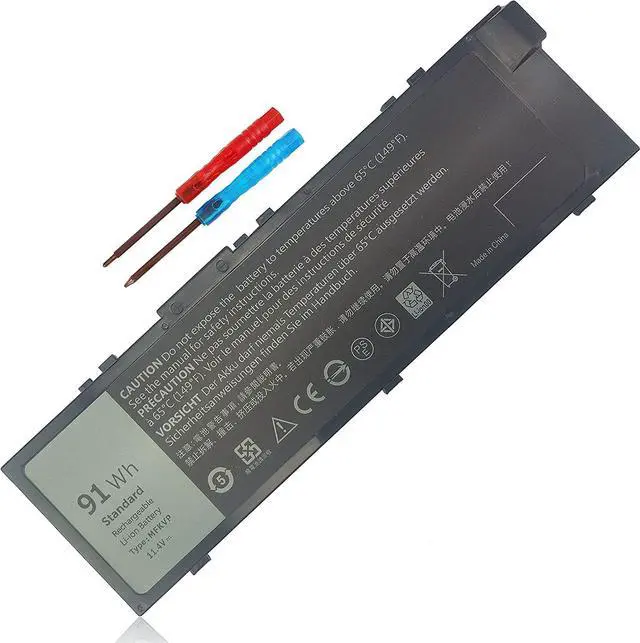
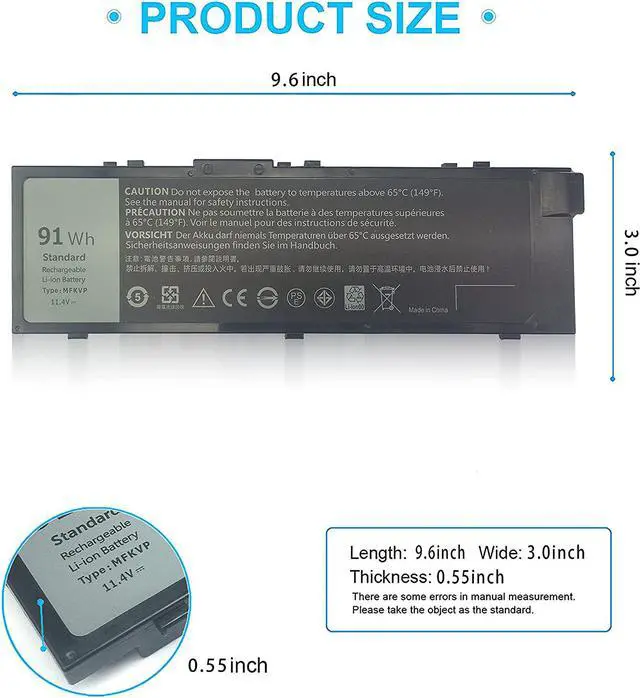
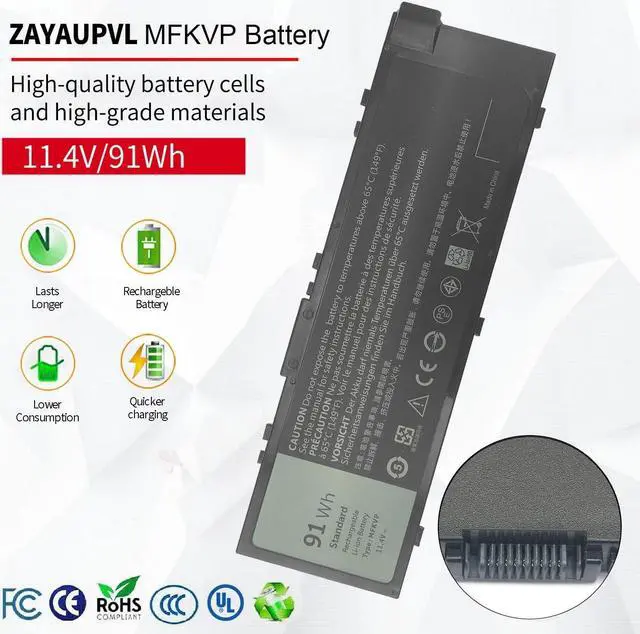



ZAYAUPVL MFKVP Battery for Dell Precision 15 7510 7520 17 7710 7720 M7510 M7710 Series 451-BBSF 451-BBSB GR5D3 M28DH TWCPG 1G9VM 0FNY7 T05W1
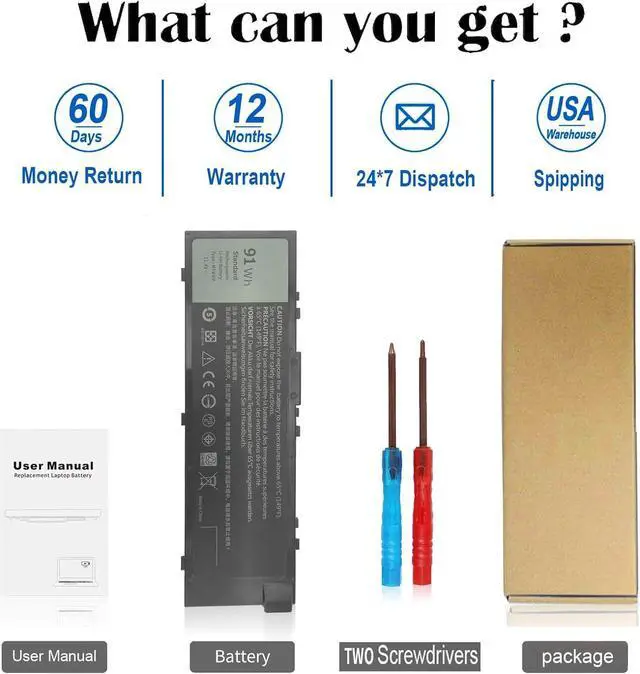
- Specifications : 91wh standard Rechargeable Li-ion Battery; Type: MFKVP; Battery Type: Lithium polymer; Voltage: 11.4V; Capacity: 91Wh; Cells: 6 cells; Color: Black; Condition: New; Packages includes: 1x laptop battery(with free screwdrivers for easy installation)
- Compatible Part Number:MFKVP 1G9VM 451-BBSB 451-BBSF GR5D3 M28DH T05W1 TO5W1 0FNY7 TWCPG RDYCT
- Compatible Laptop Models: MFKVP battery for Dell Precision 15 7510 7520 M7510 7710 7720 M7710 Series
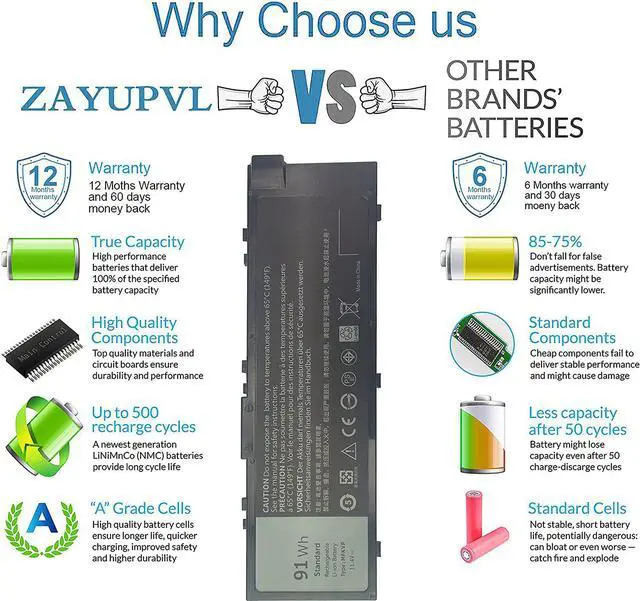
- Security:100% new from manufacturer, every battery has passed factory testing, grade A cells ensure fast charges and low power consumption, built-in circuit protection ensures both safety and stability. Up to 500 recharge cycles over the life of the battery
- Perfect After-sale: 60 Days no-questions-asked full money back and 12 Months free exchange guarantee. The return window will be closed a month after you received the the product.Contact us by follow step:Please click on seller store on right corner ask a question and contac
+
+
Overview
Specs
Reviews

Any questions? Our AI mode will help you find out quickly.
Try me now
Previous page
Next page Method 1: Use System Information to find your laptop model
Step 1: Press Windows + R to open Run window.
Step 2: Input "msinfo32" in the empty box and click OK to open System Information.
Step 3: Keep in the System Summary section, and you will find the System Model item in the right pane.
Method 2: Remove Battery from Laptop to find your laptop battery part number
Step 1: Switch off the laptop and unplug the power cable in case of electric shock
Step 2: Remove the back panel with the screwdriver. You should to this with care avoiding any harm to the laptop components.
Step 3: Disconnect the cable connected to the battery and then take out the battery. After that, you can check the specifications of your battery.
ZAYAUPVL is a manufacturer mainly engaged in the business of notebook batteries and power adapters.Cutting out the middlemen, we directly provide goods for factories and consumers.Our positioning is high quality, simplicity and durability.Our replacement batteries are fully compatible with computers of all brands. Our product performance is stable, safe and reliable
Brand:ZAYAUPVL
Item: MFKVP 91Wh standard Rechargeable Li-polymer Battery
Battery Type: Li-ion
Cells: 6-cell
Voltage: 11.4V
Capacity:91Wh
Condition: 100% New from Manufacturer, Grade A Cell
Main Benefits:
US Warehouse
True capacity
Grade A Cell.High efficiency, durability and high conversion rates.
Up to 500 recharge cycles
100% compatible. Original machine plan. Still the original experience.
12 rigorous testing. Deal with accidents calmly.
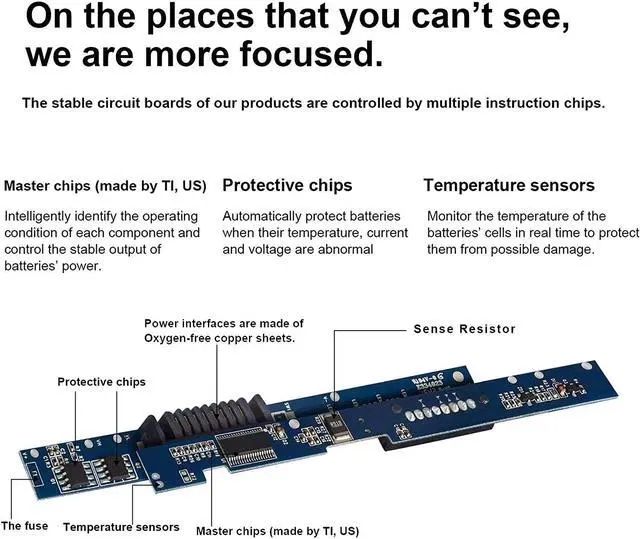
Core circuit protection design. Only for efficiency and safety.
Data andstability. Merged into one.
Original machine plan. Still the original experience.
Conduct systematic testing. Each product is strictly tested in accordance with industry standards. The quality is only for your satisfaction. Actual test on real machine. Quality can be guaranteed. Only by implementing stricter delivery standards can there be stable quality products.
A+ Cells structure. Excellent discharge curve and low internal resistance. Excellent cell stability. Long cycle life.
You need to turn off your laptop and disconnect the power.
Disconnect the connection between the old battery and the motherboard to avoid unnecessary damage caused by disassembling the battery. Then unscrew the old battery screws one by one and carefully save each screw.
Remove the old battery, carefully install the new battery on the battery case, screw in the screw, and connect the wiring of the new battery.
If you don't understand the above steps, you can search for the video about laptop battery installation on YouTube. Maybe it will help you.
Discharge the new battery to 10% (not 0%), then charge(100%) and cycle 3-5 times to wake up the new battery.
It can calibrate the state of the battery by performing a complete and effective charging and discharging of the battery once a month.
Charge it to around 50% when you store it long term.
Do not keep your battery below 5% or deep discharge state (long time 0%), may turn on battery protection and cause the battery to fail to charge.
Please feel welcomed to notify us of any inconvenience or fault in our battery.
Turn off the laptop.
Unplug AC power.
Remove the battery.
Replace AC power.
Turn on laptop,allow OS to boot.
Once logged into the machine, perform a normal shut down.
Unplug AC power.
Replace battery.
Compatible Part Numbers:
MFKVP 1G9VM 451-BBSB 451-BBSF GR5D3 M28DH T05W1 TO5W1 0FNY7 TWCPG RDYCT
Compatible with Dell Laptop Models:
For Dell Precision 15 7510 series
For Dell Precision 15 7520 series
For Dell Precision 17 7710 series
For Dell Precision 17 7720 series
Why the laptop does not recognize the battery
Next page Method 1: Use System Information to find your laptop model
Step 1: Press Windows + R to open Run window.
Step 2: Input "msinfo32" in the empty box and click OK to open System Information.
Step 3: Keep in the System Summary section, and you will find the System Model item in the right pane.
Method 2: Remove Battery from Laptop to find your laptop battery part number
Step 1: Switch off the laptop and unplug the power cable in case of electric shock
Step 2: Remove the back panel with the screwdriver. You should to this with care avoiding any harm to the laptop components.
Step 3: Disconnect the cable connected to the battery and then take out the battery. After that, you can check the specifications of your battery.
ZAYAUPVL is a manufacturer mainly engaged in the business of notebook batteries and power adapters.Cutting out the middlemen, we directly provide goods for factories and consumers.Our positioning is high quality, simplicity and durability.Our replacement batteries are fully compatible with computers of all brands. Our product performance is stable, safe and reliable
Brand:ZAYAUPVL
Item: MFKVP 91Wh standard Rechargeable Li-polymer Battery
Battery Type: Li-ion
Cells: 6-cell
Voltage: 11.4V
Capacity:91Wh
Condition: 100% New from Manufacturer, Grade A Cell
Main Benefits:
US Warehouse
True capacity
Grade A Cell.High efficiency, durability and high conversion rates.
Up to 500 recharge cycles
100% compatible. Original machine plan. Still the original experience.
12 rigorous testing. Deal with accidents calmly.
Core circuit protection design. Only for efficiency and safety.
Data andstability. Merged into one.
Original machine plan. Still the original experience.
Conduct systematic testing. Each product is strictly tested in accordance with industry standards. The quality is only for your satisfaction. Actual test on real machine. Quality can be guaranteed. Only by implementing stricter delivery standards can there be stable quality products.
A+ Cells structure. Excellent discharge curve and low internal resistance. Excellent cell stability. Long cycle life.
You need to turn off your laptop and disconnect the power.
Disconnect the connection between the old battery and the motherboard to avoid unnecessary damage caused by disassembling the battery. Then unscrew the old battery screws one by one and carefully save each screw.
Remove the old battery, carefully install the new battery on the battery case, screw in the screw, and connect the wiring of the new battery.
If you don't understand the above steps, you can search for the video about laptop battery installation on YouTube. Maybe it will help you.
Discharge the new battery to 10% (not 0%), then charge(100%) and cycle 3-5 times to wake up the new battery.
It can calibrate the state of the battery by performing a complete and effective charging and discharging of the battery once a month.
Charge it to around 50% when you store it long term.
Do not keep your battery below 5% or deep discharge state (long time 0%), may turn on battery protection and cause the battery to fail to charge.
Please feel welcomed to notify us of any inconvenience or fault in our battery.
Turn off the laptop.
Unplug AC power.
Remove the battery.
Replace AC power.
Turn on laptop,allow OS to boot.
Once logged into the machine, perform a normal shut down.
Unplug AC power.
Replace battery.
Compatible Part Numbers:
MFKVP 1G9VM 451-BBSB 451-BBSF GR5D3 M28DH T05W1 TO5W1 0FNY7 TWCPG RDYCT
Compatible with Dell Laptop Models:
For Dell Precision 15 7510 series
For Dell Precision 15 7520 series
For Dell Precision 17 7710 series
For Dell Precision 17 7720 series
Why the laptop does not recognize the battery
Warranty & Returns
Warranty, Returns, And Additional Information
Warranty
- Please contact the Seller directly for warranty information. Warranty information may also be found on the Manufacturer's website.
- CONTACT
Return Policies
- Return for refund within: 30 days
- Return for replacement within: 30 days
- This item is covered by haoyuzeshang Return Policy
Manufacturer Contact Info
- For a directory of all our manufacturers, please click below.
- Manufacturers Directory
LOADING...