

Your Browsing History
- Free 30-day Returns
$138.00
Ships from Hong Kong.

Meet Your Seller

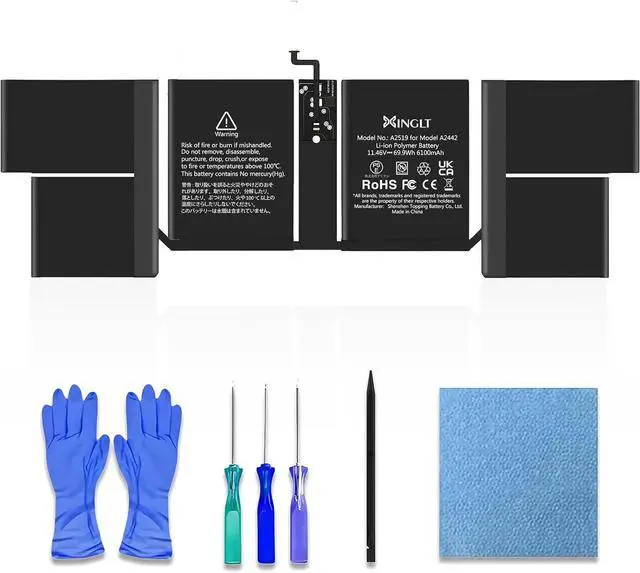



MacBook Pro A2442 Replacement Battery for 14-inch (2021) - EMC 3650 8102, Compatible with A2519 Battery Type
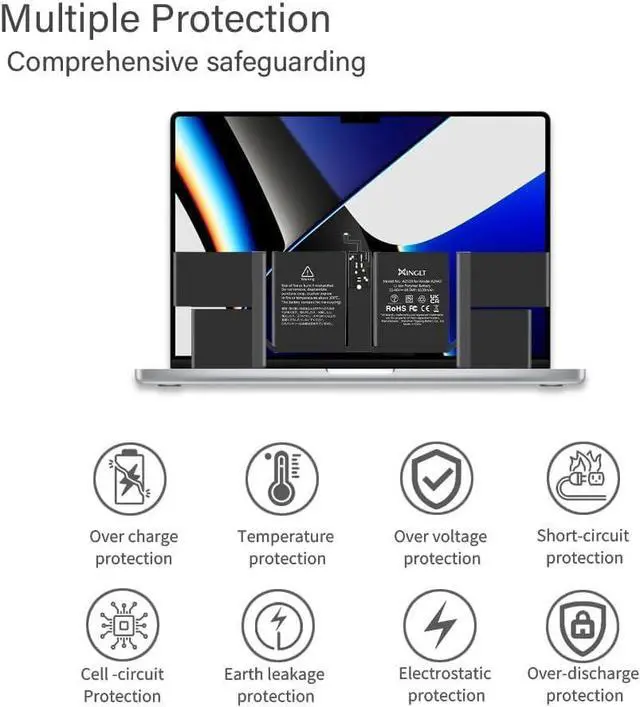
- Newly Upgraded Japanese 5.0 Chipset: Improve performance with XINGLT's advanced Japanese 5.0 chipset; It offers optimized power management for extended battery life and reliable performance on your 14-inch MacBook Pro A2442, enhancing productivity
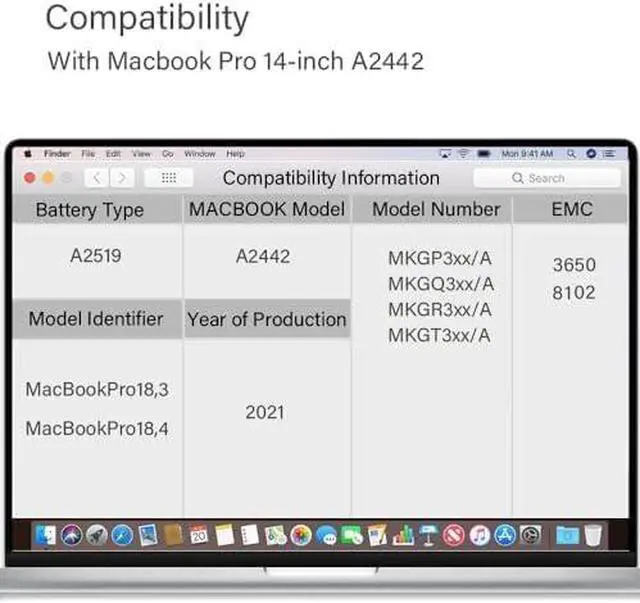
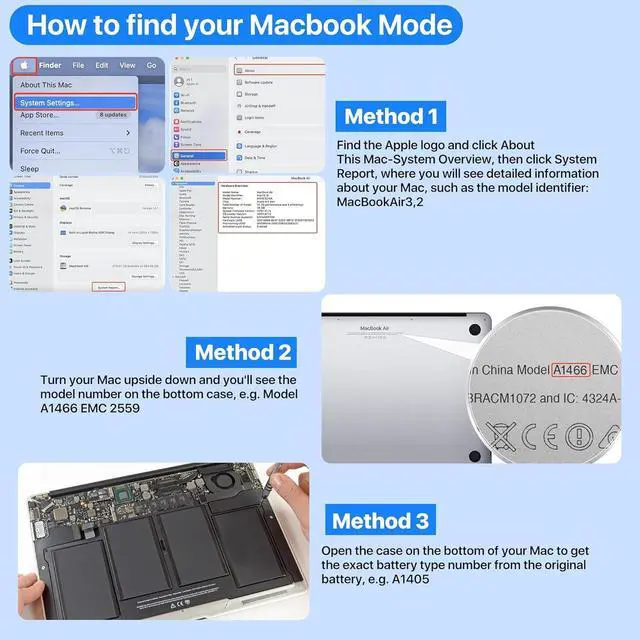
- Compatibility: Compatible with MacBook Pro 14" A2442 (2021), EMC 3650/8102; Check the bottom label for model and EMC number; Battery Specs: Voltage: 11.46 V, Capacity: 6100 mAh/69.9 Wh, Type: Li-Polymer
- 12-Month Support: Your investment is protected with 12-month coverage; With XINGLT, you get a high-quality battery and reliable after-sales support; If issues arise, our dedicated customer service team will assist you promptly
- Easy Installation: XINGLT replacement battery comes with tools and step-by-step instructions, making it simple and hassle-free; Suitable for both tech enthusiasts and novices, you can replace your old battery without professional help
- NEWEST PREMIUM GRADE CELLS: Better circuit board, multiple command chip control, k
+
+
Overview
Reviews

Any questions? Our AI mode will help you find out quickly.
Try me now
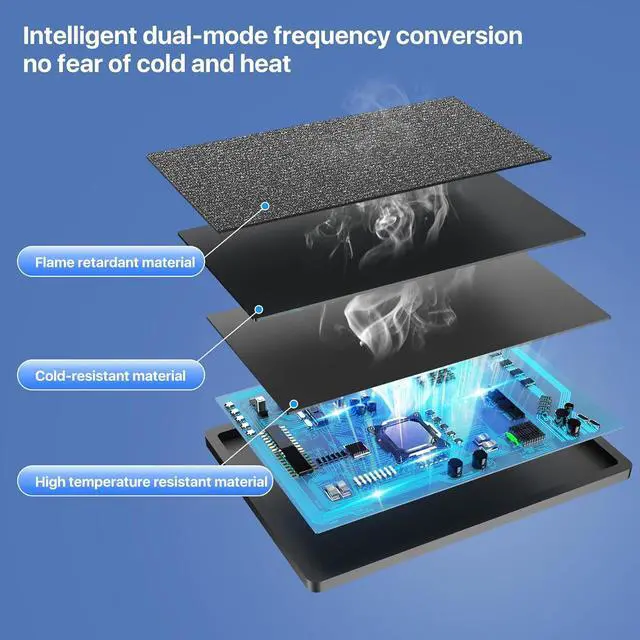
Battery Model No.:A2519Battery Details:Voltage: 11.46V. Capacity: 6100mAh/69.9WhBattery TypeLithium polymer batteryFits for year of Macbook ProFits for Year 2021 MacBook Pro 14-inch A24422021 Model Identifier:For MacBookPro18,3,/MacBookPro18,4 (MacBook Pro (14-inch, 2021))Part Numbers:MKGP3xx/A, MKGQ3xx/A, MKGR3xx/A, MKGT3xx/AFit Newest operating system:macOS SonomaFor 16inch MacBookPro Colors: Silver, space grayEMC3650/8102 A2442 battery with Intelligent core temperature control,full real-time temperature control ,won't get hot and hurt the machine
A2442 battery 100% REAL CAPACITY 11.4V. 55Wh ,4800mAh.Large capacity.No false label
A2442 battery with Upgraded dual-band, can run even at low temperatures
Resetting the System Management Controller (SMC) resolves certain issues related to power, battery, and other functions.The SMC is responsible for managing the behavior associated with the following functions. If you are experiencing problems related to these functions, you may need to reset the SMC.
-Power, including the power button and the USB port for power, battery, charging, fan, and other thermal management functions.
-Indicators or sensors, such as status indicators (sleep status, battery charge status, etc.), burst motion sensors, ambient light sensors and keyboard backlighting, and behavior when opening and closing the laptop lid.
Operation steps are as follows.
Turn the computer off.
On the built-in keyboard, press and hold all of the following keys. -Shift on the left side of the keyboard ;-Control on the left side of the keyboard ;-Option (Alt) on the left side of the keyboard ;While holding down all three keys, press and hold the power button. Press and hold all four keys for 10 seconds.
Release all keys and press the power button to turn the computer on to complete the reset.
After a certain number of charges, the capacity of any type of battery decreases, and the capacity of a lithium-ion battery, slightly with the completion of each charge cycle decreases.
All rechargeable batteries are consumable components that become less efficient as the product ages, and their age is not determined by time alone.
The life of a battery depends on its chemical age, which is influenced by several factors, such as temperature history and charging patterns.The charge capacity of a laptop battery decreases with chemical age.
Press and hold the Option key, and then tap the Apple logo menu in the upper left corner.
Select "System Information". In the System Information window, under the Hardware section, select Power.
On the left side, you will see the "Battery Information" section.
As for the charge is depleting quickly- there is a virtual electricity existence for the first installation. The computer has not been fully calibrated. After using 5-10 cycles, the computer will be automatically calibrated.
Page 11Previous pageNext pageXINGLT MacBook Pro A2442 Replacement Battery for 14-inch (2021) - EMC 3650 8102, Compatible with A2519 Battery Type
Share:
Found a lower price? Let us know. Although we can't match every price reported, we'll use your feedback to ensure that our prices remain competitive.
Fields with an asterisk * are required
**
A2442 battery 100% REAL CAPACITY 11.4V. 55Wh ,4800mAh.Large capacity.No false label
A2442 battery with Upgraded dual-band, can run even at low temperatures
Resetting the System Management Controller (SMC) resolves certain issues related to power, battery, and other functions.The SMC is responsible for managing the behavior associated with the following functions. If you are experiencing problems related to these functions, you may need to reset the SMC.
-Power, including the power button and the USB port for power, battery, charging, fan, and other thermal management functions.
-Indicators or sensors, such as status indicators (sleep status, battery charge status, etc.), burst motion sensors, ambient light sensors and keyboard backlighting, and behavior when opening and closing the laptop lid.
Operation steps are as follows.
Turn the computer off.
On the built-in keyboard, press and hold all of the following keys. -Shift on the left side of the keyboard ;-Control on the left side of the keyboard ;-Option (Alt) on the left side of the keyboard ;While holding down all three keys, press and hold the power button. Press and hold all four keys for 10 seconds.
Release all keys and press the power button to turn the computer on to complete the reset.
After a certain number of charges, the capacity of any type of battery decreases, and the capacity of a lithium-ion battery, slightly with the completion of each charge cycle decreases.
All rechargeable batteries are consumable components that become less efficient as the product ages, and their age is not determined by time alone.
The life of a battery depends on its chemical age, which is influenced by several factors, such as temperature history and charging patterns.The charge capacity of a laptop battery decreases with chemical age.
Press and hold the Option key, and then tap the Apple logo menu in the upper left corner.
Select "System Information". In the System Information window, under the Hardware section, select Power.
On the left side, you will see the "Battery Information" section.
As for the charge is depleting quickly- there is a virtual electricity existence for the first installation. The computer has not been fully calibrated. After using 5-10 cycles, the computer will be automatically calibrated.
Page 11Previous pageNext pageXINGLT MacBook Pro A2442 Replacement Battery for 14-inch (2021) - EMC 3650 8102, Compatible with A2519 Battery Type
Share:
Found a lower price? Let us know. Although we can't match every price reported, we'll use your feedback to ensure that our prices remain competitive.
Fields with an asterisk * are required
**
Warranty & Returns
Warranty, Returns, And Additional Information
Warranty
- Please contact the Seller directly for warranty information. Warranty information may also be found on the Manufacturer's website.
- CONTACT
Return Policies
- Return for refund within: 30 days
- Return for replacement within: 30 days
- This item is covered by AyeFlow Return Policy
Manufacturer Contact Info
- For a directory of all our manufacturers, please click below.
- Manufacturers Directory
LOADING...