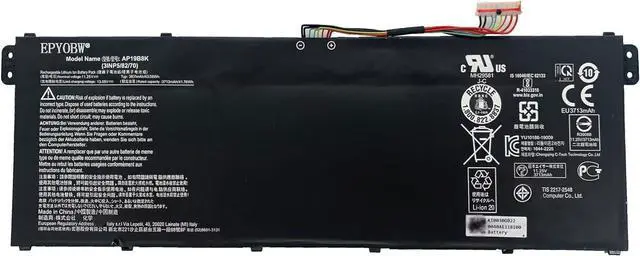
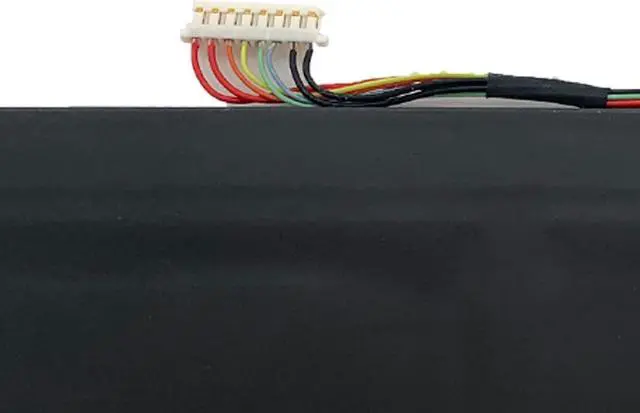
EPYOBW is a professional laptop battery supplier that continues to provide durable and safe laptop batteries. Wish you a happy shopping
Step 1: Press the "Windows + R" keys to pop up the window.
Step 2: Enter "msinfo32" and click "OK".
Step 3: View the "System Model" in the right pane.
Step 1: Shut down the laptop and unplug the power cord.
Step 2: Carefully use a screwdriver to remove the back panel to prevent damage to laptop components.
Step 3: Disconnect the cable connected to the battery, then you can check the model number and specific specifications on the battery.
Brand new battery
Rechargeable up to 1000+ times
Overcharging protection
Overheating protection
Short circuit protection
professional
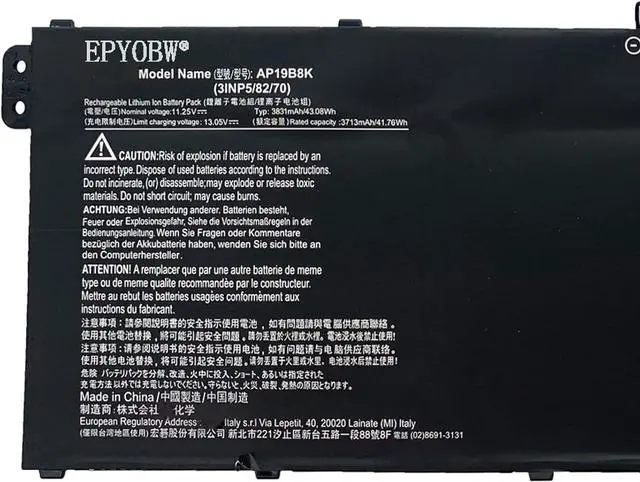
Battery Model:AP19B8K
Capacity: 43Wh 3831mAh 4-Cell
Voltage: 11.25V
Battery Type: Li-ion
Condition: Brand New
Color: Black
Replace Part Number:
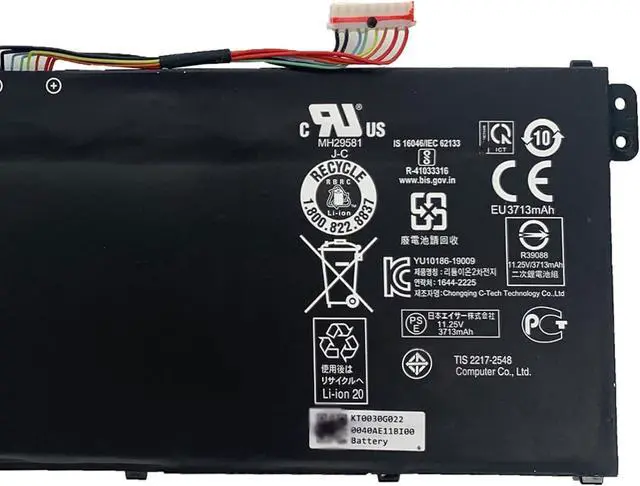
AP19B8K KT00304013 KT0030G022 3INP5/82/70
Compatible Laptop Models:(use"Ctrl+F to find your model quickly")
for ACER Aspire 3 A314-22 A314-22-A02R series
for ACER Aspire 3 A315-23 A315-23G-R8DM A315-23G-R8F3 series
for ACER Aspire 3 A315-57G A315-57G-303Z series
for ACER Aspire 3 A317-52 A317-52-76NC A317-52-78NF series
for ACER Aspire 5 A514-51K-39TM series
for ACER Aspire 5 A514-52-58NK series
for ACER Aspire 5 A514-53-303A A514-53G-7950 series
for ACER Aspire 5 A514-54-307L A514-54-32B7 A514-54G-78Z6 series
for ACER Aspire 5 A515-54G-56BZ series
for ACER Aspire 5 A515-56-32JX A515-56-33NT A515-56G-78TR A515-56G-79YK series
for ACER Aspire 5 A515-56T series
for ACER Aspire 7 A715-42G-R065 A715-42G-R09X A715-42G-R2LU series
for ACER Chromebook 15 CB315-3H-C11F series
for ACER Chromebook 314 C933 series
for ACER Extensa EX215-22 series
for ACER Spin 3 SP314-54N-76NM series
for ACER Swift 3 SF314-42 series
for ACER Swift 3 SF314-57-33QL series
for ACER Swift 3 SF314-58 series
for ACER TravelMate B1 B118-G2-RN-P15N series
for ACER TravelMate B311-31 B311-31-C1VR series
for ACER TravelMate P2 TMP214-51-55FM series
for ACER TravelMate P2 TMP214-52-3858 series
for ACER TravelMate P2 TMP215-51-32G3 series
for ACER TravelMate P2 TMP215-52-78JJ TMP215-52-79BN TMP215-52-79QB series
for ACER TravelMate Spin B1 B118-G2-RN-C52G B118-G2-RN-C5XB B118-G2-RN-P7EA series
for ACER TravelMate Spin B1 B118-R-C6JV series
for ACER TravelMate Spin B1 B118-RN-C3QD B118-RN-P31H series
for ACER TravelMate TMP215-52G-72FD series
Brand new battery
100% compatible
Meet OEM specifications
Rechargeable up to 1000+ times
capacity is true, stable current, low self-discharge
short circuit, overheat, and overload protections
Multiple protection
Strong battery life
Good "core" quality
After getting the battery, please install the battery correctly, make sure that the battery connector is firmly connected to the laptop motherboard, and start charging the laptop. Discharge the new battery to 5% (not 0%), then charge and cycle 3-4 times to wake up the new battery.
Remember not to discharge the battery to 0%, otherwise the battery will be easily damaged.
After the battery is exhausted, please charge it in time. If it is not charged for a long time, the battery may be damaged.
If the battery is not used for a long time, it needs to be charged to more than 70% for storage. The storage time should not exceed 3 months.
If you often use it with a charger, please use the battery power regularly and use it more than once a week.
Please use original chargers. Inferior chargers will affect the normal charging of the battery.
Regularly clean the fan dust to increase the heat dissipation effect and reduce power consumption, which can effectively extend the battery life.
Help others learn more about this product by uploadi