

Your Browsing History
- Free 30-day Returns
$121.00
Ships from Hong Kong.

Meet Your Seller


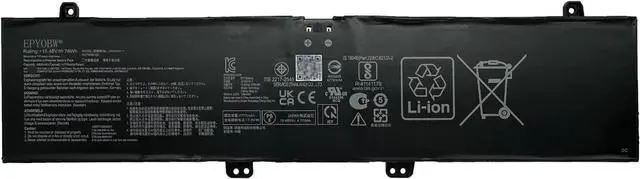
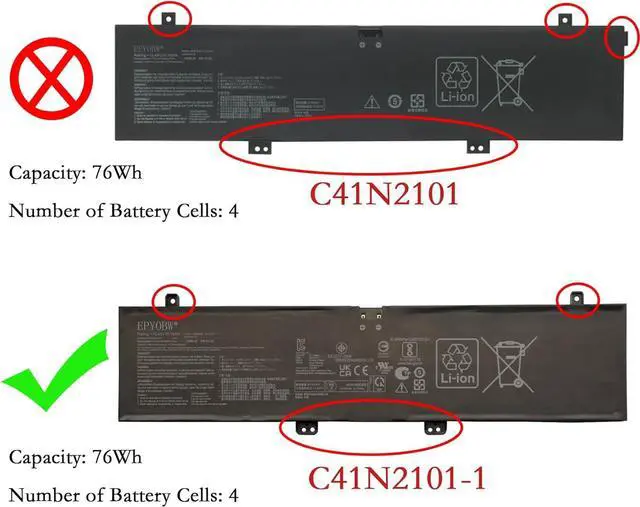
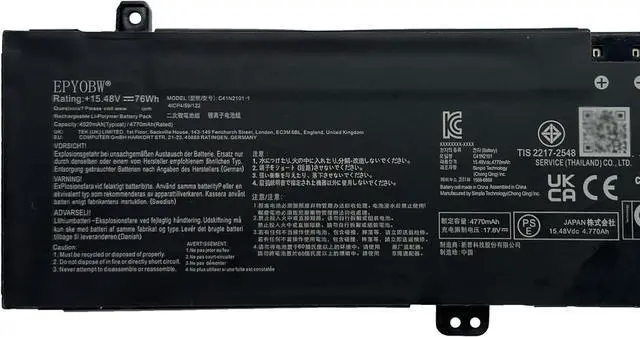
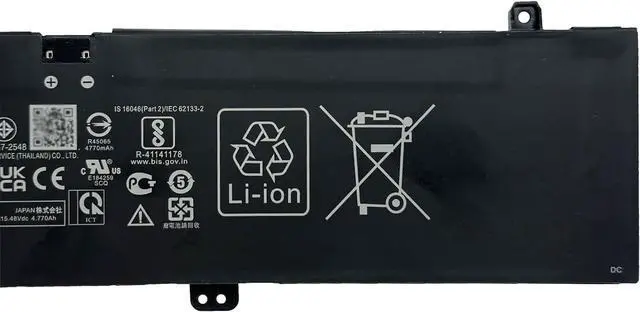
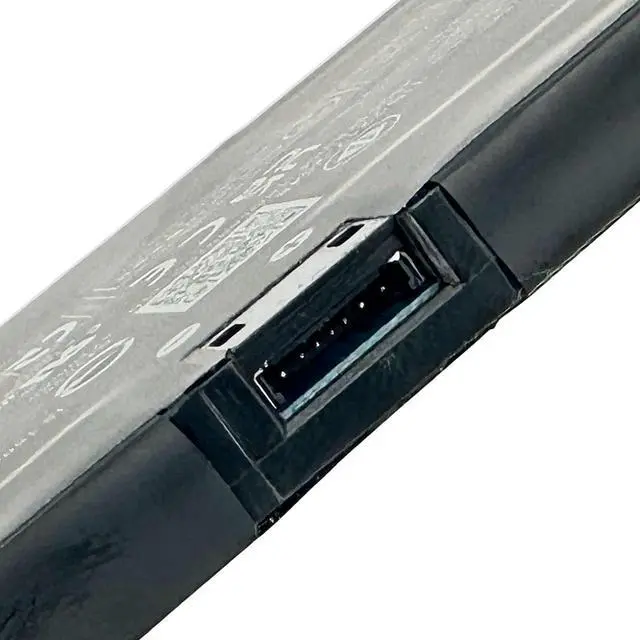
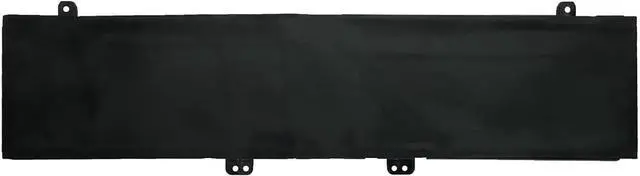


C41N2101-1 Laptop Battery 76Wh 4920mAh 4-Cell 15.48V Compatible with Asus Zenbook Pro 14 Duo OLED UX8402VU UX8402VV UX8402ZA UX8402ZE Series
- Specifications Battery Model: C41N2101-1 / Voltage: 15.48V / Capacity: 76Wh 4920mAh 4-Cell / Color: Black / Condition: Brand New.
- Replace Part Number C41N2101-1
- Compatible with Laptop Models for ASUS Zenbook Pro 14 Duo Series; for ASUS Zenbook Pro 14 Duo OLED UX8402VU Series; for ASUS Zenbook Pro 14 Duo OLED UX8402VV Series; for ASUS Zenbook Pro 14 Duo OLED UX8402ZA Series; for ASUS Zenbook Pro 14 Duo OLED UX8402ZE Series
- Purchase Skills Please open the back cover of the laptop before ordering and make sure that the original battery model is consistent with the listing. After getting the battery, please install the battery correctly, make sure that the battery connector is firmly connected to the laptop motherboard, and use the original charger to charge the laptop.Discharge the new battery to 5% (not 0%), then charge and cycle 3-4 times to wake up the new battery.
- EPYOBW Promise All EPYOBW's batteries are certificated by UL/CE/FCC/RoHS. Our batteries are tested by stric
+
+
Overview
Reviews

Any questions? Our AI mode will help you find out quickly.
Try me now
EPYOBW is a professional laptop battery supplier that continues to provide durable and safe laptop batteries. Wish you a happy shopping
Step 1: Press the "Windows + R" keys to pop up the window.
Step 2: Enter "msinfo32" and click "OK".
Step 3: View the "System Model" in the right pane.
Step 1: Shut down the laptop and unplug the power cord.
Step 2: Carefully use a screwdriver to remove the back panel to prevent damage to laptop components.
Step 3: Disconnect the cables connecting the battery, and then you can confirm the model and specific specifications of the battery.
Brand new battery
Rechargeable up to 1000+ times
Overcharging protection
Overheating protection
Short circuit protection
professional
Battery Model: C41N2101-1
Capacity: 76Wh 4920mAh 4-Cell
Voltage: 15.48V
Battery Type: Li-ion
Condition: Brand New
Color: Blackness
Replace Part Number:
C41N2101-1
for ASUS Zenbook Pro 14 Duo Series
for ASUS Zenbook Pro 14 Duo OLED UX8402VU Series:
UX8402VU-OI93210B0W UX8402VU-P1024X UX8402VU-P1028W UX8402VU-P1032X
for ASUS Zenbook Pro 14 Duo OLED UX8402VV Series:
UX8402VV-P1018W UX8402VV-P1018X UX8402VV-P1021W UX8402VV-P1021X
UX8402VV-P1022X UX8402VV-P1025W UX8402VV-P1943WS
for ASUS Zenbook Pro 14 Duo OLED UX8402ZA Series:
UX8402ZA-DB76T UX8402ZA-DS51T UX8402ZA-M3027X UX8402ZA-M3031W
UX8402ZA-M3033W UX8402ZA-M3076W UX8402ZA-M3082W
for ASUS Zenbook Pro 14 Duo OLED UX8402ZE Series:
UX8402ZE-DB74T UX8402ZE-DB96T UX8402ZE-0042K12900H UX8402ZE-AOQ27084W
UX8402ZE-AOQ29085W UX8402ZE-EM3025WS
Please feel free to choose us Welcome to EPYOBW How to get the correct battery? Method 1: Use the shortcut "Window+R" to check your laptop model. Method 2: Open the back cover of the laptop and confirm the battery type, capacity, and laptop model. Brand: EPYOBW Specification Compatible Laptop Models:(use"Ctrl+F to find your model quickly")
Step 1: Press the "Windows + R" keys to pop up the window.
Step 2: Enter "msinfo32" and click "OK".
Step 3: View the "System Model" in the right pane.
Step 1: Shut down the laptop and unplug the power cord.
Step 2: Carefully use a screwdriver to remove the back panel to prevent damage to laptop components.
Step 3: Disconnect the cables connecting the battery, and then you can confirm the model and specific specifications of the battery.
Brand new battery
Rechargeable up to 1000+ times
Overcharging protection
Overheating protection
Short circuit protection
professional
Battery Model: C41N2101-1
Capacity: 76Wh 4920mAh 4-Cell
Voltage: 15.48V
Battery Type: Li-ion
Condition: Brand New
Color: Blackness
Replace Part Number:
C41N2101-1
for ASUS Zenbook Pro 14 Duo Series
for ASUS Zenbook Pro 14 Duo OLED UX8402VU Series:
UX8402VU-OI93210B0W UX8402VU-P1024X UX8402VU-P1028W UX8402VU-P1032X
for ASUS Zenbook Pro 14 Duo OLED UX8402VV Series:
UX8402VV-P1018W UX8402VV-P1018X UX8402VV-P1021W UX8402VV-P1021X
UX8402VV-P1022X UX8402VV-P1025W UX8402VV-P1943WS
for ASUS Zenbook Pro 14 Duo OLED UX8402ZA Series:
UX8402ZA-DB76T UX8402ZA-DS51T UX8402ZA-M3027X UX8402ZA-M3031W
UX8402ZA-M3033W UX8402ZA-M3076W UX8402ZA-M3082W
for ASUS Zenbook Pro 14 Duo OLED UX8402ZE Series:
UX8402ZE-DB74T UX8402ZE-DB96T UX8402ZE-0042K12900H UX8402ZE-AOQ27084W
UX8402ZE-AOQ29085W UX8402ZE-EM3025WS
Please feel free to choose us Welcome to EPYOBW How to get the correct battery? Method 1: Use the shortcut "Window+R" to check your laptop model. Method 2: Open the back cover of the laptop and confirm the battery type, capacity, and laptop model. Brand: EPYOBW Specification Compatible Laptop Models:(use"Ctrl+F to find your model quickly")
Warranty & Returns
Warranty, Returns, And Additional Information
Warranty
- Please contact the Seller directly for warranty information. Warranty information may also be found on the Manufacturer's website.
- CONTACT
Return Policies
- Return for refund within: 30 days
- Return for replacement within: 30 days
- This item is covered by AyeFlow Return Policy
Manufacturer Contact Info
- For a directory of all our manufacturers, please click below.
- Manufacturers Directory
LOADING...
LOADING...