We are a professional laptop/tablet battery provider, dedicated to providing different types of high-quality batteries for our customers to bring your laptop back to life again. Thanks for your choice and trust, Enjoy your shopping!
Warm tips before purchasing
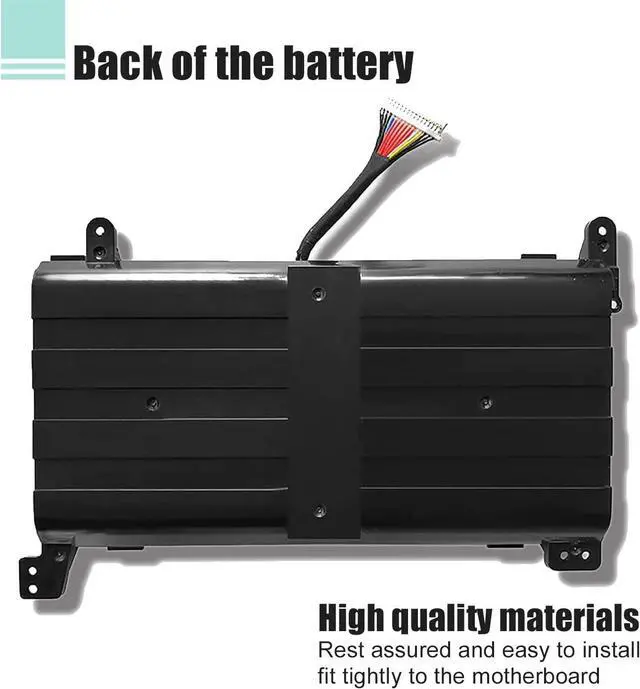
Please open your laptop case, check and confirm your original battery model and appearance, compared with our battery image, and make sure that's what you need. Especially the location of the connector and the cable length (long or short).
Step 1: Press "Windows + R" to open the Run window.
Step 2: Type "msinfo32" in the empty box and click OK to open System Information.
Step 3: Keep in the "System Summary" section and you will find the "System Model " item in the right pane.
Method 2: Open the back cover of the laptop and confirm the battery type and capacity, as well as the model of the laptop.
Step 1: Turn off the laptop and unplug the power cord (to prevent electric shock)
Step 2: Remove the back panel with a screwdriver. (Please proceed with care to avoid damage to the laptop's components.)
Step 3: Disconnect the cable connected to the battery and remove it. After that, you can check the specifications of your battery.
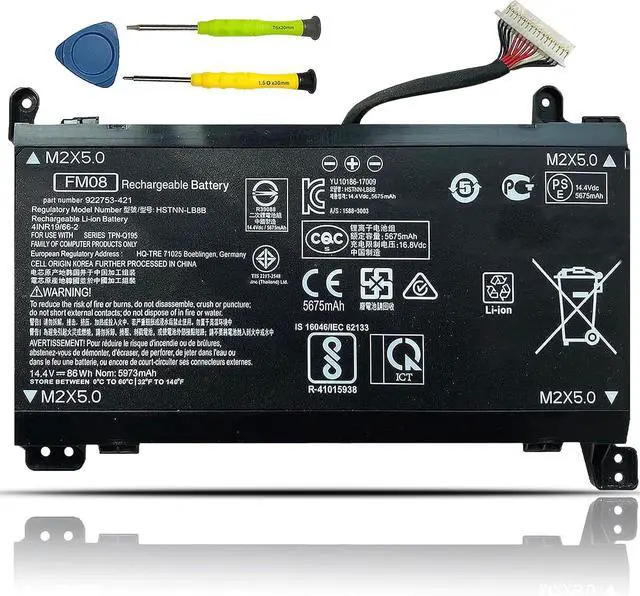
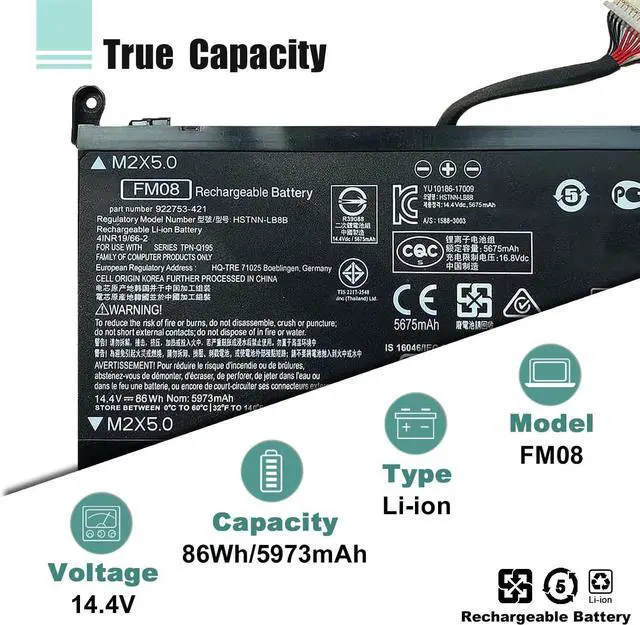
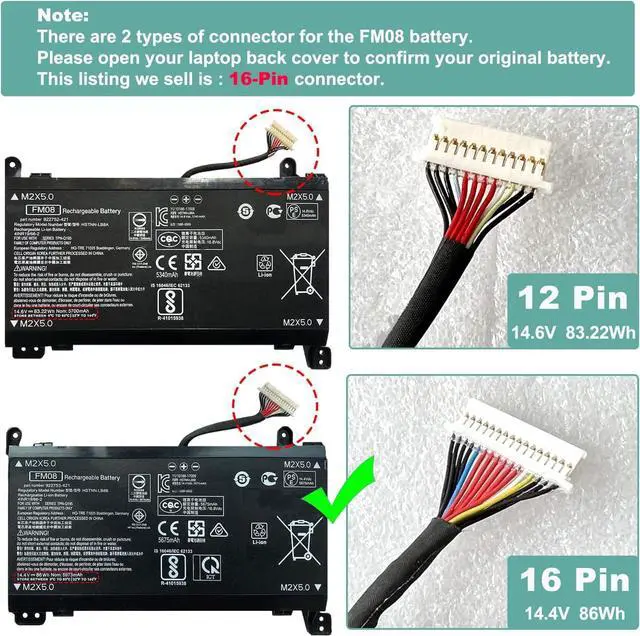
Model Name: FM08(16-pin connector)/HSTNN-LB8B
Battery Type: Li-ion
Battery Voltage: 14.4V
Battery Capacity: 86Wh 5973mAh
Condition: 100% New from Manufacturer, Grade A Cell
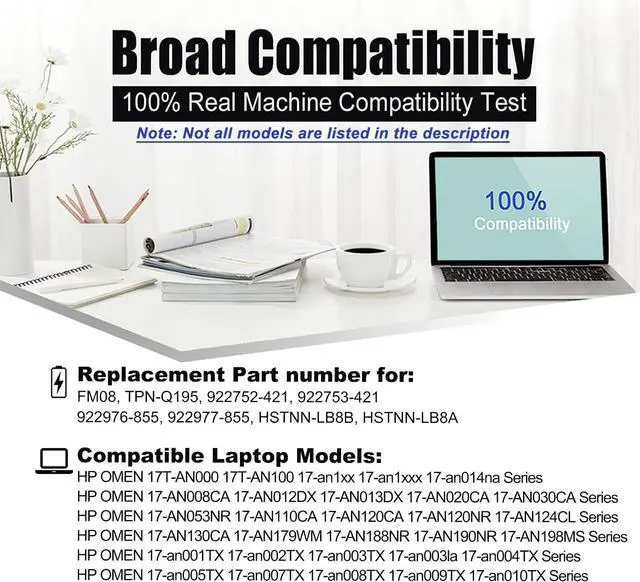
Replacement for Part Number:
FM08 TPN-Q195 922752-421 922753-421 922976-855 922977-855 HSTNN-LB8B HSTNN-LB8A
There are two different battery connectors for the same model FM08 battery: 12-Pin and 16-Pin
Before purchasing, it is recommended that you can open your laptop case to confirm your original battery model and connector type, and length. Then in choosing the right battery.
HP OMEN 17T-AN000 17T-AN100 17-an1xx 17-an1xxx 17-an014na Series
HP OMEN 17-AN008CA 17-AN012DX 17-AN013DX 17-AN020CA 17-AN030CA Series
HP OMEN 17-AN053NR 17-AN110CA 17-AN120CA 17-AN120NR 17-AN124CL Series
HP OMEN 17-AN130CA 17-AN179WM 17-AN188NR 17-AN190NR 17-AN198MS Series
HP OMEN 17-an001TX 17-an002TX 17-an003TX 17-an003la 17-an004TX Series
HP OMEN 17-an005TX 17-an007TX 17-an008TX 17-an009TX 17-an010TX Series
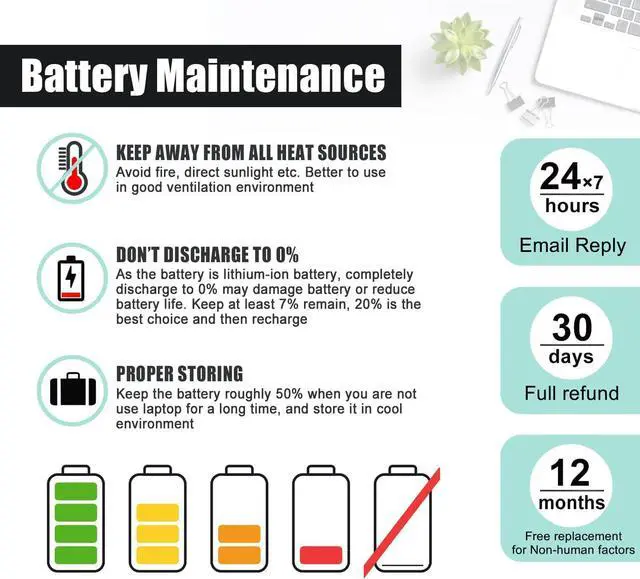
When you get the new battery, discharge the battery to 5% (not 0%), then charge to 95%, cycle 3-4 times to wake up the new battery.
The important point is to perform a full discharge and charge every other month to extend the battery life.
Do not connect adapter for a long time while using the battery. It may damage the battery.
Avoid artificial shocks, disassembly, crush or puncture. Do not dispose of it in fire or water.
The battery capacity are designed to meet the OEMs specifications, stable and last long, provide stronger power for your laptop, not falsely labeled battery capacity.
Problems you may encounter when installing a new battery
Q: Battery cannot be identified by your laptop or it doesnt seem to work. That may be caused by different situations.
Could be caused by battery loose. Please remove the battery and try to install more than once.
May be due to conductive material damaged which the laptop motherboard and battery anode and cathode contact position, you can try to confirm it with your original battery.
Check whether the battery drive is in normal condition, if not, download the corresponding driver software to update.
Take out the battery and press the power button for about 15 seconds to consume the internal residual power (Do not connect the power cord), and then reinstall the battery. You can try several times.
Help others learn more about this product by uploading a video!4.0 out of 5 starsBOWEIRUI FM08 922976-855 922752-421 Laptop Battery Replacement for HP Omen 17-AN013TX 17-AN014TX 17-AN014NG HQ-TRE Series 922753-421 922977-855 HSTNN-LB8B (14.4V 86Wh 5973mAh) 16-Pin Connector
Share:
Found a