About MULS
1. We have professional battery and adapter experience!
Strictly test before shipment to ensure full capacity and safety without harming the computer!
2. We recommend that the first charge is not less than 5 hours.
3. The new battery cannot be charged, is there a problem with the battery?
Usually not. The computer charges the battery for the first time. Due to the instability of voltage and current, the computer may stop charging the battery when the battery is half charged (sometimes more, sometimes less). If this happens, Don't worry, just take the battery out of the computer and recharge it again. The new battery charged for the first time may require several iterations. Don't worry, this is normal.
4. When the battery is in normal operation, if the battery is discharged to 3%, it must be shut down or recharged. If the battery is discharged to 0%, the battery will be damaged and its life will be attenuated.
5. Avoid falling, heating, and short-circuit, avoid using the battery in an environment where the temperature is too high or too low.
Specification:
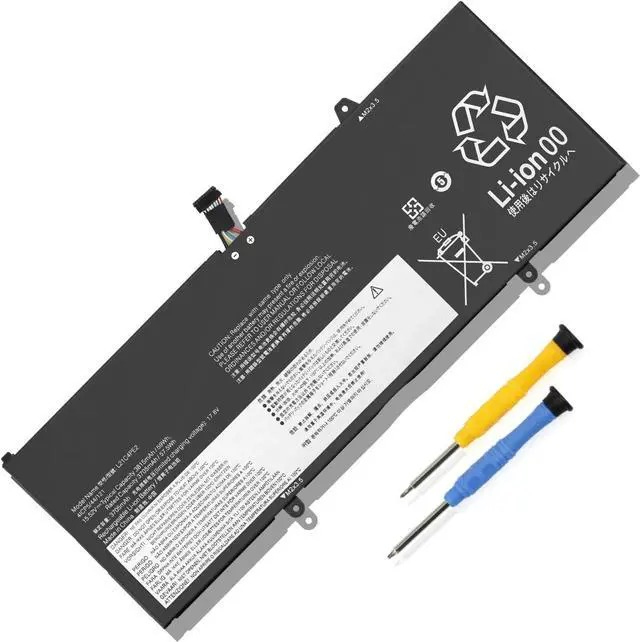
Voltage:15.52V
Capatity: 59Wh 3815mAh
Condition: 100% brand new from manufacture, Grade A cell
Replacement for Part Number
L21C4PE2 L21M4PE2 L21D4PE1 L21L4PE2
SB11F29412 5B11F29411
SB11F29410 5B11F29414
SB11F29418 5B11F29421
Compatible Laptop Models:
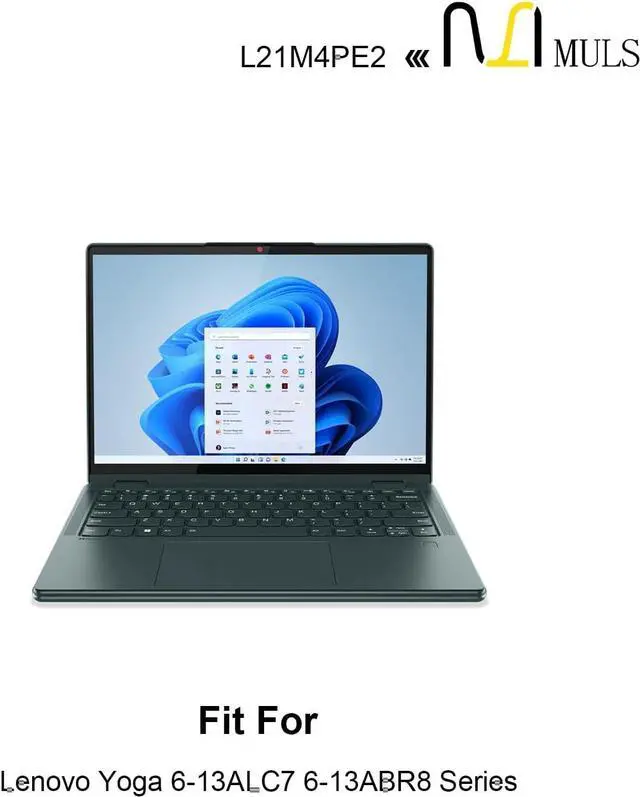
Fit for Lenovo Yoga 6-13ABR8 (Type: 83B2) Series
Fit for Lenovo Yoga 6-13ALC7 (Type: 82UD) Series
Yoga 6 13ALC7 82UD000ARU Yoga 6 13ALC7 82UD000BRU Yoga 6 13ALC7 82UD000CRU
Yoga 6 13ALC7 82UD000DSB Yoga 6 13ALC7 82UD000ESB Yoga 6 13ALC7 82UD000FVN
Yoga 6 13ALC7 82UD000GVN Yoga 6 13ALC7 82UD000HBM Yoga 6 13ALC7 82UD000JBM
Yoga 6 13ALC7 82UD000KBM Yoga 6 13ALC7 82UD000LBM Yoga 6 13ALC7
82UD000MBM 82UD000NBM 82UD000PSB 82UD000QSB 82UD000RMZ 82UD000SMZ 82UD000TVN
Please open the back cover of your laptop to check the original battery size and capacity before placing an order. Please scroll down to the list to purchase.
1. Turn off your laptop and disconnect the power.
2. Disconnect the connection between the old battery and the motherboard to avoid unnecessary damage caused by disassembling the battery. Then unscrew the old battery screws one by one and carefully save each screw.
3. Remove the old battery, carefully connect the new battery to the mainboard, reinstall all the parts that have been removed earlier, and connect the wiring of the new battery.
4. If you don't understand the above steps, you can search the relevant installation tutorial video on YouTube for help.
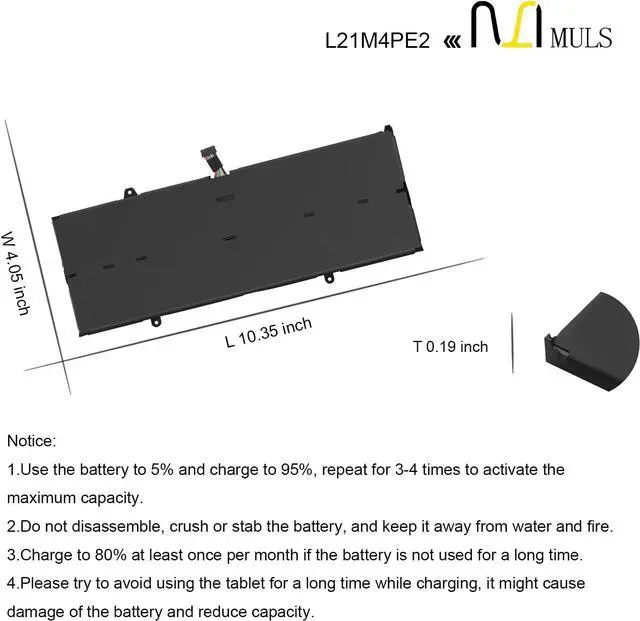
1. New battery: Discharge the new battery to 10% (not 0%), then charging up to 95% and repeat 3-4 times to activate the maximum capacity.
2. Overuse: Do not always run out of a battery to 0%, that would damage the battery or shorten the usage life.
3. Charging sequence: when charging, first install the battery, then turn on the power, when fully charged, first cut off the power, then pull the power plug.
4. Fully charge the battery before long-term storage, and keep charging once a month.
Do not store the battery at low power circumstances.
Could be caused by battery loss. Please re-install the battery and make sure that the battery cable and the motherboard interface are tightly inserted.
Maybe due to conductive material damage which the laptop motherboard and battery anode and cathode contact position, you can try to confirm it with your original battery.
Check whether the battery drive is in normal condition, if not, download the corresponding driver software to update.
Help others learn more about this product by uploading a video!MULS L21C4PE2 L21M4PE2 L21D4PE1 Laptop Battery Replacement for Lenovo Yoga 6-13ALC7 6-13ABR8 Series L21L4PE2 SB11F29412 5B11F29411 SB11F29410 5B11F29414 SB11F29418 5B11F29421
Share:
Found a lower price? Let us know. Al