Important note :
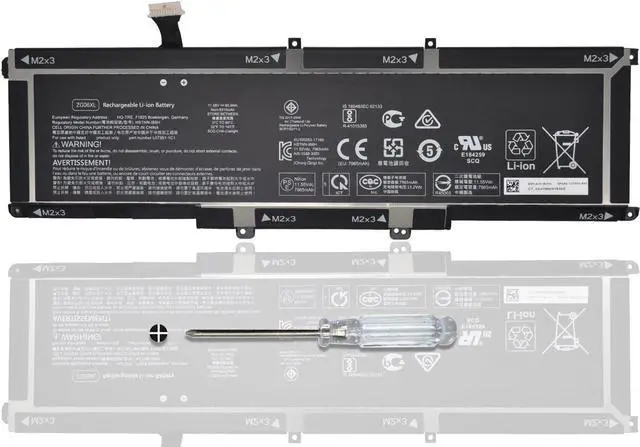
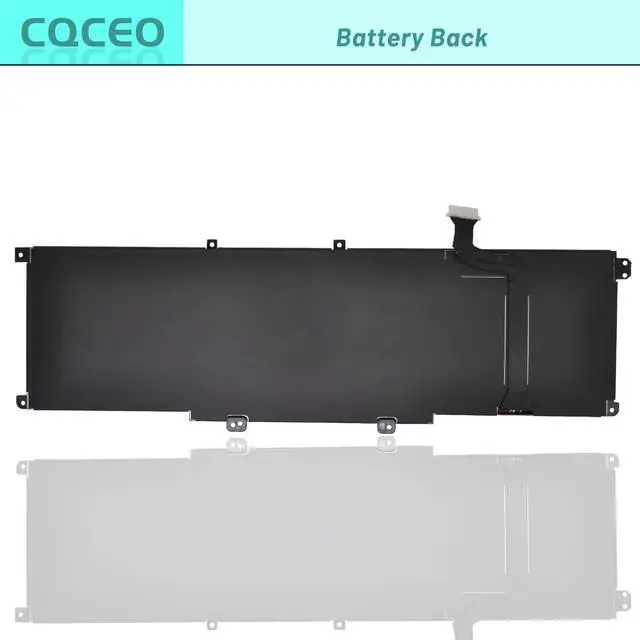
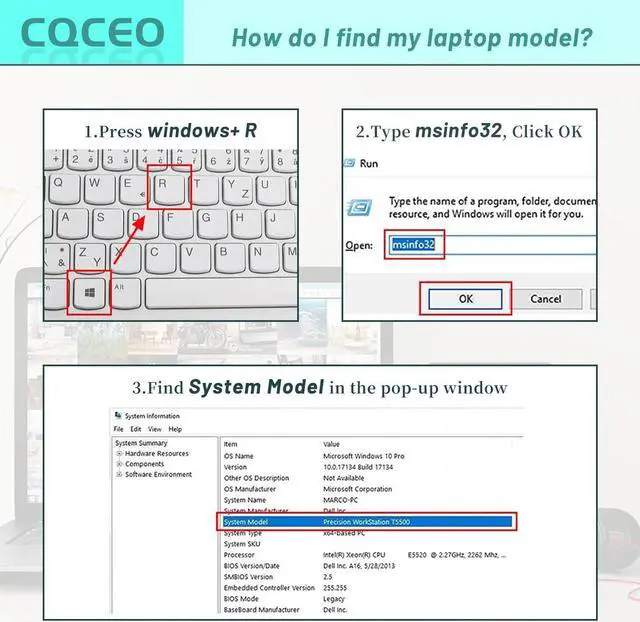
Before purchasing, could you please open your laptop case and confirm your original battery model number, According to battery image, and make sure that's what you need.
Specifications:
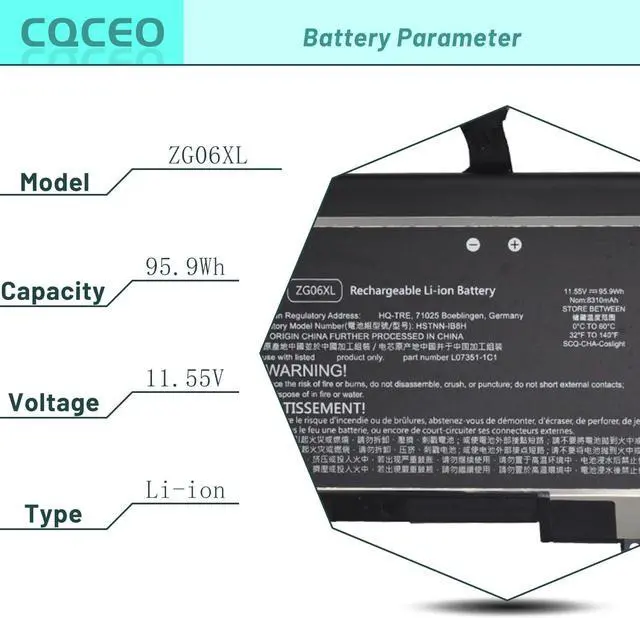
Voltage: 11.55V
Capacity: 95.9Wh/8310mAh/6-Cell
Battery Type: Lithium ion
Battery Condition: Brand New
Color: black
Condition: 100% New from Manufacturer, Grade A Cell
Compatible Part Numbers:
ZG06XL HSTNN-1B8H HSTNN-IB8H HSN-Q11C L07045-855 L07046-855 L07351-1C1 ZG06095XL ZGO6XL ZG06095XL-PL
Compatible Machine Models: (Use "Ctrl+F to find your model quickly):
for HP Elitebook 1050 G1 Series
for HP ZBook Studio X360 G5 2ZC63EA 5CN15PA ZC62EA Series
for HP ZBook Studio G5 2ZC49EA 2ZC50EA 2ZC51EA 2ZC52EA 4QH10EA Series
for HP Elitebook 1050 G1 Series
EliteBook 1050 G1, EliteBook 1050 G1 Notebook PC, ELITEBOOK 1050 G1(4PH82PC), ELITEBOOK 1050 G1(4PH83PC), ELITEBOOK 1050 G1(4PJ10PC), ELITEBOOK 1050 G1(4PJ11PC), ELITEBOOK 1050 G1(4PJ12PC),
for HP ZBook Studio X360 G5 Series
ZBook STUDIO X360 G5 Convertible Workstation, ZBook Studio x360 G5(2ZC59EA), ZBook Studio x360 G5(2ZC61EA), ZBook Studio x360 G5(2ZC62EA), ZBook Studio x360 G5(2ZC63EA), ZBook Studio x360 G5(2ZC69EA), ZBook Studio x360 G5(4QH12EA), ZBook Studio x360 G5(4QH13EA), ZBook Studio X360 G5(5CN15PA), ZBook Studio x360 G5-4QH13EA, ZBook Studio x360 G5-5CE50PA, ZBook Studio x360 G5-9AV38PA, ZBook Studio X360 G52ZC59EA, ZBook Studio X360 G52ZC61EA, ZBook Studio X360 G52ZC62EA, ZBook Studio X360 G52ZC63EA, ZBook Studio X360 G52ZC69EA, ZBook Studio X360 G54QH12EA, ZBook Studio X360 G54QH13EA, ZBook Studio X360 G55CN15PA
for HP ZBook Studio G5 Series
How to use the battery correctly :
1. To prevent safety issues from transportation, all battery out off factory are charged 40-50%,(you can check from laptop Battery indicator icon). For initial using of the battery, please discharge it to 5%(not to 0%) and then charge to 100%, and cycle 3-4 times to activate the batterys maximum capacity.
2. Please recharge immediately when battery reduced to 15% level,when you use the battery. Or it will shorten the battery life and cause damages to the battery.
3. If the battery do not use for a long time, please keep the battery to charge to a minimum 50% electricity. Or, it will maybe cause unable to charge again.To maintain the best battery state,replacement battery needs to be fully discharge to 15% and recharge to 100% each 2 month.
4.Do not unplug the battery during charging , better to turn off the laptop when recharge the it.
5.If your laptop cant be charged or cannot be fully charged,there may be possibilities that the adapter does not compatible with the laptop or theres some damage with the adapter. Please switch off your laptop and try again or change to a correct adapter.
6.The battery usage time is related to factors such as the CPU processor speed, application, program, screen brightness, wireless device external ports, and battery life of the laptop, so the actual usage time of the battery may differ from that of the same model of battery.